
The Myth of the Universal Setpoint
When electronics hobbyists and professional technicians search for the ideal temperature for soldering iron applications, they are often met with a frustratingly vague answer: 'just set it to 350°C.' However, as PCB designs in 2026 increasingly feature dense 0402 surface-mount components alongside massive 2oz copper ground planes, a static setpoint is no longer sufficient. The true differentiator between a $30 budget smart iron and a $600 premium soldering station is not the number on the digital display—it is the thermal recovery rate, sensor placement, and active tip technology.
Understanding how different tiers of equipment manage heat is critical. If you apply the exact same temperature setting to a budget iron and a premium station, the physical reality at the tip's working edge will be drastically different under load. This analysis breaks down the engineering realities of budget versus premium temperature control, providing exact setpoints and failure mode diagnostics for your workbench.
The Sensor Gap: Why Budget Irons Lie Under Load
Budget irons like the highly popular Pinecil V2 (retailing around $26 in 2026) or the Sequre S60P utilize a thermocouple located near the base of the tip sleeve. The heating element drives the ceramic sleeve, and heat transfers through an air gap and mechanical friction into the replaceable copper tip. When you touch a heavy copper pour, the tip's thermal mass is rapidly depleted. Because the sensor is physically separated from the working edge of the tip, the PID controller experiences 'thermal lag.' The OLED display might still confidently read 350°C, but the actual working edge has plummeted to 210°C. The solder freezes, resulting in a cold, dull joint.
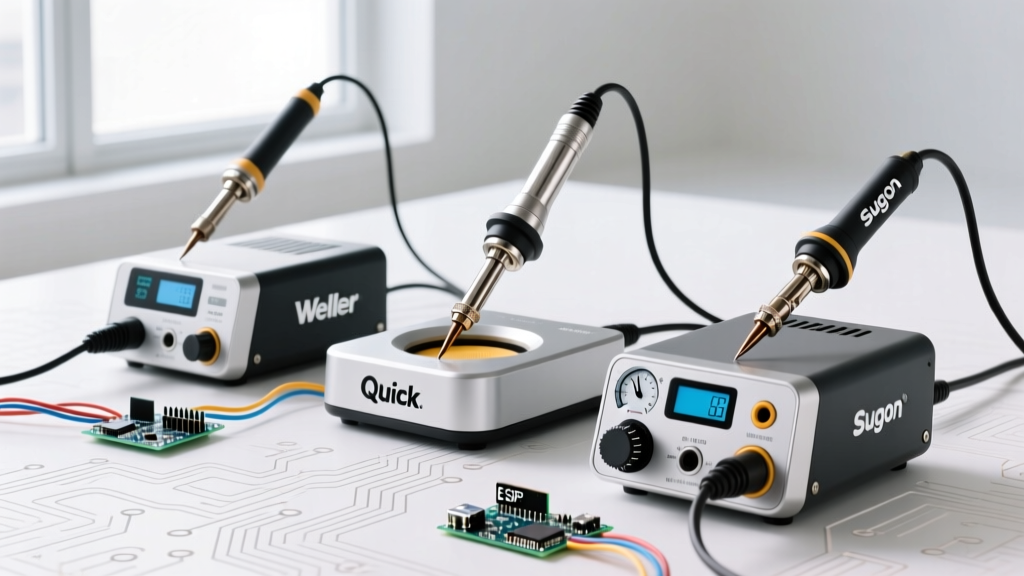
Conversely, premium stations like the JBC CD-2BQF (approximately $580) or the Weller WX2021 ($650) utilize active tip technology. In JBC’s C245 cartridge system, the heating element and the thermocouple sensor are integrated directly into the very tip of the solid copper core. There is virtually zero thermal lag. When the tip touches a massive ground plane, the sensor detects the microsecond temperature drop, and the station’s high-wattage transformer (often 130W to 200W) injects raw current to recover the heat before the flux can even begin to crystallize.
Expert Insight: Never judge an iron's performance by its idle temperature. The only metric that matters in production or complex DIY builds is thermal recovery time under a 2oz copper load.
Thermal Recovery Matrix: 2026 Market Leaders
| Station Model | Tier / Price (2026) | Sensor Technology | Temp Drop (2oz Cu) | Recovery Time |
|---|---|---|---|---|
| Pinecil V2 (20V) | Budget / $26 | Base Thermocouple | -110°C | 4.5 - 6.0 seconds |
| Hakko FX-951 | Mid-Range / $280 | Sleeve Proximity Sensor | -65°C | 2.5 - 3.5 seconds |
| JBC CD-2BQF (C245) | Premium / $580 | Integrated Active Tip | -15°C | 0.8 - 1.2 seconds |
| Weller WX2021 | Premium / $650 | Integrated Active Tip | -20°C | 1.0 - 1.5 seconds |
Dialing In the Exact Temperature for Soldering Iron Tasks
The correct temperature for soldering iron operations depends entirely on the alloy's melting point, the thermal mass of the joint, and the flux chemistry. According to the IPC J-STD-001 Requirements for Soldered Electrical and Electronic Assemblies, excessive dwell time and improper thermal profiles lead to intermetallic compound (IMC) overgrowth, brittle joints, and pad delamination. The standard emphasizes that heat must be sufficient to wet the surfaces rapidly without exceeding the thermal degradation threshold of the laminate.
Alloy-Specific Setpoints
- Sn63/Pb37 (Leaded Eutectic): Melts at 183°C. For budget irons, set the dial to 330°C to 350°C to compensate for thermal lag. For premium active-tip stations, 300°C to 315°C is optimal, preventing unnecessary tip oxidation.
- SAC305 (Lead-Free): Melts at 217°C. Requires higher thermal energy. Budget irons should be set to 360°C to 380°C. Premium stations perform best at 340°C to 355°C. Pushing a budget iron past 390°C to force a lead-free joint will burn the rosin flux, violating IPC standards for flux activation and leaving corrosive residues.
- Sn96.5/Ag3.0/Cu0.5 (High-Reliability/Aerospace): Melts at 217°C but requires a higher superheat for proper wetting. For high-reliability aerospace applications, the NASA Electronic Parts and Packaging (NEPP) Program strictly mandates controlled thermal profiles to prevent micro-cracking in ceramic chip capacitors (MLCCs). Premium stations set to 350°C with a wide bevel tip are mandatory here; budget irons simply cannot deliver the instantaneous heat transfer required without lingering and cracking the component die.
Tip Geometry: The Unsung Variable in Temperature Control
Your chosen temperature is useless if the tip geometry cannot bridge the thermal gap. Budget iron users frequently default to fine conical tips (like the TS-B2) for precision work. However, a conical tip possesses almost zero thermal mass at its apex. When set to 350°C, the base of the cone might be hot, but the microscopic point loses its heat the instant it touches a component lead.
The Solution: Use a Mini-Wave or Bevel tip (e.g., JBC C245-905 or Hakko T18-C2). A bevel tip allows you to trap a small reservoir of molten solder against the flat face of the iron. This molten solder acts as a liquid thermal bridge, transferring heat into the pad and lead exponentially faster than dry copper-to-copper contact. By utilizing a bevel tip, you can actually lower your iron's temperature by 15°C to 20°C while achieving faster wetting times, drastically extending the lifespan of your tip's iron plating.
Real-World Failure Modes: When Temperature Lies
When the temperature for soldering iron tasks is mismanaged—either through equipment limitations or user error—specific physical failure modes manifest on the PCB:
- Tombstoning on Passives: If you use a budget iron with slow recovery and attempt to solder both pads of a 0603 capacitor simultaneously, the uneven heat distribution causes one pad's flux to activate before the other, pulling the component upright.
- Pad Delamination (Lifting): A common mistake with budget irons is 'chasing the heat.' The user holds a 320°C iron on a ground plane for 8 seconds waiting for the solder to flow. The prolonged dwell time transfers heat laterally into the FR4 epoxy, breaking the bond between the copper cladding and the fiberglass substrate.
- Tip Pitting and Blackening: Cranking a budget iron to 420°C to compensate for poor thermal recovery causes the iron plating on the tip to oxidize rapidly. Once blackened, the tip will not accept solder, forcing the user to scrub it with abrasive brass wool, which permanently ruins the microscopic iron layer.
The Verdict: Where Should You Invest?
If your workbench is dedicated to through-hole components, basic wiring harnesses, and large SMD prototyping, a budget smart iron like the Pinecil V2 or a mid-range Hakko FX-888D is perfectly adequate. Simply select a larger chisel or bevel tip, increase your setpoint by 20°C, and allow the iron to dwell for an extra second.
However, if your daily workflow involves multilayer PCBs with internal ground planes, QFN packages with exposed thermal pads, or strict adherence to IPC and NASA reliability standards, the math changes. The time lost to thermal lag, combined with the cost of ruined components and lifted pads, easily eclipses the $500+ investment in a JBC or Weller active-tip station. In the premium tier, you are not paying for a higher maximum temperature; you are paying for the absolute, uncompromising physics of instantaneous thermal recovery.