
The Reality of Budget 3-in-1 Stations in 2026
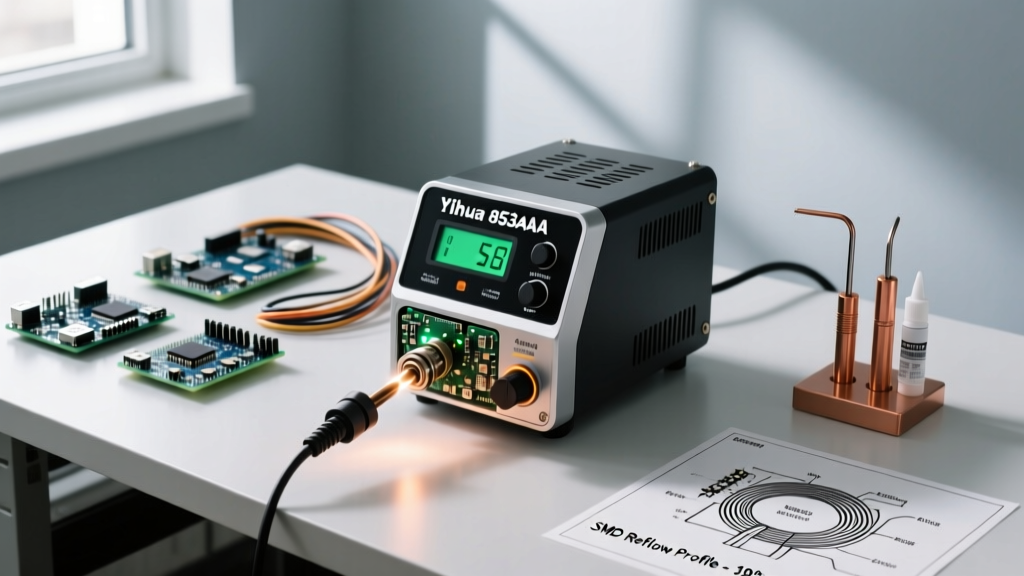
When it comes to entry-level and intermediate electronics repair, the Yihua 853AAA soldering station remains an undisputed workhorse. Priced consistently between $95 and $115 in 2026, this 3-in-1 unit packs a 60W temperature-controlled soldering iron, a 700W hot air rework gun, and a 15V/1A DC power supply into a single chassis. However, out-of-the-box performance rarely matches the digital display's promises. To extract professional-grade reliability from this budget station, you must look past the marketing specs and apply expert-level calibration, precise thermal profiling, and strict maintenance routines.
Unlike high-end stations from JBC or Metcal that utilize active tip sensing and high-frequency induction, the Yihua 853AAA relies on traditional ceramic heating elements and basic thermocouple feedback loops. This means the digital readout is an estimate of the tip temperature, not an absolute guarantee. Understanding this limitation is the first step toward mastering the tool.
Step 1: Thermal Calibration (Do This Before First Use)
The most common mistake DIYers make is trusting the LED display blindly. The internal thermocouple is located inside the ceramic heating element, not at the very tip of the iron. This creates a thermal gradient, meaning a displayed 350°C might actually be 335°C at the working face of the tip.
Expert Warning: Never attempt to calibrate the station by simply turning the internal potentiometers without a reliable external reference. Guessing the offset will ruin your SMD pads and lift traces.
The Calibration Procedure
- Acquire a Tip Thermocouple: Use a K-type thermocouple designed for surface measurement (like the Fluke 80PK-1) paired with a trusted multimeter.
- Apply Thermal Paste: Place a tiny dab of high-temperature thermal compound on the working face of a 900M-T-B conical tip to ensure accurate heat transfer to the thermocouple.
- Set and Measure: Set the Yihua 853AAA to 300°C. Let it stabilize for three minutes. Record the actual temperature from your multimeter.
- Adjust the Offset: Access the station's hidden calibration menu (typically by holding the 'UP' and 'DOWN' arrows simultaneously for 5 seconds on the digital interface). Input the measured offset value. Repeat this process at 350°C and 400°C to ensure linear accuracy across the spectrum.
Optimizing Tip Selection for the 900M Series
The Yihua 853AAA uses the ubiquitous Hakko 900M series tip ecosystem. While the kit usually includes a basic conical tip, it is virtually useless for modern SMD rework. To align with the workmanship requirements outlined in the IPC Standards for reliable solder joints, you should immediately upgrade your tip arsenal:
- 900M-T-K (Knife Tip): The absolute best tip for drag-soldering QFP and SOIC microcontrollers. The edge allows for precise pin-by-pin touch-ups, while the flat side holds enough solder for continuous drag passes.
- 900M-T-3C (3mm Bevel/Chisel): Ideal for general-purpose through-hole soldering and larger 1206/0805 SMD components. The bevel holds a small solder pool, improving thermal transfer.
- 900M-T-D24 (2.4mm Flathead): Excellent for tinning thick ground plane wires and desoldering heavy power connectors.
Hot Air SMD Rework Profiles
The hot air wand on the 853AAA utilizes a brushless fan-in-wand design. This is a massive upgrade over the vibrating diaphragm pumps found in older models like the 858D, providing smooth, pulse-free airflow. However, the airflow scale (1-9) is not linear regarding thermal impact. Higher airflow strips heat from the board faster, requiring a higher temperature setting to compensate.
| Component Type | Target Temp (°C) | Airflow (Scale 1-9) | Nozzle Size | Estimated Time |
|---|---|---|---|---|
| 0402 / 0603 Passives | 320°C | 3 | Round 3mm | 10 - 15s |
| SOIC-8 / SOP-16 | 340°C | 4 | Round 5mm | 20 - 30s |
| QFP-64 / TQFP-100 | 360°C | 5 | Square 12mm | 45 - 60s |
| Small BGA (e.g., Flash IC) | 380°C | 6 | Round 10mm | 90 - 120s |
Note: Always use Kapton tape and aluminum foil heat shields to protect adjacent plastic connectors and sensitive RF shields. For multi-layer boards with heavy ground planes, a bottom preheater is mandatory to prevent the 'popcorn' effect on BGA chips. Proper thermal management is heavily emphasized in the NASA Electronic Parts and Packaging (NEPP) Program guidelines to prevent internal die delamination.
Leveraging the Integrated 15V DC Power Supply
The third module in the Yihua 853AAA is a 15V, 1A DC power supply. Many hobbyists ignore this feature, but it is an invaluable diagnostic tool for board-level repair. It outputs a maximum of 15 Watts and operates strictly in Constant Voltage (CV) mode.
Voltage Injection for Short-Circuit Hunting
When a board has a dead short on the main power rail (often caused by a failed MLCC decoupling capacitor), the 15V supply can be used to inject voltage and locate the culprit.
- Determine Rail Tolerance: Never inject 15V into a 3.3V or 1.8V logic rail. For a 5V USB rail, set the station to 5.0V.
- Inject Voltage: Connect the positive lead to the shorted rail and the negative lead to ground. The 1A current limit will prevent catastrophic trace burnout.
- Thermal Detection: Use an infrared thermal camera, or apply liquid rosin flux to the board. The shorted component will heat up rapidly, melting the rosin into a white powder or glowing brightly on the thermal sensor.
Because the Yihua power supply lacks a dedicated Constant Current (CC) mode, you must monitor the digital ammeter closely. If the display reads '1.00A' and the voltage drops significantly, the supply is in a hard current-limit state. Prolonged operation in this state will overheat the internal linear regulator.
Known Failure Modes & Preventative Maintenance
To keep the Yihua 853AAA running reliably through hundreds of repair jobs, you must proactively address its known mechanical and electrical weak points.
The 4-Pin Aviation Connector Melt
The hot air wand connects to the main unit via a 4-pin circular aviation plug. The plastic insulation inside this plug is highly susceptible to heat creep. If you place the hot air wand back into its cradle while the nozzle is still above 200°C, and the auto-cool cycle is interrupted or disabled, the residual heat will travel up the metal shaft and melt the plastic connector housing. Rule: Never unplug the wand while it is hot, and always allow the brushless fan to run its automatic 60-second cool-down cycle before powering off the station.
Wand Filter Clogging
Unlike diaphragm pumps that push air, the fan-in-wand design pulls air through the rear vents of the handle. Over time, flux vapors, dust, and rosin residue will clog the internal foam filter. This reduces airflow volume, causing the heating element to overwork and eventually burn out. Every three months, unscrew the rear cap of the hot air wand, remove the foam sleeve, and wash it with isopropyl alcohol (IPA). If the foam is degraded, replace it with a generic acoustic filter sponge.
Tip Oxidation and Recovery
The iron's 60W heater is powerful enough to rapidly oxidize a tip if left idle at 400°C. If your 900M tip turns black and refuses to wet with solder, do not scrape it with a knife or sandpaper—this destroys the iron plating. Instead, use a brass wire sponge and a high-quality tip tinner (like Amtech or MG Chemicals) to chemically reduce the oxidation. For deeper insights into tip longevity and proper wetting techniques, the SparkFun Soldering Guide offers excellent visual references on maintaining iron plating.
Summary
The Yihua 853AAA soldering station punches far above its weight class, provided the user respects its physical limitations. By performing an initial thermal calibration, utilizing the correct 900M tip profiles, respecting the hot air cool-down cycles, and leveraging the DC supply for voltage injection, you transform a $100 budget tool into a highly capable diagnostic and rework center. Treat the equipment with precision, and it will reliably handle everything from 0402 passives to multi-layer motherboard repairs.