
The Reality of Ultrasonic Distance Measurement
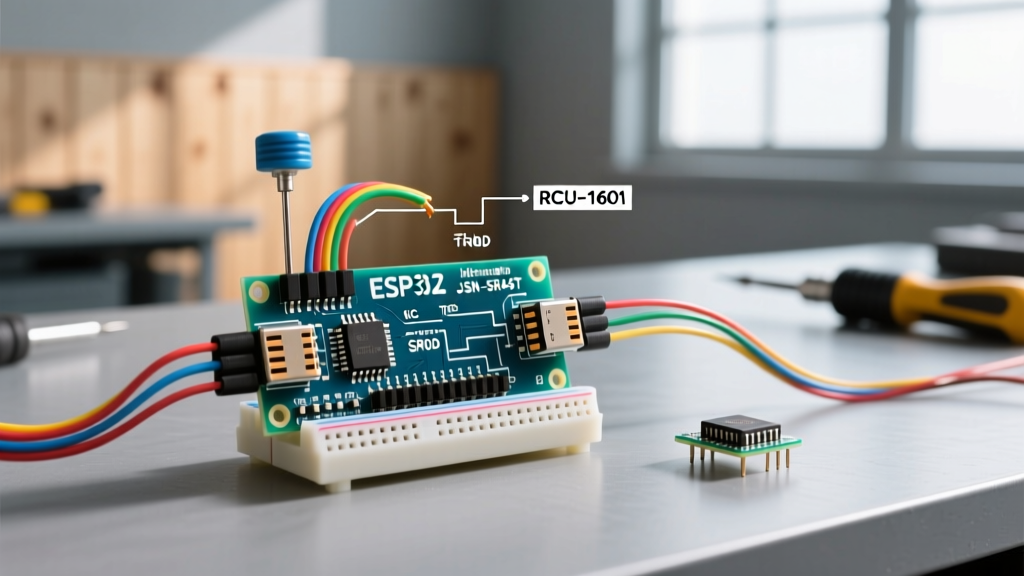
When integrating a 40kHz transceiver into a microcontroller project, writing reliable code for Arduino ultrasonic sensor setups is rarely as simple as copying a basic tutorial. While the ubiquitous HC-SR04 (typically priced between $1.50 and $3.00) and the waterproof JSN-SR04T ($4.50 to $7.00) are staples in the maker community, they are notorious for producing erratic serial monitor outputs, freezing main loops, and failing in edge-case environments.
The root cause of these failures rarely lies in the sensor itself. Instead, it stems from a fundamental misunderstanding of acoustic physics, blocking functions in C++, and hardware-software mismatches. This troubleshooting guide dissects the most common failure modes in ultrasonic sensor code and provides actionable, production-ready solutions for 2026 and beyond.
Diagnostic Matrix: Symptom to Solution
Before rewriting your sketch, identify your exact failure mode using the diagnostic matrix below. This table maps common serial monitor anomalies to their underlying hardware or software faults.
| Symptom | Serial Output | Root Cause | Fix (Code / Hardware) |
|---|---|---|---|
| Constant Zeroes | 0 |
Echo pin not triggering; 5V/GND wiring fault; broken transceiver. | Verify pinMode; check 5V rail with multimeter; replace sensor. |
| Loop Freezing | Stalls completely | Default pulseIn() 1-second timeout blocking the MCU. |
Implement custom microsecond timeout (e.g., 30000µs). |
| Max Distance Lock | 3000+ or 400 |
Object out of range; acoustic absorption by soft materials. | Set MAX_DISTANCE limits; adjust sensor angle to target. |
| Erratic Jumping | 14.2, 88.5, 15.1 |
Acoustic cross-talk; power rail noise; multipath reflections. | Add 100µF decoupling capacitor; implement median filtering in code. |
| 25cm Blind Spot | 0 or 25 (close range) |
JSN-SR04T v1.0 hardware flaw (echo ring-over). | Upgrade to v2.0 or modify v1.0 R27 resistor to 120kΩ. |
Trap #1: The pulseIn() Timeout Block
The most critical error beginners make when writing code for Arduino ultrasonic sensor modules is misusing the pulseIn() function. According to the official Arduino pulseIn() documentation, if you do not specify a timeout parameter, the function will wait for up to one full second (1,000,000 microseconds) for the echo pulse to arrive.
If the sensor is pointed at an angled surface that deflects the 40kHz burst away from the receiver, or if the wiring is loose, the MCU halts all operations for a full second per reading. In a robotics application running at 50Hz, a single missed echo will cause your PID control loop to collapse.
The Solution: Bounding the Timeout
Sound travels at approximately 343 meters per second in dry air at 20°C. To measure a distance of 5 meters (the practical maximum for an HC-SR04), the sound must travel 10 meters round-trip. This takes roughly 29,154 microseconds. Therefore, any echo taking longer than 30,000µs is physically impossible for a 5-meter range and should be immediately discarded.
// BAD: Blocks for 1 second if no echo is received
long duration = pulseIn(echoPin, HIGH);

// GOOD: Times out after 30ms, keeping the main loop responsive
long duration = pulseIn(echoPin, HIGH, 30000);

if (duration == 0) {
  // Handle timeout error gracefully
  Serial.println("Error: Sensor timeout or out of range");
} else {
  float distance_cm = (duration * 0.0343) / 2.0;
  Serial.print("Distance: ");
  Serial.println(distance_cm);
}
Trap #2: Ignoring the Physics of Sound
Most tutorial code hardcodes the speed of sound as 0.0343 cm/µs. This assumes the ambient temperature is exactly 20°C (68°F). However, if your project is deployed in an unheated garage in winter (5°C) or a hot greenhouse in summer (35°C), your distance calculations will drift significantly. The speed of sound in air is highly dependent on temperature, a principle thoroughly documented by the Engineering Toolbox acoustics database.
The formula for the speed of sound in dry air based on temperature is:
v = 331.3 + (0.606 × T) (where T is temperature in °C, and v is in m/s)
Implementing Temperature Compensation
To achieve millimeter-level accuracy, integrate a digital temperature sensor like the BME280 or DS18B20 into your sketch. By dynamically calculating the speed of sound, your code for Arduino ultrasonic sensor setups becomes environmentally resilient.
float getCompensatedDistance(long duration_us, float temp_celsius) {
  // Calculate speed of sound in cm/us based on current temperature
  float speed_of_sound_ms = 331.3 + (0.606 * temp_celsius); // m/s
  float speed_of_sound_cm_us = speed_of_sound_ms / 10000.0; // cm/us

  // Calculate distance (divided by 2 for round trip)
  float distance = (duration_us * speed_of_sound_cm_us) / 2.0;
  return distance;
}
At 0°C, the speed of sound drops to 331.3 m/s. If your code assumes 343 m/s, a true distance of 100cm will be erroneously reported as 96.5cm—a 3.5% error that can cause a autonomous rover to collide with a wall.
Trap #3: Hardware-Code Mismatches (The JSN-SR04T Quirk)
When moving from the standard open-air HC-SR04 to the waterproof JSN-SR04T for outdoor or high-humidity applications, many developers assume the code remains identical. While the trigger/echo protocol is the same, the hardware behavior requires specific code adjustments.
The original JSN-SR04T (v1.0) suffers from a notorious 'blind spot' between 0cm and 25cm. If an object is closer than 25cm, the acoustic ringing from the transmitter bleeds directly into the receiver, causing the sensor to either output 0 or lock onto a false reading of exactly 25cm. While v2.0 of the hardware fixed this by altering the internal SMD resistor network (specifically changing R27 to 120kΩ), many cheap clones still circulate on the market in 2026.
If you must use v1.0 hardware, your code must enforce a minimum valid distance threshold to prevent false positives in collision avoidance systems:
float distance = getCompensatedDistance(duration, current_temp);

// Enforce hardware blind-spot limit for JSN-SR04T v1.0
if (distance < 25.0 && distance > 0.0) {
  Serial.println("Warning: Object within 25cm blind spot. Reading unreliable.");
  // Trigger emergency stop or ignore reading
}
Furthermore, the JSN-SR04T requires a robust 5V power supply capable of delivering short current spikes of up to 30mA during the 40kHz burst. Powering it directly from an Arduino Nano's 5V linear regulator often leads to brownouts. Always use a dedicated buck converter and tie the grounds together.
Advanced Code: Median Filtering for Noisy Environments
Ultrasonic sensors are highly susceptible to 'multipath reflections'—where the sound wave bounces off a nearby wall before hitting the target, returning a longer distance than reality. Taking a single reading and printing it to the serial monitor is insufficient for production environments.
Instead of using a simple moving average (which is easily skewed by a single massive outlier), implement a Median Filter. A median filter takes an odd number of samples (e.g., 5 or 7), sorts them, and selects the middle value. This completely eliminates sporadic 'ghost' readings caused by acoustic cross-talk.
Median Filter Implementation
const int NUM_SAMPLES = 5;
long samples[NUM_SAMPLES];

long getMedianDistance() {
  for (int i = 0; i < NUM_SAMPLES; i++) {
    digitalWrite(trigPin, LOW);
    delayMicroseconds(2);
    digitalWrite(trigPin, HIGH);
    delayMicroseconds(10);
    digitalWrite(trigPin, LOW);

    samples[i] = pulseIn(echoPin, HIGH, 30000);
    delay(20); // Wait 20ms between pings to prevent echo interference
  }

  // Simple insertion sort for the small array
  for (int i = 1; i < NUM_SAMPLES; i++) {
    long key = samples[i];
    int j = i - 1;
    while (j >= 0 && samples[j] > key) {
      samples[j + 1] = samples[j];
      j--;
    }
    samples[j + 1] = key;
  }

  // Return the median (middle) value
  return samples[NUM_SAMPLES / 2];
}
As noted in the SparkFun Inventor's Kit Distance Sensor Guide, allowing a 20ms to 30ms delay between pings is crucial. If you ping too rapidly, the previous sound wave will still be bouncing around the room, triggering the receiver prematurely and resulting in phantom obstacles.
Summary Checklist for Production Deployment
- Timeouts: Never use
pulseIn()without a 30000µs timeout parameter. - Physics: Compensate for temperature if your deployment environment varies by more than 10°C.
- Power: Inject 5V directly to the sensor's VCC pin via a dedicated regulator; do not rely on the MCU's onboard 5V rail.
- Signal Integrity: Add a 100µF electrolytic capacitor across the sensor's VCC and GND pins to smooth out transient current draws during the ultrasonic burst.
- Data Validation: Use a 5-sample median filter to reject multipath acoustic anomalies.
By moving beyond copy-paste tutorial sketches and addressing the acoustic and electrical realities of 40kHz transceivers, your code for Arduino ultrasonic sensor integrations will transition from fragile prototypes to robust, field-ready systems.