
Bridging the Physical and Digital: Processing and Arduino
Pairing Processing and Arduino remains one of the most powerful workflows in interactive media, data visualization, and robotics prototyping. While Arduino handles the deterministic, real-time hardware interfacing, Processing (currently in its 4.3+ iteration) leverages Java to render complex 2D/3D graphics, parse heavy datasets, and build custom GUIs. However, achieving flawless communication between the two requires navigating serial buffer overflows, protocol mismatches, and hardware-specific edge cases.
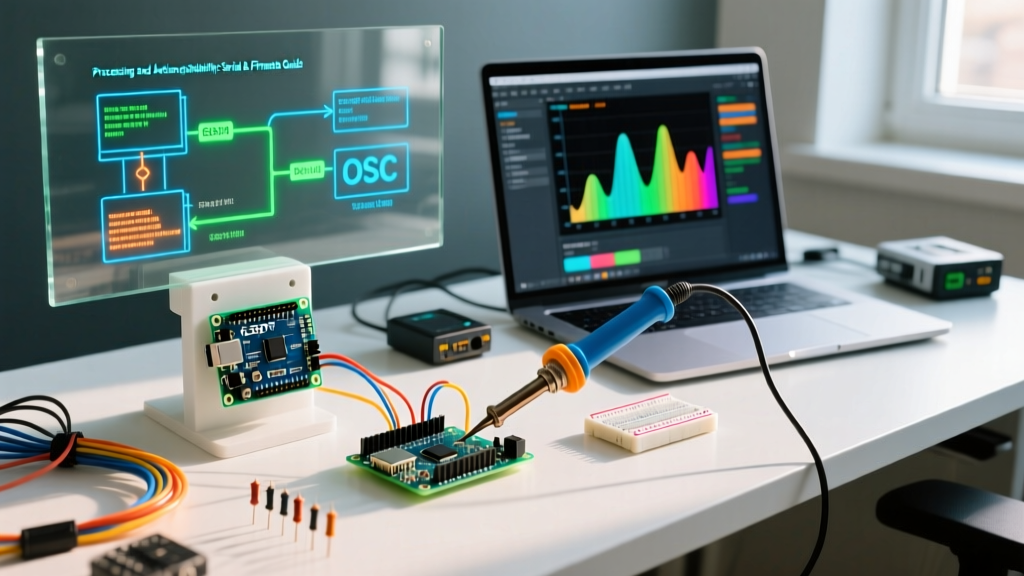
This compatibility guide dissects the three primary communication architectures linking Processing and Arduino in 2026: Raw Serial, the Firmata protocol, and network-based OSC (Open Sound Control). Whether you are using a legacy ATmega328P or a modern Renesas-based Uno R4, understanding these layers is critical for project stability.
Protocol Compatibility Matrix
Before writing a single line of code, you must select the right transport layer. The table below maps the optimal protocol based on your project's latency and complexity requirements.
| Protocol | Best Use Case | Latency | Setup Complexity | Recommended Hardware |
|---|---|---|---|---|
| Raw Serial (USB) | High-speed telemetry, custom byte-packing | ~1-5 ms | Medium (requires parsing) | Teensy 4.1, Arduino Uno R4 Minima |
| StandardFirmata | Rapid prototyping, direct pin manipulation | ~10-20 ms | Low (plug-and-play) | Arduino Nano 33 IoT, Uno R3 |
| OSC over UDP/WiFi | Wireless installations, multi-device sync | ~5-15 ms (LAN) | High (network routing) | ESP32-S3, Arduino Uno R4 WiFi |
Method 1: Raw Serial Communication (Byte-Level Control)
Raw serial communication via the processing.serial.* library offers the highest throughput and lowest latency. By defining a custom packet structure, you can push thousands of sensor readings per second from an Arduino to Processing.
The DTR Auto-Reset Edge Case
A notorious compatibility issue when linking Processing and Arduino over standard USB serial is the DTR (Data Terminal Ready) toggle. When Processing opens a serial port on legacy boards like the Uno R3 (ATmega16U2 USB-to-Serial chip), it pulses the DTR line, which triggers a hardware reset on the microcontroller. This causes the Arduino bootloader to run, dropping the first 500ms of sensor data and causing Processing to read garbage boot strings.
Expert Fix: To defeat the auto-reset on an Uno R3, place a 10µF electrolytic capacitor between the RESET and GND pins before launching your Processing sketch. Alternatively, upgrade to the Arduino Uno R4 Minima, which uses a Renesas RA4M1 ARM Cortex-M4 with native USB handling that does not assert DTR resets upon serial connection.
Data Parsing and Buffer Management
Do not rely on readStringUntil('\n') for high-frequency data (e.g., 1000Hz IMU sampling). String allocation in Java's garbage collector will cause Processing to stutter, dropping frames in your draw() loop. Instead, use a binary byte-packet approach:
- Header Byte:
0xFFto synchronize the stream. - Payload: Raw binary integers (e.g., 2 bytes per analog reading).
- Checksum: XOR of the payload to verify integrity.
According to the Processing Serial Library Documentation, utilizing serialEvent() with bufferUntil() set to your exact packet length ensures the Java thread only wakes when a complete, valid dataset is ready for parsing.
Method 2: The Firmata Abstraction Layer
If your project requires bidirectional control (e.g., using a Processing GUI to toggle Arduino relays while reading potentiometers), the Firmata Protocol is the industry standard. You flash StandardFirmata.ino onto the Arduino, and use the Processing Arduino library to call pins directly, abstracting away the serial parsing entirely.
Compatibility Limits with StandardFirmata
While StandardFirmata is excellent for basic I/O, it consumes roughly 12KB of flash and 1KB of SRAM. On an ATmega328P, this leaves minimal room for complex local logic. Furthermore, StandardFirmata's default analog sampling rate is capped around 100Hz across all active pins due to the I2C and serial overhead.
The ConfigurableFirmata Alternative: For advanced setups involving I2C multiplexers (like the TCA9548A) or high-speed encoders, use ConfigurableFirmata. This allows you to compile only the specific modules (e.g., DigitalInputFirmata, I2CFirmata) your project needs, reducing memory overhead and increasing the polling rate to over 500Hz.
Method 3: Network Protocols (OSC over WiFi)
For interactive art installations where tethering a USB cable is impractical, pairing Processing and Arduino over a local network using Open Sound Control (OSC) is the premier choice. This requires a WiFi-capable board like the ESP32-S3 or the Arduino Uno R4 WiFi.
Implementing oscP5 and UDP
In Processing, you will use the oscP5 library. On the ESP32, you utilize the WiFiUdp and CNMat OSC libraries. OSC transmits data as typed bundles (floats, integers, strings) routed via address patterns (e.g., /sensor/temperature).
- Latency Profile: On a dedicated 5GHz LAN, UDP packet latency averages 3-8ms.
- Reliability Warning: OSC relies on UDP, which does not guarantee packet delivery. If your installation is in a congested RF environment (e.g., a maker faire with hundreds of WiFi networks), expect a 1-3% packet drop rate. Implement a rolling average or interpolation algorithm in Processing to smooth out missed frames.
- Pin Conflict Warning (ESP32): When using the ESP32 for WiFi-based OSC, avoid using ADC2 pins (GPIO 0, 2, 4, 12-15, 25-27) for analog sensors. The ESP32's WiFi stack monopolizes ADC2, resulting in erratic sensor readings. Stick to ADC1 pins (GPIO 32-39) for stable data transmission.
Critical Troubleshooting & Edge Cases
Even with the right protocol, environment mismatches can derail your workflow. Keep this troubleshooting matrix handy:
1. 'Port Busy' or 'Access Denied' Errors
If Processing throws a SerialException: Port busy, another process is hogging the COM port. In 2026, the most common culprits are background instances of the Arduino IDE 2.x serial monitor, Cura (3D printing software polling for printers), or Windows' default Bluetooth LE enumerator. Close all serial monitors and restart the Processing IDE.
2. Java Version Conflicts in Processing 4.x
Processing 4 runs on a bundled Java 17 runtime. If you are importing third-party Java JARs (like custom JDBC database drivers to log Arduino data to SQL), ensure those JARs are compiled for Java 17 or higher. Older Java 8 libraries will throw UnsupportedClassVersionError upon sketch execution.
3. Ground Loop Noise in Analog Readings
When powering high-current actuators (like stepper motors or solenoids) from the same power supply as your Arduino, the USB ground reference can fluctuate, causing Processing to receive erratic analog values. Always use an opto-isolator or a digital isolator (like the ISO7741) between the Arduino's data lines and external high-power circuits to maintain a clean serial data stream.
Final Recommendations for 2026
To maximize the synergy between Processing and Arduino, align your hardware with your software architecture. For pure, high-speed data visualization, use the Teensy 4.1 ($33) with raw binary serial packets—it features a 600MHz ARM Cortex-M7 and native USB that easily saturates a 480Mbps USB connection. For rapid, bidirectional UI prototyping, stick to the Arduino Uno R4 Minima ($20) utilizing ConfigurableFirmata. By respecting the electrical and programmatic boundaries of these protocols, you ensure your interactive installations remain robust, responsive, and crash-free.