
The Short Answer: Yes, Arduino is C++
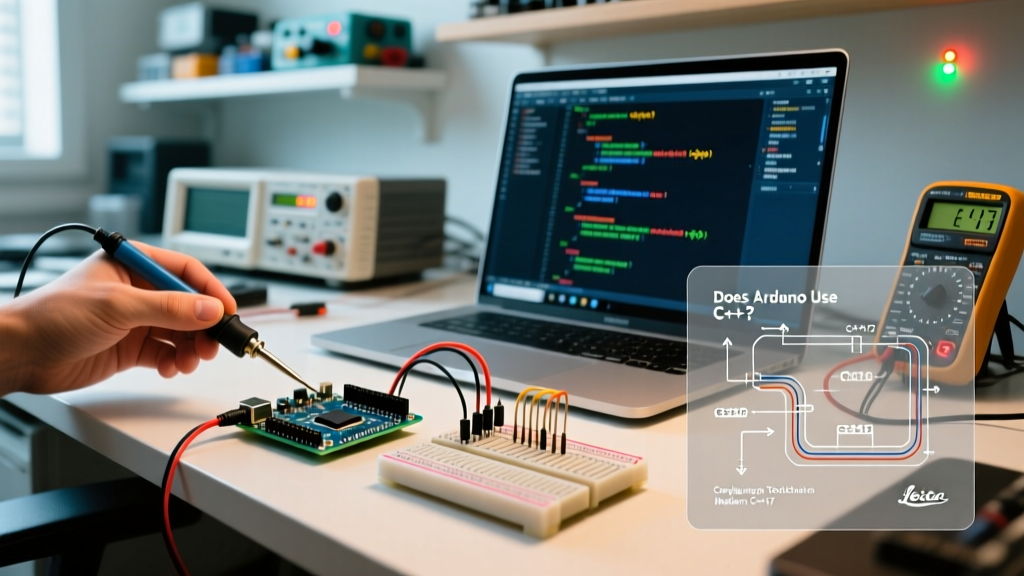
When makers and students ask, "does Arduino use C++?", the answer is an unequivocal yes. The so-called "Arduino Language" does not actually exist as a standalone programming language. Instead, it is a simplified wrapper around C++, bundled with a core library of functions (like digitalWrite() and millis()) and a preprocessor that automatically generates function prototypes. Under the hood, every sketch you compile is translated into standard C++ and processed by a GNU C++ compiler.
However, the default configuration of the Arduino IDE intentionally restricts access to modern C++ features to maintain backward compatibility with legacy AVR boards and to keep compiled binary sizes small. If you want to leverage modern C++17 or C++20 standards, utilize the Standard Template Library (STL), or implement object-oriented design patterns, you must manually configure your toolchain. This guide details exactly how to reconfigure your Arduino environment for advanced C++ development in 2026.
The Reality of the Arduino Compiler Toolchain
Arduino relies on the GCC (GNU Compiler Collection) toolchain, specifically tailored for embedded targets. The exact compiler depends on your microcontroller's architecture:
- AVR Boards (Uno, Mega, Nano): Uses
avr-gcc. The official ArduinoCore-avr currently ships with GCC 7.3.0, which has partial C++17 support but lacks full C++20 capabilities. - ARM Cortex-M Boards (RP2040, SAMD21, STM32): Uses
arm-none-eabi-gcc. Modern cores for these boards ship with GCC 12.2.0 or newer, offering robust C++20 support. - Xtensa/RISC-V Boards (ESP32, ESP32-S3, ESP32-C3): Uses
xtensa-esp32-elf-gccorriscv32-esp-elf-gcc, typically based on GCC 12+, fully supporting modern C++ standards.
-fno-exceptions and -fno-rtti flags to your compilation command. This disables C++ exceptions (try/catch blocks) and Run-Time Type Information (dynamic_cast) to save flash memory. To use these features, you must strip these flags from your configuration.
Configuring Arduino IDE 2.x for Modern C++
To change the C++ standard from the default gnu++11 to gnu++17 or gnu++20, you must edit the platform.txt file for your specific board core. This file dictates the compiler flags passed to GCC.
Step 1: Locate platform.txt
The file path varies by operating system and the specific board package you have installed via the Boards Manager:
- Windows:
C:\Users\[YourUser]\AppData\Local\Arduino15\packages\[vendor]\hardware\[arch]\[version]\platform.txt - macOS:
~/Library/Arduino15/packages/[vendor]/hardware/[arch]/[version]/platform.txt - Linux:
~/.arduino15/packages/[vendor]/hardware/[arch]/[version]/platform.txt
For example, if you are configuring an ESP32-S3, you might navigate to the espressif package directory. For a Raspberry Pi Pico, you will look in the rp2040 directory.
Step 2: Modify Compiler Flags
Open platform.txt in a text editor and locate the compiler.cpp.flags definition. It will look similar to this:
compiler.cpp.flags=-c {compiler.warning_flags} -Os -g -fno-exceptions -ffunction-sections -fdata-sections -fno-threadsafe-statics -MMD -std=gnu++11To enable modern C++ and exceptions, modify the line as follows:
- Change
-std=gnu++11to-std=gnu++17(or-std=gnu++20if your GCC version supports it). - Remove
-fno-exceptionsand-fno-rtti(if present). - Add
-fexceptionsif you intend to use try/catch blocks.
The updated line should read:
compiler.cpp.flags=-c {compiler.warning_flags} -Os -g -fexceptions -ffunction-sections -fdata-sections -fno-threadsafe-statics -MMD -std=gnu++17Note: You can verify the exact C++ standards supported by your specific GCC version by consulting the official GCC Standards Documentation.
Bypassing the Arduino Preprocessor Trap
One of the most common frustrations for advanced C++ developers on Arduino is the IDE's automatic prototype generator. When you compile an .ino file, the Arduino builder concatenates all tabs, scans for functions, and injects prototypes at the top of the file. This process frequently breaks when using advanced C++ features like templates, lambdas, or overloaded class methods.
The Configuration Fix: Change your main sketch file extension from .ino to .cpp. When the Arduino IDE detects a .cpp file, it bypasses the prototype generation preprocessor entirely and passes the file directly to the C++ compiler. You will need to manually include #include <Arduino.h> at the top of your file and write your own function prototypes, just as you would in a standard C++ project.
STL Integration and Memory Implications
Using the C++ Standard Template Library (STL) on microcontrollers requires careful memory management. While std::vector and std::string are incredibly powerful, they rely on dynamic heap allocation. Below is a comparison of how modern C++ features impact different popular microcontrollers.
| Feature / Metric | ATmega328P (AVR) | ESP32-S3 (Xtensa) | Raspberry Pi Pico (RP2040) |
|---|---|---|---|
| Default C++ Standard | GNU++11 | GNU++17 / GNU++20 | GNU++17 |
| STL Usability | Poor (High risk of heap fragmentation) | Excellent (Hardware MMU & large SRAM) | Good (264KB SRAM, but no OS memory protection) |
| std::vector Overhead | ~2KB Flash + High SRAM risk | Negligible Flash impact | ~1.5KB Flash impact |
| Exception Support | Disabled by default (Adds ~10KB Flash) | Disabled by default (Adds ~40KB Flash) | Disabled by default (Adds ~15KB Flash) |
As the data shows, enabling exceptions and utilizing the STL on an 8-bit AVR like the ATmega328P (which only has 2KB of SRAM and 32KB of Flash) will quickly exhaust your resources. Conversely, on an ESP32-S3 with 512KB of SRAM and 8MB of PSRAM, leveraging std::vector, std::map, and C++20 concepts is not only safe but highly recommended for maintainable code architecture.
Advanced Configuration: Migrating to PlatformIO
If you find yourself constantly editing platform.txt or fighting the Arduino IDE's GUI limitations, the industry-standard alternative is PlatformIO. PlatformIO integrates directly into VS Code and allows you to configure C++ standards via a simple platformio.ini file without touching core system files.
To configure a modern C++ environment for an ESP32 in PlatformIO, your configuration file would look like this:
[env:esp32-s3-devkitc-1]
platform = espressif32
board = esp32-s3-devkitc-1
framework = arduino
build_flags =
    -std=gnu++20
    -fexceptions
    -D CORE_DEBUG_LEVEL=3
build_unflags =
    -std=gnu++11
    -fno-exceptions
    -fno-rtti
This declarative approach ensures that your C++ configuration is version-controlled alongside your source code, making it reproducible across different development machines and CI/CD pipelines. For serious embedded C++ development in 2026, moving to a build system like PlatformIO or CMake is the most logical step after outgrowing the default Arduino IDE constraints.
Summary
So, does Arduino use C++? Absolutely. The hardware abstraction layer and the core libraries are written in C++, and your sketches are compiled by a C++ compiler. By understanding how to manipulate platform.txt, bypass the .ino preprocessor, and manage STL memory overhead, you can transform the Arduino ecosystem from a beginner-friendly prototyping tool into a robust environment for modern, production-grade C++ engineering.