
The Rise of the Extender Stick: Convenience vs. Code
The modern electrical outlet extender stick—a rigid, plug-in multi-outlet tap that protrudes directly from a wall receptacle without a flexible cord—has become a staple in homes and offices. Often equipped with integrated USB-A and USB-C Power Delivery (PD) ports, these devices solve the problem of bulky power bricks blocking adjacent outlets. However, from an electrical engineering and code compliance perspective, these rigid adapters introduce unique mechanical and thermal stresses to standard NEMA 5-15R receptacles.
As we navigate the electrical landscape in 2026, the integration of 65W to 100W Gallium Nitride (GaN) chargers directly into these extender sticks means they are no longer just passive splitters; they are active, heat-generating power supplies. This guide explores the National Electrical Code (NEC) compliance, mechanical failure modes, and safety protocols required when using these devices.
What the NEC Says About Plug-In Tap Adapters
A common misconception is that the NEC explicitly bans the use of multi-outlet adapters. In reality, the NEC governs the installation of fixed wiring, while the Occupational Safety and Health Administration (OSHA) and local fire codes often dictate the use of plug-in devices in commercial spaces.
Code Insight: NEC Article 400.8 prohibits using flexible cords as a substitute for the fixed wiring of a structure. While a rigid extender stick lacks a flexible cord, using it to daisy-chain multiple high-draw appliances or plugging it into an extension cord violates the spirit of Article 210.23 regarding branch circuit load limits.
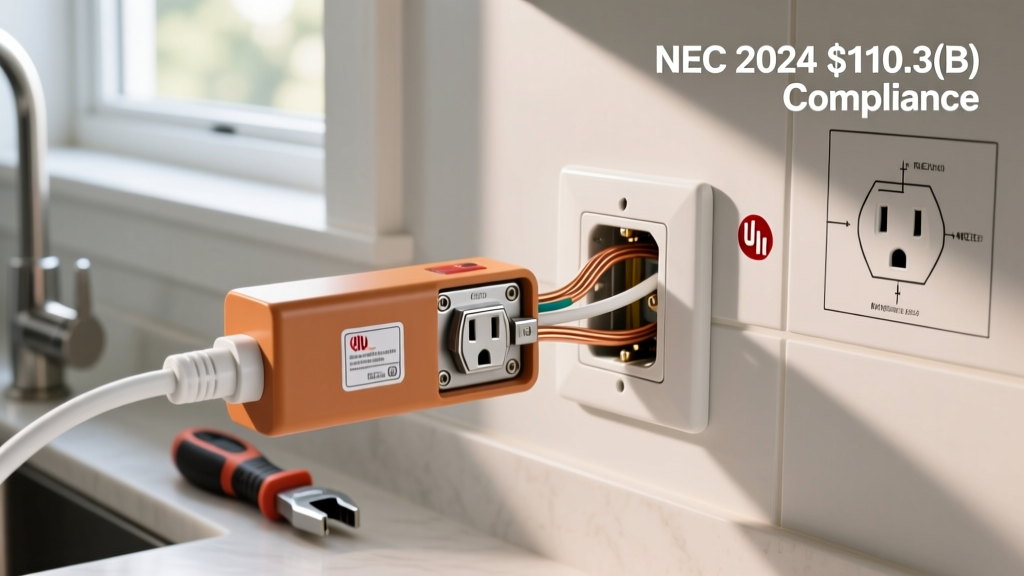
In commercial and industrial environments, OSHA standard 1910.305(g)(1)(iii) strictly prohibits using multi-outlet adapters (like extender sticks) as a substitute for fixed wiring or plugging them into extension cords. For residential use, the primary legal requirement is that the device must be listed and labeled by a Nationally Recognized Testing Laboratory (NRTL) like UL or ETL for its specific application.
The Physics of Failure: Torque, Leverage, and Arcing
The most critical danger of an electrical outlet extender stick is mechanical leverage. A standard NEMA 5-15P plug is compact and sits flush against the wall plate. An extender stick, however, extends 4 to 8 inches outward and houses multiple heavy transformer plugs and thick cables.
Mechanical Stress Comparison
| Parameter | Standard NEMA 5-15 Plug | 6-Outlet Extender Stick (Loaded) |
|---|---|---|
| Approximate Weight | 0.1 lbs (45g) | 1.2 lbs (544g) including cables |
| Lever Arm (Distance from wall) | 0.5 inches | 6.0 inches |
| Torque on Receptacle Contacts | 0.05 in-lbs | 7.2 in-lbs |
| Contact Degradation Risk | Low | High (Accelerated Creep) |
This extreme torque causes contact creep. The internal brass wipers inside the wall receptacle are designed to grip a standard plug with a specific retention force. The constant downward leverage of a heavy extender stick slowly bends these brass contacts, reducing the grip force. According to NFPA electrical safety guidelines, loose connections increase electrical resistance. Higher resistance leads to I²R (current squared times resistance) heating, which can melt the polycarbonate housing and initiate an arc fault.
Thermal Runaway and the USB-C GaN Factor
Modern extender sticks feature built-in USB-C PD charging blocks. In 2026, it is common to see models boasting 65W or even 100W USB-C output. While GaN technology is highly efficient (typically 90-94%), a 100W charger still dissipates 6 to 10 watts of waste heat internally.
When you combine this internal heat with the I²R heating from a slightly loose AC wall connection, the internal temperature of the extender stick can exceed 80°C (176°F). If the device lacks proper thermal throttling, the internal solder joints connecting the AC prongs to the PCB can soften, leading to catastrophic thermal runaway. Always verify that the extender stick features active thermal cutoff switches, not just software-based temperature monitoring.
UL 498 vs. UL 1363: Decoding the Certifications
When purchasing an electrical outlet extender stick, the certification mark dictates its legal and safe usage. Do not rely solely on a generic "CE" mark, which is often self-certified and lacks rigorous North American testing.
- UL 498 (Attachment Plugs and Receptacles): This is the correct standard for rigid, cordless tap adapters. It tests the mechanical strength of the prongs, the flammability of the housing, and the retention force.
- UL 1363 (Relocatable Power Taps): This standard applies to power strips with a flexible cord. If a manufacturer incorrectly lists a rigid stick under UL 1363, it is a red flag regarding their understanding of compliance.
- UL 1310 (Class 2 Power Units): If the extender stick has built-in USB charging ports, the internal power supply must be certified under UL 1310 or the newer UL 62368-1 for audio/video and IT equipment.
Safe Installation & Usage Protocol
To safely deploy an extender stick without violating code or risking a fire, follow this exact sequence:
- Test Receptacle Tension: Before plugging in the stick, insert a standard, heavy-duty 3-prong plug into the wall outlet. If it slides in with zero resistance or falls out under its own weight, the NEMA 5-15R receptacle is worn out. Action: Replace the wall receptacle (cost: $3-$8) before using any multi-outlet adapter.
- Verify the 15A/1875W Limit: The extender stick does not increase the capacity of your branch circuit. The total combined load of all devices plugged into the stick must not exceed 12 Amps (1440 Watts) for continuous loads (over 3 hours) on a standard 15A residential circuit, per NEC 210.20(A).
- Support the Weight: If you must plug in heavy transformer bricks, orient the extender stick so the weight is distributed evenly, or use a model that includes a bottom support leg that rests against the wall plate to negate the downward torque.
- Avoid Daisy-Chaining: Never plug an extension cord into the extender stick, and never plug the extender stick into an extension cord. As noted by the Electrical Safety Foundation International (ESFI), daisy-chaining bypasses the overcurrent protection designed into the branch circuit.
Frequently Asked Questions
Can I use an outlet extender stick in a commercial office?
Generally, no. Under OSHA regulations, multi-outlet taps cannot be used as a substitute for fixed wiring in commercial spaces. If an office lacks sufficient outlets, a licensed electrician must install additional hardwired receptacles. Using rigid taps in a commercial setting can result in fire code violations and voided commercial insurance policies.
Is it safe to use an extender stick with a space heater?
Absolutely not. A standard 1500W space heater draws 12.5 Amps. Plugging this into an extender stick maxes out the safe continuous load of a 15A circuit, leaving zero headroom for the stick's internal USB power supply or any other plugged-in devices. High-draw resistive heating appliances must always be plugged directly into a dedicated wall receptacle.
Why does my extender stick feel warm to the touch?
Mild warmth (up to 40°C/104°F) on the plastic housing near the USB ports is normal when fast-charging a laptop or smartphone, as the internal AC-to-DC conversion generates heat. However, if the AC prongs or the plastic near the wall receptacle feel hot, or if you notice a faint ozone or "fishy" smell, immediately unplug the device. This indicates high resistance at the wall connection and imminent failure. For more warning signs of electrical hazards, consult the OSHA electrical wiring standards.
Final Verdict
An electrical outlet extender stick is a highly useful tool for managing modern device clutter, provided it is treated as a temporary load-management device rather than a permanent infrastructure upgrade. By respecting the mechanical torque limits of your wall receptacles, verifying proper UL 498 and UL 62368-1 certifications, and strictly adhering to NEC branch circuit load calculations, you can utilize these devices safely and effectively.