
The Appeal of the Quick Fix: Navigating Electrical Outlet Extenders
When you run out of wall space for your electronics, the immediate instinct is to find a quick, affordable solution. For millions of DIYers and renters, searching for an electrical outlet extender Home Depot stocks is the default move. Whether you are trying to plug in a new home theater system, add USB charging ports to an older home, or simply accommodate bulky power bricks, wall tap extenders offer an immediate fix without the need to cut drywall or fish new Romex wire through your studs.
However, as we move through 2026, the market for outlet extenders has evolved significantly. Modern smart home devices, high-wattage fast chargers, and energy-hungry appliances demand more from our electrical infrastructure than the standard 15-amp duplex receptacle was originally designed to handle. This upgrade and replacement guide breaks down the top-tier extenders available at major hardware retailers, compares their real-world performance, and outlines the critical National Electrical Code (NEC) safety boundaries you must respect to prevent circuit overloads and fire hazards.
Quick Fix vs. Permanent Upgrade: What You Need to Know
Before dropping $15 on a multi-tap adapter, it is crucial to understand the difference between a temporary extender and a permanent circuit upgrade. An outlet extender is a plug-and-play device that multiplies the number of available sockets on a single existing duplex receptacle. It does not increase the amperage capacity of the branch circuit.
- The Extender Route: Costs between $6 and $25. Takes 2 minutes to install. Ideal for low-draw electronics (routers, lamps, phone chargers). Does not require an electrical permit.
- The Permanent Upgrade Route: Costs $150 to $350+ (if hiring a licensed electrician to run a new 20-amp dedicated circuit or add a new junction box). Requires drywall repair and permitting. Mandatory for high-draw appliances like microwaves, space heaters, or window AC units.
If your goal is simply to eliminate the 'octopus' of power strips tangled behind your TV console, a high-quality screw-in tap or wall-tap surge protector from your local hardware aisle is the correct choice.
Top Electrical Outlet Extender Models Compared
Based on current 2026 inventory, UL-listing status, and user durability reports, here is how the top-selling extenders stack up against one another.
| Brand & Model | Type | Max Amperage | Surge Protection | Avg. Price | Best Use Case |
|---|---|---|---|---|---|
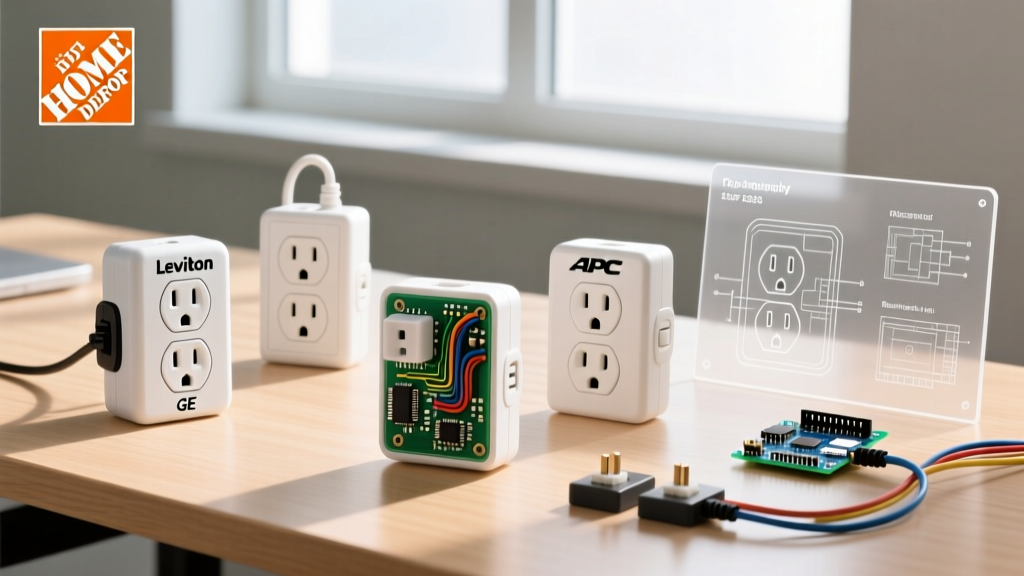
| Leviton 001-R02-04041-WHT | 6-Outlet Screw-In Tap | 15A / 125V | No | $9.50 | Home offices, low-draw clusters |
| GE 43838 | 3-Outlet Screw-In Tap | 15A / 125V | No | $6.50 | Behind furniture, tight spaces |
| APC P11VT3 | Wall Tap SurgeArrest | 15A / 125V | Yes (540 Joules) | $22.00 | Expensive AV gear, smart hubs |
| Woods 41367 | 6-Outlet Swivel Tap | 15A / 125V | No | $14.00 | Accommodating bulky power bricks |
Deep Dive: The Best Screw-In Tap Adapters
Leviton 6-Way Screw-In Tap (Model 001-R02-04041-WHT)
Leviton remains the gold standard for residential wiring devices. This 6-outlet extender is a staple in the Home Depot electrical aisle for good reason. Unlike cheap, friction-fit 'cheater' plugs that can sag and expose live prongs, this model features a metal grounding loop that attaches directly to the center screw of your existing wall plate. This ensures a solid equipment ground, which is critical if you are plugging in devices with 3-prong plugs. The outlets are spaced just wide enough to accommodate standard plugs, though oversized transformer blocks will still overlap.
GE 3-Outlet Screw-In Tap (Model 43838)
If you only need a modest expansion, the GE 43838 is a compact, 3-outlet alternative. It utilizes the same center-screw grounding mechanism as the Leviton but features a lower profile. This makes it an excellent choice for outlets located behind nightstands or media consoles where clearance is at a premium. Priced around $6.50, it is an incredibly cost-effective way to add a dedicated plug for a smart speaker, a lamp, and a phone charger without resorting to a dangling power strip.
Modern Upgrades: Wall Tap Surge Protectors
APC Wall Tap Surge Protector (P11VT3)
For sensitive electronics like mesh Wi-Fi routers, smart home hubs, or high-end audio equipment, a standard tap adapter leaves your gear vulnerable to voltage spikes. The APC P11VT3 plugs directly into the bottom receptacle of a standard duplex outlet, leaving the top receptacle completely free for standard use. It provides 540 Joules of surge protection and features an integrated diagnostic LED. According to the U.S. Consumer Product Safety Commission (CPSC), using properly rated surge protection is a key defense against electrical anomalies that can degrade sensitive microprocessors over time.
Sizing and Load Calculation: Don't Trip the Breaker
The most common mistake DIYers make when using an electrical outlet extender is assuming that more outlets equal more power capacity. This is a dangerous fallacy. Your standard bedroom or living room circuit is likely a 15-amp, 120-volt branch circuit.
The 80% Rule for Continuous Loads:
According to NEC Article 210.20(A), if a load is expected to run for 3 hours or more (continuous), you can only load the circuit to 80% of its rated capacity.
15 Amps x 120 Volts = 1,800 Watts (Maximum Absolute Limit)
1,800 Watts x 0.80 = 1,440 Watts (Safe Continuous Limit)
If you plug a 1,500W space heater, a 300W desktop PC, and a 200W TV into a single 6-way Leviton tap, you are pulling 2,000W. This will instantly trip a standard 15-amp breaker and, over time, can melt the internal brass contacts of the extender itself, creating a severe fire hazard. Always calculate the total wattage of all devices plugged into the extender combined.
Step-by-Step: Installing a Screw-In Extender Safely
While plug-in extenders require zero effort, screw-in taps require a minor modification to your wall plate. Follow these steps to ensure a safe, code-compliant installation:
- Verify the Circuit: Plug a receptacle tester into the outlet to confirm it is properly grounded and wired correctly. If the tester shows an 'Open Ground' or 'Reverse Polarity', do not use an extender; the outlet requires professional repair.
- Remove the Existing Wall Plate: Use a flathead screwdriver to remove the single center screw holding your current duplex cover plate.
- Attach the Grounding Loop: Slide the metal grounding loop of the extender over the center screw hole.
- Secure the Assembly: Place the extender's provided cover plate over the loop and thread the center screw through the plate, the loop, and into the receptacle yoke. Tighten firmly but do not overtighten, which can crack the nylon plate.
- Test for Ground: Use your receptacle tester on one of the new extender outlets to verify that the ground connection was successfully established.
Safety Warnings: When an Extender is a Fire Hazard
The National Fire Protection Association (NFPA) consistently reports that misuse of temporary wiring and adapters is a leading cause of residential electrical fires. To keep your home safe in 2026, strictly adhere to these rules:
- Never Daisy-Chain: Do not plug a power strip into an outlet extender, and do not plug an extender into another extender. This increases resistance and heat buildup.
- No High-Draw Appliances: Never plug space heaters, microwaves, toaster ovens, or air conditioners into a multi-tap extender. These require dedicated wall receptacles.
- Check for Heat: After plugging in your devices, wait 30 minutes and carefully touch the face of the extender. If it feels warm or hot to the touch, you are overloading the circuit or the internal contacts are failing.
- Look for the UL Mark: Only purchase extenders that bear the Underwriters Laboratories (UL) mark. Avoid unbranded, ultra-cheap adapters sold on third-party online marketplaces, as they frequently bypass UL 498 safety standards for attachment plugs and receptacles.
Frequently Asked Questions
Can I use a 15A outlet extender on a 20A circuit?
Yes, but with caution. If your home has 20-amp circuits (identifiable by receptacles with a T-shaped neutral slot), you can physically plug a standard 15-amp extender into them. However, the extender itself is still only rated for 15 amps. You must not exceed 1,800 watts of total draw, even though the wall breaker won't trip until 2,400 watts.
Are swivel taps safe for heavy power bricks?
Swivel taps, like the Woods 41367, are excellent for heavy, bulky power adapters because you can rotate the individual outlets to prevent them from blocking adjacent sockets. However, the mechanical joints in swivel taps can wear out over time if subjected to constant downward physical stress from heavy plugs. Ensure the tap sits flush against the wall plate for support.
Do USB outlet extenders charge faster than wall adapters?
Most basic USB-A outlet extenders found in big-box stores output only 2.1 to 3.4 Amps shared across all ports. In 2026, modern smartphones and tablets utilize USB-C Power Delivery (PD) protocols requiring 20W to 45W+ for fast charging. Unless the extender specifically advertises 'USB-C PD 30W', you are better off using the OEM wall brick plugged into a standard tap adapter for optimal charging speeds.