
The Benchmark Budget Station: An Honest Assessment
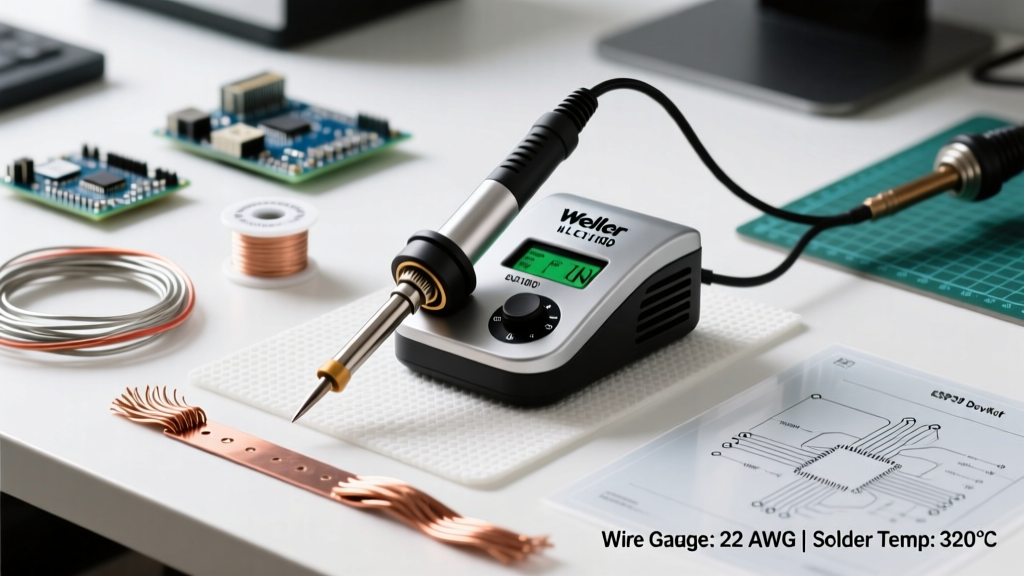
For over a decade, the Weller WLC100 40 watt soldering station has been the default entry-level recommendation for hobbyists, students, and occasional DIYers. Priced consistently around the $60 to $75 mark, it occupies a highly visible space in the market. But as electronics have shrunk and multi-layer PCBs have become the norm even in consumer devices, the demands placed on our soldering tools have evolved. In this comprehensive budget vs premium analysis, we strip away the marketing fluff and evaluate the Weller WLC100 against modern mid-tier and premium digital stations to determine exactly where it holds its ground—and where it fundamentally falls short.
Editor's Note: The most critical mistake beginners make when purchasing the WLC100 is assuming the front dial controls temperature. It does not. It controls power duty cycle. Understanding this distinction is the key to mastering this tool or knowing when to upgrade.
The 'Variable Power' Illusion vs. True Temperature Control
To properly evaluate the Weller WLC100 40 watt soldering station, we must first address its core architectural limitation. The WLC100 is a variable-wattage iron, not a closed-loop temperature-controlled station. When you turn the dial from 1 to 5, you are adjusting the maximum wattage output (from roughly 8W up to 40W), not setting a target temperature like 350°C.
In a premium station, a thermistor inside the tip constantly reads the thermal mass. If the temperature drops, the station dumps maximum wattage into the heating element until the target is reached, then pulses to maintain it. The WLC100 lacks this feedback loop. If you set it to '5' and leave it in the holder, the tip will continue to heat until it reaches thermal equilibrium, often exceeding 450°C (842°F). This idle overheating rapidly oxidizes the tip plating, leading to the 'black crust' that beginners frequently mistake for a defective product.
Why This Matters for Modern Electronics
According to IPC soldering standards, precise thermal profiling is critical to prevent thermal shock to surface-mount components and pad delamination on FR4 boards. Because the WLC100 cannot dynamically adjust to thermal loads, users must manually compensate by 'reading' the solder joint, a skill that takes years to develop.
Specification Breakdown: WLC100 Under the Microscope
Let us look at the hard specifications of the Weller WLC100 40 watt soldering station as it stands in the current market:
- Max Power Output: 40 Watts (Analog Triac-controlled)
- Heating Element: Nichrome wire wound ceramic core
- Tip Compatibility: Weller ST-Series (Screw-on collar retention)
- Handle Ergonomics: EVA Foam grip with molded finger guards
- Base Footprint: Heavy stamped steel with a non-slip rubber bottom pad
- ESD Safety: Grounded tip via the 3-prong power cord
The inclusion of ESD grounding is a massive point in favor of the WLC100 over cheap, unbranded $15 irons found on online marketplaces. A grounded tip safely dissipates static buildup, protecting sensitive MOSFETs and microcontrollers from electrostatic discharge (ESD) damage.
Budget vs. Premium: The 2026 Comparison Matrix
How does the WLC100 stack up against the industry-standard premium alternatives? Below is a direct comparison between the Weller WLC100, the mid-tier Weller WE1010NA, and the premium Hakko FX-888D.
| Feature | Weller WLC100 (Budget) | Weller WE1010NA (Mid-Tier) | Hakko FX-888D (Premium) |
|---|---|---|---|
| Average Price | $65 - $75 | $120 - $135 | $115 - $130 |
| Control Type | Variable Wattage (Open Loop) | Digital Temp (Closed Loop) | Digital Temp (Closed Loop) |
| Max Wattage | 40W | 70W | 70W |
| Thermal Recovery | Slow (Manual adjustment) | Fast (Sub-10 seconds) | Fast (Sub-10 seconds) |
| Tip Swap Mechanism | Screw-on collar (Tool required) | Knurled slip-on (Tool-free) | Screw-on collar (Tool required) |
| Auto-Sleep Mode | No | Yes (Programmable) | No (Requires separate holder) |
As the matrix illustrates, the price delta between the WLC100 and a true digital station like the Hakko FX-888D is roughly $50. For professional technicians or serious hobbyists building complex projects, that $50 buys closed-loop thermal recovery and programmable sleep modes that drastically extend tip life.
Real-World Thermal Recovery and Edge Cases
The true test of any soldering station is its thermal recovery rate when introduced to a high-mass heat sink. Consider the scenario of soldering a 14AWG silicone wire to a large copper ground plane on a motor controller PCB.
The WLC100 Experience
When the ST-series chisel tip touches the ground plane, the copper rapidly absorbs the heat. Because the WLC100 is already outputting its maximum 40W (assuming the dial is at 5), it has no 'reserve' power to draw upon. The tip temperature plummets, the solder freezes, and you are left with a cold, dull, globular joint. To compensate, users often hold the iron on the pad for 15+ seconds, which risks melting the component's internal die attach or lifting the PCB trace entirely.
The Premium Experience
A 70W digital station senses the immediate temperature drop and floods the heating element with 70 watts of power, recovering the target 380°C in under three seconds. The joint is completed in 4 seconds, preserving the integrity of the board. For heavy-gauge wiring, RC vehicle battery connectors (like XT90 or XT150), and thick multi-layer boards, the Weller WLC100 40 watt soldering station is simply underpowered.
Tip Economics: The Hidden Cost of Budget Stations
At first glance, the WLC100 seems cheaper to maintain. Weller ST-series tips cost around $6 to $8 each, compared to $10 to $14 for Hakko T18 series tips. However, this math ignores the oxidation factor.
Because the WLC100 lacks an auto-sleep feature and runs excessively hot when idle, the iron plating on ST-series tips degrades rapidly. A hobbyist using the WLC100 for weekend projects might go through 4 or 5 tips a year due to pitting and non-wetting surfaces. Conversely, a digital station with an auto-sleep function drops to 200°C when idle, preserving the tip plating. Many professionals report getting over a year of life from a single premium tip. Over a three-year period, the 'budget' station often costs more in consumable tips than the premium station saves in upfront capital.
Solder Alloy Compatibility Constraints
Your choice of solder alloy heavily dictates whether the WLC100 will work for you. If you are using traditional 63/37 or 60/40 tin-lead rosin-core solder, the WLC100 performs admirably. Lead-based solders have a low melting point (183°C) and excellent wetting characteristics, meaning the 40W ceiling is rarely a bottleneck for standard through-hole components.
However, if you are working with modern Lead-Free alloys (like SAC305), which require sustained tip temperatures of 350°C to 380°C to flow properly, the WLC100 struggles. Pushing the WLC100 to its absolute thermal limits to melt lead-free solder accelerates tip oxidation to a catastrophic degree. As noted in SparkFun's comprehensive soldering guides, maintaining proper flux activity and thermal equilibrium is vastly more difficult with open-loop systems when using high-temperature lead-free pastes.
Who Should Actually Buy the Weller WLC100?
Despite its technical limitations compared to digital stations, the Weller WLC100 40 watt soldering station is not a bad tool—it is simply highly specialized by nature of its design. It is the perfect purchase for:
- The Occasional Repair Tech: If you solder three times a month to fix a broken guitar pedal or splice a lamp cord, the WLC100 is overkill compared to a wall-wart iron, but perfectly adequate.
- Stained Glass and Jewelry Artists: The heavy thermal mass of the ST-series tips, combined with the high idle temperatures, actually makes the WLC100 a favorite in the stained glass community for running 60/40 beads on copper foil.
- STEM Classrooms: The analog dial is intuitive, the heavy base prevents tipping, and the grounded tip protects students and school-issued microcontrollers.
Actionable Best Practices for WLC100 Owners
If you already own the Weller WLC100, or if it fits your budget constraints, you can mitigate its open-loop drawbacks by following these strict operational protocols:
- The 5-Minute Rule: Never leave the WLC100 in its holder on a high setting for more than 5 minutes. If you are stepping away to strip a wire or read a schematic, turn the dial to '1' or unplug it entirely.
- Use a Damp Brass Sponge: Do not use a wet cellulose sponge. The drastic temperature drop from a wet sponge shocks the nichrome element and cracks the ceramic core over time. Use a dry or very lightly oiled brass wire sponge to clean the tip.
- Pre-Tin Immediately: The second you wipe the tip clean, apply fresh rosin-core solder to it before placing it back in the holder. This sacrificial layer of solder will oxidize instead of the iron plating on the tip itself.
- Upgrade the Handle (Optional): The stock EVA foam grip degrades and becomes sticky when exposed to vaporized flux over time. Wrapping the handle in high-temperature silicone tape or heat-shrink tubing vastly improves longevity and grip hygiene.
Final Verdict: Budget vs. Premium
The Weller WLC100 40 watt soldering station remains a legendary entry-point into the world of electronics fabrication. Its heavy build quality, ESD-safe grounding, and reliable nichrome heating element offer a massive step up from unregulated plug-in irons. However, the 'budget vs premium' debate ultimately hinges on your workflow. If your work involves high-density SMD components, thick multi-layer ground planes, or lead-free production environments, the lack of closed-loop thermal feedback will become a frustrating bottleneck. In those scenarios, investing the extra capital into a 70W digital station is not just a luxury—it is a fundamental requirement for reliable, IPC-compliant solder joints.
For more insights on maintaining your soldering equipment and selecting the right tip geometries for specific PCB layouts, consult the official Weller Tools catalog and technical application notes.