
The Evolution of Precision: Selecting Soldering Irons for Electronics
When evaluating soldering irons for electronics, the margin for error is measured in millimeters and milliseconds. Unlike plumbing or heavy-gauge wire splicing, printed circuit board (PCB) rework and surface-mount device (SMD) assembly demand strict thermal management. Modern multilayer boards act as massive heat sinks, pulling thermal energy away from the solder joint. If your tool cannot replenish this heat instantly, you risk cold joints, tombstoning, or catastrophic pad delamination.
In 2026, the market has bifurcated into two distinct camps: high-efficiency USB-C portable irons and advanced benchtop cartridge stations. This guide cuts through the marketing fluff to examine the thermal dynamics, tip geometries, and real-world failure modes of the best tools available for precision electronics work.
The Physics of Thermal Recovery vs. Peak Wattage
A common misconception among beginners is that higher wattage automatically equals better performance. A 100W iron with a poorly coupled, sleeve-style tip will struggle to solder a 14-pin ground plane connection, while a 65W iron with an integrated cartridge heater will breeze through it.
The secret lies in thermal recovery time and PID (Proportional-Integral-Derivative) control loops. When a cold soldering iron tip touches a copper pad, the tip temperature drops. The PID controller detects this drop via an internal thermocouple and pulses maximum current to the heating element. In premium stations, the heater is embedded directly inside the tip cartridge, reducing thermal mass and transfer distance to near zero. This allows the tip to recover to its 350°C setpoint in under two seconds, well within the IPC J-STD-001 recommended dwell time limits to prevent damaging the FR4 fiberglass substrate.
2026 Comparison Matrix: Top Stations for PCB Work
| Model | Peak Power | Heater Type | Tip Series | Est. Price (2026) | Best Application |
|---|---|---|---|---|---|
| Pine64 Pinecil V2 | 65W (PD3.1) | Sleeve (ST) | ST / TS100 | $26 | Portable / Field Rework |
| Hakko FX-888D | 70W | Ceramic Core | T18 | $115 | Hobbyist / Light Production |
| JBC CD-2BQE | 130W | Cartridge | C245 | $595 | Pro Rework / Micro-SMD |
| Weller WE1010NA | 70W | Ceramic Core | ET / RT | $105 | General Through-Hole |
Deep Dive: The Top 3 Soldering Irons for Electronics
1. Pine64 Pinecil V2: The Open-Source Disruptor
The Pinecil V2 completely upended the budget market by packing a RISC-V BL602 microcontroller and USB-C Power Delivery 3.1 into a $26 package. When paired with a 65W GaN charger, it delivers thermal performance that rivals benchtop stations costing four times as much.
- Pros: Open-source IronOS firmware, rapid boot time (under 3 seconds), PD and QC compatibility, incredibly lightweight.
- Cons: Requires a separate USB-C power brick, sleeve-style tips have slightly slower recovery than true cartridges.
- Expert Tip: Flash the latest IronOS release via the Pine64 wiki to unlock custom PID tuning profiles and boost mode, which temporarily overrides the temperature ceiling for heavy ground planes.
2. Hakko FX-888D: The Undisputed Workhorse
Despite its age, the Hakko FX-888D remains a staple on engineering benches. Its 70W ceramic heater and T18 tip series provide a reliable, if slightly dated, soldering experience. The digital interface allows for precise temperature lockouts, a crucial feature in shared maker spaces or production environments.
- Pros: Legendary durability, massive aftermarket tip availability, straightforward UI.
- Cons: Two-button interface makes temperature adjustments tedious, thermal recovery lags behind cartridge systems on large planes.
- Expert Tip: Bypass the standard chisel tip and use the T18-D16 (1.6mm chisel) or T18-IL (micro-pencil) for 0603 SMD components. According to Hakko USA, matching the tip width to the pad size maximizes thermal transfer efficiency.
3. JBC CD-2BQE: The Professional Standard
For high-density interconnect (HDI) boards and 0201 metric SMD components, the JBC CD-2BQE is unmatched. Its C245 cartridge system integrates the heater, sensor, and tip into a single unit. This eliminates the thermal bottleneck of traditional sleeve tips, offering instantaneous recovery and unmatched tactile feedback.
- Pros: Sub-2-second thermal recovery, sleep/wake stand detection, vast array of specialized micro-tips.
- Cons: High entry cost, proprietary cartridges are expensive ($40+ each).
- Expert Tip: Use the C245-112 (knife tip) for drag-soldering QFP-144 microcontrollers. The knife edge allows you to flood the pins with flux and drag a single molten bead of solder across 50 pins in seconds without bridging.
Tip Geometry Selection for Electronics
Selecting the correct tip geometry is just as critical as the station itself. Using the wrong tip will result in excessive dwell times, violating IPC-A-610 acceptability standards for electronic assemblies.
Rule of Thumb: Maximize the contact area between the tip and the pad. A larger tip at a lower temperature (320°C) is always superior to a tiny tip cranked to 400°C.
- Conical (B-series): Generally avoid for PCB work. The point contact area is too small, leading to poor heat transfer and a tendency to roll off flat SMD pads.
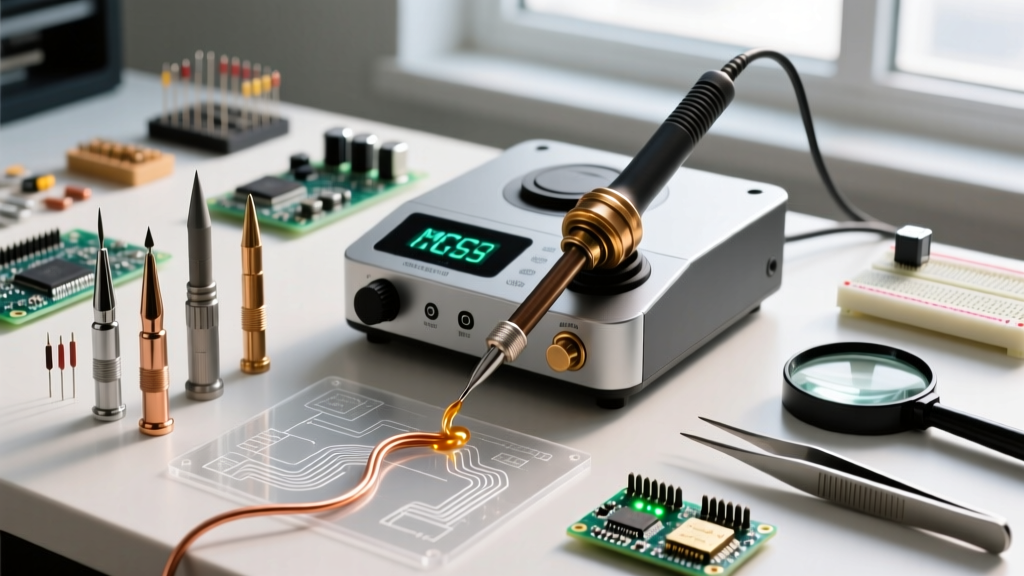
- Chisel (D-series): The gold standard for through-hole and general SMD. A 1.6mm to 2.4mm chisel provides excellent surface contact and capillary action.
- Ku / Knife: Essential for drag soldering fine-pitch ICs and cleaning up solder bridges with the heel of the blade.
- Micro-Pencil (IL / I-series): Reserved for ultra-fine 0402 or 0201 SMD rework under a microscope. Requires a station with exceptional low-wattage temperature stability to prevent tip oxidation.
Common Failure Modes and Edge Cases
Even with premium equipment, operators frequently encounter edge cases that ruin PCBs. Understanding these failure modes is key to mastering electronics soldering.
1. Black Oxide Buildup (The 'Dry Tip' Syndrome)
Leaving a tinned tip exposed to air at 350°C causes the iron plating to oxidize, forming a black, non-conductive crust. Solder will ball up and roll off. Solution: Never use a wet cellulose sponge. The rapid thermal shock causes micro-fractures in the tip plating, accelerating oxidation. Always use dry brass wire wool and a high-quality tip tinner (a mixture of SAC305 solder powder and aggressive flux).
2. FR4 Delamination and Pad Lifting
The glass transition temperature (Tg) of standard FR4 PCB material is typically around 135°C to 150°C. If your iron lacks thermal recovery and you press down harder to compensate, the mechanical stress combined with prolonged heat will cause the copper pad to separate from the fiberglass substrate. Solution: If a joint takes more than 3 seconds to flow, stop. Add liquid flux, switch to a wider tip, or apply pre-heating to the bottom of the board.
3. Flux Carbonization on Fine-Pitch ICs
When drag soldering, rosin-based fluxes can carbonize if the iron dwells too long in one spot, creating a hard, insulating residue that mimics a cold joint. Solution: Use a no-clean or water-soluble flux with a lower activation temperature, and clean the tip on brass wool between every single pass.
Maintenance Protocols for Maximum Lifespan
To protect your investment and ensure consistent wetting, adopt this strict maintenance protocol:
- Initial Tinning: The moment the iron reaches 250°C during a cold boot, apply 63/37 leaded eutectic solder to the tip. Leaded solder flows at a lower temperature and coats the plating before severe oxidation can occur.
- During Use: Wipe the tip on brass wool only when necessary. Excessive wiping drops the tip temperature and stresses the heater element.
- Shutdown Routine: Never turn off the station with a clean tip. Melt a large blob of flux-cored solder over the entire working surface of the tip to act as a sacrificial oxidation shield. Wipe it clean only upon the next boot.
Final Verdict
The landscape of soldering irons for electronics has never been more capable. For field technicians and budget-conscious makers, the Pinecil V2 offers unprecedented portability and smart features. For dedicated home labs and light production, the Hakko FX-888D remains a reliable, low-maintenance anchor. However, if your work involves high-density SMD rework, BGA touch-ups, or strict IPC compliance, the investment in a JBC cartridge system pays for itself in saved components and flawless joints. Choose your tool based on your specific thermal requirements, respect the physics of heat transfer, and let the solder do the work.