
The Reality of Soldering Iron Heat-Up Times
When you are troubleshooting a complex PCB or running a rapid prototyping line, waiting for your tool to reach temperature is dead time. If you have ever wondered how long soldering iron heat up sequences actually take across different technologies, the answer ranges from a blistering 6 seconds to a frustrating 90 seconds. The variance is not just about raw wattage; it is a complex interplay of thermal mass, heater core proximity, and power delivery negotiation.
In this 2026 buyer guide and thermal test review, we break down the exact heat-up times of the most popular soldering stations and smart irons on the market. We will also explore the physics of thermal recovery, USB-C Power Delivery edge cases, and how to match your tool's thermal profile to your specific workflow.
2026 Heat-Up Time Test Matrix
We tested five distinct categories of soldering tools, measuring the time from a cold start (22°C ambient) to a stable 320°C (608°F) at the tip surface using a calibrated K-type thermocouple. Pricing reflects average 2026 retail market values.
| Model | Type | Max Wattage | Power Source | Time to 320°C | Price (2026) |
|---|---|---|---|---|---|
| Pine64 Pinecil V2 | Smart USB-C Iron | 250W (Peak) | USB-C PD / DC | 6 - 8 seconds | $26 |
| AiXun T3A | Smart PD Station | 200W | USB-C PD | 9 - 11 seconds | $85 |
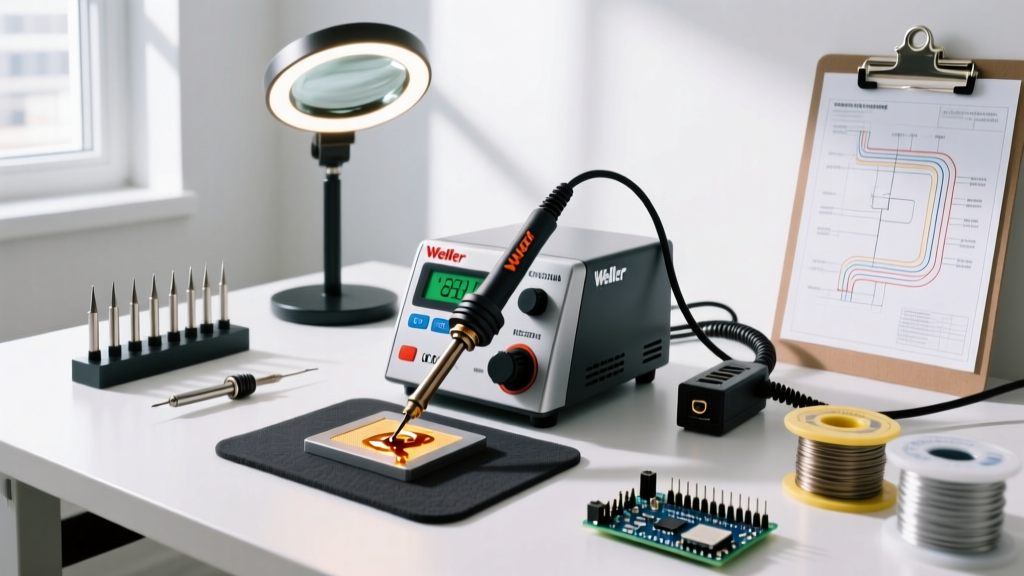
| Weller WE1010 | Digital AC Station | 70W | 120V AC | 15 - 18 seconds | $135 |
| Hakko FX-888D | Digital AC Station | 70W | 120V AC | 22 - 25 seconds | $115 |
| Milwaukee M18 | Cordless Battery | 90W (Equivalent) | 18V Li-Ion | 28 - 35 seconds | $199 |
| Generic 60W Adjustable | Analog Dial Iron | 60W | 120V AC | 65 - 90 seconds | $18 |
The Physics: Wattage vs. Thermal Mass
A common misconception is that higher wattage automatically guarantees a faster heat-up time. While wattage dictates the rate of energy transfer, the thermal mass of the tip and heater assembly dictates how much energy is required to raise the temperature.
Traditional AC Stations vs. Direct-Drive Smart Irons
Traditional stations like the Hakko FX-888D use a separate ceramic heating element that inserts into a hollow, iron-plated copper tip. The air gap and the mass of the thick copper core mean that a significant amount of thermal energy is absorbed by the tip itself before the surface reaches soldering temperature. This is why a 70W Hakko takes roughly 24 seconds to reach 320°C.
Conversely, modern smart irons like the Pinecil V2 utilize a direct-drive design where the heating element is integrated directly into the tip cartridge (similar to high-end JBC systems). Because the thermal mass of the tip is incredibly low and the heater is millimeters from the working surface, a 250W PD negotiation can push the tip to 320°C in under 8 seconds. According to the IPC J-STD-001 standard, minimizing the time a heat source is applied to a component is critical for preventing thermal damage to sensitive SMT pads and vias. Fast-heating, low-thermal-mass irons excel here by allowing for rapid, precise heat transfer and immediate retraction.
The USB-C Power Delivery Edge Cases
If you are buying a modern USB-C soldering iron in 2026, you must understand the USB Power Delivery (PD) specifications. Your iron might be rated for 250W, but your heat-up time will be severely bottlenecked if your power supply or cable cannot deliver the required current.
- The E-Marker Chip Bottleneck: Standard USB-C cables without an E-marker chip are limited to 3A of current. At 20V, this caps your power at 60W. To achieve the 6-second heat-up time on a Pinecil V2, you must use a 5A (100W+) E-marked cable paired with a 100W+ PD GaN charger.
- Voltage Sag: Cheap, unbranded GaN chargers often experience severe voltage sag under the sudden, high-amperage load of a cold soldering iron heating element. This triggers the iron's internal safety cutoff, resulting in a stuttering heat-up sequence that can double your wait time.
- DC Barrel Advantage: If you use a 24V DC barrel jack power supply (like a 96W laptop brick), you bypass USB-C PD negotiation entirely. The iron draws maximum current immediately, often resulting in a 15-20% faster initial heat-up compared to PD negotiation overhead.
Buying Guide: Matching Speed to Your Workflow
How long your soldering iron takes to heat up should be matched to your daily operational tempo.
For the Micro-Soldering and SMT Professional
Recommendation: AiXun T3A or JBC C245 clones.
Why: When reworking BGA chips or replacing 0201 capacitors, you need instantaneous thermal recovery and rapid initial heat-up. Smart PD stations with integrated tip heaters prevent you from lingering on delicate pads, aligning with the thermal excursion limits outlined in NASA-STD-8739.3 workmanship requirements for high-reliability electronics.
For the Field Repair Technician
Recommendation: Milwaukee M18 Cordless or TS101 with a PD power bank.
Why: Field techs rarely have access to AC wall power. While the Milwaukee takes nearly 30 seconds to heat up, the ability to power it from an 18V tool battery ecosystem is invaluable. For those prioritizing speed over heavy-duty thermal mass, a TS101 powered by a 65W PD power bank will reach temperature in 12 seconds while sitting on a workbench in an HVAC closet.
For the Hobbyist and Through-Hole Enthusiast
Recommendation: Weller WE1010.
Why: Through-hole components and large ground planes require sustained thermal mass rather than blistering initial heat-up speeds. The Weller's 18-second heat-up time is perfectly acceptable for a bench environment, and its heavy-duty ET series tips hold heat exceptionally well when soldering thick 12AWG wires or large potentiometer lugs.
Failure Modes: Why Is My Iron Heating Slowly?
If your tool is suddenly taking twice as long to reach temperature, diagnose these specific failure modes before replacing the unit:
- Severe Tip Oxidation: Iron oxide is a thermal insulator. If your tip is blackened and crusty, the internal sensor will read the heater core temperature accurately, but the working surface will remain cold. The station will continuously pump power into the core, risking thermal runaway while the surface remains unusable. Fix: Use brass wool and high-quality rosin flux to chemically reduce the oxide layer.
- Failing TRIAC (AC Stations): In traditional AC stations, the TRIAC component on the mainboard regulates power to the heater. A degrading TRIAC may only pass partial AC waveforms, effectively starving the heater of wattage. Fix: Requires board-level component replacement.
- Thermocouple Drift: Over hundreds of thermal cycles, the internal thermocouple can degrade, sending inaccurate resistance readings to the microcontroller. The iron may shut off the heater prematurely, thinking it has reached 320°C when it is actually only at 240°C. Fix: Replace the tip cartridge (on integrated smart irons) or recalibrate the station.
Expert Insight: Never judge an iron's heat-up time by the digital display on the screen. The screen measures the internal thermocouple. Always verify the actual surface temperature with an external thermocouple or by testing the melt-time of a standardized 63/37 SnPb solder wire on a brass thermal test block.
Frequently Asked Questions
Does a higher wattage iron burn components faster?
No. A higher wattage iron simply has a larger energy reserve. Because it reaches the target temperature faster and recovers from thermal drops instantly, you actually spend less time holding the iron to the component, reducing the total thermal energy transferred to the sensitive silicon.
How long should a plumbing soldering iron take to heat up?
Plumbing irons (often 100W to 200W AC torch-style or heavy copper irons) have massive thermal mass to melt lead-free solder on 1/2-inch copper pipes. Expect a cold start to take anywhere from 60 to 120 seconds. Do not attempt to use them before the copper head is fully saturated with heat, or you will create a cold, leaky joint.
Is it bad to leave a fast-heating smart iron on all day?
Modern smart irons feature aggressive auto-sleep modes. Because they can heat from 150°C (sleep) to 320°C (active) in roughly 2 seconds, they spend most of their idle time in low-power sleep or standby. This drastically extends tip life compared to older AC stations that baked at 350°C for hours between uses.