
The Short Answer: How Hot Does a Soldering Iron Actually Get?
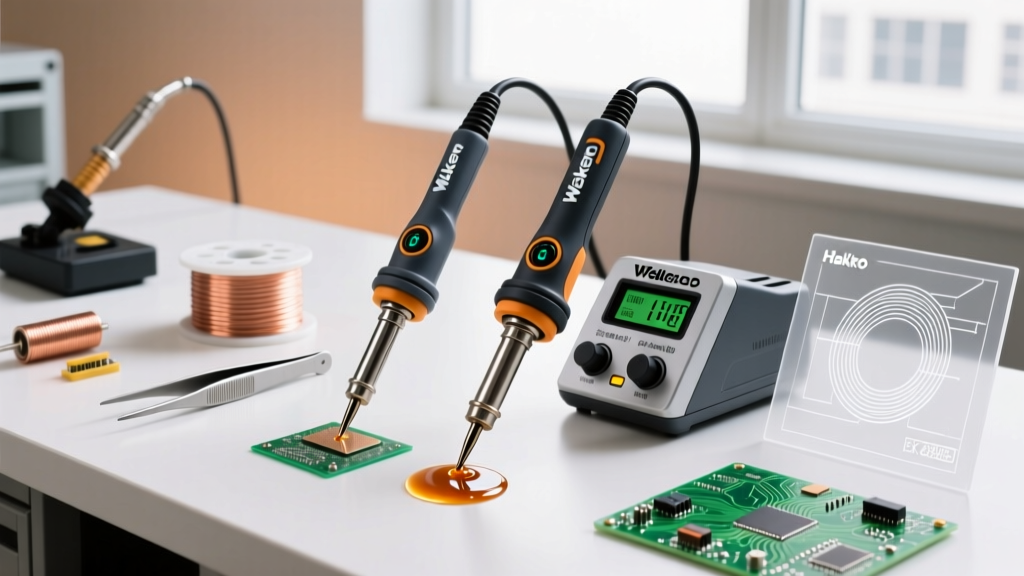
When builders and technicians ask, "how hot is a soldering iron?", the answer depends entirely on the tool's architecture. A cheap, fixed-wattage 40W iron from a hardware store can easily exceed 450°C (842°F) at the tip when left idle. However, modern temperature-controlled soldering stations dynamically regulate their heat, typically operating in a precise range between 200°C and 420°C (392°F to 788°F).
Maxing out your iron's temperature is a common beginner mistake that leads to oxidized tips, burned flux, and delaminated PCB pads. In professional electronics manufacturing, the goal is not maximum heat, but optimal thermal transfer. According to the IPC J-STD-001 requirements for soldered electrical and electronic assemblies, the ideal soldering process achieves proper wetting within a 2 to 3-second dwell time without exceeding the thermal degradation limits of the components or the board substrate.
The Physics of Solder Melting Points vs. Iron Temperature
To understand how hot your iron needs to be, you must first understand the liquidus (melting) points of common solder alloys. Your soldering iron must be significantly hotter than the solder's melting point to overcome the thermal mass of the copper pad, the component lead, and the solder wire itself.
- Sn63/Pb37 (Leaded Eutectic): Melts at exactly 183°C (361°F).
- SAC305 (Lead-Free): Melts between 217°C and 220°C (422°F - 428°F).
- Sn96.5/Ag3.0/Cu0.5 (High-Reliability Lead-Free): Melts at 217°C (422°F).
If your solder melts at 183°C, setting your station to 185°C will result in a failed joint. The iron will lose heat the moment it touches the copper ground plane, dropping below the liquidus point and causing a cold, grainy solder joint. Therefore, a temperature offset of 100°C to 150°C above the liquidus point is the industry standard for rapid, reliable wetting.
Exact Temperature Settings by Application (2026 Guide)
Use this matrix as your baseline. Always start at the lower end of the range and increase by 10°C increments only if the solder fails to flow within 3 seconds.
| Application / Component | Target Temp (Leaded) | Target Temp (Lead-Free) | Recommended Tip Geometry |
|---|---|---|---|
| Ultra-Fine SMD (0402, 0201) | 300°C - 320°C | 330°C - 350°C | Micro-pencil (0.4mm) |
| Standard Through-Hole (ICs, Resistors) | 320°C - 340°C | 350°C - 360°C | Chisel (1.6mm - 2.4mm) |
| Large Ground Planes / Multi-layer PCBs | 360°C - 380°C | 380°C - 400°C | Wide Chisel / Bevel (3.2mm+) |
| Heavy Wire / XT60 Connectors / RC | 380°C - 400°C | 400°C - 420°C | Massive Chisel (5.0mm+) |
| Plumbing / Copper Pipes (Non-PCB) | 400°C - 450°C* | N/A | Torch or specialized plumbing tip |
*Note: Plumbing requires massive thermal energy. A standard 60W electronics iron will fail here; you need a 200W+ station or a butane/propane torch.
Product Review: Best Temperature-Controlled Stations for Precision Heat
Knowing how hot a soldering iron gets is useless if the station cannot maintain that temperature under load. Here is a breakdown of the top-tier temperature-controlled irons dominating workbenches in 2026.
1. Pine64 Pinecil V2 (Best Budget & Portable)
Price: ~$26 | Max Temp: 450°C | Wattage: 65W (via USB-C PD)
The Pinecil V2 utilizes a RISC-V processor to run a highly aggressive PID temperature control algorithm. It heats from room temperature to 320°C in roughly 6 seconds. While it lacks the heavy thermal mass recovery of a $500 JBC station, its ability to hold a steady 340°C on standard 0805 SMD components is unmatched for the price.
- Pros: Open-source firmware, incredibly fast heat-up, USB-C powered.
- Cons: Requires a high-quality 65W PD power supply; struggles with massive ground planes.
2. Weller WE1010NA (Best Mid-Range Workhorse)
Price: ~$115 | Max Temp: 450°C | Wattage: 70W
Weller's ET series tips are legendary for longevity. The WE1010NA features a digital display and a robust 70W heating element. It excels in general through-hole and mixed-technology PCB work. The thermal recovery is smooth, preventing the aggressive overshoot seen in cheaper ceramic heater irons.
- Pros: Excellent tip lifespan, stable PID control, ESD safe.
- Cons: Tip changes require a metal sleeve tool (hot-swap is not native).
3. JBC CD-2BE (Premium Professional Grade)
Price: ~$560 | Max Temp: 450°C | Wattage: 130W
If you are doing micro-soldering or heavy multi-layer board repair, JBC is the gold standard. JBC uses a cartridge system where the heating element is integrated directly into the tip. This reduces the thermal path to near-zero. The tip reaches 350°C in 2 seconds and recovers from a massive heat-sink draw almost instantly.
- Pros: Instantaneous heat recovery, sleep-mode proximity sensor, unmatched precision.
- Cons: High initial cost, proprietary cartridges are expensive ($45+ each).
The Hidden Dangers of "Cranking the Heat"
When a joint won't flow, the instinct is to turn the dial to 450°C. This triggers a cascade of failure modes that NASA's NEPP soldering standards strictly warn against in aerospace electronics assembly:
- Tip Oxidation: Above 400°C, the iron plating reacts with oxygen to form spinels (a black, crusty oxide layer). Once oxidized, the tip will not transfer heat, rendering it useless.
- Flux Burn-Off: Rosin and synthetic fluxes activate at specific temperatures (usually 180°C-220°C). If your iron is at 420°C, the flux vaporizes before it can clean the copper oxide, resulting in a contaminated, brittle joint.
- PCB Delamination: Standard FR-4 fiberglass has a Glass Transition Temperature (Tg) of 135°C to 170°C. Applying 420°C for more than 5 seconds will cause the epoxy resin to break down, lifting the copper pad off the board permanently.
Expert Tip: If your solder isn't flowing at 360°C, the problem is rarely the temperature. It is almost always a lack of flux, an oxidized tip, or an undersized tip geometry failing to transfer adequate wattage to the joint.
How to Verify Your Iron's True Temperature
The digital readout on a $30 soldering station is often a lie. The thermocouple inside the heater block measures the block's temperature, not the actual tip surface. To verify your true working temperature, you need a tip thermometer (like the Hakko 191 or Weller WSDH100).
Step-by-Step Calibration Process:
- Clean the tip on a damp cellulose sponge or brass wool.
- Apply a small bead of fresh solder to the tip (this acts as a thermal bridge).
- Press the K-type thermocouple sensor directly into the molten solder bead on the tip.
- Wait 3 seconds for the reading to stabilize.
- Compare the reading to your station's display. If the variance exceeds ±5°C, use the station's offset calibration menu to correct the delta.
For deeper technical insights on thermal profiling and tip maintenance, the Hakko Technical FAQ provides excellent documentation on how sensor placement affects displayed versus actual tip temperatures.
Final Verdict
So, how hot is a soldering iron? It is exactly as hot as your application demands, and not a degree more. For 90% of modern electronics work, keeping your station locked between 320°C and 360°C will yield the strongest metallurgical bonds, preserve your expensive copper tips, and protect your PCBs from thermal trauma. Invest in a PID-controlled station, match your tip geometry to the thermal mass of the joint, and let the flux do the heavy lifting.