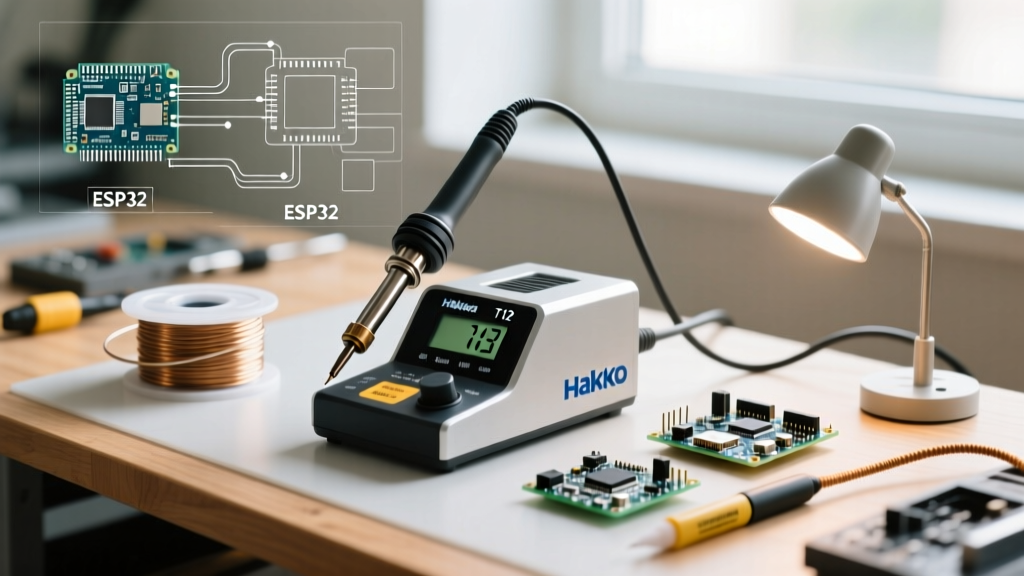

Entering the world of electronics repair and DIY microcontroller assembly requires reliable tools, and the soldering station is the centerpiece of your workbench. For beginners, the search for the perfect tool often leads to one specific search term: the Hakko T12 soldering station. However, navigating the market in 2026 requires a deep understanding of what 'T12' actually means, as the terminology is frequently misunderstood by newcomers. This comprehensive guide will demystify the T12 ecosystem, compare genuine hardware against market clones, and provide actionable setup protocols to ensure your solder joints meet professional standards.
The Great 'T12' Misconception: Tip vs. Station
The most critical piece of information a beginner must grasp is that T12 is not a soldering station; it is a tip series. Genuine Hakko T12 tips are composite cartridge tips originally designed for high-end Hakko systems like the FX-951 (now discontinued) and the current Hakko FX-952 and FM-206 stations.
Conversely, the wildly popular budget soldering stations found on Amazon and AliExpress—often branded as KSGER, Quicko, or AiXun—are colloquially called 'T12 stations' because they accept clone T12 tips. While genuine Hakko stations use a proprietary 24V AC induction and sensor loop, clone stations typically drive the T12 form-factor tips using 12V to 24V DC power supplies with custom PID firmware. Understanding this distinction is vital before you spend your money.
Composite Cartridge Technology Explained
Traditional soldering irons, such as those using the Hakko 900M or T18 series tips, utilize a separate ceramic heating element. The tip slides over the heater, creating an air gap that acts as a thermal insulator, resulting in slower heat recovery and less accurate temperature sensing.
The T12 cartridge design revolutionized benchtop soldering by integrating three components into a single, unified metal shaft:
- The Heating Element: Embedded directly in the rear of the tip.
- The Thermocouple Sensor: Located millimeters from the very front edge of the tip, providing near-instantaneous temperature feedback to the station's PID controller.
- The Soldering Surface: The copper core with iron plating at the front.
This integrated design means a T12 tip can heat from room temperature to 350°C in under 10 seconds and recover from massive thermal drops (like soldering to a large ground plane) almost instantly.
Market Matrix: Genuine Hakko FX-952 vs. T12 Clones (2026)
When building your workbench, you must decide between investing in genuine industrial equipment or opting for a budget-friendly clone. Below is a technical comparison of the current landscape.
| Feature | Genuine Hakko FX-952 | KSGER / Quicko T12 (Clone) | AiXun T3B (Clone) |
|---|---|---|---|
| Average Price (2026) | $360 - $410 | $60 - $95 | $85 - $120 |
| Power Supply | 24V AC (Proprietary) | 24V DC (Laptop Brick) | 24V DC (GaN USB-C PD) |
| Max Power Output | 70W | 72W - 120W (Firmware dependent) | 100W |
| Tip Compatibility d> | Genuine Hakko T12 | Clone T12 / Short Tips | Clone T12 / C115 / C245 |
| Auto-Sleep / Hall Sensor | Yes (Built-in handle sensor) | Yes (Requires magnetic mod/handle) | Yes (Built-in motion/magnetic) |
| Best For | Professional labs, daily heavy use | Beginners, hobbyists, budget setups | Advanced hobbyists, portability |
Essential T12 Tip Profiles for Beginners
Beginners often make the mistake of purchasing fine conical tips (like the T12-I or T12-IL), assuming that a smaller point equals more precision. In reality, conical tips have terrible thermal mass transfer and will stall when touching a pad with a ground plane. For 90% of beginner through intermediate tasks, you should stock the following profiles:
1. T12-D24 (Chisel Tip)
The 2.4mm chisel is the ultimate workhorse. The flat blade allows for maximum surface area contact, ensuring rapid heat transfer into component leads and PCB pads. It is perfect for through-hole components, 0805/0603 SMD work, and cutting small wires.
2. T12-K (Knife Tip)
The knife tip is exceptional for drag-soldering multi-pin ICs (like SOIC-8 or QFP chips). You can use the flat side for general heating and the sharp 'heel' of the knife for precision rework or cleaning up solder bridges in tight spaces.
3. T12-BC2 (Bevel / Hoof Tip)
A 2mm angled bevel tip acts like a small solder spoon. It is highly effective for drag soldering, picking up excess solder with a wick, and applying solder to larger joints without the risk of accidental bridging that a wide chisel might cause.
Step-by-Step Calibration and First Solder
Whether you unboxed a genuine Hakko FX-952 or a KSGER T12 clone, proper initial setup ensures the longevity of your tips. Follow this exact sequence:
- Inspect the Contact Pins: Before inserting the tip, look inside the handpiece connector. Ensure the pins are clean and free of manufacturing debris. For clone stations, ensure the O-ring is seated properly to prevent tip wobble.
- Insert the Tip Cold: Never insert or remove a T12 tip while the station is powered on. The electrical arcing can pit the internal contacts, leading to resistance errors and temperature fluctuations.
- Apply Initial Tinning: Before turning the station on, wrap a small amount of 63/37 leaded solder wire around the very end of the new tip. This provides a thermal bridge and prevents instant oxidation the second the heater activates.
- Set the Correct Temperature: Turn the station on and set the temperature based on your solder alloy:
- 63/37 Leaded (Eutectic): Set to 320°C (608°F). This alloy melts at 183°C; the extra 137°C of delta provides enough thermal energy for rapid wetting without burning the flux core.
- SAC305 Lead-Free: Set to 350°C - 360°C (662°F - 680°F). Lead-free melts at 217°C and has poor wetting characteristics, requiring higher baseline temperatures.
- Verify the Melt: Once the target temperature is reached, touch the solder to the tip. It should melt instantly and flow smoothly across the bevel. If it balls up and refuses to wet, the tip is oxidized or the station's PID offset requires calibration.
Critical Failure Modes: Avoiding the 'Black Tip of Death'
Expert Warning: The most common reason beginners throw away perfectly good T12 tips is oxidation, commonly known as the 'Black Tip of Death'. Once the iron plating turns black, solder will not wet to the surface, rendering the tip useless.
To prevent this catastrophic failure mode, you must adopt strict maintenance habits:
- Ditch the Wet Sponge: Traditional yellow cellulose sponges require water. Wiping a 350°C tip on a wet sponge causes severe thermal shock, leading to micro-fractures in the iron plating. Over time, solder eats through these fractures and destroys the copper core.
- Use Dry Brass Wool: Always use a dry brass wire sponge. It cleans the oxidized flux residue without dropping the tip's temperature, preserving the thermal integrity of the cartridge.
- The 'Solder Pillow' Rule: Never turn off your station without leaving a massive blob of fresh solder on the tip. This sacrificial layer oxidizes while the iron sits idle, protecting the actual working surface underneath. Wipe it off the next time you power on.
- Avoid Abrasive Cleaners: Never use sandpaper, files, or Dremel tools to clean a blackened tip. You will instantly remove the microscopic iron plating, exposing the copper core to rapid dissolution by the molten tin.
Industry Standards and Fume Safety
When learning to solder, achieving reliable joints is only half the battle; adhering to safety and quality standards is equally important. According to the IPC J-STD-001 standard for soldered electrical assemblies, a proper solder joint must exhibit excellent 'wetting'—where the solder flows smoothly and forms a concave fillet, rather than sitting on the pad like a convex water droplet. Mastering your T12 station's thermal recovery is key to achieving these IPC-compliant fillets.
Furthermore, vaporized flux contains colophony and chemical activators that are known respiratory sensitizers. As outlined in NASA's Workmanship Training protocols and general occupational safety guidelines, you must never breathe in the plume. At a minimum, use a desktop HEPA/Carbon fume extractor positioned 6 inches away from your work area, pulling the smoke laterally rather than blowing it around. For professional environments, refer to the safety data sheets provided by Hakko USA and your solder manufacturer regarding localized exhaust ventilation requirements.
Frequently Asked Questions (FAQ)
Can I use Hakko T18 tips on a T12 clone station?
No. The T18 series (used on the popular Hakko FX-888D) is physically larger and utilizes a completely different electrical contact system. T12 and T18 are mechanically and electrically incompatible. You must use T12 or T12-compatible short tips for a T12-based station.
How do I spot fake or low-quality clone T12 tips?
Low-quality clone tips often suffer from poor thermocouple calibration, meaning the station reads 350°C but the tip is actually at 310°C. Visually, inspect the laser etching; genuine or high-tier clones (like those from KSGER or Quicko's premium lines) have deep, crisp markings. Furthermore, measure the resistance across the tip's contacts with a multimeter. A healthy T12 heater element should read between 7 and 9 ohms. If it reads open or significantly higher, the internal heater wire is broken or poorly manufactured.
Why does my station display an 'Error' or 'H-E' code when I insert a tip?
This indicates a broken heater or sensor circuit. First, remove the tip and check the handpiece connector for bent pins. If the pins are intact, the thermocouple inside the T12 tip has likely failed due to a manufacturing defect or thermal shock. Swap in a known-good tip to isolate whether the fault lies in the handpiece wiring or the tip itself.
By understanding the underlying technology, selecting the correct profiles, and adhering to strict thermal maintenance routines, your T12-based setup will serve as a highly capable, professional-grade workhorse for all your electronics projects.