
The 2026 Smart Soldering Iron Landscape
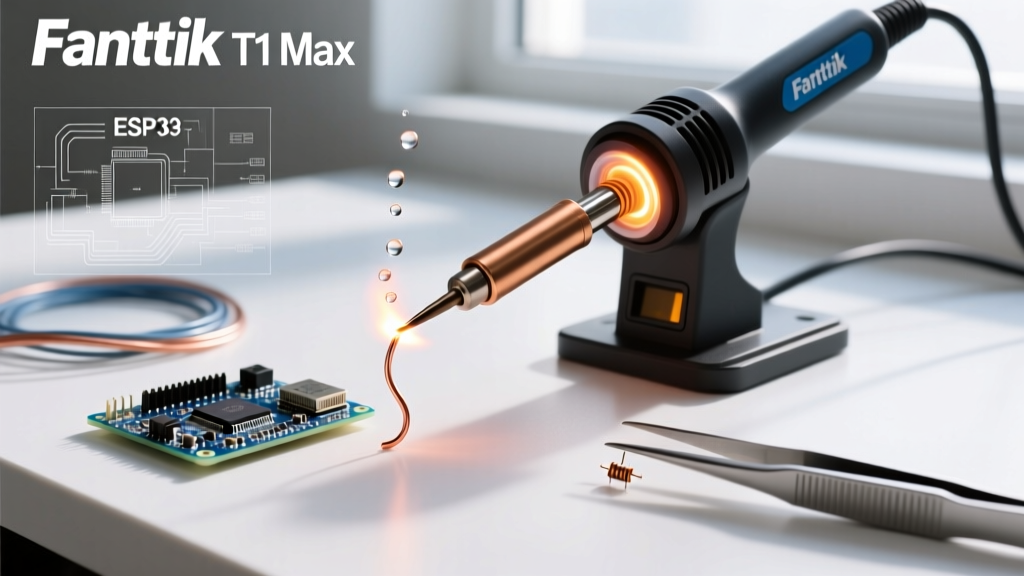
The era of bulky, transformer-based soldering stations is firmly in the rearview mirror for most hobbyists, field technicians, and embedded systems engineers. In 2026, the market is dominated by USB-C Power Delivery (PD) smart irons that leverage RISC-V microcontrollers and advanced PID (Proportional-Integral-Derivative) algorithms to deliver benchtop performance in a pocket-sized form factor. Among the most highly debated releases is the Fanttik T1 Max soldering iron, a premium 100W USB-C iron that directly challenges community favorites like the Pine64 Pinecil V2 and the Miniware TS101.
But does the T1 Max justify its premium price tag (typically retailing between $89 and $109 USD, compared to the Pinecil V2's $30 USD street price)? In this comprehensive best-of comparison, we dissect the thermal recovery, power delivery edge cases, firmware architecture, and real-world failure modes of the Fanttik T1 Max to determine if it is the ultimate smart soldering tool for 2026.
Fanttik T1 Max Soldering Iron: Core Specifications & Design
The T1 Max is built around an aerospace-grade aluminum alloy chassis, providing superior heat dissipation for the internal PCB compared to the polycarbonate shells of older Miniware models. It features a high-resolution OLED display, dual tactile buttons for menu navigation, and a USB-C port positioned at the rear for balanced cable management.
Head-to-Head Matrix: T1 Max vs. Pinecil V2 vs. TS101
| Feature | Fanttik T1 Max | Pine64 Pinecil V2 | Miniware TS101 |
|---|---|---|---|
| Max Power | 100W (via 20V/5A PD) | 88W (via 20V/4.4A PD) | 65W (via 20V/3.25A PD) |
| Microcontroller | Proprietary ARM Cortex | Bouffalo Lab BL706 (RISC-V) | STM32 (ARM Cortex) |
| Sleep Sensor | Hall Effect (Magnetic) | LIS2DH12 Accelerometer | LIS2DH12 Accelerometer |
| Display | 1.44" Color OLED | 0.96" Monochrome OLED | 0.96" Monochrome OLED |
| Avg. Price (2026) | $99.00 | $32.00 | $49.00 |
Thermal Recovery and the 100W Advantage
The primary selling point of the Fanttik T1 Max soldering iron is its ability to negotiate a 100W power contract over USB-C. When soldering heavy ground planes on multi-layer PCBs or thick 10 AWG silicone wires, a 65W iron like the TS101 will suffer from severe thermal droop. The T1 Max's 100W ceiling allows its PID controller to inject massive current bursts into the ceramic heating element, recovering from a 50°C temperature drop in under 1.5 seconds.
Real-World Soldering Profiles
Adhering to the guidelines set by the IPC (Association Connecting Electronics Industries) for soldering electrical assemblies, temperature profiles must be matched to the solder alloy:
- Sn63/Pb37 (Leaded Eutectic): Melts at 183°C. The T1 Max should be set to 310°C. The 100W headroom is overkill here, but it guarantees zero thermal lag even on large copper pours.
- SAC305 (Lead-Free): Melts at 217°C - 220°C. Requires an iron tip temperature of 350°C to 380°C to maintain proper wetting and prevent cold joints. This is where the T1 Max outshines the Pinecil V2; the extra 12W of headroom prevents the tip from stalling when touching a thermal mass.
Power Delivery Edge Cases: The USB-C Bottleneck
A common failure mode reported by users upgrading to 100W smart irons is the inability to reach maximum wattage. The USB Implementers Forum (USB-IF) specifies that standard USB-C PD 3.0 caps at 100W (20V/5A), but requires an electronically marked (E-Marker) chip in the cable to negotiate 5A.
Cable Selection and Voltage Drop
If you use a standard 3A USB-C cable with the Fanttik T1 Max, the iron will negotiate a 20V/3A contract, limiting you to 60W. To unlock the full 100W, you must use a 100W-rated (5A) E-Marker cable. Furthermore, cable length matters. A 2-meter USB-C cable introduces resistance, causing voltage drop. If the voltage at the iron's USB-C port drops below 19V under heavy load, the T1 Max's internal protection circuit will trigger a 'Low Voltage' warning on the OLED and throttle power to prevent brownouts. For field work, keep your 100W GaN charger (like the Ugreen Nexode 100W) within 1 meter of your workbench using a high-quality, short 5A cable.
User Interface and Hall Effect Sleep Sensor
The UI on the T1 Max is arguably the most refined in the portable iron market. The color OLED provides distinct visual cues: the screen border glows blue during standby, turns red when heating, and pulses green when at the target temperature.
Expert Insight: The T1 Max utilizes a Hall effect sensor for its auto-sleep function, requiring a magnetic stand. This is vastly superior to the accelerometer-based sleep found in the Pinecil V2. Accelerometers often suffer from 'phantom wakes' if you bump your desk or if a heavy truck drives by outside. The Hall effect sensor ensures the iron only wakes when physically removed from the magnetic holster, drastically reducing tip oxidation caused by accidental wake-ups.
Maintenance, Tip Compatibility, and Failure Modes
One of the most critical aspects of owning a smart iron is tip compatibility. The Fanttik T1 Max uses the TS101-ecosystem tips.
The 'T15' Pinout Trap
Many beginners mistakenly purchase genuine Hakko T15 tips for the T1 Max because they look physically identical. Do not do this. While the physical dimensions are similar, the internal thermocouple and heating element pinouts are completely different between the Hakko T15 and the TS101/T1 Max ecosystem. Inserting a genuine Hakko T15 into the T1 Max will result in an immediate 'Open Circuit' or 'Short Circuit' error code on the OLED, and in rare cases, can damage the iron's MOSFET driver. Always buy tips explicitly labeled as 'TS101 compatible' or 'T15-P'.
Firmware Flashing and Bootloader Edge Cases
Like the Pinecil, the T1 Max supports custom firmware updates to refine PID curves and add new UI themes. However, entering the bootloader (DFU mode) requires a specific hardware sequence. If your iron is unresponsive or you need to flash a factory reset firmware:
- Disconnect the USB-C cable.
- Press and hold Button A (the button closest to the soldering tip).
- While holding Button A, insert the USB-C cable into a PC.
- The OLED will remain blank, but the PC will recognize the iron as a mass storage device or DFU device, allowing you to drop the new
.binfirmware file onto the root directory.
A common edge case occurs when users attempt to flash firmware using a USB hub. The T1 Max bootloader requires a direct motherboard USB-A or USB-C connection to negotiate the correct data enumeration; powered hubs often cause the flash to fail at 42%.
Final Verdict: Is the T1 Max the Best Smart Iron of 2026?
When evaluating the best practices for excellent soldering, tool stability and thermal mass are paramount. The Fanttik T1 Max soldering iron is not for the casual hobbyist who solders a 555 timer circuit once a month; the $100 investment is overkill for basic through-hole work.
However, for embedded engineers working with 0402 SMD components, drone builders soldering 12 AWG ESC leads, and field technicians who need a reliable, fast-heating iron powered by a laptop or GaN brick, the T1 Max is the undisputed champion of 2026. The 100W PD negotiation, combined with the color OLED and flawless Hall effect auto-sleep, solves the minor annoyances of the Pinecil V2 and TS101. If your budget allows and you already own a 100W GaN charger and a 5A E-Marker cable, the Fanttik T1 Max is the definitive upgrade for your mobile electronics lab.