
The Metallurgy of Heat: Defining the 'Cold' Soldering Iron
In the electronics repair and DIY community, the term cold soldering iron is frequently misunderstood. To a novice, it might imply a broken tool that fails to heat up, resulting in a defective 'cold solder joint.' However, in the context of tool comparison, a cold soldering iron refers to a specialized class of low-temperature soldering tools—most famously popularized by the ColdHeat brand and now evolved into modern USB-C low-temp pens. These tools are designed to melt specialized Bismuth-based solder alloys at temperatures as low as 138°C (280°F), compared to the 183°C (361°F) required for standard tin-lead or the 217°C (422°F) needed for SAC305 lead-free alloys.
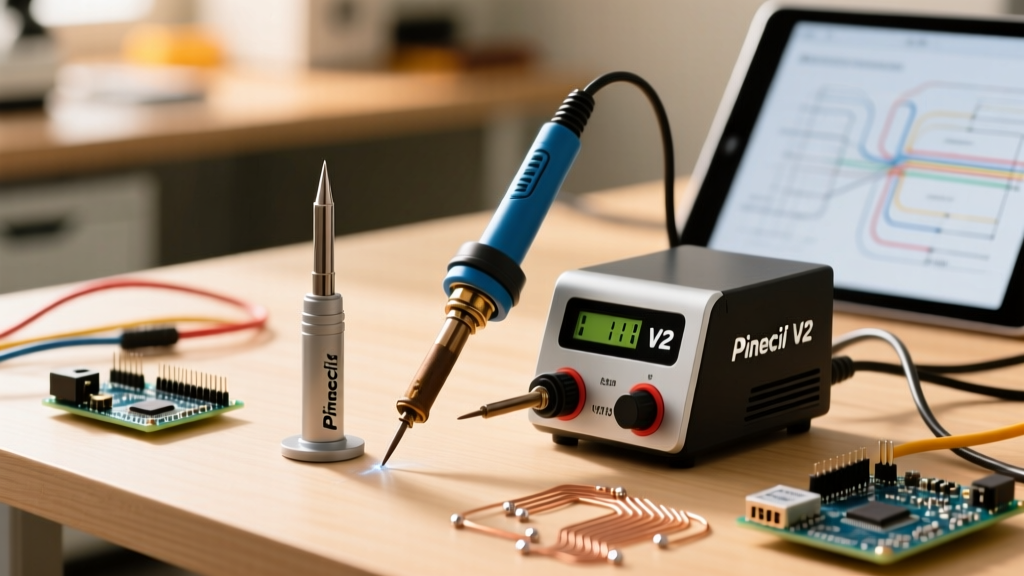
As we navigate the 2026 landscape of PCB repair, micro-soldering, and drone electronics, the debate between utilizing a low-temperature cold soldering iron versus a traditional thermal station (like the Hakko FX-888D or the RISC-V powered Pinecil V2) is more relevant than ever. This guide provides a deep-dive metallurgical and practical comparison to help you decide which tool belongs on your workbench.
2026 Tool Showdown: Comparison Matrix
Before examining the metallurgical edge cases, let us look at the raw specifications and practical applications of the three dominant tool categories on the market today.
| Feature | Low-Temp 'Cold' Soldering Pen | Smart Iron (Pinecil V2) | Traditional Station (Hakko FX-888D) |
|---|---|---|---|
| Heating Technology | Resistive Athalite / Ceramic Hybrid | RISC-V controlled Ceramic | Analog-style Digital PID |
| Target Solder Alloy | Sn42/Bi58 (138°C) | Sn63/Pb37 or SAC305 | Sn63/Pb37 or SAC305 |
| Thermal Recovery | Poor (Struggles with ground planes) | Exceptional (65W PD 3.1) | Good (70W continuous) |
| Tip Cost (2026) | $12 - $18 per specialty tip | $2.50 - $4.00 per tip | $7.00 - $9.00 (T18 series) |
| Best Application | Heat-shrink tubing, plastic connectors | SMD rework, 0402 components, drones | Through-hole, heavy wiring, general PCB |
| Average Price | $25 - $45 | $28 (Iron only) | $110 - $125 |
Deep Dive: The Cold Soldering Iron Experience
The primary appeal of the cold soldering iron is safety—specifically, thermal safety. When working on vintage audio equipment with fragile Bakelite components, or modern automotive sensors encased in heat-sensitive epoxy, applying a 350°C traditional iron tip can cause catastrophic delamination or melt the component housing.
The Advantages of Low-Temperature Tools
- Component Preservation: By capping the thermal transfer at ~150°C, you eliminate the risk of melting plastic connector housings (like JST-SM or Molex PicoBlade) during wire tinning.
- Portability: Modern iterations of the cold iron are often powered by standard USB-C power banks, making them ideal for field technicians repairing RC models or automotive wiring harnesses on-site.
- Beginner Forgiveness: The lower thermal mass and reduced heat output mean a beginner is far less likely to lift a copper pad off a single-layer PCB due to prolonged dwell times.
The Bismuth Embrittlement Trap (Critical Warning)
The most severe drawback of the cold soldering iron is not the tool itself, but the metallurgy of the solder it requires. Low-temperature solder is predominantly an alloy of Tin and Bismuth (Sn42/Bi58). According to metallurgical data published by the Indium Corporation, Bismuth alloys are inherently brittle and lack the mechanical fatigue resistance of standard tin-lead or SAC alloys.
The Fatal Edge Case: If you use a cold soldering iron with Bismuth solder on a joint that previously contained standard Leaded solder (Sn63/Pb37), you will inadvertently create a Tin-Lead-Bismuth ternary alloy. This tertiary eutectic mixture has a melting point of just 96°C (204°F). A joint that experiences mild friction or sits near a warm voltage regulator will literally melt apart under its own weight. Never mix low-temp Bismuth solder with legacy leaded joints without first performing a complete desoldering and wick-cleaning procedure.
Traditional Thermal Stations: The Uncompromising Benchmark
When we transition to a traditional station like the Hakko FX-888D or a smart iron like the Pinecil V2, we are dealing with tools designed to overcome thermal mass. As noted in Hakko's technical guidelines on thermal recovery, the ability of a station to inject 60W to 70W of continuous heat into a multi-layer PCB's internal copper ground planes is something a 9W cold pen simply cannot achieve.
Why Traditional Irons Dominate SMD Rework
Surface Mount Device (SMD) rework, particularly with 0402 or 0201 packages, requires rapid, localized heating to achieve proper wetting before the flux core vaporizes. The Pinecil V2, utilizing a RISC-V BL706 microcontroller, samples the tip temperature 20 times per second. If the tip touches a cold copper pour, the PID algorithm instantly dumps maximum current into the ceramic heater to recover the 320°C setpoint in under 1.5 seconds. A cold soldering iron, lacking this thermal inertia and wattage, will stall, resulting in a dry, unmelted joint.
The 'Cold Solder Joint' Failure Mode: When Low-Temp Goes Wrong
It is vital to distinguish between using a 'cold soldering iron' (the tool) and creating a 'cold solder joint' (the defect). The IPC J-STD-001 standards strictly define acceptable intermetallic compound (IMC) layers for reliable electronics manufacturing. An IMC layer is the microscopic metallurgical bond between the tin in the solder and the copper on the PCB pad.
Expert Insight: A proper IMC layer requires sufficient thermal energy and time to form. Because low-temperature cold irons operate at the absolute minimum threshold of the solder's melting point, the flux often fails to activate fully, and the IMC layer remains dangerously thin or non-existent. This results in a high-resistance, grainy connection that will inevitably crack under thermal cycling or mechanical vibration.
How to Mitigate Low-Temp Wetting Issues
If your project absolutely mandates the use of a cold soldering iron to protect a heat-sensitive substrate, you must compensate for the poor wetting action of Bismuth alloys.
- Abandon Rosin-Core: Standard rosin-core solder requires ~150°C just to activate the flux. At 138°C, it remains inert.
- Use External Liquid Flux: Apply a generous amount of a low-activation-temperature liquid flux, such as Amtech NC-559-V2-TF or Chip Quik SMD291AX, directly to the pad before heating.
- Pre-Tin the Pad: Use the cold iron to gently pre-tin the copper pad, allowing the flux to clean the oxidation before introducing the component lead.
Verdict: Equipping Your 2026 Workbench
The cold soldering iron is not a replacement for a traditional thermal station; it is a highly specialized surgical instrument.
- Buy a Cold Soldering Iron if: You primarily work with automotive wiring, heat-shrink tubing, delicate vintage plastics, or educational STEM kits where burn hazards and melted components are the primary concern.
- Buy a Pinecil V2 or Hakko FX-888D if: You are building DIY electronics, repairing modern motherboards, soldering through-hole components, or doing any SMD rework where joint reliability and mechanical strength are non-negotiable.
For the serious DIYer in 2026, the $28 investment in a Pinecil V2 paired with a 65W USB-C PD power supply offers vastly superior metallurgical reliability, tip longevity, and versatility compared to the niche applications of a low-temperature cold pen.
Frequently Asked Questions
Can I use standard 60/40 tin-lead solder with a cold soldering iron?
No. Standard Sn63/Pb37 solder melts at 183°C (361°F). A true cold soldering iron maxes out around 150°C to 160°C at the tip surface. The solder will simply ball up and refuse to wet the pad. You must use specialized Sn42/Bi58 low-temperature solder wire or paste.
Are cold solder joints reversible?
Yes, but they require care. If you have created a joint using Bismuth low-temp solder, you can desolder it using a standard soldering iron set to a low temperature (200°C) paired with high-quality desoldering braid. Be sure to clean the pad with isopropyl alcohol (99%) to remove the highly active residues left by low-temp fluxes.
Why does my low-temp solder look dull and grainy?
Unlike tin-lead solder, which dries to a bright, shiny finish, Bismuth-based low-temperature solder naturally cures to a dull, matte, and slightly grainy appearance. This is a metallurgical characteristic of the alloy, not necessarily an indicator of a defective joint, provided the wetting and flux activation were successful.