
Why the TK 950 is the Ultimate Beginner Station in 2026
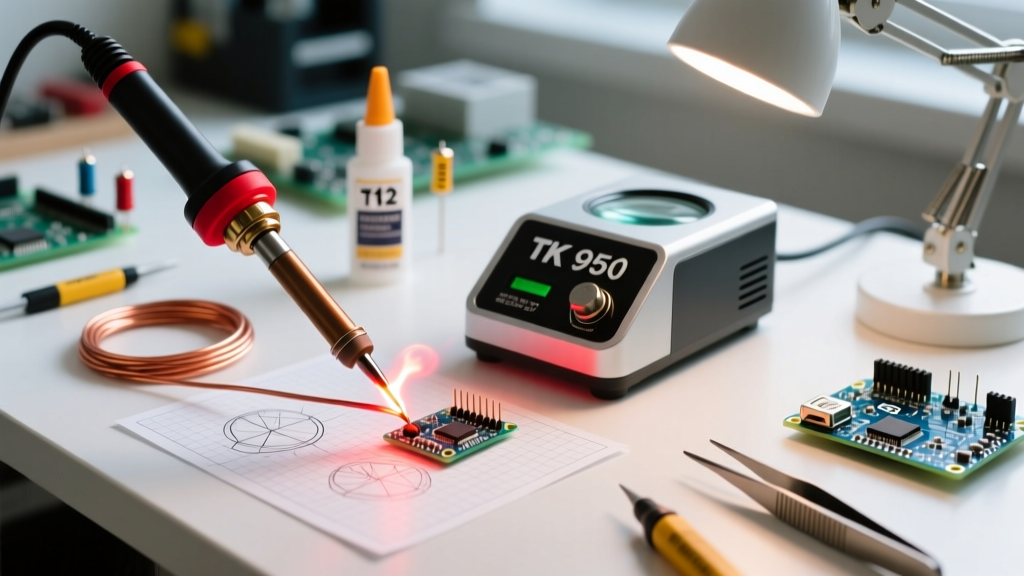
If you are transitioning from a cheap, plug-in iron to a proper temperature-controlled setup, the TK 950 soldering station is arguably the most capable entry-point on the market. Unlike the older 936-series stations that relied on slow, separate ceramic heating elements, the TK 950 utilizes a 950-series architecture. This means the heating element and the thermocouple are integrated directly into the tip itself.
The result? A 75-watt powerhouse that recovers from thermal drops almost instantly. As of 2026, you can typically find a reliable TK 950 unit for between $45 and $65, making it a budget-friendly alternative to premium brands while still delivering professional-grade thermal stability for through-hole and basic SMD work.
TK 950 Technical Specifications & Architecture
Understanding the hardware limitations and capabilities of your station is the first step toward mastering it. Below is the technical breakdown of the standard TK 950 platform.
| Specification | TK 950 Details | Why It Matters for Beginners |
|---|---|---|
| Power Output | 75 Watts | Provides enough thermal mass recovery for large ground planes without burning delicate pads. |
| Temperature Range | 100°C to 480°C (212°F - 896°F) | Covers everything from low-temp bismuth alloys to high-temp lead-free solders. |
| Heat-Up Time | ~15 seconds to 350°C | Eliminates the 'waiting game' and reduces the temptation to leave the iron on idle. |
| Tip Architecture | T12-Style Composite | Integrated heater and sensor provide real-time temperature feedback at the exact point of contact. |
| ESD Protection | Grounding Jack & 3-Prong Plug | Prevents static discharge from frying sensitive MOSFETs and microcontrollers. |
Step-by-Step: Initial Hardware Setup
Out of the box, the TK 950 requires a few critical setup steps to ensure both safety and longevity. Do not simply plug it in and turn it to maximum.
1. Establish a Proper Ground
The TK 950 is an ESD-safe station, but only if properly grounded. If you are working on sensitive logic boards, connect the included green grounding wire to the chassis grounding jack on the front panel, and attach the alligator clip to a verified earth ground point on your workbench. According to the ESD Association, maintaining a common point ground is essential to prevent potential differences that can destroy sensitive ICs.
2. Tip Insertion and Collar Tension
Slide the composite tip into the ceramic connector inside the handpiece. Thread the aluminum locking collar back onto the handpiece. Critical Warning: Only tighten the collar until it is snug. Overtightening will crush the thin metal sheath of the tip, destroying the internal thermocouple and causing immediate sensor errors.
3. The 'First Heat' Tinning Protocol
The moment you turn the station on and the tip begins to warm (around 150°C), apply a generous amount of rosin-core solder to the working end. Never let the bare tip reach operating temperature without a protective layer of solder. This prevents instant oxidation, which is the number one killer of composite tips.
Temperature Profiling: Dialing in the Heat
A common beginner mistake is cranking the dial to 400°C to 'make the solder melt faster.' This burns the flux core and oxidizes the tip. Instead, follow the thermal guidelines aligned with IPC Standards for reliable intermetallic joint formation.
- 63/37 Leaded Solder (Eutectic): Melts at 183°C. Set your TK 950 to 320°C - 340°C. This provides the perfect delta-T for rapid wetting without scorching the PCB pad.
- SAC305 Lead-Free Solder: Melts at 217°C. Set your station to 360°C - 380°C. Lead-free requires more thermal energy to overcome the higher melting point and sluggish wetting characteristics.
- Large Ground Planes: If you are soldering a capacitor to a massive copper pour and the solder is balling up, do not increase the temperature past 380°C. Instead, switch to a larger tip geometry (like a bevel or chisel) to increase the surface area contact.
Navigating the T12-Style Tip Ecosystem
The TK 950 uses T12-compatible composite tips. Because the heater is inside the tip, the tip geometry directly dictates the thermal transfer rate. Referencing the Hakko Tip Selection Guide for geometry principles is highly recommended, as the physics apply universally across 950-series clones.
Pro-Tip: For 90% of beginner DIY electronics (resistors, capacitors, DIP chips, and basic wires), a standard D24 (2.4mm Chisel) or a BC2 (2mm Bevel) tip will handle almost every task you throw at it. Avoid 'needle' or 'I' tips; they lack the thermal mass required to transfer heat effectively into a joint.
Troubleshooting Common TK 950 Error Codes
Because the TK 950 relies on a closed-loop thermocouple inside the tip, the digital display will throw specific error codes when the feedback loop is broken. Here is how to diagnose them:
- H21 Error (Sensor Open): The station cannot read the thermocouple.
- Fix: The tip might not be seated fully. Let the handpiece cool, unscrew the collar, and push the tip firmly into the ceramic socket. If the error persists, the internal wire inside the tip is broken; replace the tip.
- H22 Error (Sensor Short): The thermocouple wires are shorting out.
- Fix: This usually happens if the locking collar was overtightened, crushing the tip's internal insulation. Inspect the base of the tip for physical deformation. You will likely need to discard the damaged tip.
- Flashing Temperature Display: The station is in 'Sleep Mode' (if your specific TK 950 variant includes a vibration switch in the handle).
- Fix: Simply pick up the handpiece and give it a gentle shake to wake the heater circuit.
Safety, Maintenance, and Fume Extraction
Soldering produces colophony (rosin) fumes, which are known respiratory sensitizers. While the TK 950 is an excellent tool, it must be paired with proper ventilation. Always position a localized fume extractor with a HEPA and activated carbon filter between your face and the soldering joint. Never lean directly over the workpiece.
Finally, maintenance is a daily habit. When you are finished soldering, do not just turn the station off. While the tip is still hot, wipe it on a damp brass sponge (avoid wet cellulose sponges, as the thermal shock can micro-fracture the internal ceramic heater), apply a thick layer of fresh solder to 'cap' the tip, and then power down the TK 950. This simple 10-second habit will ensure your composite tips last for years rather than weeks.