
The Bench Dilemma: Basic Iron vs. Soldering Workstation
Every electronics enthusiast and professional technician eventually faces a critical hardware crossroads: Is it time to retire the trusty basic soldering iron and invest in a dedicated soldering workstation? As of 2026, the market has bifurcated. On one side, we have ultra-cheap plug-in irons and surprisingly capable smart-portable irons (like the Pinecil V2 or FNIRSI HS-01). On the other side, we have integrated, heavy-duty soldering workstations from legacy brands like Weller, Hakko, and JBC.
Choosing between these methods is not just about spending more money; it is a fundamental shift in your soldering methodology. A basic iron is a simple heating element. A soldering workstation is an integrated thermal management ecosystem. In this method comparison, we will dissect the thermal dynamics, safety profiles, and long-term ROI of both approaches to help you decide which setup earns the permanent spot on your workbench.
Defining the Contenders
The Basic (and Smart Portable) Iron
When we refer to a 'basic iron' today, we are encompassing two sub-categories. The first is the traditional unregulated or dial-regulated stick iron (e.g., a generic 60W adjustable iron). The second is the modern 'smart portable' iron, which uses a USB-C PD power delivery protocol and a miniaturized PID controller. While smart irons offer digital temperature readouts, they fundamentally lack the physical footprint, heavy-duty power transformers, and integrated safety peripherals of a true workstation.
The Dedicated Soldering Workstation
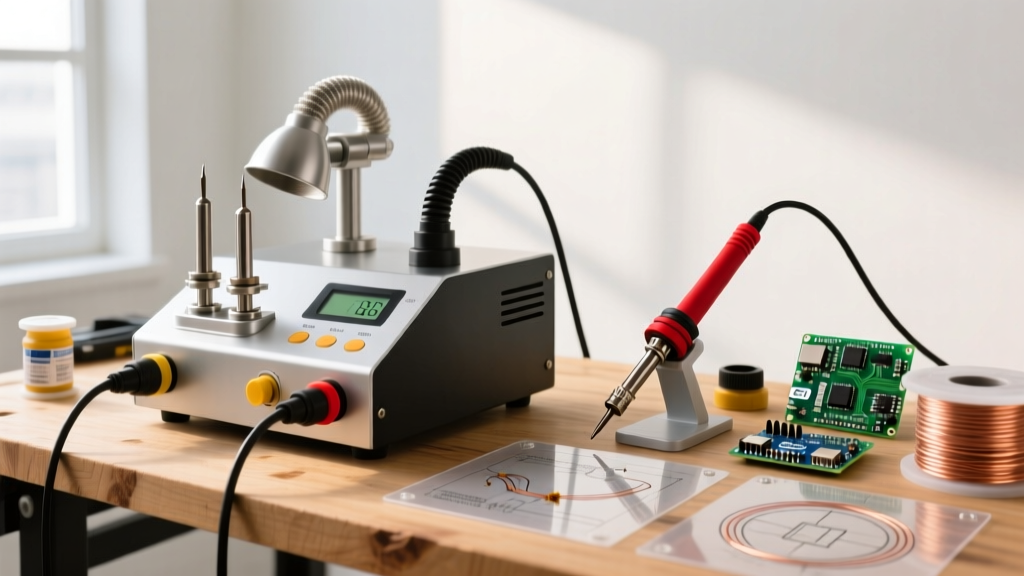
A soldering workstation is a centralized hub. It typically consists of a heavy base unit housing a high-wattage transformer, a digital control interface, a sleep/standby cradle with a thermal sensor, and often an integrated or easily paired fume extraction system. Models like the Weller WE1010NA, Hakko FX-951, and JBC CD-2BQF represent this tier. They are designed to meet stringent industrial standards, including IPC J-STD-001 Standards for soldered electrical and electronic assemblies.
Head-to-Head Comparison Matrix
| Feature | Basic / Smart Portable Iron | Dedicated Soldering Workstation |
|---|---|---|
| Thermal Recovery | Slow to moderate; struggles on large ground planes | Near-instantaneous; active sensor feedback loops |
| Power Delivery | 15W - 65W (often limited by USB-C PD handshake) | 70W - 130W+ (direct AC line transformation) |
| Tip Ecosystem | Limited; generic screw-on or basic slide-on tips | Vast; proprietary quick-change cartridges (e.g., JBC C245) |
| Safety & Fumes | Requires separate, aftermarket fume extractor | Integrated fume extraction or specialized ESD-safe cradles |
| Footprint | Minimal; highly portable for field work | Substantial; designed for a permanent bench anchor |
| Avg. Price (2026) | $15 - $55 | $120 - $600+ |
Thermal Dynamics: The Hidden Cost of Cold Joints
The most significant methodological difference between a basic iron and a soldering workstation is thermal recovery rate. When a soldering tip touches a copper pad, heat transfers into the board. If the pad is connected to a large ground plane or a multi-layer via, it acts as a massive heat sink, rapidly draining thermal energy from the tip.
The Basic Iron Failure Mode
A basic 40W iron relies on thermal mass. When it hits a ground plane, the tip temperature plummets. The heater struggles to catch up, forcing the user to hold the iron in place longer. This extended dwell time causes flux to burn off prematurely, leading to oxidized, dull, and brittle cold solder joints. Worse, excessive dwell time transfers heat into the component body, risking internal die damage or pad delamination (lifting) on the PCB.
The Workstation Advantage
Workstations utilize advanced closed-loop PID controllers that poll the tip temperature dozens of times per second. Take the Hakko FX-951 (approx. $330). It uses a composite ceramic heater embedded directly into the handpiece, delivering 70W of continuous power. When the sensor detects a 2°C drop upon contact with a board, it instantly dumps maximum wattage into the heater to stabilize the joint.
'According to industry experts at Adafruit's Guide to Excellent Soldering, maintaining a stable tip temperature is the single most critical factor in achieving the shiny, concave fillets required for reliable through-hole and surface-mount connections.'
JBC takes this a step further with their 'Intelligent Heat' cartridge system. In a JBC workstation, the heating element and the thermocouple are housed inside the tip cartridge itself, less than 2mm from the soldering surface. This virtually eliminates thermal lag, allowing technicians to solder heavy multi-layer boards at lower baseline temperatures, vastly extending tip life.
Ergonomics, Safety, and Fume Management
Soldering methodology is not just about melting metal; it is about managing the byproducts of that process. Flux vaporization creates rosin-based particulates and volatile organic compounds (VOCs).
According to NIOSH guidelines on soldering fumes, chronic exposure to colophony (rosin) flux fumes can lead to occupational asthma, contact dermatitis, and chronic respiratory irritation. A basic iron setup leaves fume management entirely to the user, who must purchase, position, and route a separate desktop fan or HEPA extractor. This leads to 'fume fatigue' where technicians simply stop using the extractor because it is in the way.
A true soldering workstation solves this through integrated methodology. High-end stations feature heavy, magnetically weighted, ESD-safe cradles that automatically put the iron to sleep (dropping the temp to 200°C) the moment it is set down. This prevents accidental burns, reduces ambient off-gassing of the flux on the tip, and preserves the tip's iron plating. Furthermore, workstation ecosystems often feature modular fume extraction arms that plug directly into the base station's power and control logic, ensuring the fan only runs when the iron is active.
Cost vs. ROI Analysis
Is the 10x price premium of a workstation justified? Let us break down the financial methodology based on user profiles.
- The Hobbyist (Tier 1): If you solder 10-15 joints a month repairing basic toys or assembling simple Arduino kits, a $26 smart portable iron is mathematically superior. The ROI on a $300 workstation would take decades to realize.
- The Prototyper / Freelancer (Tier 2): If you are designing custom PCBs, soldering 0603 or 0402 SMD components, and doing rework, the cost of a ruined $15 microcontroller or a lifted pad on a 4-layer board instantly eclipses the cost of an entry-level workstation like the Weller WE1010NA ($115). The precision and thermal stability pay for themselves on the first saved prototype.
- The Production / Repair Pro (Tier 3): For daily use, tip consumption is a major operational cost. Basic irons oxidize and pit rapidly because they lack precise sleep modes. A JBC or Hakko workstation preserves tips for months rather than weeks, saving $30-$50 a month in replacement tips alone, while drastically increasing hourly throughput.
Decision Framework: Which Method Should You Choose?
Use this step-by-step framework to finalize your bench setup:
- Audit Your Component Density: Are you exclusively soldering large through-hole capacitors and thick wires? Stick with a basic iron. Are you tackling QFN chips, tight-pitch SOICs, or dense ground planes? Upgrade to a workstation.
- Evaluate Your Workspace: Do you have a dedicated, well-ventilated bench with grounded outlets? Workstations require physical space and ESD-safe environments to shine. If you work from a kitchen table or do field repairs, a smart portable iron is the better methodological choice.
- Calculate Your Failure Cost: If a bad solder joint means a $5 LED fails to light up, basic tools suffice. If a cold joint means a $400 drone flight controller crashes into a tree, the thermal reliability of a workstation is mandatory insurance.
Frequently Asked Questions (FAQ)
Can a basic smart iron truly replace a soldering workstation?
For 80% of DIY electronics tasks, yes. Modern USB-C smart irons feature PID controllers that rival entry-level workstations in temperature accuracy. However, they cannot match the sustained thermal mass recovery required for heavy ground planes, nor do they offer the integrated safety cradles and fume management of a dedicated hub.
Why do workstation tips cost so much more?
Workstation tips (like Weller's RT series or JBC cartridges) are precision-machined with thick copper cores, specialized iron plating, and integrated sensors. They are engineered for rapid heat transfer and extreme longevity under industrial thermal cycling, whereas basic tips are often thin, stamped metal with poor thermal coupling.
Do I need an ESD-safe workstation for microcontrollers?
If you are handling bare, sensitive CMOS chips or MOSFETs outside of anti-static packaging, yes. Workstations are inherently grounded through their power cords and feature ESD-safe composite handles and cradles, safely bleeding off static charges that a basic, ungrounded iron might leave on the component casing.