
The Core Contenders for Your Arduino with Temperature Sensor Project
Integrating an Arduino with temperature sensor peripherals is a foundational milestone in embedded systems design. Whether you are building a DIY reflow oven controller, an environmental monitoring station, or a smart home HVAC interface, the sensor you choose dictates the reliability, accuracy, and complexity of your entire firmware stack. Yet, many makers default to whatever is included in their starter kit, leading to noisy data, communication lockups, and frustrating field failures.
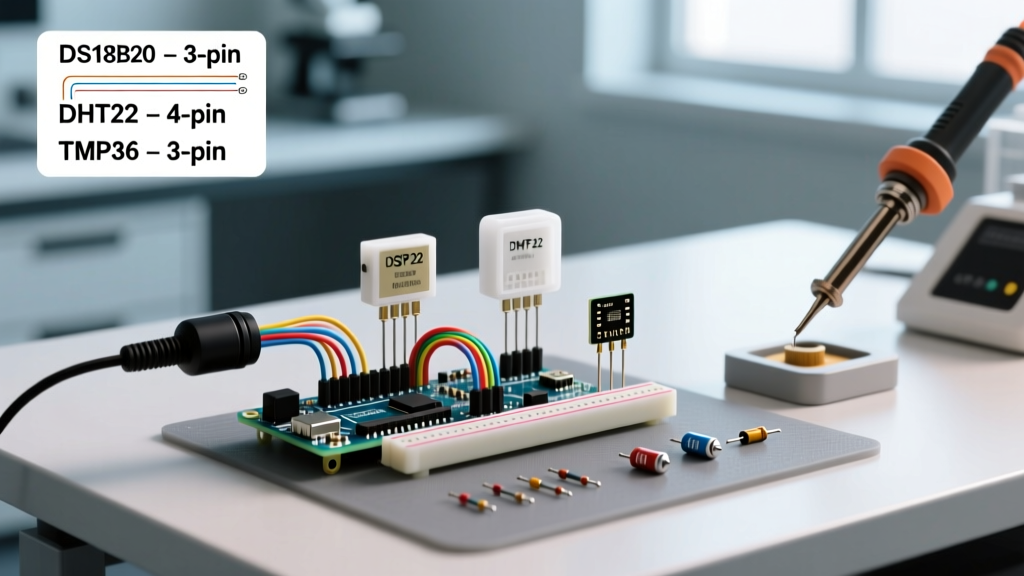
As of 2026, the market is saturated with thermal sensing options, but three distinct architectures continue to dominate the hobbyist and prosumer space: the digital 1-Wire DS18B20, the digital serial DHT22 (AM2302), and the analog voltage-output TMP36. Each represents a fundamentally different approach to thermal measurement, carrying unique wiring requirements, library dependencies, and edge-case failure modes. In this comprehensive component comparison, we will dissect these three heavyweights to help you engineer the optimal thermal monitoring setup for your next microcontroller project.
Deep Dive: Component Profiles & Edge Cases
1. DS18B20: The Waterproof 1-Wire Workhorse
Originally developed by Dallas Semiconductor and now manufactured by Analog Devices (formerly Maxim Integrated), the DS18B20 is the undisputed king of liquid and harsh-environment temperature monitoring. It communicates over the 1-Wire protocol, meaning it requires only a single data pin (plus power and ground) and supports daisy-chaining multiple sensors on the same bus.
- Accuracy & Range: ±0.5°C accuracy from -10°C to +85°C. Operates from -55°C to +125°C.
- 2026 Pricing: $3.50 to $5.00 for genuine, waterproof stainless-steel probe assemblies on Mouser or DigiKey.
- Wiring Specifics: Requires a 4.7kΩ pull-up resistor between the data line and VCC (3.3V or 5V).
The Edge Case (Parasitic Power & Clones): The DS18B20 supports a 'parasitic power' mode where it draws power directly from the data line during conversions. While this saves a wire, it frequently fails on cables longer than 3 meters due to line capacitance starving the sensor during the active ADC conversion phase. Always use the standard 3-wire VCC mode for runs over 1 meter. Furthermore, the market remains flooded with counterfeit DS18B20 chips that fail the 1-Wire CRC check or hard-lock at 85°C. Always source from authorized distributors like Analog Devices or verified Adafruit/SparkFun breakouts to avoid silicon clones.
For authoritative specifications on the 1-Wire timing and ROM commands, refer to the official Analog Devices DS18B20 Datasheet.
2. DHT22 (AM2302): The Dual-Purpose Environmental Monitor
If your project requires both thermal and hygrometric (humidity) data, the DHT22 (often sold under the AM2302 designation) is the standard upgrade path from the notoriously inaccurate DHT11. It utilizes an internal NTC thermistor for temperature and a polymer capacitor for relative humidity, packaged with a dedicated internal 8-bit MCU that handles the analog-to-digital conversion and serial output.
- Accuracy & Range: ±0.5°C (Temp), ±2% RH (Humidity). Temp range: -40°C to +80°C.
- 2026 Pricing: $4.50 to $7.50 for bare sensors; $8.00+ for PCB-mounted versions with integrated pull-ups.
- Wiring Specifics: Requires a 10kΩ pull-up resistor on the data line (often included on breakout boards).
The Edge Case (Interrupt Collisions): The DHT22 does not use I2C or SPI; it uses a custom, timing-critical single-bus protocol. The sensor pulls the line low to transmit bits, and the Arduino must measure the exact microsecond duration of these pulses. If your Arduino sketch utilizes heavy hardware interrupts (e.g., SoftwareSerial, rotary encoders, or high-frequency PWM timers), an interrupt firing during the DHT read sequence will distort the timing, resulting in checksum errors or NaN (Not a Number) returns. To mitigate this, you must temporarily disable interrupts (noInterrupts()) during the 4-millisecond read window in your firmware.
For a deeper look at the timing diagrams and library implementations, the Adafruit DHT Sensor Guide provides excellent oscilloscope captures of the protocol in action.
3. TMP36: The Analog Classic
The TMP36 is a low-voltage, precision analog temperature sensor. Unlike digital sensors that output formatted data packets, the TMP36 outputs a continuous DC voltage directly proportional to the Celsius temperature (10mV/°C with a 500mV offset). This means it can theoretically be read by any microcontroller with an ADC (Analog-to-Digital Converter), requiring zero specialized communication protocols.
- Accuracy & Range: ±1°C at +25°C, ±2°C over the -40°C to +125°C range.
- 2026 Pricing: $1.80 to $2.50 per unit (TO-92 package).
- Wiring Specifics: VCC, GND, and VOUT. A 0.1µF ceramic bypass capacitor across VCC and GND is mandatory to filter high-frequency noise.
The Edge Case (The VREF Trap): The most common reason makers abandon the TMP36 is 'noisy' or 'drifting' readings. This is rarely the sensor's fault; it is an Arduino ADC architecture issue. By default, the Arduino analogRead() function uses the board's VCC (usually 5V from USB) as the analog reference. If your USB port voltage sags from 5.00V to 4.80V under load, your TMP36 temperature reading will instantly jump by nearly 4°C, even if the ambient temperature hasn't changed. The professional fix is to bypass the default VREF and use the Arduino's internal 1.1V bandgap reference (analogReference(INTERNAL)), which provides a rock-solid baseline regardless of USB power fluctuations.
Comprehensive details on the TMP36's linear transfer function and quiescent current draw can be found in the Analog Devices TMP35/TMP36/TMP37 Datasheet.
Head-to-Head Specification Matrix
| Feature | DS18B20 (Digital 1-Wire) | DHT22 / AM2302 (Digital Serial) | TMP36 (Analog Voltage) |
|---|---|---|---|
| Primary Interface | 1-Wire (Digital) | Custom Single-Bus (Digital) | Analog Voltage (ADC) |
| Temperature Accuracy | ±0.5°C | ±0.5°C | ±1.0°C to ±2.0°C |
| Humidity Sensing | No | Yes (±2% RH) | No |
| Max Sampling Rate | 750ms (12-bit resolution) | 2000ms (Hardcoded limit) | Instantaneous (Limited by ADC) |
| Bus / Multi-drop | Yes (Up to 100+ per pin) | No (One per pin) | No (One per ADC pin) |
| Waterproof Options | Yes (Native SS probes) | No (Open mesh housing) | No (Exposed TO-92 epoxy) |
| Approx. Cost (2026) | $3.50 - $5.00 | $4.50 - $7.50 | $1.80 - $2.50 |
Real-World Failure Modes & Field Troubleshooting
Theoretical datasheets rarely prepare you for the physical realities of deploying sensors in the field. Here are the most common failure modes for each component and how to engineer around them.
DS18B20: The '85°C Power-On Glitch'
If your serial monitor consistently reads exactly 85.00°C upon boot, your sensor is failing to execute the temperature conversion command before the Arduino requests the scratchpad data. 85°C is the default power-on reset value of the DS18B20's register. Fix: Ensure your code includes a mandatory 750ms delay after sending therequestTemperatures()command when operating in 12-bit resolution mode, or switch to parasite power mode with a strong pull-up MOSFET.
DHT22: Condensation & Saturation Lockup
Because the DHT22 uses an exposed polymer capacitor for humidity sensing, exposing it to environments above 95% RH or direct condensation (like inside a greenhouse or outdoor weather shield without a PTFE membrane) can cause the sensor to saturate. Once saturated, the internal MCU can lock up, returning 0.0 for both temp and humidity. Fix: Power-cycle the sensor via a MOSFET-controlled VCC line if consecutive checksum failures occur, and always use a sintered bronze or PTFE vented enclosure for outdoor deployments.
TMP36: Thermal Self-Heating in Stagnant Air
While the TMP36 draws a mere 50 µA of quiescent current, encapsulating it in thermal epoxy or heat-shrink tubing for 'protection' creates a thermal mass that traps self-generated heat and slows response times to over 60 seconds. Fix: If potting is required for moisture resistance, use thermally conductive epoxy (loaded with aluminum oxide or boron nitride) rather than standard electrical potting compound, and apply a software-based moving average filter (e.g., reading 20 samples and discarding the top/bottom 10%) to smooth out ADC jitter.
The Final Verdict: Which Sensor Wins?
There is no universal 'best' sensor; the optimal choice depends entirely on your environmental constraints and firmware architecture.
Choose the DS18B20 if you are measuring liquids (aquariums, brewing kettles, soil probes), need to daisy-chain multiple sensors on a single GPIO pin, or require high accuracy across extreme temperature ranges. It is the most robust option for industrial-style DIY deployments.
Choose the DHT22 if your project is strictly indoor environmental monitoring (server rooms, humidors, HVAC returns) where relative humidity data is just as critical as temperature, and you can afford the 2-second sampling latency.
Choose the TMP36 if you are building an ultra-low-power, battery-operated datalogger where digital protocol overhead is undesirable, or if you are working with a microcontroller that lacks robust digital communication libraries but has a high-resolution ADC. Just remember to stabilize your analog reference voltage.
By understanding the underlying silicon architectures and physical limitations of these three components, you can confidently wire, code, and deploy an Arduino with temperature sensor capabilities that performs flawlessly in the real world.