
Why Basic Stepper.h Fails in Real-World Applications
When engineers transition from prototyping to building actual automated systems, the standard Arduino Stepper.h library quickly reveals its limitations. In a real-world conveyor or linear actuator application, abruptly commanding a high-inertia load to move at 1,000 steps per second guarantees a stalled rotor. The motor will simply hum, vibrate, and miss steps, destroying your positional accuracy.
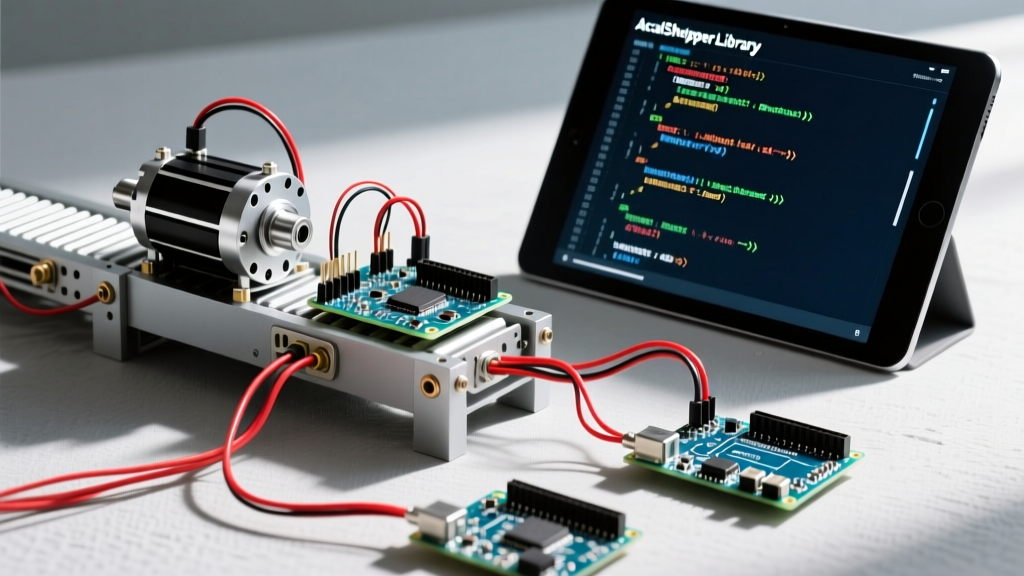
To achieve reliable motion control, you must implement trapezoidal or S-curve velocity profiles. This requires calculating acceleration and deceleration ramps dynamically. For this guide, we will build a robust, real-world conveyor belt positioning system using the AccelStepper library, an Arduino Uno R4 Minima, and a high-torque NEMA 23 stepper motor driven by a TB6600 industrial microstepping driver.
Hardware Bill of Materials (2026 Pricing)
Selecting the right hardware is critical for industrial reliability. The A4988 drivers used in 3D printers are insufficient for continuous conveyor loads due to thermal throttling. We use a TB6600 for its superior heat dissipation and higher current ceiling.
| Component | Model / Specification | Est. Cost (USD) | Role |
|---|---|---|---|
| Microcontroller | Arduino Uno R4 Minima | $27.50 | Logic & pulse generation (Renesas RA4M1 ARM Cortex-M4) |
| Stepper Motor | StepperOnline 23HS45 (NEMA 23) | $22.00 | 1.9A, 1.2 Nm holding torque, 200 steps/rev |
| Motor Driver | TB6600 Upgraded V4 | $14.00 | Supports up to 4A peak, 1/32 microstepping |
| Power Supply | Mean Well LRS-150-24 | $35.00 | 24V DC, 150W, enclosed industrial PSU |
| Mechanical | GT2 20-Tooth Pulley & 2m Belt | $12.00 | Power transmission (40mm pitch circumference) |
Wiring and TB6600 DIP Switch Configuration
Before writing the code for stepper motor Arduino integration, the hardware must be configured correctly. The TB6600 relies on physical DIP switches to set the microstepping resolution and current limit. For a conveyor system, 1/16 microstepping provides the perfect balance between smooth low-speed operation and the pulse-frequency limits of the Arduino Uno R4.
TB6600 DIP Switch Settings (1/16 Step, 1.5A Peak)
- Microstep (S1, S2, S3): ON, OFF, ON (Yields 3,200 steps per full revolution)
- Current (S4, S5, S6): OFF, ON, ON (Sets peak current to 1.5A, safely below the 1.9A motor rating to prevent overheating)
Signal Wiring to Arduino Uno R4
The Uno R4 Minima operates at 5V logic, which is perfectly compatible with the opto-isolated inputs of the TB6600. Keep your step and direction cables under 2 meters and use shielded twisted-pair wire to prevent electromagnetic interference (EMI) from the 24V motor lines.
- PUL+ (Step): Arduino Pin 9
- DIR+ (Direction): Arduino Pin 8
- ENA+ (Enable): Arduino Pin 7
- PUL-, DIR-, ENA-: Arduino GND
The Math: Calculating Steps per Millimeter
Real-world code requires translating physical distances into step pulses. Our conveyor uses a GT2 20-tooth pulley. The GT2 belt has a 2mm pitch, meaning one full revolution moves the belt exactly 40mm (20 teeth × 2mm).
With 1/16 microstepping enabled, the motor takes 3,200 steps per revolution. Therefore, the steps-per-millimeter ratio is:
3,200 steps / 40mm = 80 steps per mm.
To move the conveyor exactly 250mm, the Arduino must command exactly 20,000 steps.
Production-Ready Code for Stepper Motor Arduino Systems
We utilize Mike McCauley’s AccelStepper library, the industry standard for open-source trapezoidal motion profiling. Unlike blocking code, this library uses non-blocking timer interrupts, allowing the Arduino to monitor sensors or read serial commands while the motor accelerates smoothly.
#include <AccelStepper.h>

// Define the stepper driver pins (Interface type 1 = external driver with STEP/DIR)
AccelStepper conveyorMotor(1, 9, 8); // Pin 9 = STEP, Pin 8 = DIR
const int ENA_PIN = 7;

// Physical constants based on GT2 20T pulley and 1/16 microstepping
const float STEPS_PER_MM = 80.0;
const float MAX_SPEED_MM_S = 150.0;  // 150 mm/s top speed
const float ACCEL_MM_S2 = 400.0;     // 400 mm/s^2 acceleration ramp

void setup() {
  Serial.begin(115200);

  // Configure Enable pin (Active LOW on TB6600)
  pinMode(ENA_PIN, OUTPUT);
  digitalWrite(ENA_PIN, LOW); // Enable the driver immediately

  // Calculate and set motor parameters in steps
  conveyorMotor.setMaxSpeed(MAX_SPEED_MM_S * STEPS_PER_MM); // 12,000 steps/sec
  conveyorMotor.setAcceleration(ACCEL_MM_S2 * STEPS_PER_MM); // 32,000 steps/sec^2

  // Set initial position to zero
  conveyorMotor.setCurrentPosition(0);

  Serial.println("Conveyor System Initialized. Ready for commands.");
}

void loop() {
  // Non-blocking motor update loop
  conveyorMotor.run();

  // Example: Check for serial commands to move specific distances
  if (Serial.available() > 0) {
    String cmd = Serial.readStringUntil('\n');
    float target_mm = cmd.toFloat();

    if (target_mm > 0) {
      long target_steps = target_mm * STEPS_PER_MM;
      conveyorMotor.moveTo(target_steps);
      Serial.print("Moving to: ");
      Serial.print(target_mm);
      Serial.println(" mm");
    }
  }
}
Code Architecture Breakdown
- Non-Blocking Execution: The
conveyorMotor.run()function must be called continuously in theloop(). It calculates whether a step pulse is due based on the current velocity and acceleration profile. Never usedelay()in this loop, or the motion profile will stutter. - Dynamic Speed Scaling: By defining
STEPS_PER_MMas a constant, we decouple the physical mechanics from the logic. If you later swap the 20-tooth pulley for a 40-tooth pulley, you only change one variable. - Serial Integration: The code listens for floating-point millimeter targets via Serial, translating them into step targets on the fly. This mimics how real PLCs or master controllers send G-code or positional commands to peripheral nodes.
Real-World Troubleshooting and Failure Modes
Even with perfect code, physical systems introduce variables that can cause missed steps. According to Trinamic's research on motor control technology, microstepping reduces resonance but does not eliminate mid-band instability. Here is how to diagnose common field failures:
1. Mid-Band Resonance (Stalling at Specific Speeds)
Open-loop stepper motors suffer from a phenomenon called mid-band resonance, typically occurring between 150 and 300 RPM. If your conveyor stalls exactly when it hits a specific cruising speed but runs fine at higher or lower speeds, you are hitting this resonance zone.
Solution: Increase the acceleration ramp (ACCEL_MM_S2) to pass through the resonant frequency band faster, or add a mechanical damper to the motor shaft. For mission-critical 2026 builds, consider upgrading to a closed-loop NEMA 23 stepper (like the BigTreeTech S42B) which uses an encoder to detect and correct missed steps in real-time.
2. Positional Drift Over Long Runs
If your conveyor belt slowly drifts out of alignment after thousands of cycles, you are likely experiencing cumulative missed steps during high-inertia starts.
Solution: Verify your power supply voltage. Stepper motor torque drops significantly at high speeds if the supply voltage is too low. The TB6600 and NEMA 23 combination performs optimally at 24V to 36V. Ensure your Mean Well PSU is not sagging under load by measuring the DC terminals with an oscilloscope during peak acceleration.
3. EMI-Induced Phantom Steps
If the motor twitches or takes random steps when a nearby relay or solenoid switches, electromagnetic interference is coupling into your STEP signal line.
Solution: Route low-voltage signal cables (STEP/DIR) at least 4 inches away from high-current 24V motor cables. If they must cross, cross them at a 90-degree angle. Utilizing the Arduino Uno R4 Minima's robust 5V logic threshold also helps reject low-voltage noise spikes compared to older 3.3V microcontrollers.
Conclusion
Writing reliable code for stepper motor Arduino projects requires moving beyond simple step-counting and embracing physics-based motion profiling. By pairing the AccelStepper library with industrial-grade hardware like the TB6600 and properly calculating your mechanical ratios, you can build conveyor and actuator systems that rival commercial PLC-driven setups in accuracy and repeatability.