
Understanding Kuba Zip for Microcontrollers
When building long-term data logging projects, raw CSV or JSON sensor files rapidly consume SD card storage and slow down sequential read/write operations. This is where compression becomes critical. If you are researching how to use kuba zip in arduino, you are likely referring to the highly efficient, lightweight C library created by Kuba Podgórski (widely known on GitHub as kuba--/zip). Unlike standard zlib, which is notoriously heavy for 8-bit and 32-bit microcontrollers, Kuba Zip is a minimalistic wrapper built on top of the miniz compression engine.
As of 2026, the kuba--/zip library remains the gold standard for embedded C environments that require POSIX-style ZIP archive creation without the 150KB+ flash overhead of traditional compression libraries. It allows makers to bundle days of sensor telemetry into a single .zip archive directly on the microcontroller, ready for wireless exfiltration or physical retrieval.
Memory Footprint: Kuba Zip vs. Alternatives
Before integrating any compression algorithm into an Arduino sketch, you must evaluate the SRAM and Flash constraints. The table below contrasts Kuba Zip with standard alternatives commonly found in the embedded ecosystem.
| Library | Flash Footprint (Approx.) | Min. SRAM Required | POSIX File I/O Support | Best Target MCU |
|---|---|---|---|---|
| Kuba Zip (miniz) | ~45 KB | 4 KB (Buffer dependent) | Yes (Native C stdio) | ESP32, STM32, ATmega2560 |
| Standard zlib | ~160 KB | 32 KB+ | Yes | ESP32-S3, Raspberry Pi Pico |
| ArduinoSD_Zip (Wrapper) | ~60 KB | 8 KB | No (Custom Streams) | ESP8266, ESP32 |
Because Kuba Zip relies on standard C file I/O (fopen, fwrite, fclose), it maps beautifully to the ESP32’s Virtual File System (VFS), but requires a workaround for standard AVR-based Arduino boards like the Uno or Nano.
Hardware Bill of Materials (BOM) for 2026
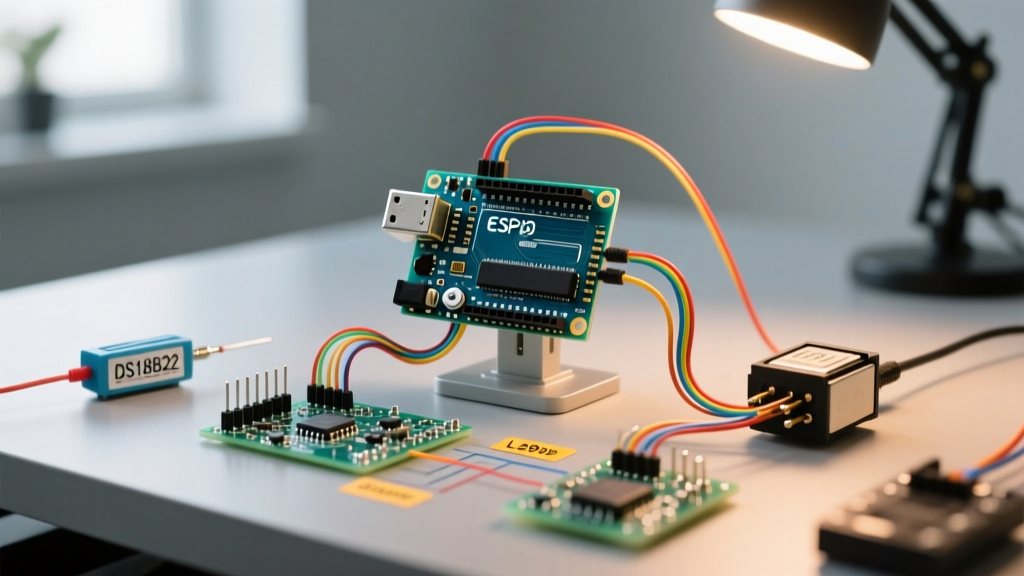
To successfully implement SD card archiving with Kuba Zip, you need hardware capable of handling the memory buffers required for compression dictionaries. We strongly advise against using the ATmega328P (Arduino Uno) due to its 2KB SRAM limitation. Instead, build around the following stack:
- Microcontroller: ESP32-WROOM-32E DevKit V1 (Approx. $5.50 - $7.00 retail in 2026). The 520KB SRAM and optional 4MB PSRAM make it ideal for holding compression buffers.
- Storage Module: MicroSD SPI Breakout Board (e.g., Adafruit 254 or generic HW-125). Avoid SDIO modules unless you are writing custom ESP-IDF VFS drivers.
- Level Shifter: BSS138 Bi-directional Logic Level Converter (if using a 5V Arduino Mega; ESP32 is natively 3.3V tolerant).
- SD Card: Any Class 10 MicroSDHC card (8GB to 32GB). Format to FAT32 using the official SD Card Formatter tool to prevent cluster allocation errors.
The ESP32 VFS Advantage: A Crucial Architectural Concept
The most common point of failure when developers ask how to use Kuba Zip in Arduino environments is misunderstanding file system abstraction. On a standard Arduino Uno, the SD.h library uses a custom File object that does not map to standard C FILE* pointers. Kuba Zip’s zip_create() function expects a standard POSIX file path.
Expert Insight: The ESP32 Arduino Core utilizes a Virtual File System (VFS) layer. When you mount an SD card using the ESP32’s native
SD.hlibrary, it registers the/sdcard/mount point directly to the C standard library. This means you can pass"/sdcard/archive.zip"directly into Kuba Zip’s functions, and the ESP32 will seamlessly route the standard C I/O calls to the SPI SD card controller. This is a massive information gain over legacy AVR architectures.
Step-by-Step Integration Guide
1. Install the Library
Kuba Zip is not natively hosted in the Arduino Library Manager due to its C-struct nature. You must clone the repository directly from the official Kuba Zip GitHub repository. Download the src/zip.c and src/zip.h files, alongside the miniz dependency, and place them in a folder named kuba_zip inside your Arduino libraries directory.
2. Include and Initialize
In your sketch, you must include both the ESP32 SD library and the Kuba Zip header. Ensure you define the SPI pins explicitly if you are not using the default VSPI bus.
#include <Arduino.h>
#include <SD.h>
#include <SPI.h>
#include "zip.h" // Kuba Zip header

#define SD_CS_PIN 5

void setup() {
    Serial.begin(115200);
    if(!SD.begin(SD_CS_PIN)){
        Serial.println("SD Card Mount Failed");
        return;
    }
    // Proceed to archiving
}
3. Creating the Archive and Writing Entries
Below is the core logic for creating a ZIP archive, opening a new entry (a CSV file), writing a string buffer to it, and safely closing the archive. Note the use of ZIP_DEFLATE for standard compression.
void createSensorArchive() {
    const char* zipPath = "/sdcard/datalog_2026.zip";
    const char* entryName = "sensor_readings.csv";

    // 1. Create the ZIP archive
    struct zip_t* zip = zip_open(zipPath, ZIP_DEFAULT_COMPRESSION_LEVEL, 'w');
    if (!zip) {
        Serial.println("Failed to create ZIP archive");
        return;
    }

    // 2. Open a new entry inside the archive
    zip_entry_open(zip, entryName);

    // 3. Prepare your data buffer (e.g., from a BME280 sensor)
    const char* csvData = "timestamp,temp_c,humidity\n1704067200,22.5,45.2\n";

    // 4. Write the buffer to the entry
    zip_entry_write(zip, csvData, strlen(csvData));

    // 5. Close the entry and the archive
    zip_entry_close(zip);
    zip_close(zip);

    Serial.println("Archive successfully written to SD card.");
}
Advanced Memory Management and Edge Cases
When deploying Kuba Zip in production-level IoT nodes, you will inevitably encounter edge cases related to heap fragmentation and SPI bus contention. Here is how to mitigate them based on field testing in 2026:
Offloading Buffers to PSRAM
If you are logging high-frequency data (e.g., 3-axis accelerometer streams at 100Hz), the internal 520KB SRAM of the ESP32 will quickly fragment. If your ESP32 WROVER module features PSRAM, you should allocate your intermediate CSV buffers using ps_malloc() or heap_caps_malloc(size, MALLOC_CAP_SPIRAM). Kuba Zip will read from this buffer during the zip_entry_write() call, keeping the internal fast SRAM free for RTOS tasks and Wi-Fi stacks. For deeper memory mapping strategies, refer to the official Espressif Memory Types documentation.
SPI Bus Sharing Conflicts
A frequent failure mode occurs when the SD card and an SPI-based sensor (like an RFM95 LoRa module) share the same SPI bus. The zip_close() function triggers a burst of sequential write operations to finalize the ZIP central directory. If an interrupt fires during this burst and attempts to poll a sensor on the same SPI bus, the SD card’s state machine will corrupt, resulting in a 0-byte ZIP file. Solution: Wrap your zip_close() calls in a noInterrupts() / interrupts() block, or dedicate a separate hardware SPI bus (HSPI vs. VSPI) for the SD card.
Handling Large Files and Streaming
Kuba Zip’s zip_entry_write() function expects the entire uncompressed payload to be in memory. If you are archiving a 5MB CSV file, you cannot load it all into ESP32 SRAM. Instead, you must use the streaming API provided by the library. By utilizing zip_entry_open() followed by multiple chunked calls to zip_entry_write() (e.g., passing 4KB chunks read sequentially from an existing SD file), you can compress files significantly larger than your available RAM. Always ensure you call zip_entry_close() only after the final chunk is written to properly finalize the deflate stream.
Troubleshooting Common Kuba Zip Errors
- Error:
zip_openreturns NULL. This almost always indicates a VFS mount failure or an incorrect file path. Ensure your path starts with/sdcard/and that the SD card is successfully initialized before calling the ZIP functions. - Error: Corrupted ZIP file on PC. If the file opens but throws CRC32 errors, your SPI clock speed is likely too high for your wiring setup. Lower the SD initialization frequency to
SD.begin(CS_PIN, SPI, 14000000)(14MHz) to ensure signal integrity over long jumper wires. - Error: Watchdog Timer (WDT) Reset during
zip_close(). Compressing large buffers blocks the main thread, starving the ESP32’s Task Watchdog. Run the compression routine in a dedicated FreeRTOS task with a lower priority, or useyield()between chunked writes to feed the watchdog.
Summary
Mastering how to use Kuba Zip in Arduino environments unlocks professional-grade data management for embedded systems. By leveraging the ESP32’s VFS mapping and understanding the underlying miniz memory requirements, you can build robust, self-archiving data loggers that minimize storage costs and maximize retrieval efficiency. Always prioritize SPI bus isolation and PSRAM utilization to ensure your 2026 IoT deployments remain stable in the field.
For further reading on standard SD card operations before applying compression, review the Arduino SD Library Reference to ensure your foundational file I/O logic is sound.