
The Short Answer: Architecture vs. Application
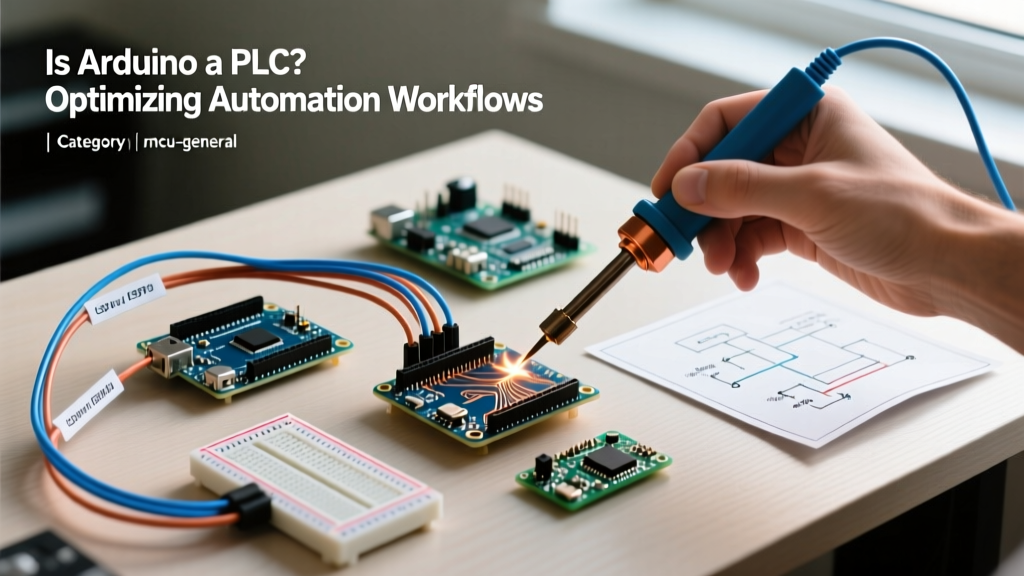
When engineers and makers ask, is Arduino a PLC, the strict technical answer is no. A standard Arduino board (like the Uno R4 or Mega 2560) is a microcontroller development kit, not a Programmable Logic Controller. It lacks the deterministic real-time operating system (RTOS), galvanically isolated I/O, and native IEC 61131-3 compliance required for heavy industrial automation. However, from a workflow optimization perspective, the functional gap has narrowed dramatically by 2026. With the advent of industrial-grade micro-PLCs like the Arduino Opta and open-source IEC 61131-3 compilers, you can now integrate Arduino ecosystems into industrial pipelines—provided you understand the hardware limitations and architectural boundaries.
Workflow Rule of Thumb: Use standard Arduinos for rapid prototyping, data logging, and low-voltage test jigs. Use true PLCs (or industrial Arduino variants) for mission-critical, 24/7 machinery where downtime costs exceed $500/hour.
Hardware Comparison Matrix: Maker Board vs. Micro-PLC vs. Industrial PLC
To optimize your procurement and design workflow, you must match the hardware to the environment. Below is a technical comparison of three distinct tiers of automation controllers available in 2026.
| Feature | Arduino Mega 2560 (Maker) | Arduino Opta Lite (Micro-PLC) | Siemens S7-1200 1212C (Industrial) |
|---|---|---|---|
| Approx. Cost (2026) | $45 - $55 | $235 - $250 | $550 - $700 |
| IEC 61131-3 Support | No (Requires 3rd party like OpenPLC) | Native (via Arduino PLC IDE) | Native (via TIA Portal) |
| I/O Isolation | None (Direct MCU pin routing) | Relay/Transistor isolated outputs | Full Galvanic Isolation |
| Operating Voltage | 5V / 3.3V Logic | 24V DC Industrial Standard | 24V DC Industrial Standard |
| Environmental Rating | Open PCB (Requires custom enclosure) | IP20 DIN-Rail Mount | IP20 DIN-Rail (IP67 variants available) |
| Deterministic Scan Time | Variable (Jitter prone) | < 2ms guaranteed | < 1ms guaranteed |
Workflow Optimization: The 4-Step Decision Framework
Choosing the wrong controller results in massive technical debt. If you deploy a standard Arduino in a high-noise factory, you will spend weeks debugging phantom I/O triggers. Use this 4-step framework to optimize your automation workflow:
- Assess the Electrical Environment: If your system involves Variable Frequency Drives (VFDs), high-power contactors, or 3-phase motors, the electromagnetic interference (EMI) will easily reset a standard 5V Arduino. Decision: Mandate a 24V isolated PLC or the Arduino Opta.
- Define the Cost of Failure: If the controller crashes and a robotic arm drops a payload, the hardware savings of a $45 Arduino are irrelevant. Decision: Use a Siemens or Allen-Bradley PLC with hardware-level safety interlocks.
- Evaluate the Programming Team: If your maintenance team only knows Ladder Logic (LD) and Function Block Diagrams (FBD), handing them a C++ Arduino sketch will bottleneck your maintenance workflow. Decision: Stick to IEC 61131-3 compliant hardware.
- Prototype-to-Production Pipeline: If you are building a proof-of-concept (PoC) to secure funding before scaling to 500 units, start with an Arduino Portenta H7 for edge-computing PoCs, then migrate to a custom STM32-based PLC for production.
Bridging the Gap: Programming IEC 61131-3 on Arduino
A major workflow bottleneck in the past was the language barrier: PLCs use Ladder Logic, while Arduinos use C/C++. Today, the OpenPLC Project completely disrupts this limitation. OpenPLC provides a free, open-source IEC 61131-3 runtime that can be flashed onto standard Arduino boards (like the Mega or Due). This allows automation engineers to write standard Ladder Logic, Structured Text (ST), or Sequential Function Charts (SFC) and deploy them to low-cost microcontrollers.
For commercial and enterprise workflows, the Arduino Pro ecosystem offers the Arduino PLC IDE (powered by CODESYS). Priced at roughly $350/year for a commercial license, it allows engineers to program the Arduino Opta using the exact same IEC 61131-3 environments they use for traditional PLCs, unifying the software workflow across prototyping and deployment phases.
Critical Failure Modes When Using Arduino in Industry
If your workflow dictates using a standard Arduino in an industrial setting to save costs, you must engineer around its inherent vulnerabilities. Ignoring these edge cases is the primary reason 'Arduino as a PLC' projects fail in the field.
1. EMI and VFD Noise Injection
Standard Arduinos read digital inputs directly via the ATmega or Renesas MCU pins. In a factory, switching a 480V AC motor generates massive voltage spikes and radiated EMI. This noise couples into unshielded wires, causing the Arduino to read 'HIGH' on an input that isn't actually triggered. The Fix: Never wire a field sensor directly to an Arduino. Use intermediate optocouplers (e.g., Vishay TLP281 or Omron G3VM solid-state relays) to provide galvanic isolation. Run all field wiring in shielded twisted pair (STP) cables, grounding the shield at the cabinet star-point only.
2. The Blocking Code Trap
PLCs utilize a cyclic 'scan' architecture—they read inputs, execute logic, and update outputs in a predictable, continuous loop (usually under 2 milliseconds). Arduino sketches often rely on blocking functions like delay() or blocking network requests (e.g., waiting for an MQTT broker response). If an Arduino is waiting for a network timeout, it stops reading emergency stop buttons.
The Fix: Implement a strict non-blocking, state-machine architecture using millis() for timing. Alternatively, utilize a dual-core board like the Arduino Portenta H7, dedicating the M4 core strictly to deterministic I/O scanning while the M7 core handles asynchronous cloud communications.
3. Watchdog Timer (WDT) Neglect
Industrial PLCs feature independent hardware watchdog timers that automatically reboot the CPU and force outputs to a 'safe' state if the program hangs. Standard Arduino environments do not enable the hardware WDT by default.
The Fix: You must manually enable the AVR or ARM hardware watchdog via registers (e.g., wdt_enable(WDTO_1S);). Furthermore, design your output circuitry with 'spring-return' or 'fail-safe' relays so that if the Arduino reboots and drops its pins to a high-impedance state, the machinery defaults to a safe, powered-down condition.
Optimizing the Transition: From Prototype to Production
Ultimately, asking 'is Arduino a PLC' is the wrong question. The right question is: 'At what point in my workflow does the cost of hardware certification outweigh the speed of Arduino prototyping?'
For bespoke test rigs, agricultural automation, and low-voltage IoT data logging, a heavily fortified Arduino Mega paired with OpenPLC offers an unbeatable ROI. However, for UL-certified manufacturing lines, high-speed packaging, or safety-critical systems, the $500+ investment in a Siemens S7-1200 or Allen-Bradley Micro820 is mandatory. By utilizing the Arduino Opta as a bridge device, modern engineering teams can now prototype in C++, validate the logic, and port the exact IEC 61131-3 Structured Text directly into enterprise PLCs without rewriting the core algorithms.