
Mastering the ESP32 Wi-Fi State Machine
When building robust IoT devices with the ESP32 family—including the ESP32-S3 and the Wi-Fi 6-capable ESP32-C6—relying on blocking connection loops is a recipe for failure. Network environments are inherently unstable; access points reboot, signal interference spikes, and DHCP leases expire. To build production-grade firmware, you must transition from synchronous polling to asynchronous event handling. This is where the Arduino WiFiEvent_t architecture becomes critical.
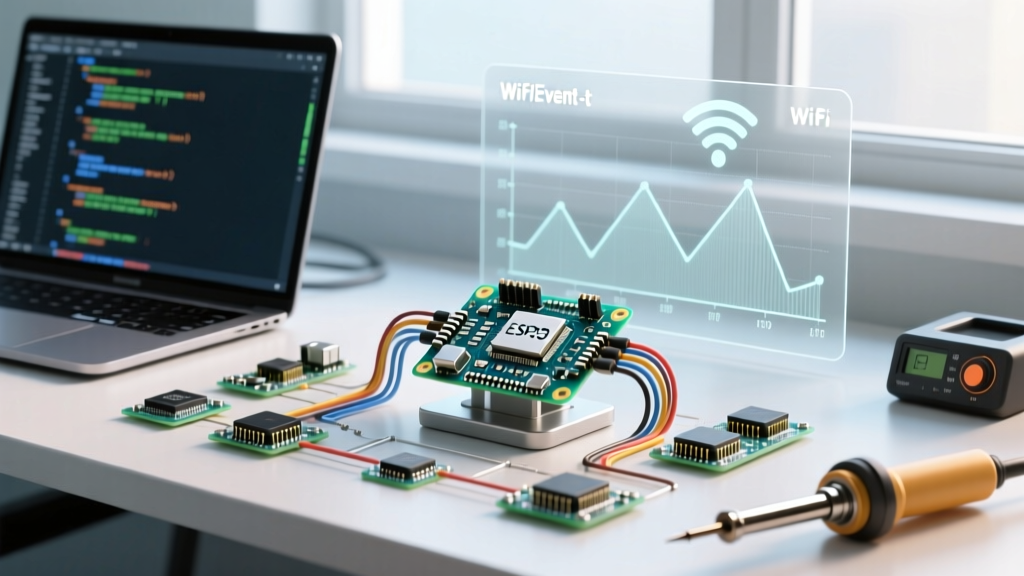
The Wi-Fi event system acts as a bridge between the underlying FreeRTOS ESP-IDF Wi-Fi driver and the Arduino wrapper. By registering callbacks, your microcontroller can react instantly to network state changes—such as obtaining an IP address or detecting a beacon timeout—without stalling the main loop() execution.
The API Shift: WiFiEvent_t vs arduino_event_id_t
If you are migrating legacy code or reading outdated 2021 tutorials, you will frequently encounter the WiFiEvent_t enum. However, with the stabilization of the ESP32 Arduino Core v3.x (the standard for 2025 and 2026 development), the public API has evolved. The legacy WiFiEvent_t and system_event_id_t structures have been unified under the arduino_event_id_t enum to better align with the ESP-IDF v5.x event loop architecture. While the community still colloquially searches for 'Arduino WiFiEvent_t', modern configuration requires using the updated ARDUINO_EVENT_* macros.
For authoritative details on this transition, refer to the Arduino ESP32 Core Wi-Fi Documentation and the underlying Espressif ESP-IDF Wi-Fi API Guide.
Core Wi-Fi Events Configuration Matrix
Not all events require custom logic. Below is a prioritized matrix of the most critical events you should configure in your sketch to maintain a resilient network connection.
| Modern Event Macro (Core v3.x) | Legacy WiFiEvent_t Equivalent | Trigger Condition | Recommended Action |
|---|---|---|---|
ARDUINO_EVENT_WIFI_STA_START |
SYSTEM_EVENT_STA_START |
Wi-Fi station interface initialized. | Call WiFi.begin() or initiate SmartConfig/WPS. |
ARDUINO_EVENT_WIFI_STA_CONNECTED |
SYSTEM_EVENT_STA_CONNECTED |
Layer 2 association successful. | Log connection, update local UI/LED. Do NOT assume internet access yet. |
ARDUINO_EVENT_WIFI_STA_GOT_IP |
SYSTEM_EVENT_STA_GOT_IP |
DHCP lease acquired or static IP assigned. | Start MQTT clients, HTTP servers, and NTP sync. |
ARDUINO_EVENT_WIFI_STA_DISCONNECTED |
SYSTEM_EVENT_STA_DISCONNECTED |
Layer 2 link lost or deauthenticated. | Parse disconnect reason, set reconnect flags, tear down sockets. |
ARDUINO_EVENT_SC_SCAN_DONE |
SYSTEM_EVENT_SC_SCAN_DONE |
SmartConfig network scan completed. | Verify scan status before processing SmartConfig payloads. |
Step-by-Step Callback Implementation
To configure the event listener, use the WiFi.onEvent() method. You can either register a single generic handler that uses a switch statement, or bind specific functions to individual events. The latter is cleaner and reduces overhead.
#include <WiFi.h>

// Forward declarations
void onWifiGotIP(arduino_event_id_t event, arduino_event_info_t info);
void onWifiDisconnect(arduino_event_id_t event, arduino_event_info_t info);

// Global state flags (volatile for ISR/Task safety)
volatile bool wifi_connected = false;
volatile uint8_t wifi_disconnect_reason = 0;

void setup() {
  Serial.begin(115200);

  // Register specific event callbacks
  WiFi.onEvent(onWifiGotIP, ARDUINO_EVENT_WIFI_STA_GOT_IP);
  WiFi.onEvent(onWifiDisconnect, ARDUINO_EVENT_WIFI_STA_DISCONNECTED);

  // Disable auto-reconnect to handle it manually via state machine
  WiFi.setAutoReconnect(false);

  WiFi.begin("YourSSID", "YourPassword");
}

void loop() {
  // Handle reconnect logic in the main loop, NOT in the callback
  if (!wifi_connected && wifi_disconnect_reason != 0) {
    handleReconnectLogic();
  }
  // ... rest of application logic ...
}

void onWifiGotIP(arduino_event_id_t event, arduino_event_info_t info) {
  wifi_connected = true;
  wifi_disconnect_reason = 0;
  Serial.printf("Connected! IP: %s\n", WiFi.localIP().toString().c_str());
}

void onWifiDisconnect(arduino_event_id_t event, arduino_event_info_t info) {
  wifi_connected = false;
  wifi_disconnect_reason = info.wifi_sta_disconnected.reason;
  Serial.printf("Disconnected. Reason: %d\n", wifi_disconnect_reason);
}
Decoding Disconnect Reasons (wifi_err_reason_t)
The most common failure mode in ESP32 IoT deployments is the infinite reconnect loop caused by ignoring why the device disconnected. The arduino_event_info_t struct contains a wifi_sta_disconnected object, which holds the exact 802.11 or internal error code. According to the ESP-IDF Network API Reference, these are the critical codes you must handle:
- Reason 2 (WIFI_REASON_AUTH_EXPIRE): Authentication expired. Usually transient; a simple retry works.
- Reason 4 (WIFI_REASON_ASSOC_LEAVE): The AP actively deauthenticated the ESP32. Often caused by MAC filtering or AP client limits.
- Reason 15 (WIFI_REASON_4WAY_HANDSHAKE_TIMEOUT): The WPA2 4-way handshake failed. Action: Do NOT blindly retry. This almost always means the password in your firmware is incorrect or the AP's security protocol (e.g., WPA3 vs WPA2) is mismatched.
- Reason 201 (WIFI_REASON_NO_AP_FOUND): The SSID is out of range or the router is offline. Action: Implement exponential backoff (e.g., wait 5s, then 15s, then 60s) to prevent spamming the RF spectrum and draining battery on LiPo-powered nodes.
RTOS Execution Context: Avoiding the Sys_Evt Trap
Expert Warning: Wi-Fi event callbacks execute in the context of the ESP-IDFsys_evt(system event) task, not your main Arduinoloop(). This task has a severely limited stack size (typically 2KB to 4KB) and handles critical RTOS background operations.
A catastrophic mistake made by intermediate developers is calling heavy functions directly inside the WiFiEvent_t callback. Calling WiFi.reconnect(), initiating an HTTPS request, or writing to an SD card inside the callback will cause a stack overflow, triggering a Task Watchdog Timer (TWDT) panic and rebooting the ESP32.
The Solution: The Flag-and-Poll Pattern.
As demonstrated in the code block above, your callback should only do three things:
- Update a
volatileboolean or integer flag. - Extract primitive data from the
arduino_event_info_tstruct (like the disconnect reason code). - Return immediately.
Your main loop() then polls these flags and executes the heavy lifting (reconnection, DNS resolution, MQTT re-initialization) in the safety of the main task's 8KB+ stack.
Frequently Asked Questions
Can I use IRAM_ATTR on Wi-Fi event callbacks?
No. IRAM_ATTR is strictly for hardware Interrupt Service Routines (ISRs) like GPIO pin changes or hardware timers. Wi-Fi events are software messages passed via FreeRTOS queues to the event task. Adding IRAM_ATTR to a WiFi.onEvent callback will not improve performance and may cause compilation faults if the callback references non-IRAM-safe flash strings or functions.
How do I capture the IP address directly from the event struct?
In Core v3.x, the arduino_event_info_t parameter passed to the GOT_IP event contains the raw IP data. You can extract it without calling WiFi.localIP() like this:
IPAddress ip(info.got_ip.ip_info.ip.addr);
This is slightly faster and prevents race conditions if the network interface state changes between the event trigger and your function execution.
Does Wi-Fi 6 (802.11ax) on the ESP32-C6 change the event structure?
The fundamental arduino_event_id_t macros remain identical for backward compatibility. However, the ESP32-C6 introduces new Target Wake Time (TWT) and OFDMA-specific internal states. While these are handled at the ESP-IDF driver layer, the Arduino abstraction layer maps the core connection and disconnection events to the same standard macros used on the classic ESP32 and ESP32-S3.