
The Reality of IoT Calendar Integrations in 2026
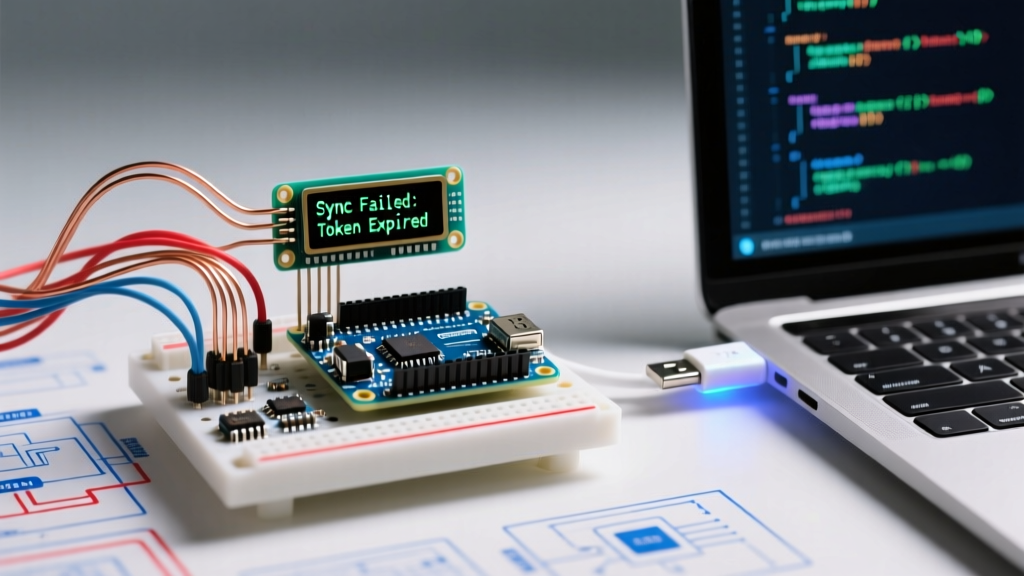
Building an e-ink desk scheduler or an LED matrix room-booking display using an ESP32 and the Google Calendar API is a staple maker project. However, when your arduino google calendar integration inevitably fails, it rarely throws a helpful compiler error. Instead, you get silent HTTP drops, scrambled JSON payloads, or events that are mysteriously shifted by five hours. While a standard ATmega328P (Arduino Uno) lacks the native WiFi and SRAM to handle modern REST APIs directly, the ESP32-WROOM-32 (currently priced around $5.50 to $8.00 for a DevKit V1) is the de facto microcontroller for this task. This guide bypasses generic advice and dives straight into the edge cases, memory bottlenecks, and authentication traps that cause calendar sync failures on resource-constrained MCUs.
Diagnostic Matrix: Symptom vs. Root Cause
Before rewriting your sketch, cross-reference your serial monitor output with this diagnostic matrix to isolate the failure domain.
| Serial / Display Symptom | Root Cause | Targeted Fix |
|---|---|---|
| HTTP 401 Unauthorized / 403 Forbidden | Expired OAuth2 token, or API Key lacks Calendar API scope. | Switch to a Public Calendar with an API Key, or implement a Service Account JWT flow. |
DeserializationError (ArduinoJson) | Payload truncated by WiFi buffer or JsonDocument capacity exceeded. | Implement JSON filtering to drop unused fields; increase document capacity to 16KB+. |
| Events shifted by X hours (e.g., exactly 4 or 5 hours) | UTC vs. Local Time mismatch; ignoring daylight saving transitions. | Replace manual offset math with POSIX TZ strings via setenv(). |
| Missing events from a busy calendar | API pagination limit (default 250 events) reached. | Parse nextPageToken and chain HTTP GET requests. |
| HTTP 400 Bad Request on Time Query | Malformed RFC3339 timestamp in timeMin or timeMax parameters. | Use strftime with strict ISO8601 formatting (%Y-%m-%dT%H:%M:%SZ). |
Deep Dive 1: Authentication and API Key Pitfalls
The most common point of failure in any arduino google calendar project is authentication. Google heavily restricts API access. If you are trying to read a private calendar using a simple API key, you will receive an HTTP 401 error. Google's official Calendar API documentation explicitly states that API keys only work for public calendars.
The Public Calendar Workaround
If your use case allows it (e.g., a company room-booking calendar), make the calendar public in the Google Workspace settings. You can then append your API key directly to the GET request:
String url = "https://www.googleapis.com/calendar/v3/calendars/" + calendarId + "/events?key=" + apiKey;The Private Calendar Nightmare (and Solution)
If the calendar must remain private, standard OAuth2 user-consent flows are practically impossible to implement natively on an ESP32 due to the lack of a secure web browser for the redirect URI. The professional workaround: Use a Google Cloud Service Account. You generate a JSON key file, extract the private key, and use a library like esp32-google-calendar or a generic JWT (JSON Web Token) library to sign a bearer token directly on the MCU. Alternatively, offload the auth to a local Raspberry Pi running Node-RED, which fetches the calendar data and serves a simplified, unauthenticated JSON payload to your ESP32 over local MQTT.
Deep Dive 2: Taming JSON Memory Crashes
A standard 30-day calendar fetch can easily return 50KB to 100KB of JSON data. The ESP32 has 520KB of SRAM, but contiguous memory allocation for a massive string will trigger a watchdog reset or a Guru Meditation panic. As of 2026, ArduinoJson v7 is the industry standard, but you must configure it correctly to avoid DeserializationError.
Implementing JSON Filtering
Do not parse the entire Google payload. Google returns heavy metadata like htmlLink, creator, and etag that an e-ink display doesn't need. Create a filter object to instruct ArduinoJson to ignore these fields during the parsing phase, saving massive amounts of RAM.
JsonDocument filter;
filter["items"]["summary"] = true;
filter["items"]["start"]["dateTime"] = true;
filter["items"]["end"]["dateTime"] = true;

JsonDocument doc;
DeserializationError error = deserializeJson(doc, payload, DeserializationOption::Filter(filter));
Pro-Tip: Always allocate yourJsonDocumentwith an explicit capacity when dealing with API payloads.JsonDocument doc(16384);allocates 16KB, which is usually sufficient for a filtered 14-day event list on an ESP32.
Deep Dive 3: Timezones, NTP, and RFC3339 Formatting
Time manipulation on microcontrollers is notoriously fragile. If your events are displaying at the wrong time, the issue is almost certainly in how you handle UTC offsets and Daylight Saving Time (DST).
Stop Using Manual GMT Offsets
Legacy tutorials often suggest using configTime(gmtOffset_sec, daylightOffset_sec, server). This is deprecated and fails when DST transitions occur. According to the Espressif System Time API, you should use POSIX timezone strings.
// Example for US Eastern Time
setenv("TZ", "EST5EDT,M3.2.0,M11.1.0", 1);
tzset();
configTime(0, 0, "pool.ntp.org", "time.nist.gov");
Formatting RFC3339 for the API Query
When querying the API, you must pass timeMin and timeMax in strict RFC3339 format (e.g., 2026-05-14T00:00:00Z). C++'s strftime is your best friend here. Do not attempt to concatenate strings manually; it leads to buffer overflows and malformed HTTP 400 requests.
struct tm timeinfo;
if (getLocalTime(&timeinfo)) {
    char timeBuffer[25];
    strftime(timeBuffer, sizeof(timeBuffer), "%Y-%m-%dT%H:%M:%SZ", &timeinfo);
    String timeMin = String(timeBuffer);
}
Handling Paginated Results (The Silent Event Killer)
If your calendar has more than 250 events within your queried timeMin and timeMax window, Google will truncate the response and include a nextPageToken string at the bottom of the JSON payload. If your sketch does not check for this token and loop the HTTP request, your display will simply drop older or newer events without throwing an error.
- Check for the token:
const char* nextPage = doc["nextPageToken"]; - Append to URL: If
nextPageis not null, append&pageToken=[token]to your next GET request. - Clear the buffer: Ensure you clear your local event array or append to it before making the secondary request, otherwise the second page will overwrite the first.
Hardware and Network Edge Cases
Finally, do not overlook the physical layer. The ESP32-WROOM-32 operates strictly on the 2.4GHz WiFi band. If your router uses a unified SSID for 2.4GHz and 5GHz networks with aggressive band-steering, the ESP32 may fail the initial TCP handshake, resulting in a WiFiClient connection timeout. Assign a dedicated 2.4GHz IoT SSID on your router. Furthermore, ensure your NTP requests are not being blocked by a local firewall; if pool.ntp.org times out, fallback to a hardcoded IP like time.google.com (IP: 216.239.35.0) to ensure your MCU's internal RTC has a baseline to calculate the RFC3339 query strings.