
Introduction to TinyML Pipeline Failures
The official Arduino Tiny Machine Learning Kit—typically retailing between $55 and $65 in 2026 and bundling the Nano 33 BLE Sense with an Arducam Mini 2MP Plus—is a premier entry point into edge AI. However, the journey from hardware initialization to Edge Impulse data ingestion, and finally to TensorFlow Lite Micro inference, is fraught with silent failures. Unlike standard microcontroller projects where a wrong pin mapping simply turns off an LED, TinyML errors often manifest as silent memory corruption, phantom sensor readings, or cryptic daemon crashes.
This guide bypasses basic setup tutorials and dives directly into deep-dive error diagnosis for the most critical failure modes in the Arduino TinyML stack, specifically addressing the hardware shifts seen in recent board revisions.
The Rev2 IMU Trap: LSM9DS1 vs. BMI270 Data Mismatches
One of the most pervasive errors in the Arduino TinyML community stems from a silent hardware revision. The original Nano 33 BLE Sense (Rev1) utilized the STMicroelectronics LSM9DS1 IMU. The current Nano 33 BLE Sense Rev2, however, uses the Bosch BMI270 and BMM150 combo. If you are following older Edge Impulse tutorials or using legacy ingestion sketches, your data collection will fail silently.
Symptom: Flatline Data or 'NaN' Values in Edge Impulse
You connect to the Edge Impulse daemon successfully, but when you sample 10 seconds of accelerometer data, the visualizer shows a flat line at 0.00, or the ingestion logs throw NaN (Not a Number) warnings.
Diagnosis and Fix
- Library Mismatch: Legacy sketches call
#include <Arduino_LSM9DS1.h>. On a Rev2 board, this library fails to initialize the I2C bus correctly, returning zeros instead of throwing a compilation error. - The Fix: You must swap the library to
#include <Arduino_BMI270_BMM150.h>. Furthermore, the initialization function changes fromIMU.begin()toBMI270.begin(). - Sampling Rate Discrepancy: The BMI270 outputs data at different native ODRs (Output Data Rates) than the LSM9DS1. If your Edge Impulse project is configured for 119Hz but the BMI270 is polled at 100Hz due to loop delay overhead, your frequency analysis (FFT) will show shifted spectral peaks, ruining gesture classification. Always use a hardware timer interrupt for IMU polling rather than
delay()functions.
Expert Insight: Always verify your board revision by checking the silkscreen on the PCB underside. According to the Arduino Official Documentation, the Rev2 also features an updated I2C multiplexer to prevent address collisions between the IMU and the barometric sensor.
Arducam OV2640 Initialization & SPI Bus Contention
Vision-based TinyML requires the Arducam Mini 2MP Plus (OV2640 sensor). A frequent error occurs during the camera initialization phase, where the serial monitor outputs ArduCAM Start Failed or the SPI test register returns 0x00 or 0xFF.
Diagnosis: SPI Bus Collision and Ribbon Cable Faults
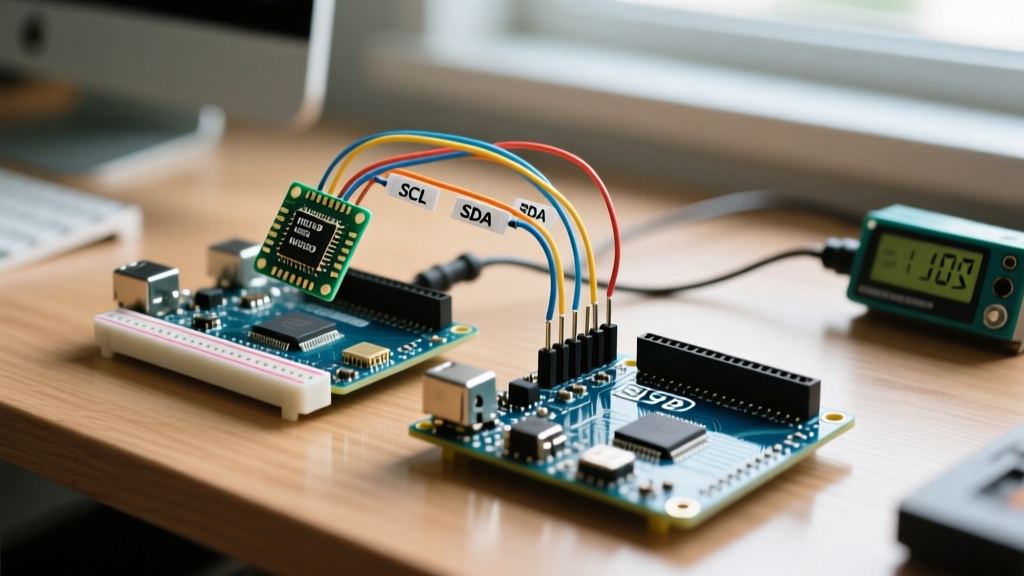
The Nano 33 BLE Sense shares its SPI bus with the onboard QSPI flash memory and the camera module. If the Chip Select (CS) pins are not managed correctly, the Arducam will read garbage data from the flash memory instead of its own registers.
- CS Pin Management: The Arducam CS is typically wired to Digital Pin 7. Before calling
ArduCAM.begin(), you must explicitly set the CS pins of all other SPI devices HIGH to deselect them. - Physical Layer Faults: The 8-pin FFC (Flexible Flat Cable) connecting the OV2640 sensor to the Arducam breakout is notoriously fragile. A
0xFFreturn on the I2C/SPI test register almost always indicates a micro-fracture in the ribbon cable or a loose latch. Reseat the cable, ensuring the blue stiffener faces the correct direction as per the Arducam silkscreen.
Edge Impulse Daemon & Data Ingestion Faults
When using the Edge Impulse CLI to connect your board to the cloud studio, the daemon frequently crashes or reports Failed to sample data.
Diagnosis: Baud Rate and Buffer Overflows
The Edge Impulse ingestion firmware relies on a strict serial protocol over USB. If your sketch includes background debugging Serial.print() statements, it will corrupt the binary data stream expected by the daemon.
- Clean the Serial Stream: Remove all standard serial prints from your ingestion sketch. The daemon requires exclusive use of the serial port.
- Force Baud Rate: Use the CLI flag
--baud-rate 115200to prevent the daemon from auto-negotiating the wrong speed on certain nRF52840 bootloader configurations. - Daemon Cache Corruption: If the CLI hangs on 'Connecting to device', clear the local cache by running
edge-impulse-daemon --clean.
The SRAM Ceiling: Tensor Arena Overflows and Hard Faults
The nRF52840 processor on the Nano 33 BLE Sense features 1MB of Flash but only 256KB of SRAM. When deploying a quantized TensorFlow Lite model, the most catastrophic error is the 'Hard Fault'—the board will simply reboot or flash the red LED endlessly during setup().
Diagnosis: Misallocating the Tensor Arena
TensorFlow Lite Micro requires a pre-allocated block of memory called the Tensor Arena to hold intermediate calculations during inference. If you allocate more memory than the nRF52840 has available (or more than the compiler can contiguous block), the board crashes instantly.
// DANGEROUS: Often exceeds available contiguous SRAM
uint8_t tensor_arena[256 * 1024];

// SAFE: Leaves room for the OS, BLE stack, and variables
alignas(16) uint8_t tensor_arena[136 * 1024];
As detailed in the TensorFlow Lite Micro GitHub repository, you must also enable the EON Compiler in Edge Impulse before building your C++ library. EON optimizes the model graph specifically for memory-constrained devices, often reducing SRAM requirements by 25-45% compared to standard TFLite Micro compilation.
Diagnostic Matrix: Quick Reference
| Error Symptom | Probable Root Cause | Actionable Fix |
|---|---|---|
| IMU data flatlines in Edge Impulse | Rev2 board using Rev1 LSM9DS1 library | Switch to Arduino_BMI270_BMM150.h |
| Camera init returns 0x00 / 0xFF | SPI bus collision or FFC cable fault | Deselect QSPI CS; reseat OV2640 ribbon |
| Daemon 'Failed to sample data' | Serial buffer corruption via debug prints | Remove Serial.print; use --clean |
Board reboots during model setup() |
SRAM Tensor Arena overflow (Hard Fault) | Reduce arena to 136KB; enable EON compiler |
| Model accuracy drops post-deployment | ADC scaling mismatch (Raw vs G-Force) | Ensure Edge Impulse DSP matches sketch scaling |
Summary and Further Reading
Diagnosing errors in the Arduino Tiny Machine Learning Kit requires a full-stack approach. You must verify physical hardware revisions, manage SPI bus contention at the register level, maintain strict serial protocols for cloud ingestion, and carefully budget SRAM for neural network inference. For comprehensive firmware examples and edge-case handling, always refer to the Edge Impulse Arduino Hardware Documentation to ensure your ingestion scripts match the latest 2026 library standards.