
The Evolution of the Arduino Graphical Interface
The days of relying on 16x2 character LCDs and clunky serial monitors for user feedback are long gone. In 2026, the modern arduino graphical interface ecosystem is dominated by rich, touch-capable displays, hardware-accelerated rendering, and sophisticated drag-and-drop UI builders. Whether you are building a smart home thermostat, an industrial datalogger, or a custom automotive dashboard, choosing the right GUI stack is the difference between a laggy prototype and a commercial-grade product.
This community resource roundup dissects the top graphical interface frameworks, HMI (Human-Machine Interface) smart displays, and native rendering libraries available to makers today. We will cover specific hardware pairings, memory management edge cases, and the real-world failure modes that rarely make it into official documentation.
1. Smart Displays: The Nextion Ecosystem
For makers who want to offload GUI rendering from the main microcontroller, Nextion HMI displays remain a community staple. These screens feature an onboard ARM Cortex-M0 processor that handles all pixel drawing, communicating with your Arduino or ESP32 via a simple UART serial connection.
Hardware Spotlight: NX4832T035_011
The 3.5-inch Nextion Basic model (NX4832T035_011) is a workhorse for mid-sized projects, offering a 480x320 resolution and resistive touch panel for around $45 USD. However, the community has identified specific bottlenecks with this approach:
- The UART Bottleneck: Out of the box, Nextion screens default to 9600 or 115200 baud. If you are dynamically updating waveforms or pushing large image arrays, you will experience severe UI lag. You must initialize the screen at
bauds=921600via the serial debugger to achieve acceptable refresh rates. - Proprietary Lock-in: The Nextion Editor is Windows-only and uses a closed-source asset compilation process. You cannot easily export your UI to an open-source framework later.
2. Native Rendering: LVGL and SquareLine Studio
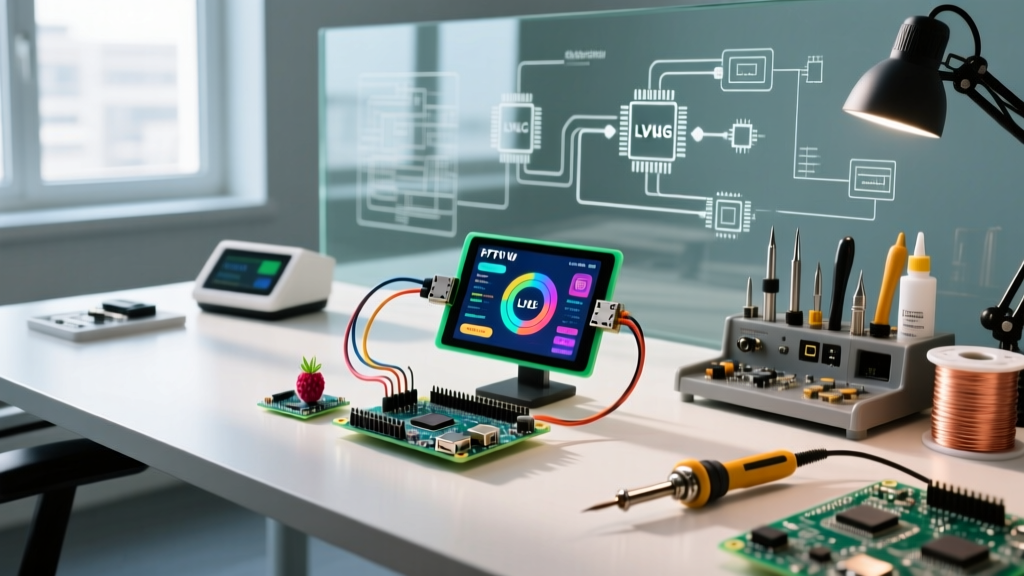
Light and Versatile Graphics Library (LVGL) has become the undisputed industry standard for embedded GUIs. When paired with SquareLine Studio, makers can visually design interfaces and export clean C/C++ code directly into the Arduino IDE or PlatformIO.
The PSRAM Mandate for ESP32-S3
A common failure mode in community forums involves makers attempting to run LVGL on a standard ESP32-WROOM-32 (which has roughly 520KB of usable SRAM). A single 320x240 pixel frame buffer in 16-bit color (RGB565) consumes 153KB. Once you add LVGL's internal widget structures, touch event queues, and RTOS overhead, the MCU inevitably crashes with a Guru Meditation Error: Core 1 panic'ed (StoreProhibited).
The 2026 Solution: Standardize on the ESP32-S3-WROOM-1 (N16R8 variant). This chip includes 16MB of Flash and 8MB of Octal PSRAM. Boards like the Waveshare ESP32-S3-Touch-LCD-4.3 (approx. $38 USD) integrate the S3 chip with a 4.3-inch RGB interface display, utilizing the ESP32-S3's dedicated LCD peripheral to push pixels without tying up the SPI bus.
3. Lightweight Native: TFT_eSPI and GUIslice
If LVGL's 200KB+ footprint is too heavy for your project, or you are targeting older hardware like the Arduino Mega2560 or Teensy 4.0, the combination of Bodmer's TFT_eSPI and ImpulseAdventure's GUIslice is the optimal path.
TFT_eSPI is heavily optimized for SPI displays (ILI9341, ST7789, GC9A01). By configuring the User_Setup.h file to use hardware SPI and enabling the SPI_TRANSACTIONS flag, makers can achieve 60FPS sprite rendering on a 2.8-inch TFT. GUIslice sits on top of this, providing a lightweight, code-generated drag-and-drop builder that outputs standard C structs, completely avoiding the need for a heavyweight widget engine.
Community GUI Stack Comparison Matrix
| Framework / Tool | Target Hardware | Learning Curve | Est. Cost (Hardware) | Best Use Case |
|---|---|---|---|---|
| Nextion HMI | Any UART MCU (Uno, Nano, ESP) | Low (Visual Editor) | $40 - $120 | Simple dashboards, offloading rendering from weak MCUs |
| LVGL + SquareLine | ESP32-S3 (with PSRAM), Teensy 4.1 | High (C pointers, RTOS) | $25 - $60 | Complex smart home panels, commercial medical devices |
| TFT_eSPI + GUIslice | ESP32, Teensy, STM32 | Medium | $12 - $25 | Battery-operated wearables, fast oscilloscopes |
| Processing / p5.js | PC + Arduino (Serial Bridge) | Low (Java/JS) | $0 (Software only) | Desktop data logging, rapid prototyping visualizers |
Critical Failure Modes and Hardware Edge Cases
Building a reliable arduino graphical interface requires navigating hardware limitations that software libraries often abstract away. Here are two critical edge cases documented by the community:
SPI Bus Contention and Touch Controller Lag
Most budget SPI TFT displays (like the 2.4-inch ILI9341 with XPT2046 touch) wire both the display and the touch controller to the same SPI bus. The ILI9341 can comfortably run at 40MHz to 80MHz SPI clock speeds. However, the XPT2046 touch controller is notoriously unstable above 2.5MHz. If you initialize your SPI bus at 40MHz, your touch coordinates will return as random noise or zero.
The Fix: You must use software SPI for the touch controller, or utilize an MCU with multiple hardware SPI buses (like the ESP32's VSPI and HSPI). Dedicate VSPI to the display at 40MHz, and route the XPT2046 to HSPI with a clock divider set to 16 (yielding a safe 2.5MHz on an 80MHz peripheral clock).
Memory Leaks in Custom LVGL Widgets
When dynamically creating and destroying LVGL objects (e.g., generating a list of Wi-Fi networks on the fly), makers frequently forget to manually delete the underlying image decoders or custom fonts. Over 48 hours of continuous operation, this leads to PSRAM fragmentation and eventual heap allocation failures.
The Fix: Always implement the lv_obj_del() function in your screen transition logic, and utilize LVGL's built-in memory monitoring widget (lv_mem_monitor_t) during the development phase to verify that free memory returns to baseline after a screen is closed.
Essential Community Resources
- LVGL Documentation: The official LVGL docs remain the most comprehensive guide for understanding display drivers and input device mapping.
- Bodmer's TFT_eSPI Repository: The GitHub repository includes critical wiring diagrams and ESP32 DMA setup instructions that prevent screen tearing.
- Nextion User Forum: For proprietary HMI troubleshooting, the community-maintained Nextion forums contain user-created libraries for calculating CRC checksums on serial commands.
Frequently Asked Questions
Can I run a modern GUI on an Arduino Uno R3?
Technically, yes, but practically, no. The ATmega328P has only 2KB of SRAM and a 16MHz clock. You can drive a 128x64 OLED using U8g2, but for full-color TFTs or touch interfaces, the Uno lacks the memory for frame buffers and the processing speed for responsive touch polling. Upgrade to an ESP32-C3 or Teensy 4.0 for GUI work.
How do I prevent screen burn-in on my OLED GUI?
If you are using an SSD1306 or SSD1327 OLED for your interface, static UI elements (like borders or permanent text labels) will cause permanent phosphor burn-in within weeks. Implement a pixel-shifting routine in your main loop that offsets the entire GUI canvas by 1 or 2 pixels every 60 seconds.