
The Short Answer: What Coding Language Is Arduino?
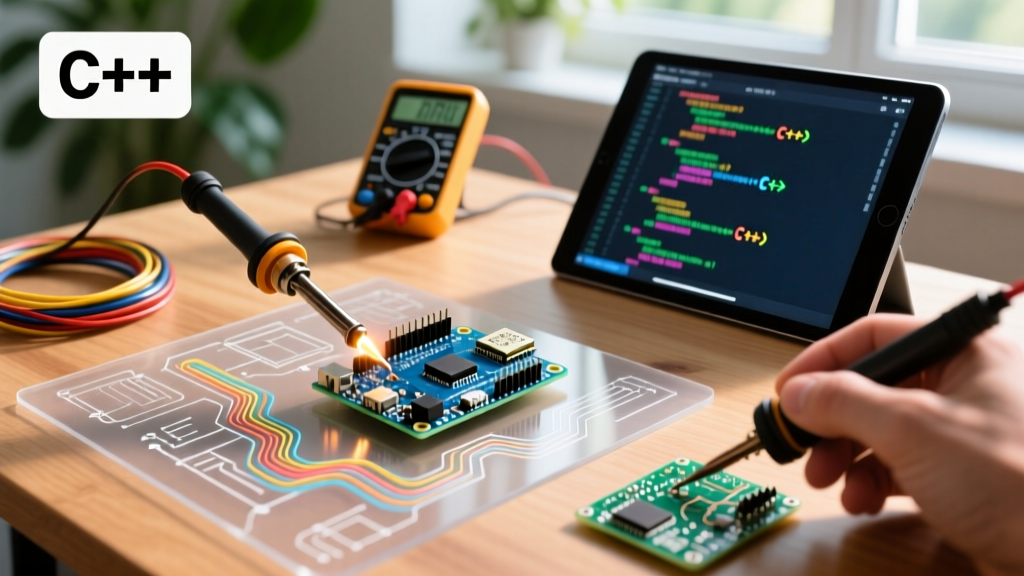
If you are asking what coding language is Arduino built upon, the direct answer is C++. However, it is not the sprawling, enterprise-grade C++ you might find in desktop application development. Arduino utilizes a specific, simplified dialect of C++ built on top of the open-source Wiring framework. Under the hood, the Arduino IDE relies on the GNU Compiler Collection (GCC)—specifically avr-g++ for 8-bit AVR microcontrollers (like the classic ATmega328P) and arm-none-eabi-g++ for 32-bit ARM Cortex-M chips (like the Renesas RA4M1 found in the $27.50 Arduino Uno R4 Minima).
While the official Arduino Language Reference abstracts away complex memory management and hardware registers using functions like digitalWrite() and analogRead(), the maker community in 2026 has expanded far beyond the legacy IDE. Today, developers leverage a rich ecosystem of alternative languages, advanced toolchains, and community-driven libraries to push microcontrollers to their absolute limits.
Community Resource Roundup: Beyond the Legacy IDE
The global maker community has largely bifurcated into three distinct camps when it comes to Arduino programming: the modern C++ power-users, the Python scripting advocates, and the embedded Rust pioneers. Here is a roundup of the best community resources and toolchains for each approach.
1. PlatformIO and the Modern C++ Ecosystem
For professional engineers and serious hobbyists, the standard Arduino IDE is often too restrictive. The community standard for advanced C++ development is PlatformIO, an extension for Visual Studio Code. According to the PlatformIO Documentation, this toolchain provides granular control over compiler flags, real-time static code analysis (via Cppcheck), and multi-board project management.
- Pro-Tip for C++ Optimization: In your
platformio.inifile, addbuild_flags = -O2 -flto. This enables Link Time Optimization, which can reduce your compiled binary size by 10-15% and improve execution speed by inlining functions across different compilation units. - Debugging Resource: Use the PlatformIO Serial Plotter and integrated GDB debugging to step through code on hardware that supports SWD (Serial Wire Debug), such as the STM32-based Arduino Portenta H7.
2. MicroPython and CircuitPython: The Scripting Shift
While C++ is the native language, the community has heavily adopted Python for rapid prototyping. CircuitPython (maintained by Adafruit) and MicroPython are Python 3 implementations optimized for microcontrollers. If you are using an ESP32-S3 ($7 to $9 on typical dev boards) or a Raspberry Pi Pico W ($6), Python is a highly viable alternative to C++.
The CircuitPython official documentation highlights that this language mounts the MCU as a USB mass storage device. You simply edit a code.py file in any text editor, save it, and the code executes instantly—no compilation or uploading required. This makes it the undisputed champion for quick sensor integration and IoT dashboard prototyping.
3. Embedded Rust: The Memory-Safe Frontier
For developers asking what coding language Arduino can use to guarantee memory safety, the answer is Rust. The embedded Rust community has developed crates like avr-hal and embassy (for async ARM development). While you cannot easily compile Rust directly inside the standard Arduino IDE, the community uses cargo and custom board support packages (BSPs) to flash Rust binaries onto Arduino-compatible hardware. It eliminates the null-pointer dereferences and buffer overflows that frequently plague C++ MCU projects, though it comes with a steep learning curve and longer compilation times.
Language Comparison Matrix for MCU Development
Choosing the right language depends on your target hardware, memory constraints, and project timeline. Below is a community-curated comparison matrix for 2026 development workflows.
| Language Dialect | Primary Toolchain | Best Target Hardware | RAM Overhead | Community Support |
|---|---|---|---|---|
| Arduino C++ | avr-g++ / arm-g++ | ATmega328P, RP2040, ESP32 | Minimal (Bare Metal) | Massive (Legacy & Modern) |
| CircuitPython | Adafruit UF2 / REPL | RP2040, ESP32-S3, nRF52840 | High (~150KB+ required) | Very High (Education/IoT) |
| Embedded Rust | Cargo / rustc | STM32, nRF52, RP2040 | Minimal (Bare Metal) | Growing (Niche/Pro) |
| Block-Based (Scratch) | mBlock / Snap4Arduino | Arduino Uno, Nano | Moderate (Interpreter) | High (K-12 STEM) |
Deep Dive: C++ Edge Cases and Toolchain Troubleshooting
Understanding what coding language Arduino uses is only the first step; mastering its edge cases is where true expertise lies. The Arduino C++ dialect has several notorious quirks that frequently trap intermediate developers.
The Missing Standard Template Library (STL) on AVR
If you are compiling for an 8-bit AVR board (like the Arduino Nano or Uno), you will quickly discover that standard C++ libraries like <vector>, <map>, and <string> are missing. This is because avr-libc omits them to save flash space.
The Fix: The community solution is to install the ArduinoSTL library via the Library Manager, which ports a lightweight version of the STL to AVR. Alternatively, rely on fixed-size C-arrays (char buffer[64];) to maintain strict memory control.
Heap Fragmentation and the String Class
The capital-S String object in Arduino C++ is a wrapper that dynamically allocates memory on the heap. On an ATmega328P, you only have 2,048 bytes of SRAM. Repeatedly concatenating String objects in a loop() function causes heap fragmentation, eventually leading to a silent crash or reboot when the MCU runs out of contiguous memory blocks.
The Fix: Always use lowercase C-strings (char[]) and functions like snprintf() for string manipulation on 8-bit boards. For logging static text, wrap it in the F() macro (e.g., Serial.println(F("Sensor initialized"));) to force the compiler to read the string directly from Flash memory (PROGMEM) rather than loading it into precious SRAM.
Community Insight: "If your ESP32 or Uno R4 project randomly reboots after 48 hours of uptime, 90% of the time it is heap fragmentation caused by the Arduino String class or unmanaged JSON parsing. Switch to statically allocated buffers or use the ArduinoJson library with pre-allocated memory pools." — Embedded Systems Forum Consensus
Top Community-Backed C++ Libraries to Master
To write efficient Arduino C++, you should leverage the heavily optimized libraries maintained by the community rather than writing low-level I2C/SPI drivers from scratch.
- FastLED: The undisputed standard for addressing WS2812B (NeoPixel) LED strips. It uses hardware-specific SPI/I2S optimizations to push pixel data without blocking the main CPU thread.
- Adafruit BusIO: A unified abstraction layer for I2C and SPI transactions. It drastically reduces the code footprint when writing custom sensor drivers by handling hardware-specific bus arbitration automatically.
- ESPAsyncWebServer: Essential for ESP8266 and ESP32 developers. Unlike the synchronous built-in
WebServer.h, this library handles HTTP requests asynchronously, allowing your MCU to read sensors and toggle relays while serving web pages simultaneously.
Final Verdict: Which Language Should You Choose?
So, what coding language is Arduino truly defined by in 2026? It remains fundamentally anchored in C++, specifically the Wiring-based dialect supported by the GCC toolchain. This language offers the best balance of hardware-level control, vast community support, and library availability. However, if your project involves heavy data parsing, machine learning edge-inference, or rapid IoT UI iteration, pivoting to MicroPython on an ESP32-S3 or RP2040 is the community-recommended path forward. Choose the language that respects your hardware's memory limits and aligns with your deployment timeline.