
The Evolution of 3D Printing with Arduino Ecosystems
When discussing 3D printing with Arduino hardware in 2026, the conversation has bifurcated into two distinct paths: the legacy 8-bit ATmega architecture and the modern 32-bit ARM Cortex ecosystem that evolved from it. While the literal Arduino Mega 2560 remains a staple for DIY CNC and budget 3D printer builds, the broader 'Arduino-compatible' firmware ecosystem (primarily Marlin) has largely migrated to 32-bit microcontrollers. Understanding the compatibility boundaries between the Arduino IDE, PlatformIO, and physical board pinouts is critical for avoiding compilation errors and hardware failures.
This compatibility guide breaks down the exact hardware specifications, firmware requirements, and physical edge cases you need to know before wiring up your next motion control system.
Core Compatibility Matrix: 8-Bit vs 32-Bit Controllers
Choosing the right brain for your 3D printer dictates your firmware workflow. Below is a technical comparison of the most common boards used in the Arduino-derived 3D printing space.
| Feature | Arduino Mega 2560 + RAMPS 1.4 | MKS GEN L V2.1 (Mega-based) | BTT SKR Mini E3 V3.0 (ARM) |
|---|---|---|---|
| MCU Core | ATmega2560 (8-bit, 16MHz) | ATmega2560 (8-bit, 16MHz) | STM32F103RCT6 (32-bit, 72MHz) |
| Flash / SRAM | 256 KB / 8 KB | 256 KB / 8 KB | 256 KB / 48 KB |
| Stepper Drivers | External (A4988 / TMC2209) | External (A4988 / TMC2209) | Integrated TMC2209 (UART) |
| IDE Compatibility | Arduino IDE & PlatformIO | Arduino IDE & PlatformIO | PlatformIO (VS Code) Only |
| Max Marlin Version | Marlin 2.1.x (Requires optimizations) | Marlin 2.1.x | Marlin 2.1.x (Full feature set) |
| Approx. Cost (2026) | $22 - $30 (Combined) | $28 - $35 | $38 - $45 |
Firmware Compatibility: Marlin and the IDE Shift
The most critical compatibility hurdle in modern 3D printing with Arduino-derived boards is the firmware compilation environment. Historically, makers compiled Marlin Firmware directly inside the legacy Arduino IDE. In 2026, this approach is obsolete for 32-bit boards and highly discouraged for 8-bit boards.
The PlatformIO Mandate
Marlin 2.1.x relies heavily on PlatformIO within Visual Studio Code. While the Arduino Mega 2560 can technically still be flashed via the Arduino IDE using the 'Verify and Upload' button, doing so restricts access to advanced build flags, custom linker scripts, and optimized memory allocation required to fit modern Marlin features (like LIN_ADVANCE and Arc Welding) into the Mega's 256KB flash limit.
Expert Tip: If you are strictly using an Arduino Mega 2560, you must edit theConfiguration.hfile to set#define MOTHERBOARD BOARD_RAMPS_14_EFB. If compiling via Arduino IDE, ensure you select 'Arduino Mega or Mega 2560' and the correct COM port, but expect compilation warnings regarding SRAM usage.
Hardware Edge Cases and Failure Modes
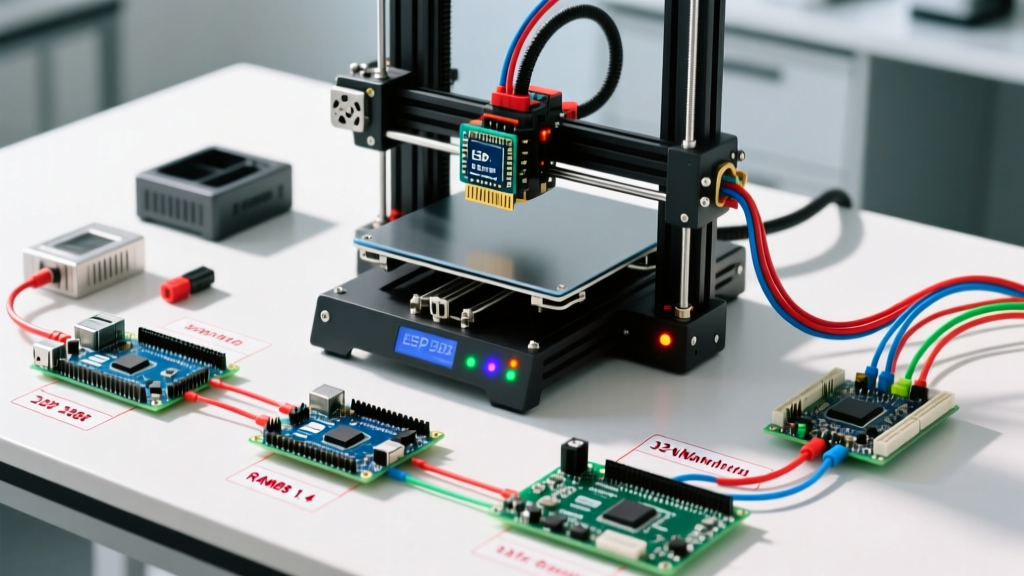
When building a 3D printer controller stack using the RAMPS 1.4 shield atop an Arduino Mega 2560, you must navigate several well-documented hardware limitations.
- MOSFET Thermal Bottlenecks: The standard RAMPS 1.4 board uses HY5010 or similar MOSFETs rated for 15A. However, the PCB copper traces and the screw terminals are often the limiting factor, bottlenecking at roughly 10A. If you are running a 12V 200W heated bed (drawing ~16A), the RAMPS board will overheat and potentially melt. Solution: Use an external IRLB8743 MOSFET module for the heated bed circuit.
- EEPROM Wear on ATmega2560: The Mega 2560 has 4KB of EEPROM for storing printer settings (Z-offsets, PID tuning). If your Marlin configuration writes to EEPROM on every minor status update, you will burn out the EEPROM cells within months. Always enable
EEPROM_CHITCHATand ensure writes are only triggered manually via the LCD menu or G-codeM500. - TMC2209 UART Jumper Conflicts: Upgrading from loud A4988 drivers to silent TMC2209s requires UART communication. On RAMPS 1.4, you must physically remove the middle jumper pins under the driver sockets to route the UART signal correctly to the Mega's auxiliary pins, otherwise, the drivers will default to standalone mode and sensorless homing will fail.
Step-by-Step: Wiring an Arduino Mega 2560 to RAMPS 1.4
For makers committed to the classic 8-bit architecture, proper physical assembly is paramount to prevent short circuits.
- Verify Voltage Regulators: Before mating the boards, check the RAMPS 1.4 5V voltage regulator. If you plan to power the system with 24V (instead of 12V), the stock linear regulator will overheat. You must either cut the 5V trace and install a buck converter, or stick to a 12V power supply.
- Seat the Shield: Align the 34-pin and 18-pin headers of the RAMPS shield with the Arduino Mega. Press down evenly. Do not force it if pins bend; realign immediately.
- Wire the Power Inputs: Connect your 12V/24V main power to the 5A (labeled 11A on some clones) terminals for the heated bed, and the 11A terminals for the hotend and steppers. Crucial: Ensure the main power ground is shared with the USB ground if you are using a PC connection, but avoid ground loops.
- Install Stepper Drivers: Orient the A4988 or TMC2209 drivers correctly. The potentiometer (or UART pin) should face the RAMPS motor output connectors. Reversing a driver will instantly destroy the driver and potentially the Mega's ATmega16U2 USB serial chip.
Cost Breakdown and Sourcing in 2026
Sourcing genuine components has become more streamlined, but counterfeit ATmega2560 chips remain a risk on ultra-budget marketplaces. A genuine Arduino Mega 2560 Rev3 costs between $38 and $45 from authorized distributors. However, high-quality third-party clones (using the CH340 USB-to-Serial chip instead of the ATmega16U2) can be sourced for $14 to $18. When using CH340 clones, you must install the specific CH340 driver on your Windows or macOS machine, otherwise the Arduino IDE and PlatformIO will fail to recognize the COM port during the upload phase.
Frequently Asked Questions
Can I use an Arduino Uno for 3D printing?
Technically, no. The Arduino Uno features an ATmega328P with only 32KB of Flash and 2KB of SRAM. Modern Marlin firmware requires a minimum of 64KB Flash and 8KB SRAM just to compile basic motion planning and thermal management. While ancient versions of firmware (like Sprinter from 2012) could run on an Uno, it is entirely incompatible with 3D printing standards in 2026.
Do 32-bit ARM boards still count as 'Arduino'?
In the strictest hardware sense, boards like the BigTreeTech SKR series do not use Arduino-manufactured silicon; they use STM32 ARM Cortex chips. However, they are fully integrated into the Arduino-derived firmware ecosystem (Marlin) and are programmed using the same C++ syntax and libraries that Arduino popularized. For all practical maker purposes, they are the modern evolution of the Arduino 3D printing workflow.