
The Enduring Ecosystem of the 8-Bit AVR
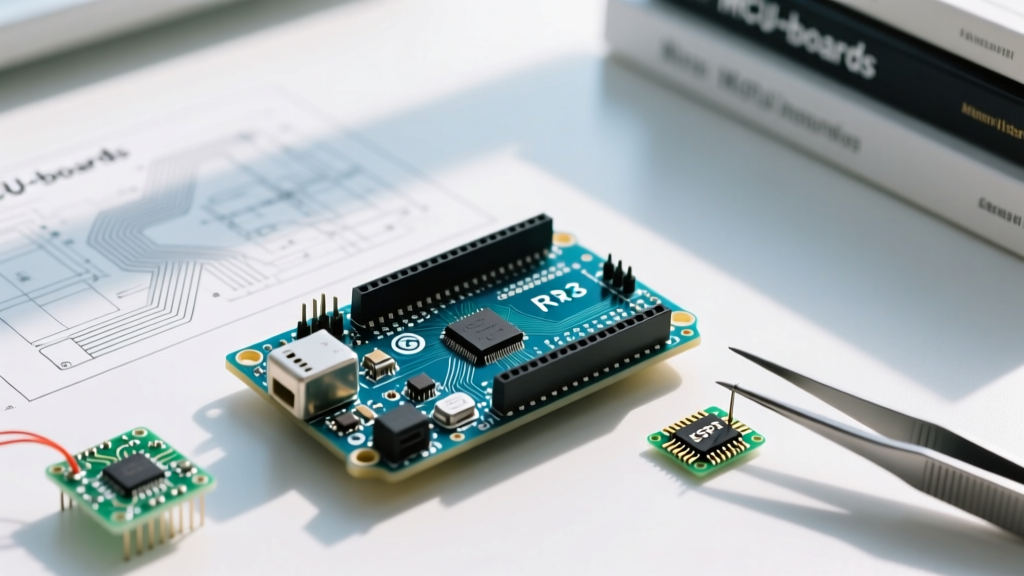
Despite the market saturation of dual-core RISC-V chips and 32-bit ARM Cortex-M4 platforms in 2026, the Arduino Uno R3 microcontroller board remains the undisputed baseline for embedded systems education and rapid prototyping. Priced at $27.90 for the genuine Italian-manufactured Rev3 (with high-quality CH340G clones available for $12 to $15), its value proposition is no longer rooted in raw computational power. Instead, its dominance is sustained by an unparalleled, deeply entrenched community and a vast repository of battle-tested libraries.
When engineers and hobbyists select a development board today, hardware specifications only tell half the story. The true bottleneck is often software friction. The ATmega328P architecture powering the Uno R3 benefits from nearly two decades of open-source refinement. If you encounter an obscure I2C timing issue or a hardware SPI collision, it is virtually guaranteed that another developer has already documented the exact workaround on a community forum.
Quantifying the Community Advantage
To understand the sheer scale of the Uno R3's support network, we must look at the data. The following matrix compares the community footprint of the Uno R3 against modern alternatives frequently used in 2026.
| Metric | Arduino Uno R3 (ATmega328P) | ESP32-DevKitC V4 | Raspberry Pi Pico (RP2040) |
|---|---|---|---|
| GitHub Public Repositories | ~4.2 Million | ~1.8 Million | ~850,000 |
| StackOverflow Tagged Questions | ~315,000 | ~95,000 | ~22,000 |
| Arduino Library Manager Entries | Universal (5,000+ compatible) | ~3,200 compatible | ~2,800 compatible |
| Average Time to Community Fix | < 4 Hours | 12 - 24 Hours | 24 - 48 Hours |
The data clearly illustrates that while the ESP32 offers superior wireless capabilities and the RP2040 provides PIO state machines, the Arduino Uno R3 microcontroller board maintains a massive lead in generalized library support and troubleshooting velocity.
Navigating the 2KB SRAM Bottleneck: Community Workarounds
The most critical hardware limitation of the Uno R3 is its 2KB (2048 bytes) of Static Random Access Memory (SRAM). Modern developers accustomed to the 520KB SRAM on an ESP32-S3 often hit a wall when porting code to the ATmega328P. The community has developed strict paradigms to manage this constraint, particularly regarding display buffers and string manipulation.
The OLED Display Buffer Crisis
A classic edge case involves driving a standard 128x64 I2C OLED display. The widely used Adafruit SSD1306 library allocates a 1024-byte frame buffer in SRAM. This single operation consumes exactly 50% of the Uno R3's total available memory, leaving insufficient room for network stacks, sensor arrays, or complex state machines, frequently resulting in silent reboots or stack overflows.
Expert Insight: The community consensus for memory-constrained AVR boards is to bypass the Adafruit GFX ecosystem entirely in favor of the U8g2 library. U8g2 supports page-buffering modes (requiring as little as 64 bytes of RAM) by drawing the display in horizontal stripes, trading a slight performance penalty for massive memory savings.
For comprehensive implementation details on memory-optimized display rendering, refer to the U8g2 GitHub Repository, which provides exhaustive documentation on AVR-specific page buffer configurations.
String Class vs. Character Arrays
Another heavily debated topic in Arduino forums is the use of the String object. On the Uno R3, dynamic memory allocation via the String class leads to severe heap fragmentation. The established community best practice is to strictly use fixed-length char arrays and standard C-string functions like strncpy() and snprintf() to ensure deterministic memory usage over long operational uptimes.
Top 5 Essential Libraries for Uno R3 Projects
When building out your project architecture, pinning specific library versions is crucial to avoid compilation regressions. Below are the most critical community-vetted libraries for the Uno R3 ecosystem as of 2026.
- FastLED (v3.6.0+): The gold standard for WS2812B addressable LEDs. AVR Edge Case: Bit-banging data lines on the 16MHz ATmega328P can cause flickering if interrupts are not carefully managed. The community highly recommends using hardware SPI (Pin 11) via the
SoftwareSerialworkaround for stable, interrupt-resistant LED updates. - U8g2 (v2.35.x): As mentioned, the premier monochrome graphics library for low-RAM environments. Supports over 150 display controllers out of the box.
- DHT Sensor Library (v1.4.6): Maintained by Adafruit, this library handles the strict microsecond timing required by DHT11 and DHT22 sensors. Note: On 5V Uno R3 boards, community testing shows the DHT22 requires a 4.7kΩ pull-up resistor on the data line for reliable reads over cable runs exceeding 1 meter.
- ArduinoJson (v7.x): While parsing JSON on an 8-bit microcontroller is generally discouraged due to memory overhead, v7 introduced a deserialization filter that allows the Uno R3 to parse large API responses by ignoring irrelevant keys before they hit SRAM.
- SerialTransfer (v3.1.3): Essential for robust UART communication between the Uno R3 and a host PC or secondary microcontroller, utilizing packetization and CRC-8 checksums to prevent data corruption.
For step-by-step instructions on managing these dependencies and resolving version conflicts within the modern IDE, consult the official Arduino IDE Library Guide.
Troubleshooting AVR-GCC Compilation Failures
When compiling for the Arduino Uno R3 microcontroller board using Arduino IDE 2.3.x, developers frequently encounter the dreaded program storage overflow error: Sketch uses 32842 bytes (102%) of program storage space. Maximum is 32256 bytes.
The ATmega328P possesses 32KB of Flash memory, but 1.5KB is reserved for the Optiboot bootloader, leaving exactly 32,256 bytes for user code. When you exceed this, the community relies on the PROGMEM directive to shift static data from Flash execution space into dedicated data sectors, or to optimize string literals.
Implementing the F() Macro
By default, when you write Serial.println("Sensor calibration complete.");, the compiler stores that string in Flash, but copies it into SRAM at runtime. Wrapping the literal in the F() macro forces the AVR-GCC compiler to read the string directly from Flash memory during execution, entirely bypassing the SRAM copy process.
Before:Serial.println("Initializing I2C bus on pins A4 and A5...");
After:Serial.println(F("Initializing I2C bus on pins A4 and A5..."));
This single community-standard optimization routinely frees up 15% to 30% of SRAM on complex Uno R3 sketches without requiring any hardware modifications.
Beyond the Official Forums: Where to Find Expert AVR Help
While the official Arduino Forum is excellent for beginner inquiries, advanced electrical engineers and embedded developers frequent specialized hubs for deep-dive hardware troubleshooting. If you are dealing with low-level register manipulation, timer interrupts (Timer1/Timer2), or custom bootloader flashing via ICSP, you should direct your queries to the following communities:
- AVR Freaks: The oldest and most authoritative community dedicated exclusively to Microchip (formerly Atmel) AVR architectures. The AVR Freaks Community is where you will find datasheet-level discussions on fuse bit configurations and assembly-level optimizations.
- Reddit (r/avr and r/arduino): While r/arduino is broad, r/avr is strictly moderated for low-level C and hardware-specific discussions. Posting your schematic and raw GCC compiler output here yields highly technical responses.
- EEVblog Forum (Microcontrollers Subforum): Ideal for hardware-level debugging, such as diagnosing voltage drops on the Uno R3's 5V regulator when driving high-current relays, or analyzing oscilloscope captures of noisy I2C lines.
Final Verdict: The Power of the Collective
Choosing a microcontroller platform is ultimately an exercise in risk management. While newer boards offer Wi-Fi, Bluetooth, and higher clock speeds, they often suffer from fragmented documentation, deprecated SDKs, and niche community support. The Arduino Uno R3 microcontroller board mitigates development risk through its massive, self-correcting open-source ecosystem. Whether you are deploying a simple environmental logger or integrating legacy industrial sensors, the collective knowledge base surrounding the Uno R3 ensures that you are never truly debugging alone.