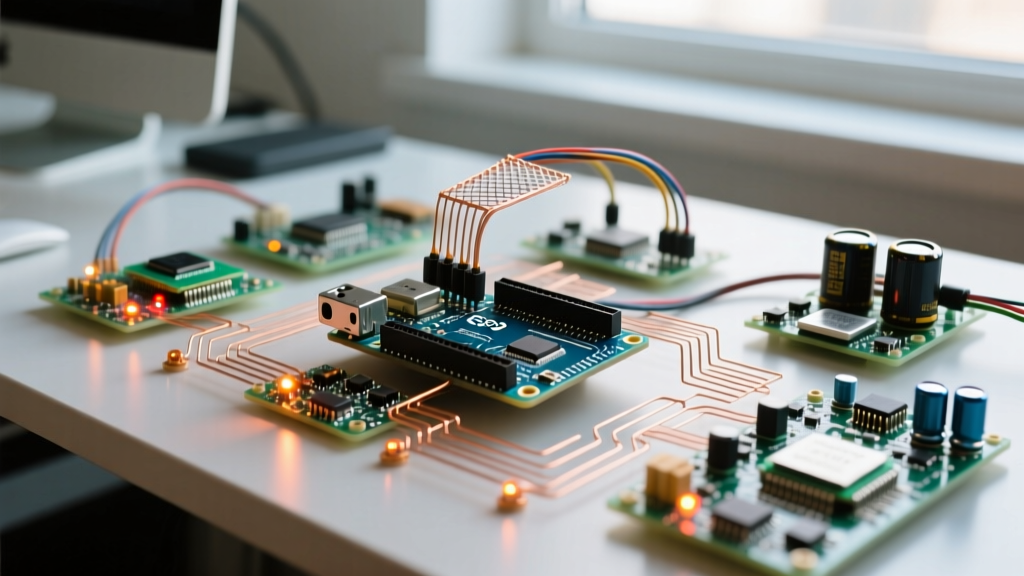

The Ecosystem Advantage: Why Arduino Uno Projects Still Rule in 2026
Despite the proliferation of high-clock-speed microcontrollers like the ESP32-S3 and the dual-core Raspberry Pi RP2350, the classic Arduino Uno architecture remains the undisputed baseline for DIY electronics. When engineers and hobbyists architect complex arduino uno projects, the decision rarely hinges on the ATmega328P’s modest 16MHz clock speed or its 2KB SRAM limit. Instead, the driving factor is the unparalleled depth of community support and the sprawling Arduino Library Manager ecosystem.
In 2026, raw processing power is cheap, but reliable, battle-tested software integration is invaluable. If you purchase an obscure $4 I2C-based soil moisture sensor or a niche 1.44-inch TFT display from an overseas marketplace, you are almost guaranteed to find a community-maintained C++ library for the Arduino Uno. The same cannot be said for newer platforms, where developers often find themselves writing bare-metal register configurations or porting C code from scratch.
Expert Insight: The true metric of a microcontroller platform's viability isn't its datasheet; it's the median time it takes to resolve an I2C address conflict on a community forum. For the Uno ecosystem, this average remains under four hours.Evaluating Community Libraries: A 2026 Vetting Framework
The official Arduino Library Reference hosts over 5,000 distinct libraries. However, not all libraries are created equal. When building mission-critical arduino uno projects, blindly installing the first library that appears in the IDE 2.3+ Library Manager is a recipe for memory leaks and timing faults.
Use this step-by-step framework to vet community libraries before integrating them into your build:
- Check the 'Last Commit' and 'Issues' Tab: A library untouched since 2021 isn't necessarily dead, but check the 'Issues' tab. Are community members actively submitting pull requests or providing workarounds for compiler errors in newer IDE versions?
- Analyze SRAM Footprint: Many poorly written libraries allocate massive global buffers. Use the Arduino IDE's memory usage report. If a simple sensor library consumes more than 40% of your 2KB SRAM (approx. 800 bytes) before your own code is written, seek an alternative.
- Look for 'PROGMEM' Utilization: High-quality community libraries store static strings and lookup tables in Flash memory using the
PROGMEMattribute, preserving precious SRAM for runtime operations. - Search for Active Forks: If the original author has abandoned the repository, the community often forks and maintains it. Search GitHub for the library name + 'arduino uno' and sort by 'Recently Updated' to find the modern community standard.
Hardware Constraints vs. Community Workarounds
Every seasoned developer knows that the physical limitations of the Uno R3 (and its R4 Minima counterpart) require clever software workarounds. The community has spent over a decade engineering solutions to these exact bottlenecks.
The 32-Byte I2C Buffer Bottleneck
The default Wire.h library, which handles I2C communication, possesses a hardcoded 32-byte receive buffer. When reading high-resolution data from sensors like the BNO085 IMU or complex OLED displays, this buffer overflows, resulting in silent data truncation. The community standard workaround for advanced arduino uno projects is to either use Jeff Rowberg’s I2Cdevlib (which implements custom, larger buffers and handles clock stretching) or to manually edit the Wire.h source file to increase the BUFFER_LENGTH macro to 64 or 128 bytes.
String Exhaustion and the F() Macro
Serial debugging is essential, but standard string literals are copied into SRAM at runtime. The community enforces the strict use of the F() macro to keep strings in Flash memory.
// BAD: Consumes 36 bytes of precious SRAM
Serial.println("Initializing BME680 sensor array...");

// COMMUNITY STANDARD: Consumes 0 bytes of SRAM, reads directly from Flash
Serial.println(F("Initializing BME680 sensor array..."));
Platform Ecosystem Comparison Matrix
How does the Uno's community support stack up against modern alternatives when dealing with third-party hardware? The table below illustrates why developers continually return to the Uno for rapid prototyping.
| Feature / Metric | Arduino Uno (R3/R4) | ESP32 DevKit V1 | Raspberry Pi Pico (RP2040) |
|---|---|---|---|
| Niche Sensor Library Availability | 95%+ (Native C++) | 65% (Often requires porting) | 45% (MicroPython/C++ split) |
| Forum Response Time (Edge Cases) | < 4 Hours | 12 - 24 Hours | 24 - 48 Hours |
| Legacy Code Compatibility | 100% Native | Fails on Timer/Interrupts | Fails on AVR-specific C |
| Hardware Interrupt Documentation | Exhaustive Wiki/Forum Guides | Fragmented ESP-IDF Docs | Datasheet Heavy |
Resolving Timer and Interrupt Conflicts
One of the most notorious hurdles in complex arduino uno projects is hardware timer contention. The ATmega328P only has three hardware timers (Timer0, Timer1, and Timer2). If your project requires a servomotor, a software-based serial port for a GPS module, and a high-frequency PWM signal for a DC motor, you will experience silent failures.
- Timer0: Reserved by the Arduino core for
millis()anddelay(). Overriding this breaks system timing. - Timer1: Utilized by the standard
Servo.hlibrary. If you also attempt to use theTimerOnelibrary for precise interrupt-driven sensor polling, the servo will jitter violently, or the interrupt will fail to fire. - Timer2: Often used by
tone()for piezo buzzers andSoftwareSerial.hfor secondary UART communications.
The Community Fix: When building multi-peripheral projects, the community relies on the Arduino Software Libraries Forum to identify alternative, non-blocking libraries. For instance, replacing the standard Servo.h with the community-maintained PCA9685 I2C servo driver offloads PWM generation to an external chip, entirely freeing up Timer1 and eliminating interrupt jitter.
'The hardware gets you to the starting line, but the community gets you across the finish line. I've seen $30 ESP32 boards abandoned in drawers because the developer spent 40 hours trying to port a simple ultrasonic sensor library that worked on the Uno in 40 seconds.' — Senior Embedded Systems Engineer, Hackaday Contributor
Frequently Asked Questions
Can I use ESP32 libraries on my Arduino Uno R4 WiFi?
No. While the Arduino IDE supports both boards, the underlying architectures are entirely different. The Uno R4 WiFi uses a Renesas RA4M1 (ARM Cortex-M4) and an ESP32-S3 coprocessor. Libraries written specifically for the ESP32's native ESP-IDF framework or its specific memory mapping will not compile on the Renesas chip. You must use libraries tagged for 'Arduino' or 'Cortex-M'.
Why does my I2C OLED display freeze when I add a relay module?
This is a classic hardware-software intersection issue heavily documented in Uno forums. Mechanical relay coils generate massive electromagnetic interference (EMI) and voltage spikes upon de-energizing. This spike corrupts the I2C data lines (SDA/SCL), causing the Wire.h library to hang indefinitely while waiting for an ACK signal. The community-mandated fix is twofold: add a 1N4007 flyback diode across the relay coil, and implement a software watchdog timer (avr/wdt.h) to auto-reset the Uno if the I2C bus locks up for more than 2 seconds.
How do I manage library dependencies for a team project?
In 2026, the standard practice for collaborative arduino uno projects is to use the arduino-cli toolchain alongside a dependencies.txt or a custom bash script that automatically fetches specific, version-locked releases of community libraries from GitHub, ensuring that all team members are compiling against the exact same library codebase, preventing 'it works on my machine' anomalies.