
The Modern Arduino Uno Programming Ecosystem
For over a decade, the term Arduino Uno programming was virtually synonymous with the ATmega328P microcontroller and the legacy Java-based IDE. Today, the ecosystem has undergone a radical transformation. The introduction of the Uno R4 series shifted the underlying architecture from 8-bit AVR to 32-bit ARM Cortex-M4, fundamentally altering how developers write, compile, and debug code. Understanding this modern ecosystem requires looking beyond the basic setup() and loop() paradigm to evaluate professional toolchains, continuous integration pipelines, and hardware-specific edge cases.
Hardware Matrix: Classic AVR vs. ARM Cortex-M4
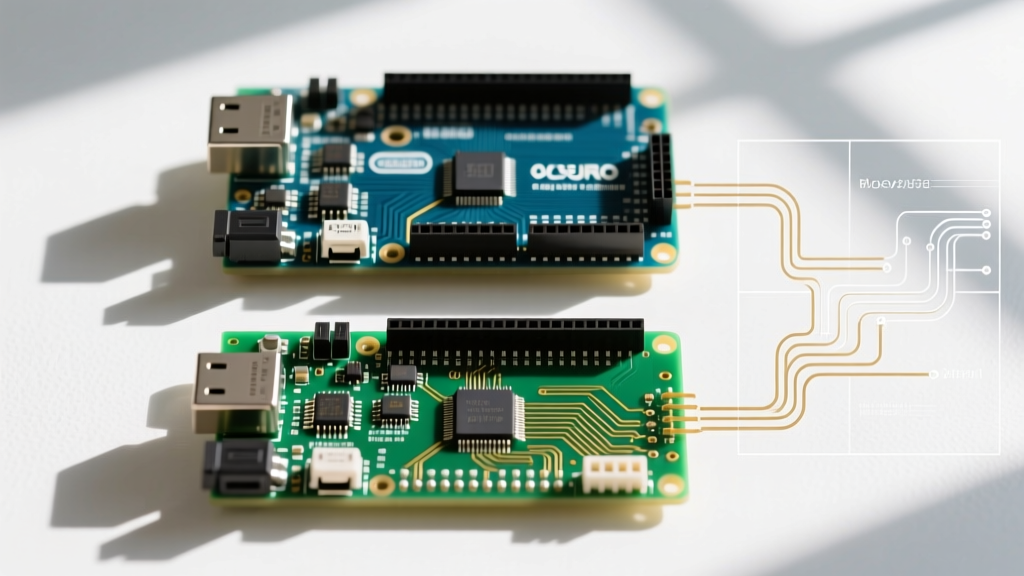
Before selecting a toolchain, you must understand the silicon you are targeting. The Arduino Uno lineup currently spans three distinct hardware profiles, each dictating different programming constraints and memory management strategies.
| Feature | Uno R3 (Classic) | Uno R4 Minima | Uno R4 WiFi |
|---|---|---|---|
| MCU Core | 8-bit AVR (ATmega328P) | 32-bit ARM Cortex-M4 (Renesas RA4M1) | 32-bit ARM (RA4M1) + ESP32-S3 |
| Clock Speed | 16 MHz | 48 MHz | 48 MHz (240 MHz for ESP32) |
| SRAM | 2 KB | 32 KB | 32 KB + 512 KB (ESP32) |
| Flash Memory | 32 KB | 256 KB | 256 KB + 8 MB (ESP32) |
| Typical Price | ~$27.00 | ~$22.00 | ~$33.00 |
According to the official Arduino R4 Cheat Sheet, the jump to 32KB of SRAM on the R4 models eliminates the strict memory constraints that historically plagued Uno R3 projects attempting to use large string buffers or complex sensor arrays. However, this architectural leap introduces significant code portability challenges.
The Core Toolchains: Arduino IDE 2.x vs. PlatformIO
The days of relying solely on a monolithic, single-window IDE are over. Modern Arduino Uno programming splits into two primary development environments, each serving different segments of the engineering community.
Arduino IDE 2.x (The Eclipse Theia Foundation)
The modern Arduino IDE is built on the Eclipse Theia framework. This transition brought critical features that were previously missing from the native Arduino experience:
- Live Autocomplete: Powered by Clangd, providing real-time syntax checking and code completion.
- Integrated Serial Plotter: Native graphing of serial data without requiring third-party scripts.
- Hardware Debugging: Unlike the R3, the Uno R4 Minima exposes an SWD (Serial Wire Debug) footprint on the board. By soldering a standard 5-pin SWD header and using a CMSIS-DAP compatible probe (like the Segger J-Link EDU or an RP2040-based picoprobe), developers can set hardware breakpoints and inspect ARM registers directly within the IDE.
PlatformIO (The Professional Standard)
For embedded engineers managing complex dependencies, PlatformIO (via Visual Studio Code) remains the undisputed champion. PlatformIO treats Arduino Uno programming as a standard C/C++ embedded project rather than a simplified sketch environment.
Expert Insight: PlatformIO utilizes a platformio.ini configuration file that locks specific framework versions, board definitions, and library dependencies. This prevents the "it compiled on my machine" syndrome that frequently occurs when relying on the Arduino IDE's global library manager, which silently updates packages and breaks legacy builds.
Furthermore, PlatformIO natively supports CMake integration and allows for multi-environment builds, meaning you can compile the same codebase for both an Uno R3 (AVR) and an Uno R4 (ARM) in a single CI/CD pipeline run.
Code Portability and Architecture-Specific Edge Cases
The most common failure mode in modern Arduino Uno programming occurs when developers attempt to migrate legacy R3 code to the R4 hardware. Because the R4 utilizes a Renesas RA4M1 ARM Cortex-M4 chip, direct register manipulation written for the ATmega328P will fail to compile or, worse, cause silent hardware faults.
The Direct Port Manipulation Trap
Consider a common optimization used in R3 high-speed data logging: direct port manipulation to toggle pins faster than digitalWrite().
Legacy AVR Code (Uno R3):
// Toggles Pin 8 (PB0) on ATmega328P
PORTB |= (1 << PB0);
PORTB &= ~(1 << PB0);
If you flash this to an Uno R4, the compiler will throw an error because PORTB and PB0 do not exist in the Renesas FSP (Flexible Software Pack) HAL. To achieve similar bare-metal speeds on the R4, you must use the ARM CMSIS API or the Renesas IOPORT driver:
Modern ARM Code (Uno R4):
// Toggles P105 (Pin 8 equivalent on R4 Minima)
R_IOPORT_PinWrite(&g_ioport_ctrl, BSP_IO_PORT_01_PIN_05, BSP_IO_LEVEL_HIGH);
R_IOPORT_PinWrite(&g_ioport_ctrl, BSP_IO_PORT_01_PIN_05, BSP_IO_LEVEL_LOW);
Fortunately, the Arduino core team implemented a compatibility layer in the R4 core that maps standard digitalWriteFast() macros to the underlying ARM instructions, allowing developers to maintain hardware-agnostic code while retaining execution speed.
Advanced Paradigms: FreeRTOS and Multithreading
With 32KB of SRAM and a 48MHz Cortex-M4 core, the Uno R4 is finally capable of running a real-time operating system (RTOS). The official Arduino ecosystem now includes a fully supported FreeRTOS port for the R4 series.
Instead of relying on the blocking delay() function or complex millis() state machines inside the loop(), developers can spawn discrete tasks. This is critical for projects requiring simultaneous sensor polling, LED matrix rendering, and Wi-Fi telemetry (on the R4 WiFi model).
- Task Scheduling: Assign strict priorities to sensor-reading tasks to ensure they preempt lower-priority UI update tasks.
- Queue Management: Use thread-safe FreeRTOS queues to pass ADC readings from a hardware interrupt service routine (ISR) to the main processing task without triggering race conditions.
- Watchdog Timers: Implement independent task watchdogs to automatically reset the MCU if a specific thread deadlocks, a vital feature for remote industrial deployments.
Simulation and Digital Twins in the Ecosystem
A massive leap in the Arduino programming ecosystem is the integration of browser-based simulation tools like Wokwi. Wokwi allows developers to simulate the Uno R4, complete with its ARM instruction set, alongside virtual peripherals like I2C OLEDs, NeoPixels, and MQTT brokers.
This is no longer just a beginner's toy. Professional teams use Wokwi's GitHub Actions integration to run automated hardware-in-the-loop (HIL) tests. When a developer pushes a commit to a repository, the CI pipeline compiles the firmware, flashes it to a virtual Uno R4 in Wokwi, and verifies that the serial output matches expected telemetry formats before the code is ever deployed to physical silicon.
Troubleshooting Common Bootloader and USB Failures
Despite ecosystem advancements, hardware-level programming failures remain a reality. Here is how to handle the most frequent edge cases across the Uno lineup.
The "Programmer is Not Responding" Error (Uno R3)
The classic avrdude: stk500_recv(): programmer is not responding error usually indicates a corrupted bootloader or a stuck serial pin. Fix: Use an external USBasp programmer to burn a fresh bootloader via the ICSP header. Ensure the auto-reset capacitor on the USB-to-serial UART is functioning, as it is responsible for triggering the bootloader timeout window.
USB-C Enumeration Crashes (Uno R4)
Unlike the R3, which uses a dedicated secondary ATmega16U2 chip for USB-to-Serial conversion, the Uno R4 handles USB natively via the RA4M1's internal USB 2.0 Full-Speed peripheral. If your user code crashes the ARM core or disables the USB interrupts, the board will disappear from your OS device manager.
Fix: The R4 features a hardware rescue mechanism. Rapidly double-click the physical reset button on the board. This forces the RA4M1 into its native ROM bootloader mode, bypassing your corrupted sketch and presenting as a mass storage device or a stable COM port, allowing you to flash a corrected binary.
Summary: Choosing Your Path
Mastering Arduino Uno programming in the current landscape means moving beyond simple sketchbooks. For educational projects and rapid prototyping, the Arduino IDE 2.x paired with the Uno R4 WiFi provides an unbeatable out-of-the-box experience with native debugging. For production firmware, multi-board deployments, and strict version control, PlatformIO combined with FreeRTOS and CI/CD simulation pipelines represents the professional zenith of the ecosystem. By understanding the underlying silicon differences between the AVR and ARM architectures, you can write robust, scalable, and future-proof embedded applications.