
The Ecosystem Advantage of the Arduino Uno Super Starter Kit
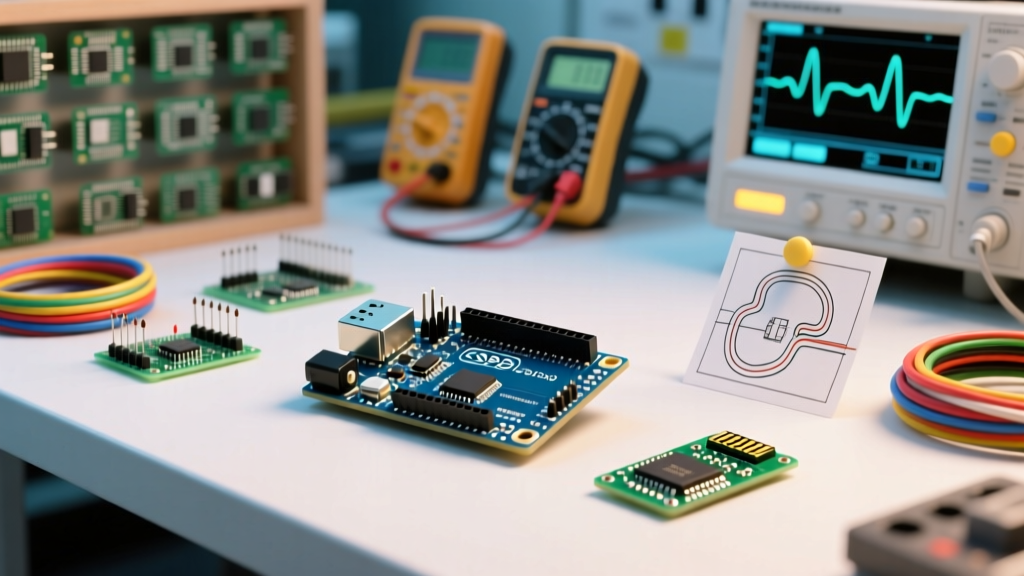
When evaluating the Arduino Uno Super Starter Kit (commonly packaged by leading DIY brands like Elegoo, RexQualis, and Smraza) in 2026, the physical hardware is only a fraction of the value proposition. Priced competitively between $35 and $45, these kits include an ATmega328P-PU microcontroller board, a breadboard, jumper wires, and an array of sensors. However, the true superpower of this specific bundle lies in its unparalleled community and library support. Because the components selected for these super starter kits represent the most ubiquitous modules in the maker space, they benefit from over a decade of rigorous community testing, optimization, and documentation.
Unlike niche development boards that require proprietary SDKs or poorly translated datasheets, every module inside a standard Arduino Uno Super Starter Kit maps directly to highly maintained, open-source libraries. This guide explores how to bypass the outdated PDF tutorials included in the box and leverage the broader Arduino Official Library Reference and community repositories to build robust, production-grade prototypes.
Mapping Kit Components to Official Community Libraries
The most common pitfall for beginners is relying exclusively on the CD or ZIP file included with the kit. These bundled tutorials often utilize deprecated, legacy libraries that lack interrupt handling or memory optimization. By transitioning to community-maintained libraries, you unlock advanced features and stability.
| Kit Component | Recommended Community Library | Deprecated Kit Alternative | Common Edge Case Solved |
|---|---|---|---|
| DHT11 Temp/Humidity | DHT sensor library (Adafruit) | Generic dht.h / SimpleDHT | Prevents NaN (Not a Number) errors caused by timing interrupts. |
| HC-SR04 Ultrasonic | NewPing (Tim Eckel) | Standard pulseIn() function | Eliminates 1-second blocking delays when no echo is received. |
| LCD1602 with I2C | LiquidCrystal_I2C (Frank de Brabander) | Generic LiquidCrystal (Parallel) | Automates I2C address scanning (0x27 vs 0x3F conflicts). |
| 28BYJ-48 Stepper | AccelStepper (Mike McCauley) | Standard Stepper.h | Enables non-blocking acceleration and multi-motor control. |
Deep Dive: The HC-SR04 and the NewPing Revolution
The HC-SR04 ultrasonic sensor is a staple in every Arduino Uno Super Starter Kit. The bundled tutorials typically teach the pulseIn() function to measure the echo pin's HIGH state. While functional, pulseIn() is a blocking function. If the sensor fails to receive an echo (e.g., pointing at a sound-absorbing surface), the microcontroller will halt all operations for up to one full second waiting for a timeout. By utilizing the community-developed NewPing library, developers gain access to timer-based interrupts and non-blocking ping methods, allowing the ATmega328P to handle button presses or LED multiplexing while simultaneously calculating distance.
Navigating the Clone Board Reality: CH340G Driver Support
It is an open secret in the maker community that 95% of third-party Arduino Uno Super Starter Kits utilize clone boards rather than official Arduino-manufactured units. To keep costs under $40, manufacturers replace the official ATmega16U2 USB-to-Serial chip with the CH340G or CH341A chip.
Historically, this caused massive friction for users on Windows and macOS, requiring manual driver installations that often failed due to unsigned certificate errors. Fortunately, community support has evolved. As of 2026, modern operating systems (Windows 11 23H2 and macOS Sonoma/Sequoia) include native, signed CH340 drivers in their core kernel updates. However, if you encounter a "Board not recognized" error on an older machine, the Arduino Community Forum maintains a pinned, verified repository of WCH (the chip manufacturer) official drivers, completely bypassing the malware-ridden third-party driver sites that often appear in search results.
Overcoming "Tutorial Hell" and I2C Address Conflicts
One of the most frequent support requests on platforms like Reddit's r/arduino and the official forums stems from the LCD1602 I2C module included in these kits. The physical hardware consists of an HD44780-compatible LCD soldered to a PCF8574 I2C backpack.
Expert Insight: Kit manuals frequently hardcode the I2C address as0x27. However, manufacturing variations mean roughly 20% of these I2C backpacks are shipped with the address0x3F. When the bundled code fails to illuminate the screen, beginners often assume the hardware is dead. Running a community-provided I2C Scanner sketch is the mandatory first step in troubleshooting this kit component.
Furthermore, the pin mapping between the PCF8574 chip and the LCD pins (RS, RW, EN, D4-D7) varies wildly between different kit suppliers. The official LiquidCrystal library requires exact pin mapping initialization. The community-supported HD44780 library by Bill Perry (available via the Arduino Library Manager) auto-detects both the I2C address and the internal pin mapping, effectively eliminating the most frustrating hardware debugging loop for beginners.
Step-by-Step: Validating Library Compatibility in IDE 2.3+
To ensure your Arduino Uno Super Starter Kit operates with the most secure and optimized codebase, follow this workflow using the modern Arduino IDE 2.3.x environment:
- Audit the Kit PDF: Identify the exact sensor model (e.g., BMP280 vs BME280). Kit manufacturers frequently swap components based on supply chain availability without updating the manual.
- Use the Library Manager: Navigate to Sketch > Include Library > Manage Libraries. Search for the sensor name and filter by "Recommended" or look for the "Star" icon indicating official/community-partner status.
- Check Dependencies: Modern sensor libraries, such as the Adafruit Unified Sensor ecosystem, require installing a core dependency (
Adafruit Unified Sensor) before the specific device library will compile. The IDE 2.3+ "Install All" prompt handles this, but manual installs often miss this step. - Verify Board Definitions: Ensure your board manager is set to Arduino AVR Boards (version 1.8.6 or newer). Selecting the wrong architecture will cause I2C and SPI libraries to fail compilation silently.
Memory Management: The Hidden Limitation of Kit Libraries
The ATmega328P microcontroller at the heart of the Uno features 32KB of Flash memory and a mere 2KB of SRAM. Many generic libraries bundled in starter kits are poorly optimized, utilizing the String object for serial parsing and LCD output. The String class causes severe memory fragmentation, leading to unpredictable reboots when running complex sensor loops.
Community best practices dictate using fixed-length char arrays and the F() macro for storing static text in Flash memory rather than SRAM. For example, replacing lcd.print("Temperature: ") with lcd.print(F("Temperature: ")) saves precious SRAM. The Adafruit DHT Sensor Library GitHub repository includes extensive documentation on memory profiling, demonstrating how community-driven development prioritizes the harsh hardware constraints of the Uno, unlike generic kit code which is often ported lazily from ESP32 or Raspberry Pi environments.
Where to Find Real-Time Support for Your Kit
When edge cases arise—such as the L298N motor driver failing to logic-level trigger from the Uno's 5V pins due to a missing ground connection—community hubs provide immediate triage. The most effective support channels in 2026 include:
- The Official Arduino Forum: Best for hardware-level troubleshooting, wiring diagrams, and IDE compilation errors. The "Project Guidance" and "Programming Questions" subforums are heavily moderated by veteran engineers.
- GitHub Issues Tabs: If a specific library (like
AccelStepper) behaves erratically with your kit's stepper motor, the repository's Issues tab often contains community-submitted patches and timing workarounds that haven't been merged into the main release yet. - StackExchange (Arduino & Electronics): Ideal for deep electrical engineering questions, such as calculating the exact flyback diode requirements for the kit's relay modules to prevent back-EMF from destroying the Uno's GPIO pins.
Expert Verdict: Maximizing Your Investment
The Arduino Uno Super Starter Kit remains the undisputed champion of entry-level electronics not because of the raw quality of its clone boards or generic sensors, but because of the massive, decentralized support network that surrounds it. By discarding the outdated bundled tutorials and integrating your workflow with community-maintained libraries like NewPing, HD44780, and the Adafruit Unified Sensor suite, you transform a $40 box of basic components into a professional-grade prototyping environment. In 2026, the hardware is merely the canvas; the community support is the paint.