
The Economics and Reality of Arduino Uno Clones in 2026
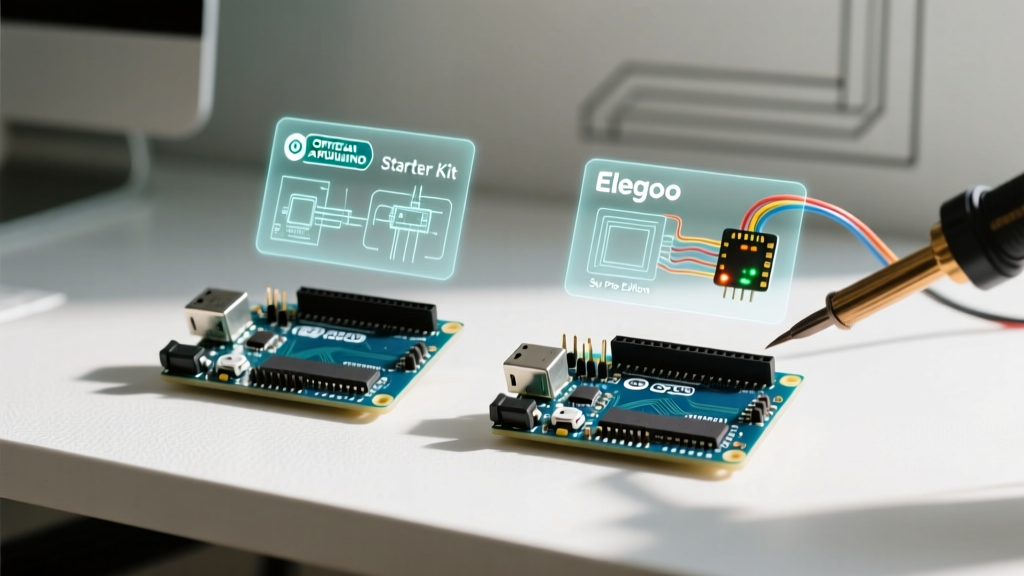
Since the original Arduino Uno's patent and copyright protections opened up years ago, the market has been flooded with third-party alternatives. In 2026, a genuine Arduino Uno R3 retails for approximately $28 to $32, while a standard Arduino Uno clone from brands like Elegoo, MakerHawk, or generic AliExpress sellers can be procured for $4.50 to $8.00. For hobbyists and educators buying in bulk, this 80% cost reduction is irresistible. However, the phrase 'Arduino compatible' masks significant hardware divergences that dictate where these boards can safely be deployed.
This project suitability analysis tears down the hardware differences between genuine and clone boards, evaluates the real-world implications of substituted components, and provides a strict decision matrix for your next embedded project.
Component Teardown: Genuine vs. Clone Hardware
To understand project suitability, we must first look past the identical blue PCBs and silkscreen layouts. The cost savings on clones are achieved through strategic component substitutions. Below is a technical comparison of the critical subsystems.
| Subsystem | Genuine Arduino Uno R3 | Standard Arduino Uno Clone | Engineering Impact |
|---|---|---|---|
| USB-to-Serial IC | Microchip ATmega16U2 | WCH CH340G or CH341A | Clones lose native USB HID capabilities and require specific drivers on older OS environments. |
| Voltage Regulator | NCP1117ST50T3G (1A, D-Pak) | AMS1117-5.0 (SOT-223) | Clone regulators overheat rapidly if drawing >400mA from the 5V pin or using >9V input. |
| Microcontroller | ATmega328P-PU (DIP-28) | ATmega328P-AU (SMD) or Re-marked 168 | SMD variants cannot be easily swapped if bricked. Re-marked chips fail on large sketches. |
| USB Connector | USB Type-B (Through-Hole) | USB Micro-B or Type-C (SMD) | Clone SMD ports are highly susceptible to mechanical shearing if the cable is snagged. |
| Polyfuse (PTC) | 500mA Resettable PTC | Often omitted or lower-rated | Clones lack robust short-circuit protection on the USB power line. |
The USB-to-Serial Bottleneck: CH340 vs ATmega16U2
The most immediate difference you will encounter when plugging in an Arduino Uno clone is the USB-to-Serial interface. Genuine boards use the ATmega16U2, a secondary microcontroller that acts as a bridge. Because it is a fully programmable AVR chip, developers can flash custom firmware onto it to make the Uno appear as a native USB keyboard, mouse, or MIDI device (using LUFA drivers).
Clones almost universally use the WCH CH340G or CH341A chip to cut costs. While the CH340 is a perfectly capable UART bridge for standard serial communication, it introduces specific limitations:
- Driver Dependencies: While Windows 11 and modern macOS distributions include CH340 drivers natively, legacy systems, specific Linux kernels, and locked-down enterprise ChromeOS environments often require manual driver installation, complicating classroom deployments.
- Baud Rate Stability: The CH340G is rated for up to 2Mbps, but in real-world noisy environments, it frequently drops packets at baud rates above 115200. If your project requires high-speed serial data logging (e.g., streaming raw accelerometer data at 460800 baud), the genuine ATmega16U2 is vastly more reliable.
- No Native HID: You cannot use the
Keyboard.horMouse.hlibraries with a CH340-equipped clone without complex software workarounds on the host PC.
Project Suitability Matrix
Not all projects demand the stringent quality control of a genuine board. Use this decision framework to determine if an Arduino Uno clone is appropriate for your specific use case.
The Golden Rule of Clones: If the board will be physically handled frequently, subjected to high electrical noise, or required to run mission-critical code where a reboot could cause damage, always use genuine hardware. If it is a static, low-power learning tool or a permanent low-stress embed, a clone is perfectly adequate.
Tier 1: Ideal Clone Applications (Green Light)
These scenarios leverage the low cost of clones without triggering their hardware weaknesses.
- Educational Classrooms: Buying 30 boards for a high school robotics club. The high attrition rate (students frying pins with 12V) makes $5 clones financially necessary.
- Basic Sensor Logging: Reading I2C/SPI sensors (BME280, MPU6050) and logging to an SD card at standard speeds.
- Static DIY Embeds: Permanent installations like automated plant watering systems or LED matrix displays where the board is mounted in an enclosure and never physically stressed.
- Prototyping & Breadboarding: Testing logic and code before migrating to a custom PCB design.
Tier 2: Conditional Clone Applications (Yellow Light)
Proceed with caution. These projects can use clones, but require specific engineering mitigations.
- High-Current 5V Loads: If you are powering relays or LED strips directly from the 5V pin, the clone's AMS1117 regulator will overheat. Mitigation: Bypass the onboard regulator entirely by powering the 5V pin directly from a high-quality external buck converter.
- Precision Analog Reads: Clones often use cheaper 1% tolerance resistors and lack rigorous ground-plane isolation, leading to noisy ADC readings. Mitigation: Use external I2C ADCs (like the ADS1115) for precision sensor work.
- High-Speed Serial: Mitigation: Keep baud rates at or below 115200 and implement software checksums to catch dropped CH340 packets.
Tier 3: Genuine-Only Applications (Red Light)
Do not use clones for these scenarios. The risk of hardware failure, timing drift, or communication loss is too high.
- Commercial Product Prototyping: Never hand a client a prototype built on a clone board; the build quality and re-marked chips reflect poorly on your engineering.
- USB HID Devices: Custom macro pads or MIDI controllers requiring native ATmega16U2 HID firmware.
- High-Voltage / High-EMI Environments: Industrial motor control or automotive testing where the clone's lack of robust opto-isolation and polyfuses could result in a shorted PC motherboard.
Known Failure Modes and Edge Cases
When deploying Arduino Uno clones, you must be aware of the specific ways they fail. Based on teardowns and field reports documented in the Arduino Comparison Guide and community engineering forums, here are the most common edge cases:
- The 'Fake' ATmega328P: Unscrupulous manufacturers will sand down the top of an ATmega168 (16KB Flash, 1KB SRAM) and laser-etch 'ATmega328P' onto it. Your code will compile, but once your sketch exceeds 16KB, it will silently fail or exhibit erratic behavior.
Verification: Runavrdude -c arduino -p m328p -P [PORT] -b 115200 -tand typepartto read the actual silicon signature bytes. - USB Port Shearing: The Micro-USB or Type-C ports on clones are surface-mounted with minimal solder. If a user trips over the USB cable, the port will rip off the PCB, taking the data pads with it and destroying the board.
- Voltage Regulator Thermal Shutdown: Powering a clone via the barrel jack with a 12V adapter while drawing just 300mA from the 5V pin will cause the AMS1117 to dissipate over 2W of heat. Without a heatsink, it will hit thermal shutdown (approx. 150°C) within minutes, causing the board to brownout and reset continuously.
- Missing Decoupling Capacitors: To save fractions of a cent, some clone batches omit the 100nF decoupling capacitors near the ATmega328P power pins. This results in system crashes when high-current peripherals (like servos) are toggled on the same power rail.
Expert Deployment Tips for Clone Boards
If your project suitability analysis points toward using an Arduino Uno clone, follow these best practices to ensure long-term reliability:
- Flash the Bootloader Early: Clones often ship with outdated or corrupted Optiboot bootloaders. Use an ISP programmer (like a USBasp) to burn a fresh, genuine Arduino Uno bootloader via the Arduino IDE immediately upon receipt.
- Reinforce the USB Port: Apply a small bead of hot glue or two-part epoxy around the base of the USB connector where it meets the PCB to absorb mechanical shock and prevent pad tearing.
- Respect the Input Voltage Limits: Never exceed 9V on the barrel jack or VIN pin of a clone. While the genuine board's NCP1117 can tolerate 12V with moderate loads, the clone's AMS1117 will rapidly degrade under that thermal stress.
- Add External Pull-ups: Clone PCBs sometimes use higher-tolerance pull-up resistors on the I2C lines (SCL/SDA). If you experience I2C bus lockups, add external 4.7kΩ pull-up resistors directly on your breadboard or shield.
Conclusion
The Arduino Uno clone is a triumph of accessible hardware manufacturing, democratizing electronics education and hobbyist prototyping. However, treating a $5 clone as a drop-in, zero-compromise replacement for a $30 genuine board is an engineering fallacy. By understanding the limitations of the CH340 serial bridge, the thermal constraints of the AMS1117 regulator, and the mechanical fragility of SMD USB ports, you can confidently deploy clones in suitable environments while reserving genuine hardware for mission-critical and high-performance applications.