
The ESP32 LoRa Ecosystem: Navigating Hardware Fragmentation
When engineers and makers search for an ESP32 LoRa solution, they are often met with a highly fragmented marketplace of development boards. Unlike the standardized Arduino Uno, ESP32 LoRa boards are custom integrations pairing Espressif's Wi-Fi/Bluetooth SoCs with Semtech's sub-GHz RF transceivers. Because there is no single governing body for these breakout boards, hardware and software compatibility issues are the leading cause of project failure. This compatibility guide dissects the silicon, board-level, and software matrices required to ensure your long-range IoT nodes actually communicate.
SX127x vs. SX126x: The Silicon Compatibility Divide
The most critical compatibility bottleneck in the ESP32 LoRa space is the transceiver chip. For years, the Semtech SX1276 and SX1278 were the industry standard. However, modern boards have shifted to the SX1262. These two chip families are not register-compatible.
- SX127x Family: Older architecture, max +20dBm output power, RX current draw of ~10mA. Requires the legacy SPI command set.
- SX126x Family: Newer architecture, supports +22dBm output power, RX current draw of ~4.6mA, and features an integrated DC-DC converter for massive sleep-current reductions. Requires a completely different SPI command set and DIO (Digital I/O) pin mapping.
If you attempt to flash legacy SX127x code onto a modern Heltec V3 (which uses an SX1262), the initialization will fail silently or throw a -2 ERR_CHIP_NOT_FOUND error. You must match your library to the silicon, not just the ESP32 chip.
Board-Level Compatibility Matrix
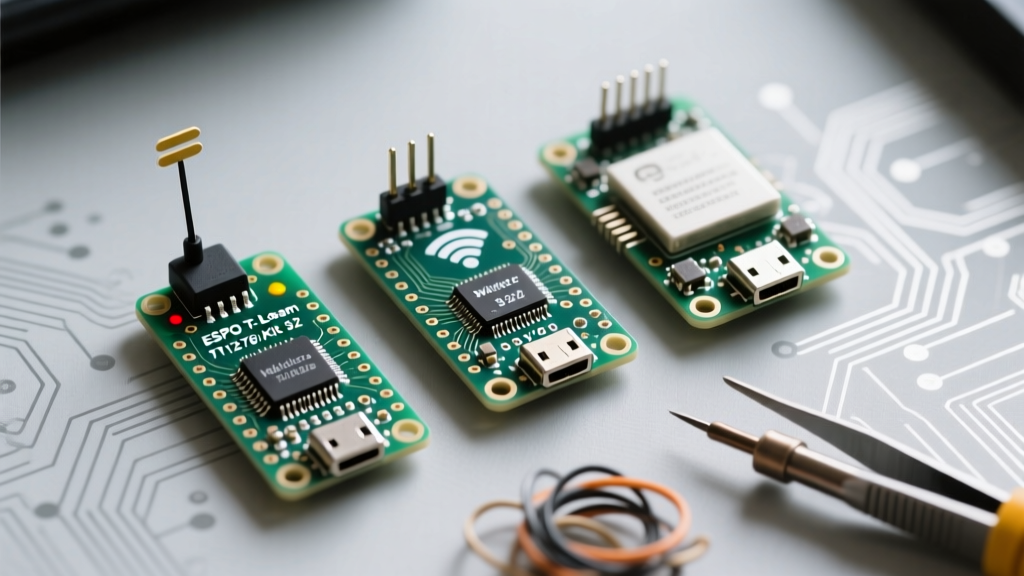
Choosing the right board dictates your peripheral compatibility, specifically regarding displays, GPS, and power management. Below is a compatibility breakdown of the three most dominant ESP32 LoRa form factors on the market.
| Board Model | MCU & Transceiver | Key Peripherals | Best Use Case | Known Compatibility Quirks |
|---|---|---|---|---|
| Heltec WiFi LoRa 32 V3 | ESP32-S3 + SX1262 | 0.96" OLED, USB-C (CP2104) | Low-power battery sensors, Meshtastic nodes | Requires ESP32-S3 core in Arduino IDE; OLED uses I2C pins that conflict with some external sensors. |
| LilyGO T-Beam V1.1 | ESP32 + SX1276 | NEO-6M GPS, 18650 Battery Holder, AXP192 PMIC | Asset tracking, outdoor gateways, APRS | The AXP192 power management IC requires a specific I2C library to turn on the GPS and LoRa modules. |
| LilyGO T3 V1.6.1 | ESP32 + SX1276 | 0.96" OLED, MicroSD Slot, JST battery connector | Data logging, peer-to-peer mesh networks | MicroSD SPI bus shares pins with the LoRa module; requires careful CS (Chip Select) pin management. |
Frequency Bands and Antenna Impedance Matching
ESP32 LoRa boards are typically sold in three regional variants: 433 MHz, 868 MHz (EU), and 915 MHz (US/AU). The compatibility between your board's RF front-end and your physical antenna is a matter of physics, not just software.
The VSWR and Pi-Match Reality
Semtech transceivers are designed to drive a 50-ohm load. The PCB trace from the SX1276/SX1262 chip to the U.FL or SMA connector contains a pi-matching network (inductors and capacitors) tuned at the factory for a specific frequency band.
Warning: Flashing 915 MHz firmware onto a 433 MHz hardware board will result in a massive Voltage Standing Wave Ratio (VSWR) mismatch. While Semtech chips have built-in over-current protection, continuous transmission at +20dBm into a mismatched antenna will eventually degrade or destroy the RF power amplifier.
Always verify the silkscreen on the PCB near the antenna connector. If your project requires cross-band compatibility, you must use an external software-defined radio (SDR) to verify the harmonic output, or rely on wide-band external antennas with their own matching networks.
Software and Library Compatibility
The Arduino ecosystem offers several libraries for LoRa, but their compatibility with specific ESP32 LoRa boards varies wildly. According to the RadioLib repository, modern development requires abstracting the hardware layer.
- SandeepMistry/LoRa: The legacy standard. Excellent for SX127x boards (T-Beam, older Heltec V2). Completely incompatible with SX126x boards.
- jgromes/RadioLib: The modern standard. Supports both SX127x and SX126x families, as well as LoRaWAN stack integration. This is the mandatory choice for ESP32-S3 + SX1262 combinations like the Heltec V3.
- MCCI LoRaWAN LMIC: Required if you are connecting to The Things Network (TTN). It handles the complex MAC layer, OTAA (Over-The-Air Activation), and duty-cycle limitations required by LoRaWAN gateways.
GPIO Strapping Pin Conflicts
A hidden trap in ESP32 LoRa compatibility involves Espressif's strapping pins. During boot, the ESP32 reads the logic level of specific GPIO pins (notably GPIO 0, 2, 5, 12, and 15) to determine boot modes and flash voltages.
On some poorly designed, generic ESP32 LoRa clone boards, the LoRa transceiver's RESET or DIO1 pin is routed to GPIO 12. GPIO 12 is a strapping pin that dictates the internal flash voltage (1.8V vs 3.3V). If the LoRa chip pulls GPIO 12 low during the ESP32's boot sequence, the microcontroller will attempt to run the flash at the wrong voltage, resulting in a boot loop or a permanent brownout.
The Workaround: Before designing a custom PCB or deploying a fleet of clone boards, consult the Heltec Automation official schematics or the LilyGO GitHub repositories to verify that LoRa control pins are routed to safe GPIOs (e.g., GPIO 27, 14, 26, 33). If you are stuck with a board that uses GPIO 12 for LoRa RESET, you must physically cut the PCB trace and dead-bug a wire to a safe GPIO, updating your firmware pin definitions accordingly.
Gateway and Network Server Integration
Finally, compatibility extends to the network layer. Raw LoRa (Peer-to-Peer) and LoRaWAN are entirely different protocols.
- Peer-to-Peer (P2P): Two ESP32 LoRa nodes talking directly. Compatible with any library, any gateway, and any frequency plan. Ideal for off-grid Meshtastic deployments or remote telemetry where cellular/internet backhaul is absent.
- LoRaWAN: Requires a compatible gateway (like a RAKwireless RAK7249 or a Dragino LPS8) connected to a Network Server like The Things Network (TTN). Your ESP32 must generate a compliant DevEUI and AppKey, and respect strict regional duty-cycle limits (e.g., 1% airtime in the EU868 band).
Final Verification Checklist Before Deployment
- Silicon Match: Confirm if your board uses SX1276/78 or SX1262. Select
LoRa.horRadioLibaccordingly. - Antenna Verification: Ensure the physical antenna matches the board's factory-tuned Pi-network frequency (433/868/915 MHz).
- Boot Pin Audit: Verify LoRa SPI and DIO pins do not conflict with ESP32 strapping pins (GPIO 0, 2, 12, 15).
- Power Management: If using a T-Beam, ensure the AXP192 I2C initialization sequence is present in your
setup()loop, or the LoRa chip will remain unpowered.
By treating the ESP32 LoRa ecosystem as a matrix of interdependent hardware and software variables rather than a plug-and-play standard, you can eliminate weeks of RF debugging and achieve reliable, multi-kilometer IoT deployments.