
The Hidden Complexity of Outlet Dimensions
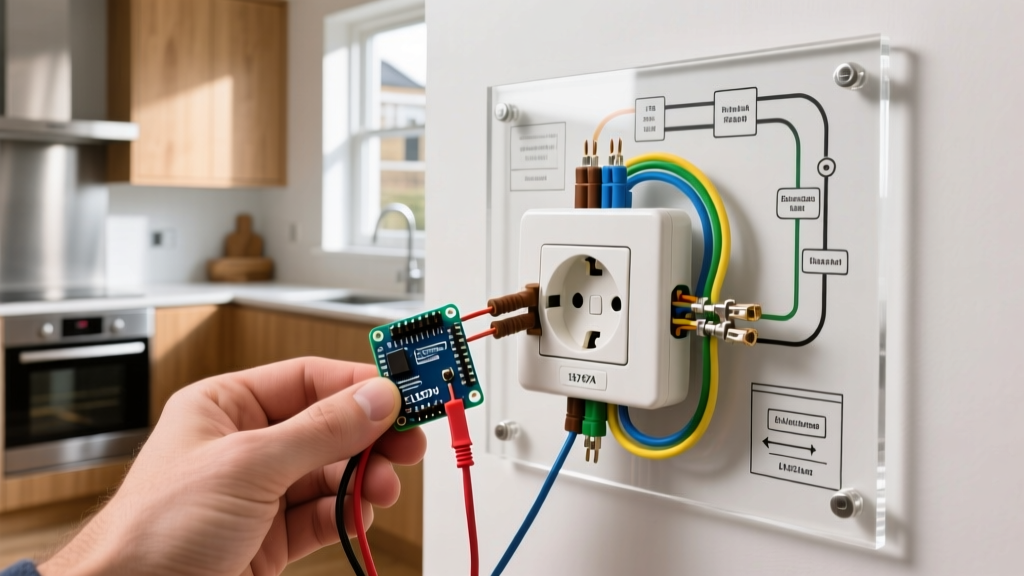
When homeowners plan an electrical upgrade, they rarely think about the physical footprint of the devices they are installing. While the visible faceplates of most wiring devices adhere to standardized sizing, the actual dimensions of an electrical outlet behind the wall vary drastically depending on the technology inside. Upgrading from a basic 15-amp duplex receptacle to a Ground Fault Circuit Interrupter (GFCI), an AFCI, or a Wi-Fi-enabled smart outlet introduces significant spatial challenges inside your junction boxes.
Ignoring these physical dimensions is the leading cause of botched DIY electrical upgrades. Devices that are too deep will crush wires against the back of the junction box, creating heat buildup, insulation damage, and severe fire hazards. According to the Occupational Safety and Health Administration (OSHA), improper wiring and overcrowded electrical boxes are primary contributors to residential electrical fires. This guide breaks down the exact measurements you need to know before purchasing replacement outlets, ensuring your upgrade is both physically possible and legally compliant.
Comparing the Dimensions of an Electrical Outlet by Type
While the National Electrical Manufacturers Association (NEMA) standardizes the faceplate dimensions (typically 2.75 inches wide by 4.5 inches high for standard duplex, and 2.625 inches wide for Decora-style rockers), the rear body dimensions are entirely unstandardized. Below is a comparative matrix of the most common residential outlets available in 2026, highlighting the critical depth and width variations.
| Device Type (2026 Models) | Faceplate Dims (W x H) | Body Width | Body Height | Body Depth | Avg. Retail Price |
|---|---|---|---|---|---|
| Standard 15A Duplex (Leviton T52-R) | 2.75 x 4.5 in | 1.31 in | 1.75 in | 0.95 in | $1.50 - $2.50 |
| Decora Rocker (Leviton 5601-W) | 2.62 x 4.5 in | 1.31 in | 1.75 in | 0.95 in | $3.00 - $5.00 |
| Standard 15A GFCI (Leviton GFNT1-W) | 2.62 x 4.5 in | 1.33 in | 1.75 in | 1.25 in | $20.00 - $28.00 |
| Smart Wi-Fi Outlet (Lutron Caseta PD-6WCL) | 2.62 x 4.5 in | 1.75 in | 2.20 in | 1.50 in | $55.00 - $65.00 |
| USB-C/A Receptacle (Leviton T5635-W) | 2.62 x 4.5 in | 1.33 in | 1.75 in | 1.35 in | $25.00 - $35.00 |
As illustrated above, while a standard duplex outlet requires less than an inch of depth, smart outlets and GFCIs demand up to 50% more physical space. This extra depth houses the internal circuit boards, triac switches, and RF antennas required for modern functionality.
Junction Box Sizing and NEC Box Fill Rules
Understanding the dimensions of an electrical outlet is only half the battle; you must also understand the space available inside your wall. The National Fire Protection Association (NFPA) outlines strict 'Box Fill' calculations in NEC Article 314. These rules dictate the maximum number of conductors and devices allowed in a junction box based on its cubic inch volume.
The Box Fill Formula
Every wire, clamp, and device takes up a specific volume allowance based on the American Wire Gauge (AWG) of the thickest conductor in the box:
- 14 AWG Wire: 2.0 cubic inches per conductor
- 12 AWG Wire: 2.25 cubic inches per conductor
- 10 AWG Wire: 2.5 cubic inches per conductor
Device Allowance: The outlet itself (the yoke/strap) counts as two volume allowances based on the largest wire connected to it. Therefore, a standard 15-amp duplex receptacle on a 14 AWG circuit consumes 4.0 cubic inches of space (2 x 2.0). A GFCI or Smart outlet, despite being physically larger, still technically counts as a single device (two allowances) under NEC 314.16(B)(4), but the physical reality of cramming a 1.5-inch deep smart outlet into a shallow box often results in damaged wire insulation.
NEC Compliance Warning: Never rely solely on the mathematical box fill calculation when upgrading to smart home devices. While a Lutron Caseta smart switch might mathematically 'fit' the box fill allowance of an 18 cubic-inch box, its physical 1.5-inch depth will physically crush the Romex cables against the drywall if the box is only 2.0 inches deep. Always prioritize physical clearance over minimum mathematical allowances.
Depth Challenges: Upgrading to GFCI and Smart Outlets
The most common failure point in residential electrical upgrades occurs when homeowners attempt to replace a standard 0.95-inch deep duplex receptacle with a 1.25-inch deep GFCI or a 1.5-inch deep smart outlet in an older, shallow junction box.
Identifying Your Existing Junction Box
Older homes (pre-1990) frequently utilize shallow metal 'pan' boxes or standard steel boxes that are only 1.5 to 2.0 inches deep, yielding roughly 12 to 14 cubic inches of volume. Modern homes typically use 'deep' boxes that are 2.5 to 3.5 inches deep, offering 20 to 22.5 cubic inches.
Solutions for Tight Fits
If you discover your junction box is too shallow for your new GFCI or smart outlet, you have three code-compliant solutions:
- Install a Box Extender: Products like the Arlington BE1 (approx. $3.50) add an extra 0.75 inches of depth to your existing box. This is the fastest solution for drywall installations and provides just enough clearance for most GFCIs.
- Upgrade to a Deep Junction Box: If you have access to the studs (e.g., during a remodel), cut out the old box and install a deep new-work box like the Carlon B618R-UPC. This 22.5 cubic-inch box is 3.5 inches deep and easily accommodates the bulkiest smart outlets and multiple wire nuts.
- Use 'Shallow' GFCI Models: Manufacturers have recognized the spatial constraints of older homes. Leviton offers 'Slim' GFCI models (like the GFNT1 series) which shave off roughly 0.25 inches of depth compared to legacy GFCIs, making them viable for 2.0-inch deep boxes.
For comprehensive safety testing standards regarding wiring devices and their thermal limits in confined spaces, refer to the Underwriters Laboratories (UL) electrical safety guidelines.
Step-by-Step Measurement Guide Before Buying
Before purchasing replacement outlets in bulk for a whole-home upgrade, perform this physical audit on a single junction box in your home:
- Cut the Power: Turn off the circuit breaker and verify with a non-contact voltage tester.
- Remove the Faceplate: Unscrew the existing cover plate to expose the device yoke.
- Extract the Device: Remove the top and bottom mounting screws and gently pull the outlet toward you. Do not pull by the wires.
- Measure the Box Depth: Insert a tape measure into the junction box to determine the exact depth from the front edge of the box to the back metal/plastic wall.
- Count the Conductors: Count every individual insulated wire entering the box (excluding the bare ground wires). Multiply this number by the cubic inch allowance for your wire gauge (2.0 for 14 AWG, 2.25 for 12 AWG).
- Add Device Allowances: Add 4.0 cubic inches (for 14 AWG) or 4.5 cubic inches (for 12 AWG) to account for the new outlet.
- Compare and Purchase: Match your calculated total volume and physical depth against the dimensions of your desired upgrade outlet.
Frequently Asked Questions
Are all outlet cover plates the same size?
No. While 'Standard' duplex cover plates measure 2.75 inches wide by 4.5 inches high, 'Decora' or 'Rocker' style cover plates measure 2.625 inches wide by 4.5 inches high. Furthermore, GFCI and Smart outlets almost exclusively require Decora-style openings. If you are upgrading from a standard duplex to a GFCI, you must also purchase a new Decora-style cover plate, or the device will not fit through the opening.
Can I put a GFCI in a shallow 1.5-inch junction box?
Technically, it is highly discouraged and often physically impossible without crushing wires. A standard GFCI requires at least 1.25 inches of depth just for the device body, leaving only 0.25 inches for wire bending space, which violates NEC 300.14 (which requires at least 3 inches of free conductor length for splicing). If you must install a GFCI in a 1.5-inch box, you must use a surface-mounted box extender to gain the necessary depth and wire-bending space.
Do USB outlets require more box space than standard outlets?
Yes. USB receptacles contain internal step-down transformers and rectifier circuits to convert 120V AC to 5V (or up to 20V for USB-C PD) DC power. This internal circuitry increases the body depth to approximately 1.35 inches. While they do not require as much depth as a smart Wi-Fi outlet, they still require a junction box with a minimum depth of 2.25 inches to ensure proper heat dissipation and wire management.