
The Evolution of the Singapore Electrical Outlet
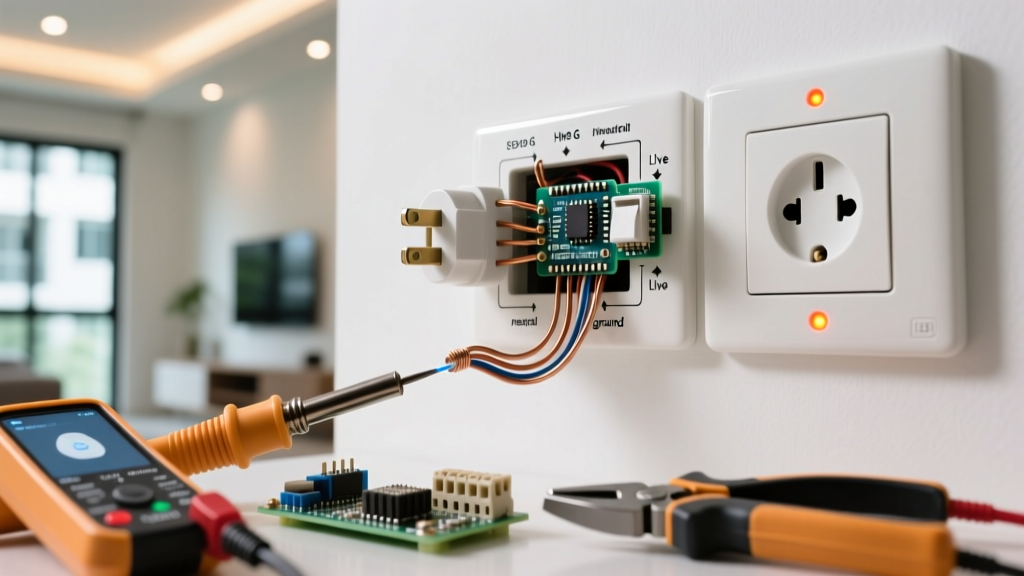
Upgrading a Singapore electrical outlet is no longer just about replacing cracked white plastic faceplates. In 2026, homeowners in HDB flats, BTOs, and private condominiums are increasingly swapping out legacy Type G (BS 1363) sockets for integrated USB-C Power Delivery (PD) hubs, Zigbee-enabled smart sockets, and minimalist architectural designs. However, Singapore’s electrical infrastructure operates under strict regulatory frameworks governed by the Energy Market Authority (EMA) and specific national standards. Whether you are modernizing a 1990s resale flat or outfitting a new smart home, understanding the technical and legal constraints of outlet replacement is critical for safety and compliance.
Understanding the Baseline: SS 145 and the Type G Standard
The standard Singapore electrical outlet is defined by Singapore Standard SS 145, which is the local adoption of the British BS 1363 standard. This dictates a 13-ampere, 230V (±10%), 50Hz system with rectangular pins and integrated safety shutters. Unlike the UK, which heavily utilizes ring circuits, Singapore’s modern residential wiring predominantly employs radial circuits protected by 20A or 32A Miniature Circuit Breakers (MCBs) and 30mA Residual Current Breakers with Overcurrent protection (RCBOs).
Regulatory Note: According to the Energy Market Authority (EMA), any modification to fixed electrical installations that involves altering the circuit design, adding new points, or upgrading the main distribution board must be carried out by a Licensed Electrical Worker (LEW). Like-for-like replacement of a damaged faceplate can be performed by a competent homeowner, but upgrading to smart sockets that require neutral wire rerouting or backbox hacking falls under regulated works.
The Backbox Depth Constraint: A Common HDB Hurdle
The most frequent point of failure in Singapore outlet upgrades is the concealed backbox depth. Standard HDB and condo concealed backboxes are typically 25mm to 35mm deep. Modern USB-C PD outlets and smart Wi-Fi/Zigbee sockets house internal switching power supplies and relays, requiring a minimum clearance of 35mm to 45mm.
- 25mm Backboxes: Found in older HDB flats (pre-2000). Severely limits upgrade options to standard 13A sockets or ultra-slim smart plugs.
- 35mm Backboxes: Standard in modern BTOs. Accommodates most USB-C integrated outlets (e.g., Schneider AvatarOn) but may be too shallow for bulkier Zigbee smart sockets.
- Hacking Restrictions: The HDB Renovation Guidelines strictly prohibit hacking structural walls (such as shear walls or household shelter walls) to deepen backboxes without prior written approval and structural engineering oversight.
Wiring Color Codes: The Pre-2009 Trap
Before removing your old faceplate, you must verify the wiring color code. Singapore transitioned to the international IEC 60446 color codes (adopted locally via SS 638) around 2009. Mixing up legacy and modern color codes can result in catastrophic short circuits or energized appliance chassis.
| Conductor | Modern Code (Post-2009 / SS 638) | Legacy Code (Pre-2009) |
|---|---|---|
| Live (Phase) | Brown | Red |
| Neutral | Blue | Black |
| Earth | Green/Yellow | Green (or bare copper) |
Expert Tip: If you open a legacy outlet and find the earth wire is bare copper, you must slide a green/yellow PVC sleeving over the exposed wire before terminating it into a modern socket to prevent accidental contact with the live terminal.
2026 Upgrade Paths: Comparing Top Brands in Singapore
When selecting a replacement Singapore electrical outlet, you are generally choosing between three upgrade paths: USB-C integration, smart home connectivity, or premium aesthetics. Below is a comparison of the top-performing models available in the local market.
| Brand & Model | Type | Key Feature | Min. Backbox Depth | Avg. Price (SGD) |
|---|---|---|---|---|
| Schneider Electric AvatarOn (USB-C) | USB-C PD + 13A | 30W PD fast charging, interchangeable covers | 35mm | $55 - $75 |
| Legrand Arteor (USB-C) | USB-C + Type A + 13A | Premium glass/metal finishes, high thermal tolerance | 40mm | $65 - $90 |
| Aqara Smart Wall Socket (Zigbee 3.0) | Smart 13A | Power monitoring, Apple HomeKit/Matter support | 45mm | $45 - $60 |
| Simon i7 (Slim Series) | Standard 13A | Ultra-slim 8mm profile, minimalist matte black | 25mm | $30 - $45 |
For comprehensive standards compliance, always verify that the chosen model carries the SAFETY Mark registered with Enterprise Singapore, especially for the USB power supply modules which are classified as Controlled Goods.
Step-by-Step Replacement Workflow (Like-for-Like)
If you are performing a direct, like-for-like replacement of a standard 13A socket (no new wiring, no circuit alterations), follow this precise workflow to ensure a secure and safe termination.
- Isolate the Circuit: Turn off the specific 20A/32A MCB or RCBO at the Distribution Board (DB). Use a non-contact voltage tester (NCVT) and a multimeter to confirm zero voltage between Live-Neutral, Live-Earth, and Neutral-Earth.
- Extract and Inspect: Unscrew the faceplate. Gently pull the socket out. Inspect the cable insulation. If the PVC is brittle or cracked (common in 1980s HDB flats), stop immediately and call an LEW to rewire the radial drop.
- Prepare the Conductors: Strip exactly 12mm to 14mm of insulation. If using stranded wire, crimp a copper bootlace ferrule onto the ends. Never tin stranded wires with solder before inserting them into screw terminals; solder creeps under pressure, leading to loose connections and arcing over time.
- Terminate: Insert the wires into the new socket terminals (Live to L, Neutral to N, Earth to E). Tighten the terminal screws to the manufacturer’s specified torque—typically 1.5 Nm to 2.0 Nm for 13A sockets. Give each wire a firm tug to ensure it is locked.
- Earth Wire Management: Ensure the earth wire has adequate slack. If the backbox is metal, you must also run a 4mm² earth fly-lead from the backbox earth lug to the socket’s earth terminal to maintain continuous earth continuity.
- Re-energize and Test: Push the socket back, ensuring no wires are pinched behind the faceplate. Secure with M3.5 screws. Restore power at the DB and test with a dedicated socket tester (e.g., Kyoritsu or Fluke) to verify correct polarity and earth presence.
Troubleshooting Edge Cases in Singapore Upgrades
1. RCBO Tripping After Installing USB-C Outlets
If your 30mA RCBO trips intermittently after upgrading to USB-C PD outlets, the issue is often cumulative earth leakage. The internal switching power supplies in USB-C sockets generate high-frequency harmonic noise and micro-leakage currents. If you have 4 or 5 USB-C outlets on a single radial circuit, their combined leakage can approach the 30mA trip threshold. Solution: Split the load across multiple RCBOs or upgrade to a 10mA RCBO for sensitive circuits, though 10mA may nuisance-trip. The best fix is limiting USB-C outlets to 2 per radial circuit.
2. Smart Sockets Failing to Connect in HDB Bomb Shelters
Many homeowners attempt to install Wi-Fi smart sockets inside or near the Household Shelter (bomb shelter). The reinforced concrete and steel door of the shelter act as a Faraday cage, severely degrading 2.4GHz Wi-Fi signals. Solution: Use Zigbee 3.0 or Thread-based smart sockets (like the Aqara or SwitchBot models) paired with a mesh repeater located outside the shelter, rather than relying on direct Wi-Fi connections.
3. Loose Faceplates on Uneven Plaster
In older resale flats, wall plaster around the backbox is often uneven, causing rigid glass or metal premium faceplates to crack when tightened. Solution: Use 1mm to 2mm nylon spacer shims behind the faceplate mounting lugs to level the socket before tightening the M3.5 screws. Do not overtighten to force the plate flat.
Conclusion
Upgrading your Singapore electrical outlet infrastructure is a high-impact way to modernize your living space, provided you respect the physical limitations of local backboxes and the regulatory boundaries set by the EMA and HDB. By selecting SS 145 compliant hardware, respecting the SS 638 color codes, and utilizing proper termination techniques like ferrule crimping and torque-specific tightening, you ensure your upgrade is both aesthetically pleasing and electrically bulletproof for decades to come.