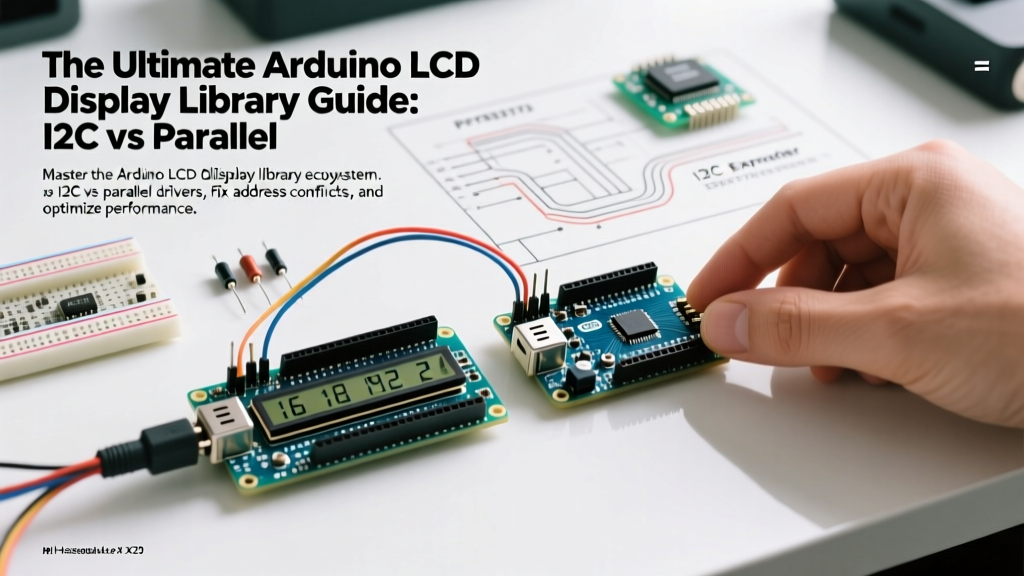

When integrating character displays into your microcontroller projects, selecting the correct arduino lcd display library is just as critical as wiring the hardware correctly. In 2026, the market is saturated with HD44780-compatible 16x2 and 20x4 displays, most of which utilize I2C backpacks to save GPIO pins. However, the software ecosystem remains heavily fragmented. Legacy tutorials still point to abandoned repositories, leading to I2C address conflicts, compilation errors on modern ESP32/Arduino cores, and frustrating 'black box' initialization failures.
This guide cuts through the noise, providing a definitive, expert-level breakdown of the current library landscape, hardware-specific edge cases, and performance optimization techniques for character LCDs.
The Core Contenders: Choosing the Right Arduino LCD Display Library
Not all libraries handle the Hitachi HD44780 controller or the PCF8574 I2C port expander equally. Below is a comparison matrix of the three most prominent libraries available in the Arduino IDE Library Manager as of 2026.
| Library Name | Interface | Auto-Detection | ESP32/ARM Compatibility | Best Use Case |
|---|---|---|---|---|
| LiquidCrystal | 4-bit Parallel | No | Excellent | Direct GPIO wiring, no I2C backpack |
| LiquidCrystal_I2C (fmalmberg) | I2C | No | Poor (Hardcoded delays) | Legacy AVR (Uno/Nano) quick prototypes |
| hd44780 (Bill Perry) | I2C, Parallel, SPI | Yes (Address & Pinout) | Excellent | Modern production, ESP32, multi-display |
Deep Dive: Why hd44780 is the Modern Gold Standard
For years, the LiquidCrystal_I2C fork by Frank de Brabander was the default recommendation. However, it suffers from hardcoded pin mappings and fails to initialize on faster microcontrollers due to missing I2C bus timing delays. Enter the hd44780 library by Bill Perry. This library represents a paradigm shift in how we handle the arduino lcd display library ecosystem.
Auto-Detection of I2C Addresses and Pinouts
Generic I2C backpacks sourced from Amazon or AliExpress (typically priced between $3.50 and $5.00 for a 16x2 unit) use different port expander chips. The PCF8574T defaults to address 0x27, while the PCF8574AT defaults to 0x3F. Furthermore, manufacturers wire the expander pins (P0-P7) to the LCD RS, RW, EN, and D4-D7 pins in at least four different configurations. The hd44780 library includes an I2C scanning diagnostic sketch and automatically maps the pinout at runtime, eliminating hours of manual reverse-engineering.
Step-by-Step: Migrating to Auto-Detect I2C
If you are upgrading an older project, here is how you transition to the modern diagnostic approach using the hd44780_I2Cexp class:
- Install via IDE: Open Library Manager, search for
hd44780by Bill Perry, and install. - Include the Correct Headers: You must include both the base class and the I2C expander wrapper.
#include <Wire.h>#include <hd44780.h>#include <hd44780ioClass/hd44780_I2Cexp.h> - Instantiate Without Parameters: Instead of hardcoding the address, simply declare
hd44780_I2Cexp lcd;. The library will scan the I2C bus onlcd.begin(16, 2)and configure the expander automatically.
Pro-Tip for Multi-Display Setups: If you are driving two 20x4 LCDs on the same I2C bus, you must manually pass the addresses (e.g.,hd44780_I2Cexp lcd1(0x27);andhd44780_I2Cexp lcd2(0x3F);) to prevent auto-detect collisions.
Troubleshooting Common Library & Hardware Failures
Even with the best software, hardware realities dictate performance. Here are the most common failure modes encountered in the field and how to resolve them.
1. The 'Black Boxes' on Row 1
Symptom: Top row shows solid black blocks; bottom row is blank.
Root Cause: This is not an I2C library failure. It indicates the LCD controller has power and the contrast voltage (V0) is set correctly, but the initialization sequence never reached the display.
Fix: Check your I2C pull-up resistors. The NXP I2C-bus specification mandates 4.7kΩ pull-ups on SDA and SCL for 100kHz operation. Many cheap backpacks omit these. Solder a 4.7kΩ resistor between SDA/VCC and SCL/VCC.
2. ESP32 Compilation and Timeout Errors
Symptom: Code compiles on Arduino Uno but hangs or throws a Watchdog Timer (WDT) reset on the ESP32.
Root Cause: Legacy libraries use delay() inside I2C transmission loops, which starves the ESP32's FreeRTOS background tasks, triggering a WDT reset.
Fix: The hd44780 library uses non-blocking millis() based timing. If you must use a legacy library, wrap your LCD updates in a dedicated FreeRTOS task with a lower priority, or migrate immediately.
3. Backlight Flickering During Motor Operations
Symptom: LCD backlight dims or text scrambles when a servo or stepper motor actuates.
Root Cause: Voltage sag on the 5V rail. The LCD backlight LED draws roughly 20mA-40mA. When a motor spikes, the shared ground plane experiences a voltage bounce, corrupting the I2C data stream.
Fix: Isolate the motor power supply. Add a 100µF electrolytic capacitor directly across the LCD's VCC and GND header pins to buffer transient current demands.
Performance Optimization: Pushing Past 4-Bit Bottlenecks
Character LCDs are inherently slow. The HD44780 controller requires a 1.52ms execution time for clear display commands. However, you can optimize the I2C bus throughput to reduce the microcontroller's blocking time.
- Enable Fast Mode (400kHz): Most PCF8574 expanders support 400kHz I2C. Add
Wire.setClock(400000);immediately afterWire.begin();. This halves the transmission time for custom character arrays. - Prevent Bus Lockups: On ESP32, I2C bus capacitance can occasionally cause SDA to hang low. Implement
Wire.setWireTimeout(25000, true);to automatically clear the bus if a transaction stalls beyond 25ms. - Minimize Bus Transactions: Instead of using
lcd.print()character by character inside a loop, construct acharbuffer in RAM and send it in a single I2C burst. The library handles the 4-bit nibble splitting more efficiently in bulk. - Custom Character Caching: The HD44780 has 64 bytes of CGRAM (Character Generator RAM), allowing up to eight 5x8 custom characters. Write these to CGRAM only once in the
setup()function. Re-writing them in the main loop will cause severe flickering.
Hardware Buying Guide: What to Source in 2026
When procuring displays for production or serious prototyping, avoid the absolute cheapest unbranded 16x2 I2C modules ($2.50 range), as they often use counterfeit or out-of-spec HD44780 clone chips that fail at extreme temperatures. Instead, consider these tiers:
- Tier 1: Hobbyist (Generic PCF8574 Backpacks) - Cost: $4.00 - $6.00. Requires manual contrast adjustment via the onboard 10kΩ trimpot. Adequate for indoor, room-temperature projects.
- Tier 2: Prosumer (Adafruit USB/Serial Backpacks) - Cost: $14.50 - $18.00. Features a true serial/I2C interface with onboard contrast and backlight PWM control, eliminating the analog trimpot entirely.
- Tier 3: Industrial (Newhaven Display NHD-0216BZ) - Cost: $22.00+. Wide operating temperature (-20°C to 70°C), built-in LED current limiting, and strict timing compliance with the official Arduino LiquidCrystal specifications.
Frequently Asked Questions
Can I use an Arduino LCD display library with an OLED screen?
No. Character LCDs use the HD44780 command set, while I2C OLEDs (like the 0.96 inch SSD1306) use entirely different memory-mapped graphical buffers. You must use libraries like Adafruit_SSD1306 or U8g2 for OLEDs.
Why does my I2C scanner find the display, but the library prints garbage?
This usually indicates a mismatch in the I2C expander pin mapping (the physical wiring between the PCF8574 chip and the LCD ribbon). If you are using LiquidCrystal_I2C, you must manually define the constructor with the exact pin mapping. Switching to hd44780 resolves this via auto-detection.