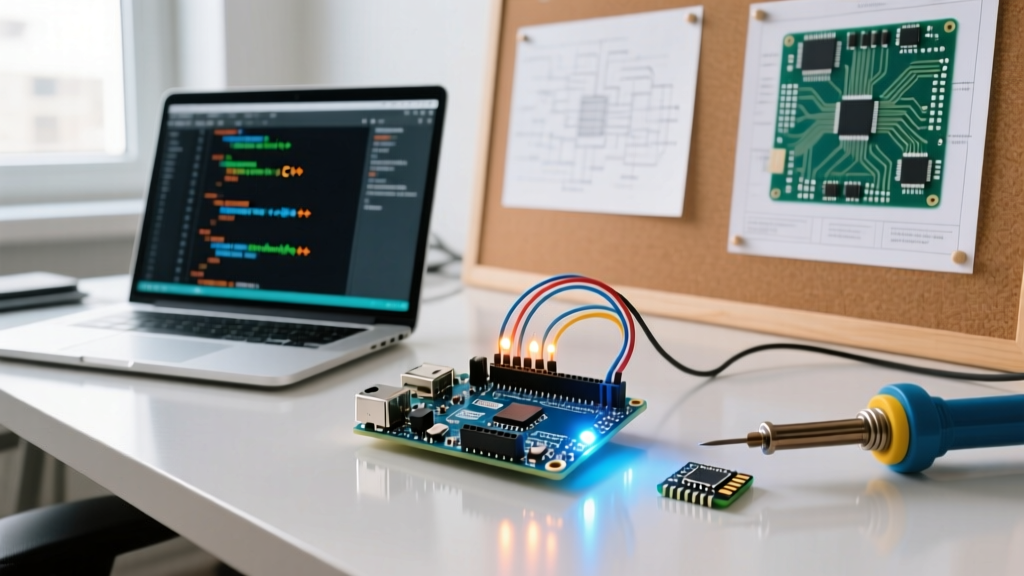

The Core Answer: What Language is Arduino Actually Coded In?
If you are new to the maker space or transitioning from web development, you might be asking: what is Arduino coded in? The short answer is C and C++. However, the complete technical reality is slightly more nuanced. Arduino uses a specialized dialect of C++ that relies on the official Arduino Language Reference and the underlying Wiring framework.
When you write an Arduino sketch (a file ending in .ino), you are not writing standard, bare-metal C++. The Arduino IDE utilizes a builder tool that preprocesses your code before passing it to the GCC (GNU Compiler Collection) toolchain. This preprocessing automatically injects #include <Arduino.h> at the top of your file and generates function prototypes for any custom functions you define, saving you from the strict declaration ordering required in standard C++.
The Anatomy of an Arduino Sketch
Every standard Arduino C++ program requires two core functions:
setup(): Runs exactly once when the microcontroller boots or is reset. Used for initializing pins, starting serial communication, and configuring peripherals.loop(): Runs continuously in an infinitewhile(1)loop. This is where your main logic, sensor polling, and actuator control reside.
Community Resource Roundup: Top IDEs & Coding Environments
The maker community has evolved far beyond the original Java-based Arduino IDE. Today, developers have access to powerful, feature-rich environments tailored to different skill levels and project complexities. Below is our curated roundup of the most popular coding environments used by the community today.
| IDE / Environment | Primary Language | Target Audience | Cost | Key Community Feature |
|---|---|---|---|---|
| Arduino IDE 2.x | C / C++ | Beginners & Educators | Free (Open Source) | Integrated Board & Library Managers |
| PlatformIO (VS Code) | C / C++ / Rust | Advanced Makers & Pros | Free (Plus tier $15/mo) | Advanced IntelliSense & CMake support |
| Arduino Cloud | C / C++ | IoT Developers | Free / Maker ($5.99/mo) | OTA updates & Web Dashboard builder |
| Thonny IDE | MicroPython | RP2040 / ESP32 Users | Free (Open Source) | Visual REPL & Step-through debugging |
Deep Dive: PlatformIO vs. Arduino IDE 2.x
While the Arduino IDE 2.x has vastly improved with the addition of basic autocomplete and a dark theme, the community heavily favors PlatformIO for complex projects. PlatformIO operates as an extension within Visual Studio Code. It replaces the Arduino builder with a robust Python-based build system that handles complex dependency graphs, multi-board compilation, and unit testing. If you are working with modern 32-bit boards like the ESP32-S3 or the STM32 family, PlatformIO's ability to manage custom platformio.ini configuration files makes it the undisputed industry standard.
Beyond C++: Alternative Languages the Community Loves
While C++ is the native tongue of the Arduino ecosystem, the community has ported several other languages to microcontrollers, expanding the answer to 'what is Arduino coded in' to include modern interpreted and systems languages.
1. MicroPython and CircuitPython
For makers who prefer the readability of Python, MicroPython and Adafruit's CircuitPython are massive community favorites. These are lean implementations of Python 3 optimized for microcontrollers. They are heavily utilized on the Raspberry Pi Pico W (RP2040) and ESP32 dev boards. The major advantage is the REPL (Read-Eval-Print Loop), which allows you to test sensor reads and I2C addresses in real-time without waiting for a full C++ compilation and flash cycle.
2. Embedded Rust
Rust is rapidly gaining traction in the embedded space due to its memory safety guarantees. Using crates like avr-hal (for classic 8-bit Arduinos like the Uno) and esp-hal (for ESP32), developers can write bare-metal firmware that eliminates the segmentation faults and memory leaks common in C++. The learning curve is steep, but for safety-critical maker projects (like custom drones or medical prototypes), the community highly recommends Rust.
3. Visual Block Coding (Scratch / mBlock)
For STEM education and rapid prototyping, tools like Tinkercad Circuits and Makeblock's mBlock translate visual drag-and-drop blocks into standard Arduino C++ behind the scenes. This allows younger makers to understand logic flows without wrestling with syntax errors or missing semicolons.
Expert Memory Management Tip: When coding in C++ for classic 8-bit boards like the Arduino Uno (ATmega328P), you only have 2KB of SRAM. If you use standardSerial.print("Long status message");, those strings consume precious SRAM. Always wrap your static strings in theF()macro, like this:Serial.print(F("Long status message"));. This forces the compiler to store the string in the 32KB Flash memory (PROGMEM) instead, preventing SRAM overflow and random board resets.
Community Resource Hubs: Where to Find Code & Libraries
Knowing the language is only half the battle; knowing where to find community-tested code is the other. Here are the top resource hubs curated by veteran makers:
- GitHub Topics: Search the
arduinoandesp32topics on GitHub. Look for repositories with high star counts and recent commits to ensure the library is maintained for modern IDE versions. - EEVblog Forum: The 'Microcontrollers and Programming' subforum is a goldmine for deep, technical discussions on bare-metal register manipulation and compiler optimization flags.
- Wokwi Simulator: A browser-based tool that lets you write Arduino C++ and simulate complex circuits (including OLEDs, stepper motors, and ESP32 Wi-Fi) before you ever touch physical hardware.
Frequently Asked Questions (FAQ)
Is Arduino coded in Java?
No. This is a common misconception because the original Arduino IDE desktop application was written in Java (using the Processing framework). However, the firmware you write and upload to the board is strictly C/C++.
Can I use standard C++ STL (Standard Template Library) on Arduino?
Yes, but with caveats. Modern 32-bit boards (ESP32, SAMD21, RP2040) support most of the STL, including std::vector and std::string. However, on 8-bit AVR boards, using STL containers can rapidly exhaust the limited 2KB SRAM due to dynamic memory allocation overhead. It is best practice to use static arrays or Arduino-specific string objects on 8-bit architectures.
What compiler does Arduino use?
The Arduino ecosystem relies on the avr-gcc compiler for 8-bit AVR boards, and arm-none-eabi-gcc for 32-bit ARM Cortex-M boards. For ESP32, it uses the Xtensa or RISC-V GCC toolchains provided by Espressif.
Final Thoughts
Understanding what Arduino is coded in opens the door to a massive ecosystem of embedded development. Whether you stick to the foundational C++ wiring framework, adopt the rapid-prototyping power of MicroPython, or push the boundaries with Embedded Rust, the community tools available today make microcontroller programming more accessible and powerful than ever. Choose the IDE and language that aligns with your project's complexity, and leverage the community resources to accelerate your build.