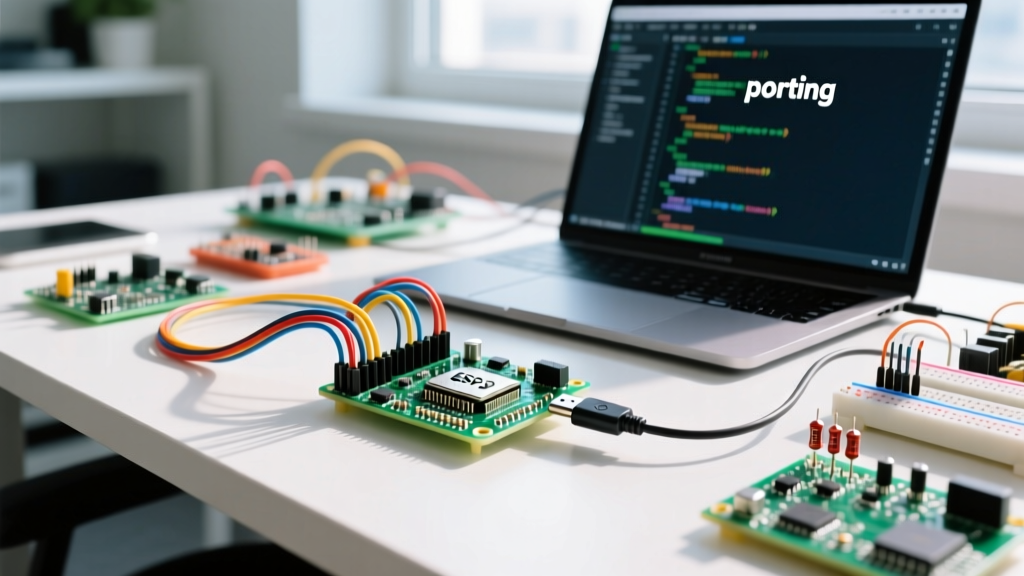

The Simulation vs. Reality Gap in 2026
Using a circuit simulator with Arduino projects has become a standard workflow for rapid prototyping. Platforms like Wokwi and Tinkercad Circuits allow makers to validate logic, test wiring, and debug code before committing to physical hardware. However, browser-based WebAssembly (WASM) environments do not perfectly mirror silicon behavior. With the Arduino Uno R4 WiFi and Minima boards dominating the market in 2026 (priced around $28 and $35 respectively), simulating the newer Renesas RA4M1 core remains largely unsupported in free web simulators, forcing developers to rely on classic AVR or ESP32-S3 simulations. This discrepancy often leads to confusing errors where code runs flawlessly in the simulator but fails on the workbench—or vice versa.
This guide provides deep-dive error diagnosis for the most common simulation-to-hardware mismatches, focusing on I2C bus lockups, Watchdog Timer (WDT) resets, and microsecond timing jitter.
Error 1: I2C Bus Lockups and Missing Pull-Ups
The Hardware vs. Simulator Mismatch
One of the most frequent errors encountered when wiring an I2C device (like an SSD1306 OLED or BME280 sensor) in a virtual environment is a complete sketch freeze at Wire.endTransmission().
Diagnostic Insight: Physical I2C breakout boards almost always include 4.7kΩ or 10kΩ pull-up resistors on the SDA and SCL lines. Most simulators model an 'ideal' floating bus by default, meaning the virtual wires never reach the HIGH state required for I2C acknowledgment (ACK) bits.
When you run Wire.begin() without explicitly defining pull-ups in the simulator, the virtual bus floats, and the Arduino Wire library enters an infinite wait state for an ACK that will never arrive.
How to Fix the Virtual I2C Hang
- In Wokwi: You must manually place virtual 4.7kΩ resistors between VCC (5V or 3.3V) and both the SDA and SCL pins in the schematic editor. Alternatively, initialize the bus using internal pull-ups via
Wire.begin(SDA_PIN, SCL_PIN, 400000);depending on the core architecture. - In Tinkercad Circuits: The simulator automatically applies virtual pull-ups to the A4/A5 I2C lines when the Wire library is invoked, but if you are using an ESP32 board definition, you must explicitly wire physical resistors in the virtual breadboard.
Error 2: Watchdog Timer (WDT) Resets on Serial Output
Diagnosing the ESP32 WDT Timeout
When simulating an ESP32-WROOM-32 or ESP32-S3, you may encounter a sudden crash with the error: E (1234) task_wdt: Task watchdog got triggered. This typically happens when a sketch relies heavily on Serial.print() inside a tight while() loop or a high-frequency interrupt.
In physical hardware, the CP2102 or CH340 USB-UART bridge handles serial buffering efficiently. In a web-based simulator, the virtual serial port relies on JavaScript DOM manipulation to render text to the browser console. If your sketch outputs data faster than the browser can render it (e.g., printing raw ADC readings at 10,000 Hz), the virtual serial buffer chokes. This blocks the main execution thread, preventing the IDLE task from running, which triggers the ESP32's Task Watchdog Timer (TWDT) after the default 2-second timeout.
Step-by-Step WDT Resolution
- Throttle Serial Output: Never print every loop iteration. Use a
millis()based timer to print to the virtual serial monitor no more than 20-30 times per second. - Yield to the RTOS: If you must run a blocking loop, insert
yield();orvTaskDelay(1);to feed the ESP-IDF Watchdog Timer. - Disable WDT for Debugging: In the simulator's board configuration, you can temporarily increase the WDT timeout via the ESP32 menuconfig equivalent, though this is a band-aid, not a fix.
Error 3: Timing Inaccuracies and Fast Interrupt Jitter
Simulators execute code via WebAssembly, which is subject to the host operating system's thread scheduling and browser garbage collection. While a physical 16MHz ATmega328P executes delayMicroseconds(10) with near-perfect precision, a browser-based simulator can introduce 15µs to 50µs of jitter.
| Function | Physical Hardware (Uno R3) | WASM Simulator Environment | Diagnosis / Impact |
|---|---|---|---|
delay(1000) |
~1000.0ms | ~1000ms - 1005ms | Negligible. Safe for general logic and debouncing. |
delayMicroseconds(5) |
~5.0µs | ~20µs - 60µs (Jitter) | Critical failure for bit-banged protocols (e.g., DHT22, WS2812B). |
micros() drift |
4µs resolution | Variable resolution based on browser frame rate | PID control loops and ultrasonic distance calculations will yield erratic data. |
The Bit-Banging Workaround
If your project relies on strict microsecond timing—such as driving WS2812B NeoPixels via raw GPIO toggling—the simulator will fail to generate the correct 800kHz signal. To diagnose and bypass this, use the simulator's built-in virtual components. For example, Wokwi's custom chips and NeoPixel models intercept the API calls or utilize hardware-simulated SPI/I2S peripherals rather than relying on WASM CPU-cycle counting.
Error 4: Direct Port Manipulation and Architecture Limits
A classic error occurs when makers copy-paste legacy AVR code into a modern ESP32 simulation. Code utilizing direct port manipulation (e.g., PORTD |= (1 << 5);) will throw a compilation error or silently fail in an ESP32 simulator.
The ESP32 architecture uses a completely different memory-mapped GPIO matrix. To simulate direct port manipulation on an ESP32-S3 in 2026, you must use the ESP-IDF register macros:
// Set GPIO 5 HIGH on ESP32
GPIO.out_w1ts = (1 << 5);
// Set GPIO 5 LOW on ESP32
GPIO.out_w1tc = (1 << 5);
Diagnostic Tip: If your simulator compiles but the virtual LEDs do not light up, check the simulator's serial debug log for 'Illegal Memory Access' warnings, which indicate your code is writing to unmapped AVR memory addresses on an Xtensa or RISC-V core.
Diagnostic Checklist Matrix
Use this matrix to rapidly isolate whether an error is a flaw in your code, a limitation of the simulator, or a physical hardware fault.
| Symptom | Simulator Behavior | Hardware Behavior | Root Cause & Fix |
|---|---|---|---|
| Sketch freezes on I2C scan | Hangs indefinitely at Wire.endTransmission() |
Works fine (modules have pull-ups) | Simulator Fault: Add virtual 4.7kΩ pull-up resistors to SDA/SCL. |
| Random reboots with WDT error | Crashes when printing high-frequency data to virtual console | Runs stable with physical USB cable | Simulator Bottleneck: Throttle Serial.print() using millis(). |
| NeoPixels flicker or show wrong colors | Colors are random or completely off | Displays correct colors | Timing Jitter: Use the simulator's native NeoPixel part instead of bit-banging. |
Compilation fails on PORTD |
'PORTD was not declared in this scope' | Compiles and runs on Uno R3 | Architecture Mismatch: Rewrite using digitalWrite() or ESP32 GPIO registers. |
Managing Library Dependencies in Simulators
Finally, a major source of 'simulation-only' errors is library mismanagement. In Tinkercad, you are restricted to a sandboxed list of pre-approved libraries. If your code requires a niche sensor library, it will fail to compile. Wokwi solves this via the wokwi.toml configuration file, allowing you to pull directly from the Arduino Library Manager or GitHub repositories.
Pro-Tip for 2026: If a library relies on hardware-specific DMA (Direct Memory Access) or I2S peripherals that the simulator hasn't fully implemented, the compilation will succeed, but the simulation will yield null data. Always cross-reference the simulator's official 'Supported Peripherals' documentation before spending hours debugging a library that requires physical silicon to function.