
The 2026 Landscape: Bridging Microcontrollers and ROS 2
Integrating low-level hardware with high-level robotic navigation stacks remains a cornerstone of modern robotics. However, the bridge between these two worlds is notoriously fragile. If you are working with a ros arduino setup in 2026, you are likely navigating the transition from the legacy ROS 1 rosserial package to the ROS 2 native micro-ROS framework. While ROS 2 Jazzy Jalisco (the current Long Term Support release) offers vastly improved real-time capabilities and DDS middleware, connecting an Arduino Uno R4 WiFi, Portenta H7, or ESP32-S3 to a host machine still generates a unique class of serial, memory, and synchronization errors.
This guide bypasses basic tutorials and dives straight into advanced error diagnosis, providing exact troubleshooting matrices, memory profiling techniques, and middleware configurations to get your nodes communicating reliably.
Architecture Shift: rosserial vs. micro-ROS
Before diagnosing an error, you must identify your protocol stack. The classic rosserial relied on a custom Python node to translate serial bytes into ROS 1 topics. In 2026, micro-ROS runs a lightweight DDS (Data Distribution Service) client directly on the microcontroller, communicating with a host-side agent.
| Feature | rosserial (Legacy) | micro-ROS (Modern Standard) |
|---|---|---|
| Target ROS Version | ROS 1 (Noetic/EOL) | ROS 2 (Jazzy/Rolling) |
| Transport Protocol | Custom Serial Framing | Standard DDS (XRCE) |
| Min. Recommended SRAM | 2 KB (ATmega328P) | 32 KB (Renesas RA4M1 / ESP32) |
| Host-Side Requirement | Python Serial Node | Micro-ROS Agent (C++/Docker) |
| Common Failure Mode | Buffer Overrun / Lost Sync | DDS Discovery Timeout / Agent Crash |
Diagnosing 'Lost Sync' and Handshake Failures
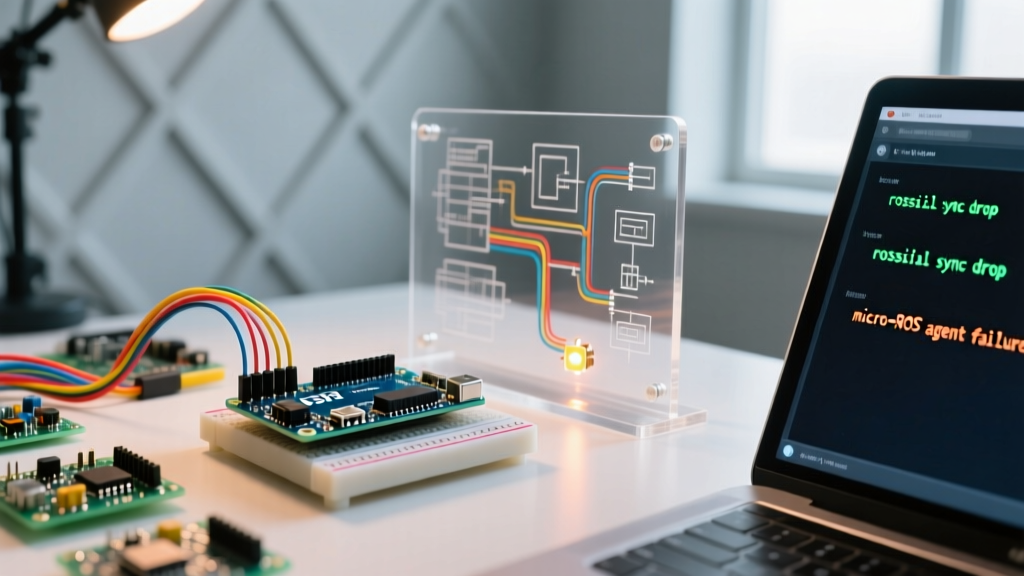
The most infamous error in the ros arduino ecosystem is the synchronization drop. In rosserial, this manifests as [ERROR] Lost sync with device, restarting.... In micro-ROS, it appears as the agent failing to discover the client entity, timing out during the XRCE (eXtremely Resource Constrained Environments) handshake.
The Root Causes of Sync Loss
- Interrupt Service Routine (ISR) Blocking: If your Arduino sketch uses hardware interrupts (e.g., reading quadrature encoders) that take longer than 2-3 milliseconds, the serial RX buffer will overflow. The host sends a ping, the Arduino misses it, and the connection drops.
- Host-Side Buffer Starvation: The host machine's USB-to-Serial driver (like the CH340 or CP2102) may drop packets if the ROS node publishing rate exceeds the physical baud rate limit.
- Memory Fragmentation: Dynamic allocation of message payloads inside the
loop()function causes heap fragmentation, eventually leading to a silent crash and subsequent sync loss.
Actionable Fixes for Sync Errors
If you are still maintaining a legacy rosserial node on an older Arduino Mega, increase the NodeHandle buffer sizes. The default is often too small for high-frequency IMU data:
ros::NodeHandle nh(57600, 20, 20); // baud, input buffer, output buffer
For micro-ROS on an Arduino Uno R4 Minima, ensure you are not using delay() in your main loop. Use non-blocking timing or hardware timers. Furthermore, explicitly define your memory allocator in the micro-ROS setup to use a static memory pool rather than the standard malloc, preventing heap fragmentation over long runtimes.
Serial Port & Permission Nightmares
A frequent stumbling block when launching the micro-ROS agent or rosserial node on a Linux host (Ubuntu 24.04/26.04) is the shifting device path and permission denial.
The /dev/ttyACM0 vs /dev/ttyUSB0 Conflict
Native USB boards (Arduino Uno R4, Leonardo, Portenta) enumerate as /dev/ttyACM0, while boards with external UART-to-USB chips (ESP32 DevKit, classic Uno R3) enumerate as /dev/ttyUSB0. If you have multiple devices, these numbers shift on every reboot.
Implementing Persistent udev Rules
Stop hardcoding device paths in your launch files. Create a persistent symlink by adding a custom udev rule. Open your terminal and create a new rule file:
sudo nano /etc/udev/rules.d/99-arduino-ros.rules
Paste the following configuration, adjusting the idVendor and idProduct (find yours using the lsusb command):
SUBSYSTEM=='tty', ATTRS{idVendor}=='2341', ATTRS{idProduct}=='006d', SYMLINK+='ros_arduino_r4', MODE='0666', GROUP='dialout'
Reload the rules with sudo udevadm control --reload-rules && sudo udevadm trigger. You can now safely target /dev/ros_arduino_r4 in your micro-ROS agent launch commands, eliminating 'Permission Denied' and 'File Not Found' errors.
Memory Overflows & Stack Collisions
Microcontrollers operate on the edge of resource exhaustion. A standard sensor_msgs/msg/JointState message in ROS 2 requires significant payload overhead. If you attempt to run complex micro-ROS nodes on an ATmega328P (2KB SRAM), you will experience silent stack collisions.
Profiling Your Arduino Memory Usage
Do not rely solely on the Arduino IDE's compilation output, which only reports static Flash and global variable usage. It completely ignores dynamic heap allocation and stack size. To truly diagnose memory errors, you must analyze the compiled .elf file.
Use the ARM GCC size utility (included with the Arduino IDE) via the terminal:
arm-none-eabi-size -A -d sketch.elf
Pay strict attention to the .bss and .data segments. If the sum of these segments plus your estimated stack size (usually 1KB to 2KB) exceeds your physical SRAM, your ros arduino node will crash the moment it attempts to serialize a ROS message.
Hardware Upgrades for 2026
If you are consistently hitting memory walls, it is time to upgrade your silicon. The micro-ROS Official Project heavily recommends 32-bit architectures for stable DDS communication.
- Arduino Uno R4 WiFi: Features a Renesas RA4M1 with 32KB SRAM. Excellent for basic sensor fusion and odometry publishing.
- Arduino Portenta H7: Dual-core STM32H747 with 1MB SRAM. Capable of running complex SLAM odometry nodes and high-frequency LiDAR arrays.
- ESP32-S3 DevKitC-1: Offers 512KB SRAM plus up to 8MB PSRAM. The undisputed budget king for micro-ROS in 2026, costing roughly $8 to $12 per unit.
Micro-ROS Agent & DDS Middleware Errors
In ROS 2, the Arduino does not speak directly to the rest of the ROS graph. It speaks to the micro-ROS Agent, which translates XRCE-DDS packets into standard DDS. Errors here are often misdiagnosed as hardware faults when they are actually middleware configuration issues.
Error: 'Cannot find domain' or 'No discovery'
If your ros2 topic list command on the host machine returns nothing, despite the agent running successfully, you likely have a ROS_DOMAIN_ID mismatch. By default, ROS 2 uses Domain ID 0. If your host's environment variable is set to a different ID (common in multi-robot labs to prevent network crosstalk), the agent and your Nav2 stack will never see each other.
Fix: Ensure the agent is launched with the explicit domain ID:
ros2 run micro_ros_agent micro_ros_agent serial --dev /dev/ros_arduino_r4 -d 42
Fast DDS vs. Cyclone DDS
ROS 2 Jazzy supports multiple DDS implementations. micro-ROS is officially tested and optimized for eProsima Fast DDS and Eclipse Cyclone DDS. If you are experiencing severe latency or dropped packets over a Wi-Fi bridge (using an ESP32 or Uno R4 WiFi), switch your host machine to Cyclone DDS, which handles high-latency, lossy UDP networks significantly better than the default Fast DDS configuration.
Set this via environment variable before launching your agent:
export RMW_IMPLEMENTATION=rmw_cyclonedds_cpp
Systematic Diagnostic Flowchart
When your ros arduino node fails, follow this strict diagnostic sequence to isolate the fault domain:
- Verify Physical Layer: Run
dmesg -wwhile plugging in the board. Look for USB disconnects or FTDI/CH340 enumeration errors. Replace the USB cable (data-line failures account for 30% of 'dead' boards). - Test Bare-Metal Serial: Upload a simple
Serial.println('Hello');sketch. Open the Serial Monitor. If this fails, the issue is hardware, drivers, or udev rules—not ROS. - Ping the Agent: Launch the micro-ROS agent. Look for the
[INFO] [micro-ROS] Client connectedlog. If absent, the Arduino sketch is crashing duringset_microros_transports()or memory allocation. - Verify ROS Graph: Run
ros2 node list. If the node appears but publishes no data, useros2 node info /your_arduino_nodeto verify topic QoS (Quality of Service) profiles match your subscriber. - Monitor Memory: Implement a free-RAM reporting function in your Arduino loop and publish it to a debug topic to watch for memory leaks in real-time.
Expert FAQ
Q: Can I run ROS 2 micro-ROS over I2C or SPI instead of Serial?
A: Yes, but it requires a custom transport implementation. The official micro-ROS Arduino repository provides native support for Serial and Wi-Fi (UDP). Implementing I2C requires writing a custom C++ transport layer to handle the XRCE framing, which is generally only recommended for Portenta H7 setups communicating with a Raspberry Pi 5 over a high-speed I2C bus.
Q: Why does my Arduino reset every time I launch the ROS agent?
A: This is the auto-reset feature triggered by the DTR (Data Terminal Ready) line toggling when the host opens the serial port. To fix this, you can either disable the DTR assertion in your host's serial configuration or physically cut the 'RESET-EN' jumper trace on the underside of your Arduino/ESP32 PCB.
Mastering these diagnostic techniques transforms the ros arduino integration from a frustrating guessing game into a predictable, robust engineering process. By respecting memory limits, properly configuring DDS middleware, and securing your serial pathways, your robotic platforms will achieve the uptime required for real-world deployment.
For deeper architectural insights, consult the ROS 2 Jazzy Documentation and ensure your toolchains are updated to the latest 2026 releases.