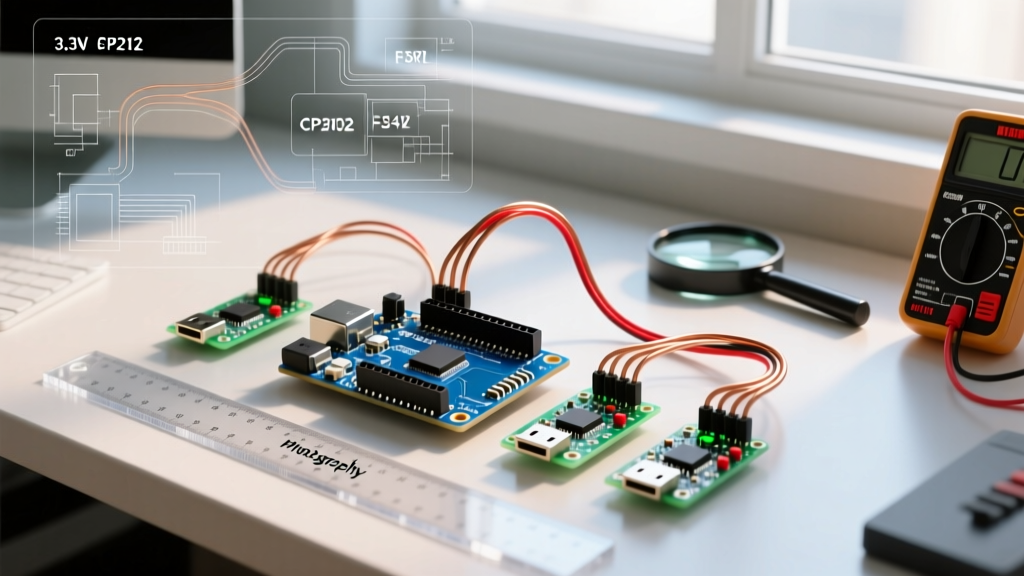

Bridging High-Level Robotics and Low-Level Control
Integrating the Robot Operating System (ROS) with Arduino-compatible microcontrollers is a foundational skill in modern robotics. While ROS (typically running on a Linux-based SBC like a Raspberry Pi or an edge PC) handles heavy computational tasks such as SLAM, path planning, and computer vision, the Arduino handles deterministic, real-time hardware actuation, sensor polling, and motor control. However, the ecosystem has shifted dramatically. With ROS 1 Noetic reaching its end-of-life, the industry standard for ROS and Arduino communication has transitioned from rosserial to micro-ROS.
This quick reference guide and FAQ addresses the most common architectural questions, troubleshooting hurdles, and hardware selection criteria for robotics engineers working in 2026.
Architecture Matrix: rosserial vs. micro-ROS
Before writing a single line of firmware, you must choose the correct communication middleware. The table below outlines the critical differences between the legacy ROS 1 approach and the modern ROS 2 standard.
| Feature | rosserial (ROS 1) | micro-ROS (ROS 2) |
|---|---|---|
| Underlying Protocol | Custom serial serialization | Micro XRCE-DDS (Data Distribution Service) |
| ROS Compatibility | ROS 1 (Noetic and older) | ROS 2 (Humble, Iron, Jazzy) |
| Network Topology | Point-to-Point Serial (UART/USB) | Client-Agent (Serial, Wi-Fi UDP, Ethernet) |
| Minimum MCU SRAM | ~2 KB (Highly constrained) | ~10 KB (Recommended 32+ KB for DDS) |
| QoS Support | None | Full DDS Quality of Service policies |
| Status in 2026 | Legacy / Maintenance Only | Industry Standard |
Expert Insight: If you are starting a new robotics project today, do not use rosserial. The ROS 1 rosserial wiki remains a great historical resource, but micro-ROS is the only viable path forward for ROS 2 compatibility, offering native DDS integration and robust QoS profiles.
Frequently Asked Questions (FAQ)
1. Can I run ROS 2 natively on an Arduino Uno?
No. The classic Arduino Uno (based on the ATmega328P) features only 2 KB of SRAM and 32 KB of Flash memory. micro-ROS relies on the Micro XRCE-DDS client library, which requires significantly more memory to manage DDS discovery, message buffers, and QoS policies. While you can technically squeeze a single publisher onto an Uno using extreme optimization, it is entirely impractical for real-world robotics. Solution: Reserve the Uno for bare-metal I2C/SPI sensor aggregation, and pass that data to a more capable microcontroller (like an ESP32 or Teensy) that acts as the actual micro-ROS node.
2. How does the micro-ROS Client-Agent architecture work?
Unlike ROS 1, where every node spoke the same TCPROS/UDPROS protocol, micro-ROS uses a split architecture to save MCU resources:
- The Client: Runs on the Arduino/MCU. It uses a lightweight C library (
rmw_microxrcedds) to package sensor data and motor commands into XRCE-DDS format. - The Agent: Runs on your Linux host (Raspberry Pi, Jetson, or Ubuntu PC). It translates the lightweight XRCE-DDS packets from the MCU into standard ROS 2 DDS packets that the rest of your ROS 2 graph (Nav2, MoveIt) can understand.
This means your Arduino never directly talks to a ROS 2 topic; it talks to the Agent, which proxies the data to the ROS 2 network.
3. Why am I getting "Lost sync with device" errors with rosserial?
If you are maintaining a legacy ROS 1 codebase, synchronization loss is the most common rosserial failure mode. This occurs when the serial buffer overflows or the baud rate drifts.
- Baud Rate Mismatch: Ensure your Python launch file and Arduino
Serial.begin()match exactly. 57600 is generally more stable than 115200 for ATmega hardware UARTs over long USB cables. - Blocking Code:
rosserialrequires thenh.spinOnce()function to be called frequently (at least every 10-20ms). If you usedelay()or blocking I2C reads in yourloop(), the serial buffer will overflow, causing the host to drop the connection. - Software Serial: Never use
SoftwareSerialforrosserialat baud rates above 38400. The software interrupt overhead will corrupt the packets. Always use hardware UART pins (e.g.,Serial1on an Arduino Mega).
4. What is the exact command to launch the micro-ROS Agent via UART?
For a hardwired USB or UART serial connection between your Linux SBC and your MCU, use the official Docker container to run the agent. This avoids dependency conflicts on your host machine.
# Run the micro-ROS agent on /dev/ttyACM0 at 115200 baud
docker run -it --rm -v /dev:/dev --privileged --net=host microros/micro-ros-agent:jazzy serial --dev /dev/ttyACM0 -b 115200
Note: Ensure your user is in the dialout group on Ubuntu to access /dev/ttyACM0 without root privileges.
Hardware Quick Reference: Best MCUs for ROS in 2026
Selecting the right microcontroller dictates your ROS 2 capabilities. Below is a curated list of the best boards for ROS and Arduino integration, balancing price, SRAM, and native support.
| Microcontroller Board | Price (Approx.) | SRAM / Flash | Connectivity | micro-ROS Readiness |
|---|---|---|---|---|
| Teensy 4.1 | $32.00 | 1 MB / 8 MB | USB, Ethernet, 8x UART | Excellent. Massive RAM allows complex DDS buffering. PJRC Teensy 4.1 specs confirm its dominance in real-time control. |
| ESP32-S3 DevKit | $8.00 | 512 KB / 8 MB | Wi-Fi, USB, UART | Great. Wi-Fi allows wireless micro-ROS via UDP, eliminating slip-rings in rotating robot joints. |
| Arduino Portenta H7 | $110.00 | 1 MB / 2 MB | Wi-Fi, BLE, Ethernet | Native. Officially supported by Arduino's micro-ROS integration. Dual-core allows separating ROS comms from motor control. |
| Raspberry Pi Pico (RP2040) | $4.00 | 264 KB / 2 MB | USB, 2x UART | Good. Requires specific FreeRTOS setup for micro-ROS, but highly cost-effective for simple rovers. |
5. How do I handle power isolation and ground loops?
A frequent hardware failure in ROS-based robots is the destruction of the SBC's USB port due to ground loops or voltage spikes from motor controllers connected to the Arduino.
- The Problem: If your ROS compute node (Raspberry Pi) and your Arduino share a common ground through a USB cable, and the Arduino is also connected to high-current motor drivers, switching noise and back-EMF can travel through the USB ground, frying the Pi's USB controller.
- The Solution: Use digital isolators (like the ISO7721) or optocouplers on the TX/RX UART lines. Power the Arduino and the Pi from separate, isolated DC-DC buck converters. Connect the Pi and Arduino via an isolated UART bridge rather than a direct USB connection.
6. Can I use Wi-Fi for micro-ROS instead of USB?
Yes, and it is highly recommended for mobile robots to avoid cable snagging. When using an ESP32, micro-ROS can communicate with the Agent over Wi-Fi using UDP. However, you must configure the QoS (Quality of Service) profile correctly. Wi-Fi is inherently lossy. Set your ROS 2 subscriber QoS to RMW_QOS_POLICY_RELIABILITY_BEST_EFFORT for high-frequency sensor data (like IMU or LiDAR) to prevent network congestion from blocking your control loop, and use RELIABLE only for critical state changes or E-stop commands.
Summary Checklist for Your Next Build
- Ditch ROS 1 and
rosserial; adopt ROS 2 Jazzy/Humble andmicro-ROS. - Retire the Arduino Uno for ROS tasks; upgrade to a Teensy 4.1 or ESP32-S3.
- Run the micro-ROS Agent via Docker on your Linux SBC to maintain a clean host environment.
- Implement hardware UART (
Serial1) instead of USB serial for robust, interrupt-free communication. - Isolate your power domains to protect your expensive edge-compute hardware from motor back-EMF.