
The Architecture Shift: Why Migrate to the Arduino Nano 33?
For over a decade, the classic ATmega328P-based Nano has been the undisputed workhorse of the maker community. However, as edge machine learning (TinyML), Bluetooth Low Energy (BLE) mesh networking, and high-speed sensor sampling become standard project requirements, the 8-bit AVR architecture hits a hard computational ceiling. Migrating to the Arduino Nano 33 family represents a massive leap in processing capability, but it is not a simple drop-in replacement. It requires a fundamental paradigm shift in how you manage power delivery, memory allocation, and peripheral interrupts.
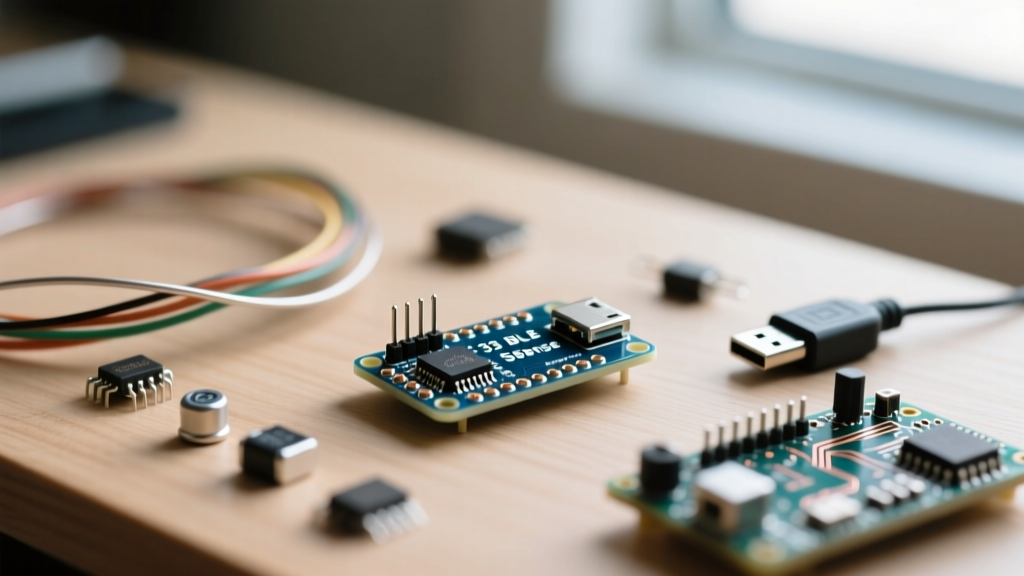
The classic Nano operates on an 8-bit AVR core running at 16 MHz with a mere 2KB of SRAM. In stark contrast, the Nano 33 series leverages 32-bit ARM Cortex architectures. Whether you are selecting the SAMD21 (Cortex-M0+) found in the IoT variant or the nRF52840 (Cortex-M4F) powering the BLE models, you are upgrading to 64 MHz clock speeds, up to 256KB of SRAM, and 1MB of Flash memory. This hardware migration unlocks native floating-point math and hardware-accelerated cryptography, but it introduces strict hardware and software friction that catches many veteran makers off guard.
Hardware Migration: Navigating the 3.3V Logic Trap
The most catastrophic failure mode during an upgrade from a classic 5V Nano to an Arduino Nano 33 is ignoring the logic level shift. The classic Nano is 5V tolerant, and many legacy sensors (like the HC-SR04 ultrasonic sensor or standard 16x2 I2C LCDs) output 5V on their data pins. The Arduino Nano 33 family is strictly 3.3V. Feeding a 5V signal directly into the GPIO pins of the nRF52840 or SAMD21 will instantly and permanently fry the silicon.
Level Shifting Strategies for Legacy Sensors
To safely migrate your legacy 5V peripherals, you must implement bidirectional logic level translation. Relying on simple resistor voltage dividers is highly discouraged for high-speed buses like I2C or SPI due to signal degradation and capacitance issues. Instead, utilize dedicated MOSFET-based level shifters.
- BSS138 MOSFET Breakouts: Ideal for I2C and low-speed GPIO. They are bidirectional, cheap, and preserve signal integrity up to ~400 kHz.
- TXS0108E / TXB0106: Better suited for SPI or UART buses where higher edge rates are required. Note that the TXS0108E can sometimes struggle with heavy I2C capacitance, so keep your trace lengths short.
For a deep dive on voltage thresholds, refer to the SparkFun Logic Levels Tutorial to ensure your specific sensors meet the V_IH (Input High Voltage) requirements of the ARM chips.
Power Delivery Constraints and RF Brownouts
Another hardware migration hurdle is power management. The classic Nano's linear regulator could handle moderate heat dissipation, but the Nano 33 boards utilize switching regulators or highly compact LDOs like the AP2112K-3.3. While the AP2112K-3.3 is rated for 600mA on paper, the physical PCB layout and lack of massive copper pours for heatsinking mean that practical continuous draw should be kept under 300mA to avoid thermal throttling.
Furthermore, the nRF52840 BLE radio draws massive current spikes—up to 150mA for microseconds during RF transmission bursts. If you are powering your migrated project via a low-quality USB cable or an underpowered hub, these microsecond spikes will cause the voltage to sag below the brownout detection threshold (typically ~2.7V), resulting in random, untraceable board resets. The Fix: Always solder a 100µF to 470µF low-ESR ceramic or tantalum capacitor directly across the 3.3V and GND pins on your custom carrier board to buffer these RF current spikes.
Software Porting: Rewriting AVR-Specific Code
Hardware aside, your existing sketch will likely fail to compile on the Arduino Nano 33. The ARM GCC compiler handles memory mapping and registers entirely differently than the AVR-GCC toolchain.
Interrupts and Timer Registers
Direct port manipulation using AVR registers like PORTB, DDRB, or PINB will throw immediate compilation errors. To achieve similar high-speed GPIO toggling on the Nano 33 BLE, you must either use the digitalWriteFast() library (which supports ARM Cortex-M) or interact directly with the Nordic nRF52840 CMSIS headers using NRF_P0->OUTSET and NRF_P0->OUTCLR.
Similarly, legacy timer libraries like TimerOne.h are hardcoded for AVR hardware timers. When migrating timing-critical code, you must switch to ARM-compatible alternatives such as the nRF52TimerInterrupt library or leverage the hardware PWM APIs native to the mbed OS core that the Nano 33 BLE utilizes.
ADC Resolution Changes
The classic Nano features a 10-bit Analog-to-Digital Converter (ADC), returning values from 0 to 1023. The Arduino Nano 33 series features a 12-bit ADC (0 to 4095). If your migration involves reading analog sensors (like potentiometers or light-dependent resistors), you must update your map() functions and voltage calculation formulas to account for the 4096 step resolution, or explicitly set the resolution back to 10-bit using analogReadResolution(10); in your setup() loop to maintain legacy code compatibility.
Comparative Breakdown: Choosing Your Nano 33 Target
The "Nano 33" moniker actually encompasses three distinct boards, each targeting different migration paths. Review the table below to select the correct target for your upgrade.
| Feature | Nano 33 IoT | Nano 33 BLE | Nano 33 BLE Sense Rev2 |
|---|---|---|---|
| Primary MCU | SAMD21 (Cortex-M0+) | nRF52840 (Cortex-M4F) | nRF52840 (Cortex-M4F) |
| Connectivity | Wi-Fi / BT (NINA-W102) | BLE 5.0 / 802.15.4 | BLE 5.0 / 802.15.4 |
| Onboard Sensors | 6-axis IMU (LSM6DS3) | None | 9-axis IMU, Temp/Humidity, Barometric, Gesture, Mic |
| Approx. Retail Price | $20.00 | $24.00 | $36.00 |
| Best Migration Use-Case | Cloud-connected dashboards | Low-power mesh networks | Edge AI & TinyML projects |
For comprehensive pinout and schematic details, always consult the Arduino Official Nano 33 BLE Sense Rev2 Docs or the Nano 33 IoT Documentation before finalizing your PCB carrier board designs.
Real-World Failure Modes During Migration
Even after addressing logic levels and rewriting registers, makers frequently encounter two specific failure modes when deploying Nano 33 boards in the field:
1. I2C Bus Hanging on External Sensors
The Nano 33 BLE Sense features a complex internal I2C routing architecture. The external SDA and SCL pins on the header are tied to the nRF52840's primary I2C bus, but the internal pull-up resistors enabled by default in the Wire.h library are often too weak (typically 20kΩ to 50kΩ) to pull the lines high quickly enough if you have long wires or multiple sensors. Solution: Always add physical 4.7kΩ pull-up resistors to the 3.3V rail on your external I2C bus. Relying solely on the internal software pull-ups will result in intermittent bus lockups and Wire.endTransmission() timeout errors.
2. USB Enumeration Failures in Bootloader Mode
Unlike the ATmega328P, which uses a dedicated secondary chip (like the CH340 or ATmega16U2) for USB-to-Serial conversion, the Nano 33 boards utilize native USB built directly into the ARM microcontroller. If your sketch crashes the MCU or enters an infinite watchdog loop before the USB stack initializes, the board will "disappear" from your OS device manager, making it impossible to upload a fixed sketch. Solution: If your board becomes unresponsive, double-tap the reset button quickly. This forces the nRF52840 into its ROM bootloader mode, which will re-enumerate as a generic USB drive or stable COM port, allowing you to flash a blank or corrected sketch.
Expert Migration Tip: When transitioning to the Nano 33 BLE Sense Rev2 for TinyML applications, remember that the onboard PDM microphone (MP34DT05) requires the
PDM.hlibrary and direct DMA buffer management. Do not attempt to read audio data via standardanalogRead()loops, as the sampling rate will be far too low to capture meaningful frequency spectrums for machine learning models.
Finalizing Your IDE Environment
To complete your migration, ensure you are using Arduino IDE 2.x. The legacy 1.8.x IDE struggles with the complex mbed OS cores required by the nRF52840. Navigate to File > Preferences and ensure the Arduino nRF528x Boards package is installed via the Board Manager. Compiling for the Nano 33 takes significantly longer than the classic Nano due to the sheer volume of RTOS and BLE stack libraries being linked in the background. Be patient, allocate sufficient RAM to your IDE, and embrace the massive performance headroom your upgraded ARM architecture now provides.