
Even in 2026, with the ubiquity of multi-UART microcontrollers like the ESP32-S3 and Raspberry Pi RP2350, the ATmega328P-based Arduino Uno R3 and Nano remain heavily utilized in cost-sensitive, educational, and legacy DIY projects. Because the ATmega328P only possesses a single hardware UART (reserved for USB communication and debugging), makers inevitably turn to the SoftwareSerial library to communicate with secondary peripherals like GPS modules, MP3 players, or cellular modems.
However, SoftwareSerial is notoriously fragile. It relies on Pin Change Interrupts (PCINT) and precise CPU cycle counting to emulate UART timing in software. When it fails, it rarely throws a compilation error; instead, you get garbage characters, silent failures, or system-wide freezes. Below is an expert-level troubleshooting guide to diagnose and fix the most common SoftwareSerial failures.
The Diagnostic Matrix: Symptom to Root Cause
Before rewriting your sketch, match your specific failure mode to the diagnostic matrix below to isolate the bottleneck.
| Symptom | Probable Root Cause | Quick Fix / Verification |
|---|---|---|
Garbage characters (e.g., ÿÿÿ) |
Baud rate mismatch or timing jitter | Verify peripheral baud rate; drop to 9600 bps. |
| RX receives nothing (TX works) | RX pin lacks Pin Change Interrupt (PCINT) | Move RX to a valid PCINT pin (see Mega2560 notes). |
| Data drops after 64 bytes | Internal RX buffer overflow | Implement non-blocking parsing or increase buffer size. |
| Second port stops receiving | Multiple instances without .listen() |
Manage port states using port.listen(). |
| Entire MCU freezes or reboots | Interrupt collision or SRAM exhaustion | Disable nested interrupts; check dynamic memory usage. |
1. Pin Selection and PCINT Vector Conflicts
The most frequent reason for an unresponsive SoftwareSerial RX line is selecting a pin that does not support Pin Change Interrupts. SoftwareSerial requires an interrupt to detect the falling edge of the UART start bit. If the pin cannot trigger an interrupt, the library will never know data is arriving.
The ATmega2560 (Mega) Trap
On the Arduino Uno (ATmega328P), almost all digital and analog pins support PCINT. However, the Arduino Mega 2560 has a vastly different pin mapping. According to the Arduino SoftwareSerial Library Documentation, not all pins on the Mega can be used for RX.
- Valid RX Pins on Mega: 10, 11, 12, 13, 14, 15, 50, 51, 52, 53, A8 (62), A9 (63), A10 (64), A11 (65), A12 (66), A13 (67), A14 (68), A15 (69).
- Invalid RX Pins: Pins 0-9, 16-49. If you assign pin 4 as your RX pin on a Mega, transmission (TX) will work, but reception will be completely dead.
Logic Level Mismatches (3.3V vs 5V)
In 2026, the vast majority of modern sensors and wireless modules (like the SIM7600 or ESP-01) operate at 3.3V logic. Feeding a 5V TX signal from an Arduino Uno into a 3.3V RX pin will fry the peripheral. Conversely, a 3.3V TX signal into a 5V Arduino RX pin might fall below the ATmega328P's V_IH (High-level input voltage) threshold of 0.6 * VCC (which is 3.0V at 5V operation), resulting in dropped bits. Always use a bidirectional logic level converter (e.g., Texas Instruments TXS0108E) or a simple MOSFET-based shifter.
2. Baud Rate Degradation and Timing Jitter
Hardware UARTs use dedicated baud-rate generators. SoftwareSerial uses CPU cycle counting via delayMicroseconds() and assembly NOPs. At a 16MHz clock speed, the timing resolution is 62.5 nanoseconds. This introduces inherent mathematical errors at higher baud rates.
Expert Insight: The maximum reliable baud rate for SoftwareSerial on a 16MHz AVR is 38400 bps. While 57600 and 115200 are technically supported by the library, the timing error margin exceeds 3.5%, which compounds with the tolerance of the receiving USB-UART bridge (like the CH340 or FT232), causing framing errors and garbage output.
The Baud Rate Error Table (16MHz AVR)
| Target Baud Rate | Actual Achieved Rate | Error Margin | Reliability Verdict |
|---|---|---|---|
| 9600 | 9615 | +0.16% | Flawless |
| 19200 | 19607 | +2.1% | Highly Reliable |
| 38400 | 37878 | -1.36% | Reliable (Edge Case) |
| 57600 | 59523 | +3.3% | Unreliable / Garbage |
| 115200 | 111111 | -3.5% | Fails Frequently |
The Fix: If your peripheral defaults to 115200 (like many modern GPS modules), you must send an AT command or configuration string via the hardware UART or an FTDI adapter to permanently lower the peripheral's baud rate to 9600 or 19200 before connecting it to SoftwareSerial.
3. The 'One Listener' Bottleneck
A fundamental limitation of the library is that it can only listen to one software port at a time. If you instantiate two ports, the second one automatically takes over the interrupt vector, rendering the first one deaf.
SoftwareSerial gpsPort(8, 9);
SoftwareSerial btPort(10, 11);

void setup() {
  gpsPort.begin(9600);
  btPort.begin(9600);
  // btPort is now the active listener. gpsPort will receive NOTHING.
}
Implementing a Time-Division Multiplexing (TDM) Workaround
To read from multiple devices, you must explicitly call the .listen() function and allocate time slices. This requires your peripherals to either buffer their own data or transmit sporadically.
void loop() {
  // Listen to GPS for 1 second
  gpsPort.listen();
  unsigned long start = millis();
  while(millis() - start < 1000) {
    if(gpsPort.available()) parseGPS();
  }

  // Switch to Bluetooth for 1 second
  btPort.listen();
  start = millis();
  while(millis() - start < 1000) {
    if(btPort.available()) parseBT();
  }
}
Note: Switching ports flushes the RX buffer of the previously active port. Any data received during the inactive period is permanently lost.
4. SRAM Buffer Overflows
The ATmega328P has a mere 2KB of SRAM. The SoftwareSerial library allocates a 64-byte RX buffer by default. If your main loop() contains blocking code (like delay() or long LCD refresh routines) and the serial device sends more than 64 bytes in that window, the buffer overflows, and subsequent bytes are silently dropped.
Fixing the Overflow
Option A: Non-Blocking Parsing. Never use while(!Serial.available()). Instead, read one byte per loop iteration and build a string array until a delimiter (like \n) is found. For a masterclass in state-machine serial parsing, refer to Nick Gammon's Serial Communications Guide.
Option B: Increase Buffer Size. If you have spare SRAM, you can increase the buffer limit. Open SoftwareSerial.h in your Arduino IDE libraries folder and locate:
#define _SS_MAX_RX_BUFF 64
Change it to 128 or 256. Be warned: every byte added here is stolen from your global variables and dynamic heap. Monitor your memory footprint using the FreeMemory() utility to avoid stack collisions.
When to Abandon SoftwareSerial (Alternatives)
If your project demands high-speed, full-duplex communication, or simultaneous multi-port listening, SoftwareSerial is the wrong tool. Consider these robust alternatives:
- AltSoftSerial: Developed by Paul Stoffregen, this library uses hardware timers (Timer1) instead of Pin Change Interrupts. It is vastly more reliable and supports simultaneous transmission and reception. The trade-off is that it only works on specific fixed pins (e.g., Pins 8 & 9 on the Uno). Read the full pinout requirements on the PJRC AltSoftSerial Library page.
- NeoSWSerial: An excellent middle-ground library that supports any pin but operates efficiently at 9600, 19200, and 38400 baud, freeing up CPU cycles compared to the standard library.
- Hardware Upgrade: If you are designing a custom PCB in 2026, abandon the ATmega328P for serial-heavy tasks. The ATmega2560 (4 hardware UARTs), ESP32-C3 (2 hardware UARTs), or the Raspberry Pi RP2040 (2 hardware UARTs + PIO state machines for infinite software UARTs) offer native, interrupt-free serial communication at a comparable or lower BOM cost.
Final Troubleshooting Checklist
- Verify the peripheral's actual baud rate using an oscilloscope or a dedicated USB-to-TTL adapter connected to your PC.
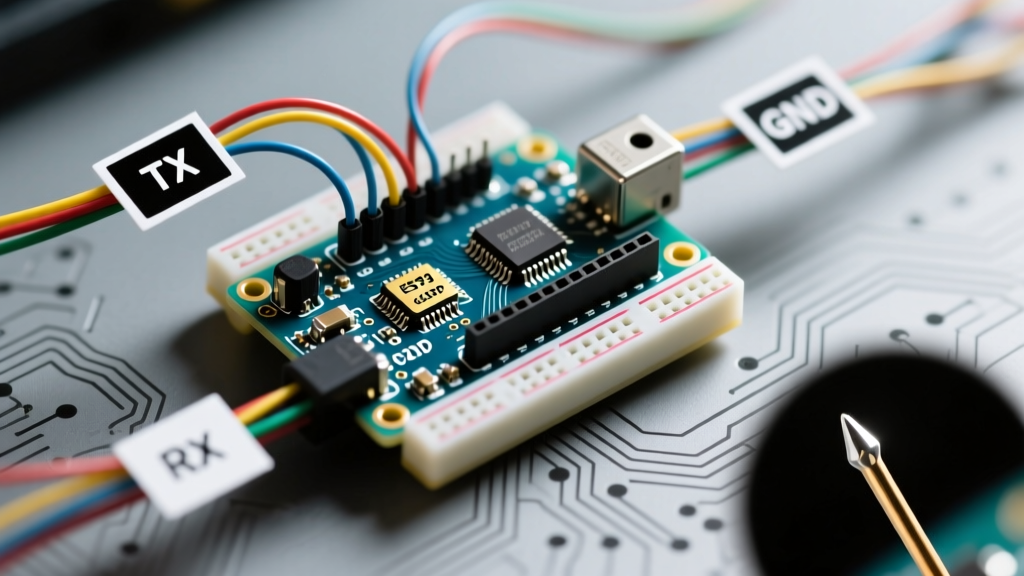
- Ensure common ground (GND) is established between the Arduino and the peripheral. Floating grounds cause erratic voltage referencing and framing errors.
- Check for interrupt conflicts. Libraries like
EnableInterruptor heavy PWM usage on certain timers can disruptSoftwareSerial's microsecond timing. - Keep RX/TX wires short (under 15cm) and away from high-current motor drivers to prevent EMI-induced bit flipping.