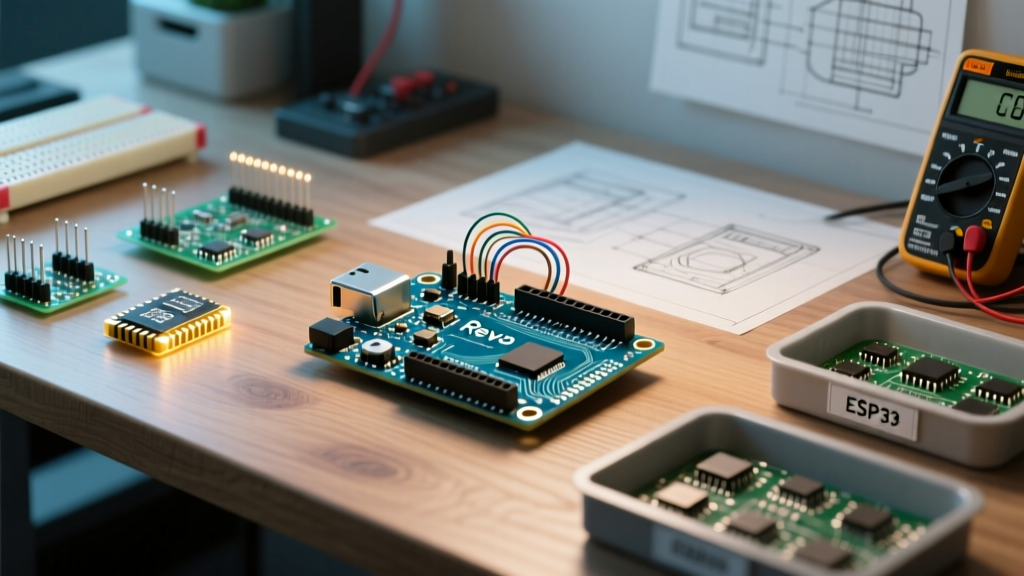

The Enduring Legacy of the Arduino Uno Rev3 in 2026
Despite the market saturation of 32-bit ARM Cortex-M4 boards and the official release of the Uno R4 series, the Arduino Uno Rev3 remains the undisputed heavyweight champion of the maker community in 2026. Why? Because the 8-bit AVR architecture (ATmega328P-PU) offers unmatched 5V logic tolerance, a massive repository of legacy libraries, and a forgiving hardware ecosystem. The Rev3 specifically introduced the 1.0 standard pinout, adding dedicated SDA/SCL headers near the AREF pin and upgrading the USB-to-Serial converter to the ATmega16U2.
This community resource roundup curates the most valuable shields, memory-optimized libraries, and expert-level troubleshooting frameworks specifically tailored for the Rev3 board, helping you extract every ounce of performance from its 32KB Flash and 2KB SRAM.
Community-Approved Shields & Hardware Add-ons
The physical footprint of the Uno Rev3 has dictated the standard for 'Arduino Shields' for over a decade. However, not all shields play nicely with the Rev3's specific pin mappings. Below is a curated matrix of community-favorite shields, verified for 2026 compatibility and pricing.
| Shield Model | Avg Price (2026) | Rev3 Pin Conflicts | Best Community Use Case |
|---|---|---|---|
| Adafruit Data Logging Shield (PID 1141) | $14.50 | Pins 10-13 (SPI for SD) | Long-term environmental telemetry |
| SparkFun Motor Shield (DEV-14380) | $24.95 | Pins 3, 11, 12, 13 | Differential drive robotics |
| Arduino Ethernet Shield 2 (W5500) | $38.00 | Pins 4, 10-13 | Hardwired IoT sensor nodes |
| Seeed Studio CAN-BUS Shield V2 | $29.90 | Pins 9, 10-13 | Automotive OBD-II diagnostics |
Expert Note: When stacking the Ethernet Shield 2 on a Rev3, ensure your USB cable is fully seated. The physical weight of the W5500 magnetic jack can sometimes cause the Rev3's USB-B connector to lose ground contact on cheap clone boards, leading to intermittent serial drops.
Memory-Optimized Libraries for the ATmega328P
The most common failure point for advanced Rev3 projects is SRAM exhaustion. With only 2,048 bytes of SRAM, dynamic memory allocation (heap fragmentation) will crash your sketch. The community has rallied around specific libraries designed to respect these hardware limits.
1. ArduinoJson (v7+)
Parsing JSON on an 8-bit MCU is notoriously dangerous. The community standard ArduinoJson now heavily promotes 'Stream Parsing' for the Rev3. Instead of loading a 5KB API response into a String buffer (which instantly crashes the 328P), Stream Parsing reads the JSON directly from the Ethernet/WiFi client buffer character-by-character, keeping the SRAM footprint under 400 bytes.
2. u8g2 (Page-Buffer Mode)
Driving a 128x64 I2C OLED display requires 1,024 bytes of framebuffer RAM—half of the Rev3's total memory. The u8g2 library offers a 'Page-Buffer' mode that renders the display in 8 horizontal slices, requiring only 128 bytes of RAM at any given time. This is the mandatory approach for Rev3-based smart home dashboards.
3. FastLED (Interrupt Management)
When driving WS2812B addressable LEDs, the strict timing requirements often conflict with the Rev3's `millis()` and `Serial` interrupts. The community consensus is to add #define FASTLED_ALLOW_INTERRUPTS 0 at the top of your sketch if you are pushing over 60 LEDs, ensuring the bit-banging protocol doesn't stutter and cause color shifting.
Deep-Dive Troubleshooting: Rev3 Specific Failure Modes
Even the most robust boards fail under specific edge cases. Based on thousands of forum threads from the official Arduino hardware documentation and community repair logs, here are the three most common Rev3 hardware traps and how to fix them.
The NCP1117 Voltage Regulator Thermal Trap
The Rev3 uses an NCP1117ST50T3G linear regulator to drop the barrel jack input (7V-12V) down to 5V. Because it is a linear regulator, the excess energy is dissipated as heat. The Math: If you power the board with a 12V wall wart and draw 150mA for a sensor shield, the regulator dissipates (12V - 5V) * 0.15A = 1.05 Watts. The SOT-223 package will quickly exceed its 125°C thermal shutdown threshold, causing the board to endlessly reboot.
Community Fix: If your project requires more than 50mA of 5V current, abandon the barrel jack. Use a buck converter to step your external power supply down to a clean 5V, and inject it directly into the 5V pin on the header, completely bypassing the onboard NCP1117 regulator.
ATmega16U2 DFU Recovery (The 'Dead' USB Port)
Unlike older revisions that used the 8U2, the Rev3 utilizes the ATmega16U2 for USB-to-Serial conversion. A common edge case occurs when a sketch sends malformed serial data during boot, corrupting the 16U2's firmware. The board will no longer show up in the Arduino IDE, leading beginners to throw it away.
The Recovery Protocol:
- Locate the 6-pin ICSP header for the 16U2 (the smaller chip near the USB port, not the main ATmega328P).
- Short the 'HWB' pad to ground (or bridge pin 4 to pin 6 on the 16U2 ICSP header).
- Plug in the USB cable while holding the short, then release. The 16U2 is now in Device Firmware Update (DFU) mode.
- Use the
dfu-programmertool via command line to flash theArduino-COMBINED-DFU-USB-Serial-Uno-Rev3.hexfile, which can be sourced directly from the ArduinoCore-avr GitHub repository.
Clone vs. Genuine: The CH340G Reality
In 2026, roughly 70% of 'Uno' boards sold online are $12 clones utilizing the WCH CH340G USB-to-Serial chip instead of the ATmega16U2. While functionally identical for 95% of sketches, the CH340G lacks the native DFU recovery mode and occasionally drops the DTR auto-reset line. If your clone board refuses to auto-reset during sketch upload, you must manually press and release the physical reset button on the board exactly when the IDE console reads 'Uploading...'.
Top Community Hubs for Ongoing Support
When the official Arduino Troubleshooting Guide doesn't cover your specific edge case, these community hubs are where the real engineering happens:
- The Arduino Forum (AVR Section): The most active repository of legacy 8-bit knowledge. Search for threads by user 'pert' or 'Paul_KD7HB' for definitive answers on 328P bootloader and compiler optimization quirks.
- Reddit r/arduino & r/AskElectronics: Best for rapid hardware debugging. Post high-resolution photos of your breadboard wiring; the community excels at spotting missing common grounds and floating I2C pull-up resistors.
- Stack Exchange (Electrical Engineering): Use this for deep-dive questions regarding the Rev3's analog-to-digital converter (ADC) noise floor and implementing hardware RC low-pass filters on the A0-A5 pins.
Frequently Asked Questions (FAQ)
Can I use the Arduino Uno Rev3 with 3.3V sensors?
The ATmega328P on the Rev3 operates at 5V. Connecting 3.3V I2C or SPI sensors directly to the digital pins can damage the sensor over time. You must use a bi-directional logic level converter (like the BSS138 MOSFET-based Adafruit 757) to safely bridge the voltage domains.
Why does my Rev3 get warm to the touch?
The onboard linear voltage regulator and the USB interface chip generate ambient heat. It is normal for the NCP1117 regulator to reach 50°C-60°C when powered via the barrel jack at 9V. However, if the main ATmega328P DIP chip itself is hot, you likely have a short circuit on one of your output pins drawing excess current.
Is the Uno Rev3 still worth buying over the Uno R4 Minima?
For pure 5V hardware interfacing, legacy shield compatibility, and learning raw AVR C-register manipulation, the Rev3 is still superior. The R4 Minima is better suited for DSP, floating-point math, and high-speed USB HID applications, but lacks the vast ecosystem of 5V-tolerant community shields.