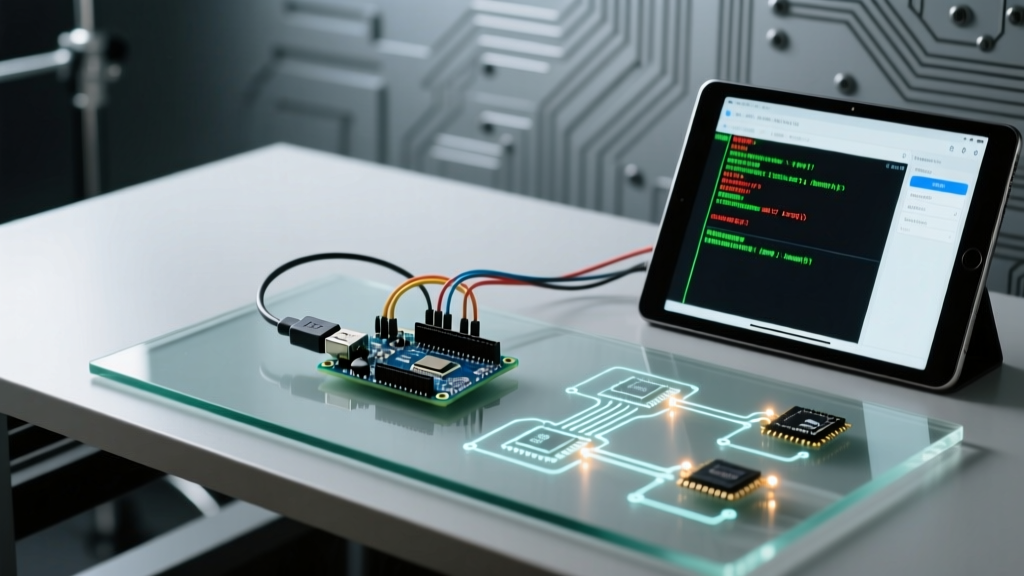

When building embedded systems, few things are as frustrating as opening the Serial Monitor only to see a blank screen, garbage characters, or the dreaded "Port not found" error. Getting your PC and Arduino read serial port streams to communicate flawlessly requires navigating a complex minefield of USB-to-UART bridge chips, operating system driver stacks, and hardware buffer limits. In 2026, with the proliferation of Apple Silicon, Windows 11 Core Isolation security features, and advanced IDE 2.x environments, legacy troubleshooting advice is largely obsolete.
This compatibility guide dissects the exact hardware and software layers dictating serial port readability, providing actionable solutions for modern maker environments.
The Hardware Layer: USB-to-Serial Bridge Compatibility
The primary microcontroller (e.g., ATmega328P or ESP32) does not natively speak USB. It relies on a secondary bridge chip to translate UART logic levels (0V/5V or 0V/3.3V) into USB differential signals. The specific chip on your board dictates your driver requirements, latency, and common failure modes.
| Bridge Chip | Common Boards | Avg. Cost (Bulk) | Driver Requirement (2026) | Known Edge Cases |
|---|---|---|---|---|
| WCH CH340G/C | Uno R3 Clones, Nano V3 | $0.40 - $0.80 | Required (Win/Mac) | Blocked by Windows Core Isolation; hijacked by Linux brltty. |
| Silicon Labs CP2102 | NodeMCU, ESP32 DevKit | $1.20 - $1.80 | Required (Win/Mac) | macOS user-space driver conflicts with older kernel extensions. |
| FTDI FT232RL | Funduino, Pro Mini adapters | $4.50 - $6.00 | Native/Optional | High clone failure rate; genuine chips support hardware flow control. |
| ATmega16U2 | Genuine Uno R3/R4, Mega | N/A (Integrated) | Native CDC-ACM | Requires firmware flash if USB descriptors get corrupted. |
OS-Specific Driver Conflicts & Solutions
The physical connection is only half the battle. Modern operating systems employ strict security sandboxes that frequently block legacy serial drivers from mapping to virtual COM ports.
Windows 11 (23H2/24H2) & Core Isolation
If your Device Manager shows a yellow triangle with Code 10 or Code 43 when plugging in a CH340-based clone, the culprit is likely Windows Memory Integrity (Core Isolation). This security feature blocks older, unsigned, or poorly signed kernel-mode drivers.
- The Fix: Do not disable Core Isolation. Instead, download the latest signed CH34x driver (version 3.8 or higher) directly from the WCH official repository. The newer drivers are WHQL-certified and bypass the Memory Integrity block.
- Verification: Open PowerShell and run
Get-PnpDevice -Class Portsto verify the COM port assignment without relying on the legacy Device Manager GUI.
macOS Sequoia & Apple Silicon (M-Series)
Apple has completely deprecated kernel extensions (.kext). If you attempt to install an old CH34x.kext file on an M3 or M4 Mac, it will silently fail or cause a kernel panic. Furthermore, Apple's native CDC-ACM driver does not always correctly handshake with CP2102 chips at baud rates above 460800.
- The Fix for CH340: Use the official user-space
CH34xVCPDriver.pkg. It operates via the macOS I/O Kit user-space API rather than the kernel. - The Fix for CP2102: Silicon Labs provides a modern VCP driver suite that supports Apple Silicon natively. Always install the Universal Binary version to ensure compatibility with Rosetta 2 translation layers if running older x86 IDE plugins.
Linux (Ubuntu 24.04+) & The ModemManager Hijack
Linux natively supports almost all USB-to-UART chips via the cdc-acm and ch341 kernel modules. However, a notorious bug persists in Debian/Ubuntu-based distributions where the brltty (Braille display) daemon aggressively claims CH340 and CP2102 devices, assuming they are accessibility hardware.
Symptom: You plug in your Arduino. Thedmesglog shows the device attaching to/dev/ttyUSB0, but it immediately disconnects. The Arduino IDE shows no available ports.
Solution: Open your terminal and executesudo apt remove brltty. Additionally, ensure your user account has permission to access serial ports by runningsudo usermod -a -G dialout $USER, then reboot.
Software Stack: IDE 2.x vs. External Scripts
A massive compatibility bottleneck in 2026 is the serial port locking mechanism. The modern Arduino IDE (versions 2.2 through 2.4) utilizes a Rust-based backend that aggressively holds the file lock on the virtual COM port while the Serial Monitor is open.
If you are attempting to write a Python script using pyserial or a Node.js app using serialport to read sensor data, you will encounter a PermissionError: [Errno 16] could not open port or Resource busy exception.
The Port-Sharing Workaround
- Close the IDE Monitor: You cannot have the Arduino IDE Serial Monitor and a Python script connected simultaneously on standard CDC-ACM ports.
- Use a Virtual Serial Port Splitter: If you must monitor the data while logging it, use software like
socaton Linux/macOS to create a virtual tee, orcom0comon Windows to bridge the COM port to a secondary virtual port. - Implement DTR/RTS Toggling: When Python opens the port, it often triggers the DTR (Data Terminal Ready) line, which resets the Arduino. To prevent your board from rebooting every time your script connects, disable DTR in your Python initialization:
serial.Serial(port, 115200, dsrdtr=False, rtscts=False).
Baud Rate Mismatches & Hardware Buffer Overflows
Even with perfect driver compatibility, data corruption occurs when developers ignore the physical limits of the UART hardware buffer. The ATmega328P (Uno/Nano) features a 64-byte RX hardware buffer. The ATmega2560 (Mega) features a 128-byte buffer.
If your Arduino is configured to transmit at 115200 baud, but your PC script attempts to read at 9600 baud (or if your Python script is blocked by the Global Interpreter Lock and fails to poll the buffer), the 64-byte buffer will overflow in approximately 5.5 milliseconds. Once full, the hardware UART silently drops incoming bytes.
Preventing Buffer Overruns
Never rely on blind Serial.println() loops for high-frequency data. Implement software handshaking or buffer checks:
// Check available buffer space before transmitting high-volume data
if (Serial.availableForWrite() > 32) {
  Serial.print(sensorData);
} else {
  // Throttle or drop low-priority packets
  droppedPackets++;
}
For mission-critical data logging, upgrade to an FTDI FT232RL-based adapter, which supports RTS/CTS hardware flow control and boasts a 256-byte FIFO buffer, virtually eliminating software-side overflow risks.
Troubleshooting Matrix: Quick Diagnostics
| Symptom | Root Cause | Actionable Fix |
|---|---|---|
Garbage characters (e.g., ÿÿ) in Serial Monitor |
Baud rate mismatch between firmware and IDE. | Verify Serial.begin() matches the dropdown in the IDE (usually 9600 or 115200). |
| Board constantly resets when Python script connects | DTR line assertion triggering the auto-reset circuit. | Place a 10µF capacitor between RESET and GND, or disable DTR in software. |
| Port appears, but upload fails with "Access Denied" | Another process (Cura, 3D slicer, or background monitor) holds the lock. | Kill background serial processes or use lsof /dev/ttyUSB0 to find the culprit. |
| Data stream pauses randomly every few seconds | USB polling latency settings in Windows Device Manager. | Open Device Manager > Ports > Advanced > set Latency Timer to 1ms (FTDI only). |
Final Thoughts on Serial Compatibility
Mastering the Arduino read serial port pipeline requires looking beyond the code editor. By matching the correct USB bridge chip to your operating system's security model, managing virtual COM port locks, and respecting hardware buffer limits, you can achieve rock-solid, zero-latency serial communication for your most demanding 2026 embedded projects.