
The Evolution of the Arduino Web Server Landscape
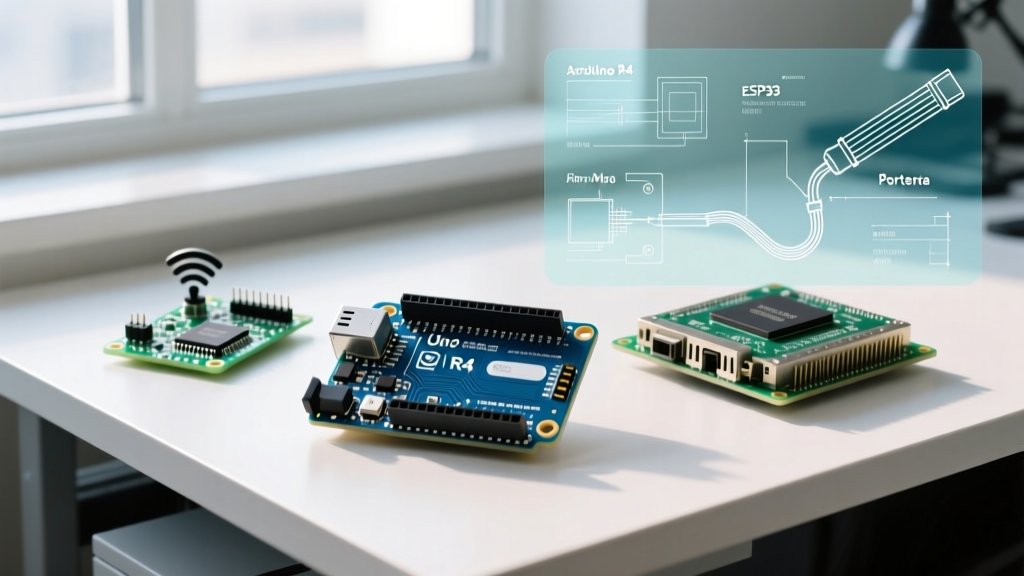
If you have been browsing the r/arduino subreddit or the official Arduino Discord recently, you already know that the conversation around using an Arduino as web server has fundamentally shifted. A decade ago, slapping an ENC28J60 module onto an ATmega328P and writing a blocking HTTP parser was a rite of passage. Today, in 2026, the community demands asynchronous processing, TLS encryption, and WebSocket support. The classic Arduino Uno is rarely the compute engine of choice for modern web serving; instead, the ecosystem has bifurcated into two distinct camps: high-reliability wired setups using advanced Ethernet shields, and high-throughput wireless setups leveraging the broader Arduino-compatible ESP32 ecosystem.
This community resource roundup distills thousands of forum threads, GitHub pull requests, and Discord troubleshooting sessions into a definitive guide. Whether you are building a local IoT dashboard or an industrial sensor gateway, here are the hardware stacks, libraries, and community hubs you need to know about.
2026 Hardware Stack: What the Community is Actually Deploying
Before diving into code, we must address the silicon. The community has largely standardized around two distinct hardware paths depending on the deployment environment.
Wired Reliability: The W5500 Ethernet Standard
For industrial IoT, greenhouse controllers, and environments where WiFi interference is unacceptable, the community overwhelmingly recommends the Wiznet W5500 chip. Unlike the older ENC28J60 which requires the host MCU to process the entire TCP/IP stack (crushing the ATmega328P's 2KB SRAM), the W5500 features a hardcoded TCP/IP stack. It handles packet assembly, checksums, and MAC filtering in hardware, offloading the MCU. You can find W5500 Mini modules for roughly $6 to $9 on Amazon and AliExpress. The community consensus is to avoid the massive, legacy Arduino Ethernet Shield Rev2 and instead use compact W5500 breakout boards wired directly to the SPI header, saving crucial PCB real estate.
Wireless Dominance: The Nano ESP32 and ESP32-S3
When wireless connectivity is required, the community has migrated away from the ESP8266. The Arduino Nano ESP32 (retailing around $22.50) has become the darling of the maker community for web server projects. It combines the familiar Arduino Nano footprint with the dual-core 240MHz ESP32-S3, offering 512KB of SRAM and native WiFi 4. For custom PCB designs, makers are sourcing raw ESP32-S3-WROOM-1 modules. The extra RAM is critical when buffering HTTP headers and serving modern, JavaScript-heavy single-page applications (SPAs) directly from the MCU's flash memory.
Library Showdown: Choosing the Right Web Server Engine
The software you choose dictates your server's concurrency and stability. Here is a comparison matrix based on current community benchmarks and GitHub maintenance activity.
| Library Name | Best Used With | Concurrency Model | RAM Overhead | Maintenance Status (2026) |
|---|---|---|---|---|
| Ethernet.h | W5500 / Classic AVR | Synchronous / Polling | Low (~1KB) | Stable (Official Arduino) |
| ESPAsyncWebServer | ESP32 / ESP32-S3 | Asynchronous / Event-driven | High (~40KB+) | Active (Community Forks) |
| aWOT | Cross-platform (AVR/ARM/ESP) | Synchronous / Middleware | Medium (~4KB) | Stable (Niche) |
| WebServer.h | ESP8266 / ESP32 | Synchronous | Medium (~8KB) | Stable (Official Espressif) |
Community Pro-Tip: If you are using an ESP32, avoid the original
me-no-dev/ESPAsyncWebServerrepository. It has been largely unmaintained for years. The community has standardized on the mathieucarbou/ESPAsyncWebServer fork, which includes vital bug fixes for ESP32-S3 memory leaks and Arduino IDE 2.x compatibility.
Essential Community Repositories and Learning Hubs
To master configuring an Arduino as web server, you need to look beyond basic tutorials. Here are the most valuable resources curated from the trenches of the maker community.
- Official Arduino Ethernet Reference: The Arduino Ethernet Library documentation remains the gold standard for understanding socket allocation and DHCP fallback routines when using W5500 shields.
- Wiznet W5500 Datasheet & App Notes: While dense, the official W5500 product page and its associated application notes are mandatory reading if you are debugging SPI bus contention or hardware TCP/IP stack limitations.
- Random Nerd Tutorials (ESP32 Async Series): For those building dashboards, their extensive guides on pairing
ESPAsyncWebServerwith LittleFS for serving CSS/JS assets are universally recommended on Reddit. - The r/esp32 Subreddit Wiki: A treasure trove of edge-case solutions, particularly regarding WiFi antenna tuning and deep-sleep wake-up routines for battery-powered web servers.
Real-World Failure Modes & Troubleshooting Edge Cases
Theoretical tutorials rarely cover what happens when your server has been running for 14 days straight. Here are the most common failure modes reported by the community and their proven solutions.
1. W5500 Socket Exhaustion and SPI Contention
The Problem: The W5500 chip only has 8 physical hardware sockets. If your web server serves a page that requires multiple concurrent asset requests (HTML, CSS, JS, favicon), the sockets exhaust instantly. Subsequent requests drop, and the server appears frozen. Furthermore, if you share the SPI bus with an SD card for data logging, SPI clock speed mismatches can corrupt Ethernet frames.
The Community Fix:
1. Limit concurrent browser connections by disabling keep-alives in your HTTP headers (Connection: close).
2. If using an SD card, ensure you initialize the SD card before the Ethernet controller, and explicitly manage the Chip Select (CS) pins. The community recommends capping the SPI clock to 14MHz when sharing the bus on breadboards to prevent signal degradation.
2. ESP32 Watchdog Timer (WDT) Resets During File Transfers
The Problem: When serving large files (e.g., a 500KB CSV log file) from LittleFS using a synchronous web server library, the ESP32's Task Watchdog Timer triggers. This happens because the file-reading loop blocks the FreeRTOS idle task from resetting the watchdog, resulting in a sudden reboot.
The Community Fix: Never serve large files in a single while() loop without yielding. If you must use a synchronous library, insert yield(); or vTaskDelay(1); inside your chunked-reading loop. Better yet, migrate to ESPAsyncWebServer and use the server.serveStatic() method, which handles chunking and background task yielding natively via the lwIP stack.
3. Memory Fragmentation in Long-Running Uptime
The Problem: After a week of uptime, ESP32 web servers begin dropping connections or returning 500 Internal Server Errors. This is almost always caused by heap fragmentation. Repeatedly allocating and deallocating String objects for HTTP JSON payloads shatters the available RAM.
The Community Fix: Ban the Arduino String class from your web server routes. Use statically allocated char arrays or the ArduinoJson library with pre-allocated JsonDocument buffers. Monitor your heap using ESP.getFreeHeap() and ESP.getMaxAllocHeap() to catch fragmentation before it crashes the server.
Frequently Asked Questions
Can I use a classic Arduino Uno as a modern web server?
Technically yes, but practically no for modern web apps. The Uno's 2KB SRAM cannot handle the HTTP headers of modern browsers, let alone TLS encryption. The community reserves the Uno strictly for raw TCP/UDP sensor broadcasting, not HTTP web serving.
How do I expose my Arduino web server to the internet safely?
Port forwarding is highly discouraged due to the lack of robust firewalling on MCUs. The community standard in 2026 is to use a reverse proxy tunnel like Cloudflare Tunnels or Tailscale running on a local Raspberry Pi, which then routes traffic securely to your Arduino's local IP address.
Final Thoughts
Configuring an Arduino as web server in 2026 is less about writing raw socket code and more about systems integration. By selecting the right silicon (W5500 for wired, ESP32-S3 for wireless), leveraging actively maintained asynchronous libraries, and respecting the hardware constraints of memory and socket allocation, you can build robust, production-ready IoT endpoints. Bookmark the community forks, monitor your heap memory, and embrace the asynchronous paradigm.