
The Evolution of Arduino and Robotics in 2026
The landscape of Arduino and robotics has matured significantly over the last few years. While the classic ATmega328P-based Uno remains a beloved staple for simple kinematics and educational rovers, modern makers in 2026 are increasingly pushing the boundaries of microcontroller capabilities. The integration of ROS 2 (Robot Operating System) via Micro-ROS on 32-bit ARM Cortex-M4 and M33 boards—such as the Arduino Uno R4 WiFi and the Portenta H7—has bridged the gap between hobbyist tinkering and industrial-grade autonomous navigation.
Whether you are building your first line-following buggy or designing a SLAM-enabled (Simultaneous Localization and Mapping) indoor rover, leveraging the right community resources is critical. This roundup curates the most valuable forums, open-source repositories, hardware kits, and advanced troubleshooting frameworks available to the maker community today.
Premier Online Forums and Discord Communities
When your code compiles but your robot drives in circles, knowing exactly where to ask for help saves hours of frustration. The community surrounding Arduino and robotics is vast, but quality varies.
1. The Official Arduino Forum
The Arduino Forum remains the most heavily indexed and historically rich knowledge base on the internet. For robotics specifically, the Project Guidance and Hardware subforums are invaluable. Pro-Tip: When asking for help with motor control, always post your complete wiring schematic (even a hand-drawn one) and the exact part numbers of your motor driver (e.g., L298N vs. TB6612FNG). The L298N has a notorious 2V voltage drop across its bipolar junction transistors, a common pitfall that forum veterans will immediately point out if you provide your power specs.
2. ROS & Micro-ROS Discord Servers
For advanced robotics, standard Arduino IDE serial printing isn't enough. You need publish/subscribe architectures. The ROS Discord community has dedicated channels for micro-ros and embedded-hardware. This is where you will find real-time discussions on configuring the micro_ros_arduino library to communicate over UDP/WiFi using the ESP32-S3 or Arduino Portenta, enabling seamless integration with Nav2 and SLAMToolbox running on a companion Raspberry Pi 5.
3. r/robotics and r/Arduino Subreddits
Reddit excels at project showcases and component recommendations. The r/robotics subreddit is particularly useful for mechanical design feedback, such as optimizing 3D-printed PLA chassis rigidity or selecting the right TPU shore hardness for custom omni-wheel treads.
Essential Open-Source Code Repositories
Do not reinvent the wheel—especially when it comes to PID controllers and sensor fusion. These GitHub repositories are mandatory bookmarks for any serious robotics developer:
- micro-ROS/micro_ros_arduino: The official bridge for running ROS 2 nodes directly on Arduino-compatible microcontrollers. Essential for distributed robotic architectures.
- odriverobotics/ODrive: While ODrive is its own hardware, their open-source firmware and Arduino libraries for controlling high-power BLDC (Brushless DC) motors are the gold standard for heavy-duty robotic actuators.
- TKJElectronics/KalmanFilter: A highly optimized Kalman filter library for combining accelerometer and gyroscope data from IMUs like the MPU6050 or BNO085, crucial for self-balancing robots.
Expert Insight: When using the BNO085/BNO086 IMU over I2C, avoid polling the sensor in the main loop(). Use the INT (interrupt) pin connected to an Arduino hardware interrupt to read the sensor fusion quaternion data only when new data is ready. This prevents I2C bus lockups and frees up CPU cycles for trajectory planning.
Top Arduino Robotics Kits (2026 Market Comparison)
Selecting the right hardware foundation dictates your learning curve. Below is a comparison of the most relevant kits for different skill levels and budgets in the current market.
| Kit Name | Core MCU | Target Audience | Approx. Price | Key Features & Limitations |
|---|---|---|---|---|
| Elegoo Smart Robot Car V4.0 | Arduino Uno R3 | Beginners / Educators | $75 - $85 | Includes ESP32-CAM for basic vision. Uses L298N driver (inefficient). Great for learning basic C++ logic and IR line tracking. |
| Pololu Zumo 32U4 Robot | ATmega32U4 (Leonardo) | Intermediate / Competitors | $130 - $150 | Form-factor optimized for Mini Sumo. Dual VNH5019 motor drivers (high current). Built-in IMU and edge sensors. Excellent C++ libraries. |
| Adeept 5DOF Robotic Arm | Arduino Uno R3 + Shield | Hobbyists / Kinematics | $60 - $70 | Focuses on inverse kinematics and servo control. Uses standard SG90 servos (low torque, high jitter). Requires external 5V 3A PSU. |
| SparkFun AutoDriver Rover | Arduino RedBoard (ATmega328P) | Advanced / CNC Steppers | $220+ | Uses bipolar stepper motors and L6470 AutoDrivers for precise dead-reckoning without encoders. High cost, steep learning curve. |
Deep Dive: Troubleshooting Common Hardware Failures
The most common point of failure in Arduino and robotics projects isn't bad code; it's poor power distribution network (PDN) design and signal integrity issues. Here is how to diagnose and fix the two most notorious hardware gremlins.
1. The Microcontroller Brownout Reset
The Symptom: Your robot works perfectly on your desk. The moment you place it on the floor and the motors engage, the Arduino reboots randomly, or the LCD screen fills with garbage characters.
The Root Cause: Micro metal gearmotors (like the popular 6V N20 size) have a stall current of roughly 300mA to 700mA each. If you are running four of them and they encounter resistance (like a carpet edge), the sudden current spike causes the battery voltage to sag. If you are powering the Arduino's 5V rail from the same battery through a cheap linear regulator (like the AMS1117 found on clone boards), the voltage drops below the ATmega328P's Brownout Detection (BOD) threshold (typically 4.3V or 2.7V), triggering an immediate hardware reset.
The Fix: Never power motors directly from the Arduino's 5V pin. Use a dedicated switching buck converter, such as the Pololu D24V50F5 (5V, 5A step-down voltage regulator), to power your logic circuits. Furthermore, solder a 470µF low-ESR electrolytic capacitor and a 100nF ceramic capacitor directly across the motor driver's main power input terminals to absorb high-frequency voltage transients.
2. I2C Bus Capacitance and Data Corruption
The Symptom: Your MPU6050 IMU and SSD1306 OLED display work individually, but when connected to the same I2C bus, the Arduino freezes or returns NaN values.
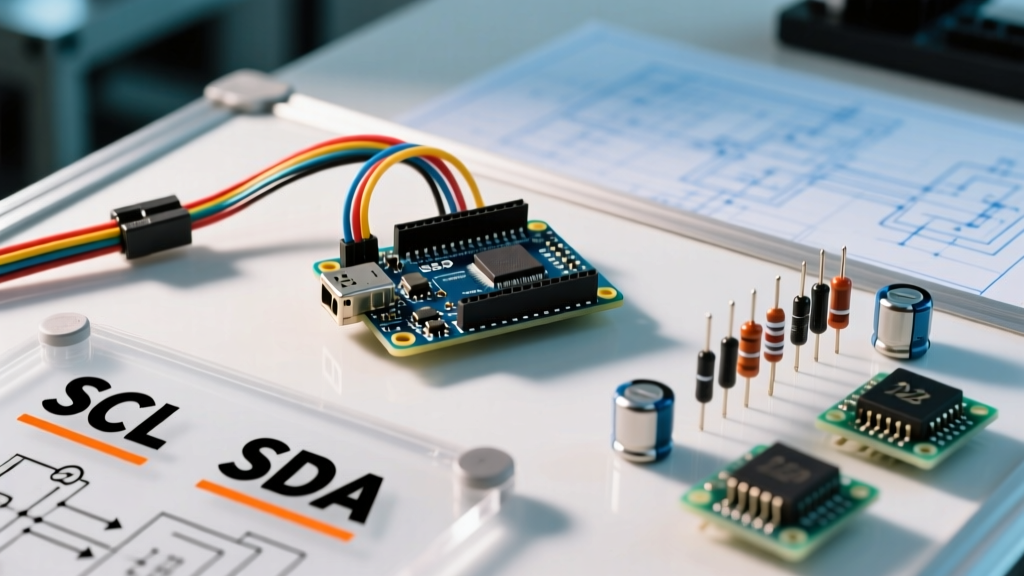
The Root Cause: The I2C specification limits bus capacitance to 400pF. Every wire, breakout board, and pin adds parasitic capacitance. Long jumper wires can easily push your bus over this limit, causing the signal rise times to become too slow for the 400kHz Fast Mode clock speed, resulting in bit errors.
The Fix: First, try dropping the I2C clock speed in your setup function using Wire.setClock(100000);. If the issue persists, replace the standard 4.7kΩ pull-up resistors with stronger 2.2kΩ pull-ups to force faster rise times. For complex robots with multiple sensors (Lidar, IMU, ToF sensors), use an active I2C bus extender like the P82B715 or an active pull-up IC like the LTC4311.
Frequently Asked Questions (FAQ)
Can I run ROS 2 directly on an Arduino Uno R3?
No. The classic Uno R3 (ATmega328P) only has 2KB of SRAM and 32KB of Flash, which is vastly insufficient for the serialization and DDS (Data Distribution Service) middleware required by ROS 2. For ROS 2 integration via Micro-ROS, you need a 32-bit board with at least 256KB of RAM, such as the Arduino Nano RP2040 Connect, the Uno R4 WiFi, or an ESP32-S3.
Why do my quadrature encoders give erratic speed readings?
PWM signals generated by motor drivers create massive Electromagnetic Interference (EMI). If your encoder wires are routed parallel to your motor power wires, the EMI will induce false pulses in the encoder lines. Route encoder wires perpendicular to motor wires, use shielded twisted-pair cables, and add 100nF ceramic capacitors between each encoder signal pin (A and B) and ground at the Arduino input to filter out high-frequency noise.
What is the best battery chemistry for mobile Arduino robots?
For small indoor rovers, 2S (7.4V) LiPo (Lithium Polymer) batteries offer the best power-to-weight ratio and can deliver high burst currents (look for a minimum 25C discharge rating). However, LiFePO4 (Lithium Iron Phosphate) is gaining traction in 2026 for educational environments due to its vastly superior thermal stability and longer cycle life, despite a slightly lower nominal voltage (6.4V for 2S). Always use a dedicated BMS (Battery Management System) and never discharge LiPo cells below 3.2V per cell.