
Quick Reference: What is an Arduino AI Assistant?
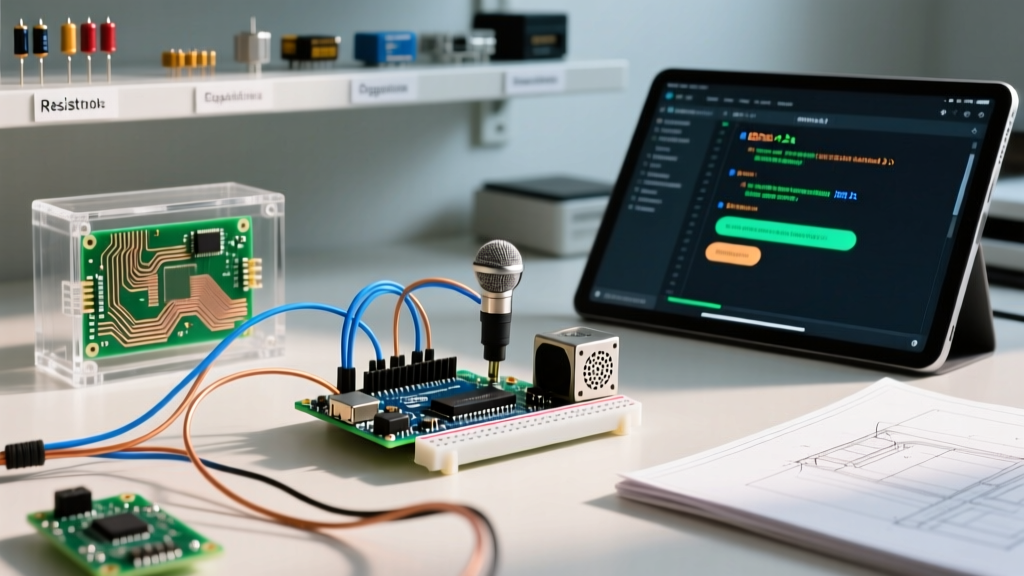
In the maker community of 2026, the term Arduino AI assistant refers to two distinct but equally vital concepts. First, it describes AI-driven coding assistants (like GitHub Copilot or specialized LLM plugins) integrated into the Arduino IDE to help write, debug, and optimize C++ sketches. Second, it refers to Edge AI hardware assistants—local, offline voice-activated microcontroller setups built using TinyML (Tiny Machine Learning) that act as physical smart assistants without relying on cloud processing.
This comprehensive FAQ and quick-reference guide addresses both paradigms, providing actionable engineering data, hardware specifications, and troubleshooting frameworks for modern embedded developers.
Comparison Matrix: Software vs. Hardware AI Assistants
| Category | Primary Function | Top Tools / Hardware (2026) | Avg. Cost |
|---|---|---|---|
| Software (Coding) | Auto-complete, refactor, and debug Arduino C++ code | GitHub Copilot in Arduino IDE 2.3+, Cursor IDE | $10 - $19 / month |
| Hardware (Edge AI) | Local wake-word detection, voice command processing | Arduino Nicla Voice, Nano 33 BLE Sense Rev2 | $65 - $115 (One-time) |
FAQ: AI Coding Assistants for Arduino IDE
Q: How do I effectively use AI coding assistants for Arduino C++?
As of 2026, the Arduino IDE 2.x natively supports extensions like GitHub Copilot. To get the best results, treat the AI as a junior embedded engineer. You must provide strict context regarding your target board's architecture. For example, instead of prompting 'Write a blink sketch', prompt: 'Write a non-blocking blink sketch for the ESP32-S3 using hardware timers and the FreeRTOS xTaskCreatePinnedToCore API, ensuring the watchdog timer is fed.'
Q: Why does the AI hallucinate dangerous code inside Interrupt Service Routines (ISRs)?
This is a critical edge case. LLMs frequently generate delay(), Serial.println(), or standard Wire.requestFrom() calls inside ISRs. On AVR and ARM Cortex-M architectures (like the nRF52840 on the Nano 33 BLE), executing blocking I/O or delay functions inside an ISR will cause a hard fault or system lockup.
Expert Rule of Thumb: Always append this constraint to your AI prompts: 'Never use blocking functions, Serial, or Wire inside ISRs. Use volatile boolean flags and handle logic in the main loop.'
Q: Can AI assistants help optimize SRAM usage on constrained boards?
Yes. If you are targeting an ATmega328P (2KB SRAM) or an nRF52840 (256KB SRAM), instruct the AI to utilize the F() macro for string literals, replace int with int8_t or uint16_t where appropriate, and implement ring buffers instead of standard String objects. AI excels at refactoring String concatenations into char arrays, which prevents heap fragmentation—a common cause of sudden reboots in long-running Arduino projects.
FAQ: Building a Local Edge AI Voice Assistant
Q: Which Arduino board is best for an offline voice assistant?
Selecting the right MCU depends on your DSP (Digital Signal Processing) requirements. Below is a hardware breakdown for edge voice applications:
| Board Model | MCU Core | SRAM / Flash | Audio Sensor | Price (USD) | Best Use Case |
|---|---|---|---|---|---|
| Nano 33 BLE Sense Rev2 | nRF52840 (Cortex-M4) | 256KB / 1MB | MP34DT05-A (PDM) | $65.00 | Basic wake-word (e.g., 'Hey Flux') |
| Nicla Voice | NXP i.MX RT595 (Cortex-M33) | 5MB / 64MB | NXP FusionFusion DSP | $112.00 | Complex multi-command offline voice |
| Portenta H7 + Vision | STM32H747 (Dual Core M7/M4) | 2MB / 2MB | MP34DT06J (via Shield) | $184.00 | Voice + Gesture/Visual AI fusion |
Q: How does the Nicla Voice differ from the Nano 33 BLE for AI tasks?
The Nano 33 BLE Sense relies on its main Cortex-M4 processor to run both the TinyML inference model and your application logic. If your neural network requires 180KB of SRAM for tensor arena allocation, you only have ~70KB left for your application, risking memory overflow. The Arduino Nicla Voice, however, features a dedicated NXP FusionFusion DSP. This chip handles the acoustic echo cancellation (AEC), noise suppression, and voice activity detection (VAD) natively in hardware, waking the main Cortex-M33 core only when a verified acoustic event occurs. This results in drastically lower power consumption and eliminates SRAM bottlenecks.
Step-by-Step: Deploying a Wake-Word Assistant via Edge Impulse
To build a physical Arduino AI assistant that responds to a custom wake word (e.g., 'System Start'), follow this optimized pipeline using Edge Impulse's official Arduino integration:
- Data Collection: Connect your Nano 33 BLE Sense Rev2 via USB. Use the Edge Impulse Data Forwarder to capture 10 minutes of your wake word and 15 minutes of background noise (HVAC, typing, talking).
- DSP Block Configuration: Add an 'Audio (MFE)' processing block. Set the window size to 300ms and the hop length to 150ms. MFE (Mel-filterbank energy) is vastly superior to raw MFCCs for low-power Cortex-M4 inference.
- Neural Network Design: Use a 1D Convolutional Neural Network (CNN). A standard architecture of two Conv1D layers (8 and 16 filters, kernel size 3) followed by a Dropout (0.25) and a Dense output layer provides >92% accuracy while keeping the model size under 40KB.
- Deployment: Export the model as an 'Arduino Library (.zip)'. Import it via Sketch > Include Library > Add .ZIP Library in the Arduino IDE.
- Continuous Inference: Utilize the
PDM.onReceive()callback to feed audio buffers into therun_classifier()function. Ensure the audio buffer matches the exact sample rate (16kHz) defined in your Edge Impulse project.
For deeper architectural insights into deploying neural networks on constrained hardware, refer to the TensorFlow Lite for Microcontrollers documentation, which outlines memory arena allocation strategies critical for preventing runtime crashes.
Troubleshooting Common AI Assistant Errors
1. 'Tensor Arena Size Exceeded' Compilation/Runtime Error
Cause: The tensor_arena byte array allocated in your sketch is smaller than the model's required memory footprint.
Fix: Check the Edge Impulse 'Model Summary' for the exact RAM requirement. If the model requires 45,216 bytes, define your arena with a buffer: alignas(16) uint8_t tensor_arena[50 * 1024];. Do not dynamically allocate this array using malloc(); static allocation prevents heap fragmentation.
2. AI Coding Assistant Generates Deprecated PDM Libraries
Cause: LLMs trained on older GitHub repositories often suggest the legacy PDM.h syntax for the Nano 33 BLE, which conflicts with the MbedOS core updates introduced in late 2023.
Fix: Force the AI to use the modern Arduino-PDM API. Prompt: 'Use the updated Arduino PDM library with the onReceive callback and ShortBuffer, compatible with Arduino Mbed OS Nano core 4.x.'
3. I2C Bus Collisions with Edge AI Sensors
Cause: When expanding your AI assistant with external I2C sensors (e.g., BME280 for environmental context), the high-frequency I2C polling can starve the audio processing pipeline, causing dropped audio frames and failed wake-word detections.
Fix: Move I2C sensor reads to a secondary hardware I2C bus (using pins A4/A5 as SDA1/SCL1 on supported boards) or implement a strict FreeRTOS task scheduler where audio sampling runs on a high-priority core (Core 1) and I2C sensor fusion runs on a low-priority core (Core 0).
Final Thoughts on the 2026 AI Maker Landscape
The integration of AI into the Arduino ecosystem has matured from experimental cloud-dependent APIs to robust, localized Edge ML pipelines. Whether you are leveraging LLMs to write safer, non-blocking C++ code or deploying dedicated DSP silicon like the Nicla Voice for offline acoustic event detection, success relies on strict resource management. By understanding the SRAM limitations, ISR constraints, and DSP block configurations outlined in this quick reference, you can build highly reliable, intelligent embedded systems that operate entirely independent of the cloud.
For further reading on combining audio and visual data for multimodal edge assistants, explore the Arduino Edge Machine Learning archives, which provide foundational case studies on sensor fusion.