
The Legacy of the Arduino 101: Navigating Curie in 2026
Although Intel discontinued the Curie module and Arduino officially retired the Arduino 101 (known as the Genuino 101 in Europe) several years ago, thousands of these boards remain active in legacy IoT deployments, university lab kits, and salvage-based maker projects. The Arduino 101 is a uniquely complex piece of hardware. Unlike standard AVR-based boards, it features a dual-core architecture: a 32MHz Intel Quark x86 core and a 32MHz ARCv2EM core, alongside a dedicated Dialog DA14580 Bluetooth Low Energy (BLE) radio and a Bosch BMI160 6-axis IMU.
Troubleshooting the Arduino 101 requires a fundamentally different approach than debugging an Uno or Nano. Because the peripherals are distributed across different silicon dies communicating via internal SPI and I2C buses, a failure in one subsystem often manifests as a silent crash in another. This comprehensive guide provides actionable, board-level troubleshooting steps to revive your Arduino 101 and stabilize your sketches.
Critical Pre-Check: Core Package & IDE Configuration
Before assuming hardware failure, you must verify your software toolchain. The Arduino 101 relies on the arc32 core, which is no longer bundled in the default Arduino IDE Board Manager. In 2026, attempting to compile for the 101 without the correct legacy JSON index will result in immediate 'Board not found' or missing library errors.
- Install the Legacy Core: Open your Arduino IDE preferences and add the Intel/Arc32 legacy board manager URL. For modern IDE 2.x environments, you may need to manually clone the Arduino ARC32 Core repository into your local hardware folder if the remote JSON index is deprecated.
- Verify CurieBLE and CurieIMU Libraries: These libraries are tightly coupled to the board's specific firmware. Do not attempt to substitute them with generic BLE or MPU6050 libraries; the internal SPI routing will fail.
- Driver Conflicts: On Windows machines, the Arduino 101 enumerates as a composite USB device. If you previously installed generic CDC-ACM drivers for an ESP32 or STM32, they will hijack the Curie's USB interface. Use Zadig to restore the default WinUSB/libusbK drivers specifically for the Curie bootloader PID/VID.
Diagnostic Matrix: Top 4 Arduino 101 Failure Modes
Use this matrix to quickly isolate the root cause of your board's erratic behavior.
| Symptom | Probable Root Cause | Hardware/Software Fix |
|---|---|---|
Upload fails with dfu-util: Cannot open DFU device |
Quark core USB stack crashed; bootloader not engaged. | Double-tap the physical RESET button to force DFU mode. |
| BLE connects but immediately drops when writing data. | DA14580 RAM overflow due to oversized BLE characteristics. | Limit default MTU to 20 bytes or implement explicit MTU negotiation. |
IMU returns 0x00 or hangs on CurieIMU.begin(). |
I2C bus lockup caused by SDA line held low during brownout. | Toggle SCL pin 9 times manually via GPIO to release the bus. |
| Board resets randomly when servos or relays trigger. | Curie module brownout; 3.3V LDO cannot handle transient spikes. | Add a 470µF low-ESR tantalum capacitor across the 3.3V and GND rails. |
Deep Dive 1: Fixing Bluetooth Low Energy (BLE) Stack Crashes
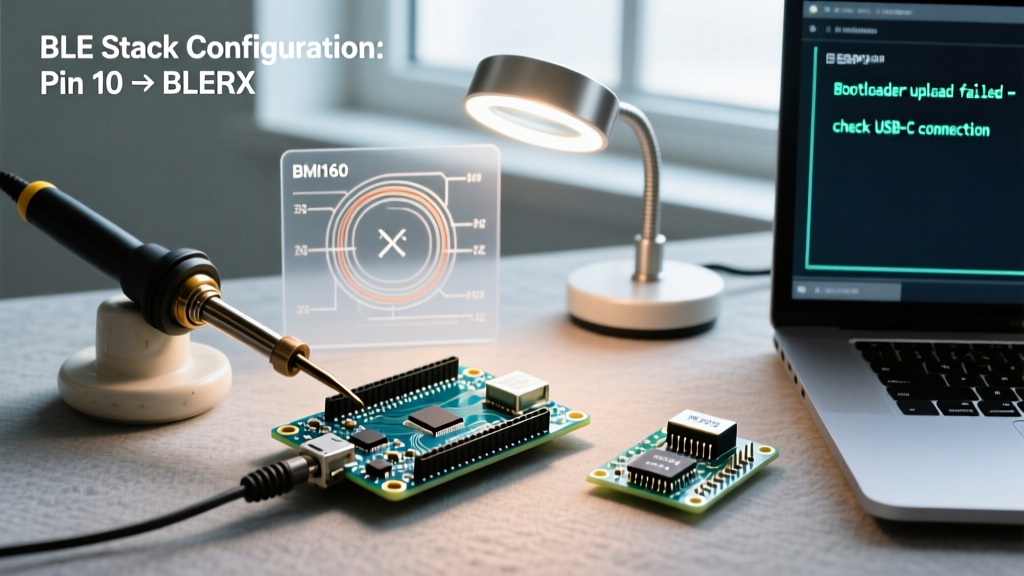
The Arduino 101's BLE functionality is handled by a dedicated Dialog DA14580 chip. The main ARC32 core communicates with this radio via an internal SPI bus using the CurieBLE library. The most common point of failure occurs when pushing the limits of BLE data transmission.
The 'Silent Reboot' MTU Bug
If you attempt to send a BLE characteristic payload larger than 20 bytes without explicitly negotiating a higher Maximum Transmission Unit (MTU) with the central device (like a smartphone), the DA14580's internal watchdog will trigger a hard reset of the BLE radio. To your main sketch, this looks like a silent disconnection.
Expert Fix: Always implement an MTU exchange request in your
BLEPeripheralsetup. If communicating with a generic BLE scanner app that doesn't support MTU negotiation, you must chunk your data into 20-byte packets on the ARC32 side, adding a 50ms delay betweensetValue()calls to allow the DA14580's TX buffer to flush.
SPI Handshake Timeouts
In electrically noisy environments (e.g., near variable frequency drives or high-current switching), the internal SPI traces between the Curie module and the DA14580 can experience bit-flips. The CurieBLE library lacks robust CRC checking on these internal commands. If your BLE peripheral fails to advertise after a sketch upload, perform a hard power cycle (remove USB and external power for 10 seconds) to drain residual charge from the DA14580's decoupling capacitors and force a cold boot of the radio stack.
Deep Dive 2: IMU (BMI160) Initialization & Drift Fixes
The onboard Bosch BMI160 is a highly capable 6-axis IMU, but its integration on the Arduino 101 is notoriously sensitive to power sequencing. According to the SparkFun BMI160 Hookup Guide, the sensor requires a very specific power-up ramp to initialize its internal state machine correctly.
Recovering from I2C Lockups
The BMI160 communicates with the Curie module via I2C. If the Arduino 101 experiences a voltage drop (brownout) exactly while the BMI160 is transmitting a '0' bit (SDA low), the sensor will continue to hold the SDA line low, waiting for a clock pulse that never comes. When power is restored, the main CPU cannot initialize the I2C bus because the line is physically jammed low.
The Recovery Sequence:
- Reconfigure the SCL pin as a standard GPIO output.
- Send exactly 9 clock pulses (toggle HIGH/LOW) at 100kHz.
- The BMI160 will interpret the 9th pulse as the end of the transaction, release the SDA line, and generate a STOP condition.
- Re-initialize the I2C peripheral and call
CurieIMU.begin().
Combating Gyroscope Drift
Users frequently report massive gyroscope drift within minutes of booting. This is rarely a hardware defect; it is a thermal calibration issue. The BMI160's MEMS structure is highly sensitive to temperature gradients. If you upload a sketch and immediately begin reading raw gyro data while the Curie module is still heating up from the USB VBUS connection, the thermal expansion will register as rotational drift. Always implement a 3-second 'settling' delay in your setup() loop, and calculate a dynamic zero-offset bias during this window before entering your main loop().
Hardware-Level Fixes: Power & Logic Level Mismatches
One of the most destructive misconceptions about the Arduino 101 is its 5V tolerance. While the board features a 5V regulator and some pins are labeled with 5V tolerances in early documentation, the Intel Curie module itself operates strictly at 3.3V. The absolute maximum voltage on any GPIO pin is 3.6V.
- I2C Pull-Up Resistors: If you are connecting external 5V I2C sensors (like an older Adafruit BME280 breakout with onboard pull-ups to 5V), you will slowly degrade the Curie's internal I2C transceivers. You must cut the pull-up trace on the external sensor or use a dedicated BSS138 logic level converter.
- Powering via the VIN Pin: The onboard LDO is rated for only ~1.3A, but the Curie module and DA14580 have aggressive transient current spikes during BLE transmission (up to 15mA for microseconds). If you are powering the board via the 7V-12V VIN pin while running heavy BLE advertising, the LDO will overheat and trigger thermal shutdown. For permanent installations, bypass the onboard LDO entirely by feeding a clean, regulated 3.3V directly into the
3.3Vpin, bypassing the USB power path.
When to Pivot: Arduino 101 vs. Modern Alternatives
While troubleshooting and maintaining the Arduino 101 is entirely feasible, sourcing replacement hardware in 2026 is difficult. If your board suffers from catastrophic Curie module failure (e.g., a shorted internal SMPS), it is time to migrate your codebase. The official Arduino Retired Boards documentation suggests moving to modern architectures.
| Feature | Arduino 101 (Legacy) | Arduino Nano 33 BLE Sense (Modern) |
|---|---|---|
| Core Architecture | Intel Curie (x86 + ARC32) | Nordic nRF52840 (Cortex-M4F) |
| BLE Stack | Dialog DA14580 (External SPI) | SoftDevice S140 (Integrated SoC) |
| IMU | BMI160 (6-Axis) | LSM9DS1 (9-Axis) |
| Logic Levels | 3.3V (Strict) | 3.3V (Strict) |
| Migration Effort | N/A | High (Requires rewriting CurieBLE to ArduinoBLE) |
FAQ: Legacy Arduino 101 Support
Can I still use the Arduino IoT Cloud with the Arduino 101?
No. The Arduino IoT Cloud relies on modern TLS encryption stacks and secure element provisioning that the Curie module's limited RAM and lack of a dedicated crypto-accelerator cannot support. For cloud-connected legacy retrofits, consider using the Arduino 101 strictly as a sensor node, passing UART data to an ESP32-C3 or nRF9160 SiP for the actual cloud uplink.
Why does my Arduino 101 show up as 'Intel Curie' in Device Manager?
This is normal behavior. The USB controller is integrated into the Quark x86 core, and the default USB descriptors flashed at the factory identify the silicon manufacturer rather than the board branding. Do not attempt to flash generic AVR bootloader HEX files to this device; doing so will brick the Quark core's USB subsystem, requiring an SWD (Serial Wire Debug) programmer connected to the test pads on the bottom of the PCB to recover.