
The ESP32-S3 Ecosystem: Why Community Support Matters
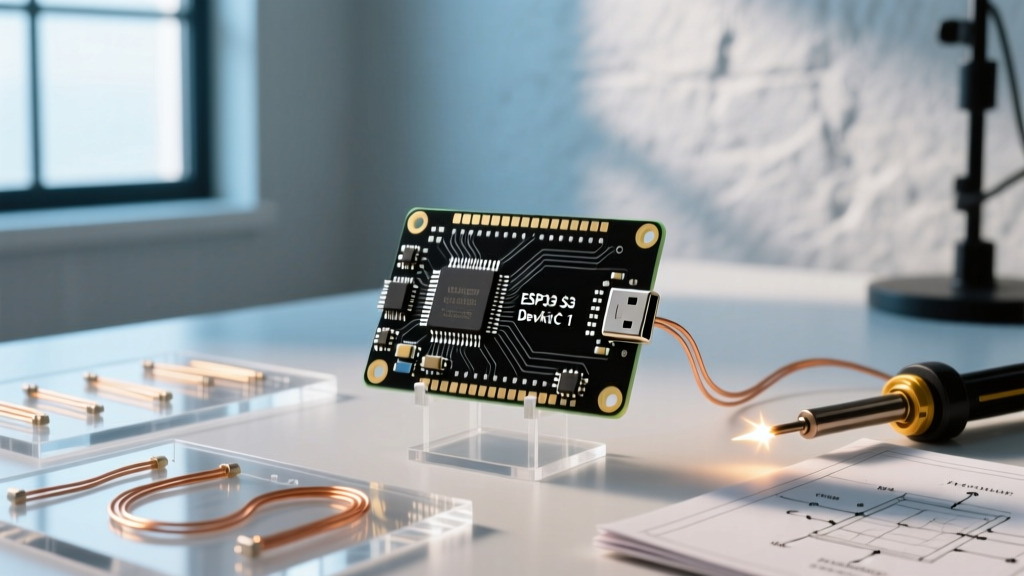
The ESP32-S3-DevKitC-1 has firmly established itself as the go-to development board for edge AI, native USB HID, and advanced IoT applications. With its dual-core Xtensa LX7 processor running at 240 MHz and specialized vector instructions for machine learning, it outclasses the original ESP32 in compute-heavy tasks. However, hardware capabilities are only half the battle. The true power of the ESP32 S3 DevKitC 1 Arduino IDE workflow lies in its robust community support and the vast ecosystem of open-source libraries available in 2026.
Navigating this ecosystem can be daunting. The transition from the legacy ESP32 to the S3 architecture introduced new paradigms, particularly regarding native USB routing and Octal SPI (OPI) PSRAM configurations. This guide synthesizes insights from the Espressif community, GitHub repositories, and field-tested troubleshooting logs to provide a definitive resource for S3 developers.
Core Board Manager Setup: The 2026 Baseline
Before diving into specialized libraries, ensuring your Arduino IDE environment is correctly configured for the S3 is critical. The community-driven Espressif Arduino Core GitHub repository is the authoritative source for board definitions.
- Navigate to File > Preferences and paste the official JSON URL:
https://raw.githubusercontent.com/espressif/arduino-esp32/gh-pages/package_esp32_index.json - Open the Boards Manager, search for
esp32, and install the latest v3.x release (which leverages the ESP-IDF v5.x backend for improved memory management). - Select ESP32S3 Dev Module from the boards dropdown.
Community Pro-Tip: Always set Tools > USB CDC On Boot to Enabled. Unlike older boards that relied on external UART bridges, the S3 uses native USB. If CDC is disabled, your Serial.print() debugging statements will fail to appear in the Serial Monitor.
Top Community-Backed Libraries for the S3
The official Espressif ESP32-S3 documentation highlights the chip's AI and USB capabilities. Here are the community-vetted libraries that unlock these features within the Arduino IDE.
1. Edge AI: ESP-DL and TensorFlow Lite Micro
For developers building voice recognition or image classification models, Espressif's proprietary ESP-DL library is highly optimized for the S3's vector instructions. While TensorFlow Lite Micro (TFLM) remains a popular cross-platform choice, community benchmarks show that ESP-DL's custom Conv2D and DepthwiseConv2D implementations execute up to 3x faster on the S3 by utilizing the PIE (Processor Instruction Extensions) instruction set. When using TFLM, ensure you allocate your tensor arena in PSRAM using heap_caps_malloc(size, MALLOC_CAP_SPIRAM) to prevent internal SRAM overflow.
2. Native USB & HID: Adafruit TinyUSB
The S3's native USB OTG capabilities (routed through GPIO19 and GPIO20) allow it to act as a keyboard, mouse, or MIDI device without external hardware. The Adafruit TinyUSB Library is the undisputed community standard for this. To enable it, set Tools > USB Mode to Hardware CDC and JTAG or USB-OTG (TinyUSB) depending on your specific HID requirements. TinyUSB handles the complex USB descriptor generation, allowing you to deploy custom macro keyboards or game controllers with less than 50 lines of code.
3. Display Drivers: LovyanGFX over TFT_eSPI
While TFT_eSPI has been the historical favorite for SPI displays, the community has heavily pivoted toward LovyanGFX for ESP32-S3 projects. LovyanGFX eliminates the need to manually edit a User_Setup.h file, allowing dynamic, code-based configuration of display parameters. More importantly, LovyanGFX fully supports the S3's parallel RGB and 8080 interfaces, enabling high-framerate driving of large 480x480 or 800x480 LCD panels without dropping frames.
Community Troubleshooting: Edge Cases & Fixes
Despite the mature ecosystem, S3 developers frequently encounter specific hardware-software mismatches. Below are the most common edge cases documented in community forums and their verified fixes.
The PSRAM Panic Mismatch
The ESP32-S3-DevKitC-1 is commonly sold in two main variants: the N8R2 (8MB Flash, 2MB Quad PSRAM) and the N8R8 (8MB Flash, 8MB Octal PSRAM). A frequent, frustrating pain point occurs when developers select OPI PSRAM in the Arduino IDE Tools menu for an N8R2 board. This mismatch causes an immediate boot loop with the error: Guru Meditation Error: Core 1 panic'ed (Cache disabled but cached memory region accessed). Always verify your exact module variant via the silkscreen on the RF shield. If you have N8R2, you must select QSPI PSRAM.
Native USB Bootloader Lockouts
If your sketch crashes the USB stack before the Serial port initializes, the board may become 'invisible' to the Arduino IDE, refusing to accept new uploads. The community workaround bypasses the need to manually hold the BOOT button on the DevKitC-1:
- Double-tap the RST button on the board rapidly.
- This triggers the ROM bootloader to re-enumerate the USB CDC port in DFU (Device Firmware Update) mode.
- Upload your corrected sketch immediately while the port is active.
Library Compatibility & Configuration Matrix
Use this matrix to ensure your Arduino IDE settings align with your chosen library stack.
| Library Name | Primary Use Case | Required IDE Board Setting | Community Stability Rating |
|---|---|---|---|
| Adafruit TinyUSB | HID, MIDI, Mass Storage | USB Mode: USB-OTG (TinyUSB) | Excellent |
| ESP-DL | Edge AI, Face Detection | PSRAM: OPI (N8R8 only) | Very Good |
| LovyanGFX | SPI / Parallel RGB Displays | Flash Mode: QIO 80MHz | Excellent |
| ESP32-BLE-Combo | Bluetooth HID (No USB) | Core Debug Level: None | Moderate (Memory heavy) |
Where to Find Expert Help
When you hit an undocumented wall, the following community hubs are the most active for S3-specific Arduino IDE queries:
- Espressif Systems Forum: Best for deep, low-level ESP-IDF and Arduino Core bugs. Engineers from Espressif frequently reply to threads tagged with 'ESP32-S3'.
- Reddit r/esp32: Ideal for hardware wiring diagrams, DevKitC-1 pinout clarifications, and community-built project showcases.
- GitHub Issues (Arduino-ESP32): Search the closed issues before opening a new one. Many 'bugs' are actually misconfigured IDE dropdowns that have been thoroughly documented by maintainers.
Frequently Asked Questions
Q: Why does my ESP32-S3 get extremely hot when using Wi-Fi and PSRAM simultaneously?
A: The S3's RF amplifier and OPI PSRAM controller draw significant current. If your DevKitC-1 is powered via a low-quality USB cable or an unregulated 5V pin, voltage sag can cause thermal throttling. Community tests recommend powering high-load S3 projects via the dedicated 5V pin with a 2A+ buck converter rather than relying solely on the USB-C port.
Q: Can I use the standard Arduino Servo library on the S3?
A: The legacy Servo library relies on hardware timers that conflict with the S3's Wi-Fi/BT stacks. The community consensus is to use the ESP32Servo library, which utilizes the LEDC (LED Control) peripheral to generate PWM signals safely without crashing the radio interrupts.
Q: How do I free up internal SRAM for Wi-Fi buffers?
A: Force all large static arrays, audio buffers, and display framebuffers into PSRAM by declaring them with the EXT_RAM_BSS_ATTR macro or by using heap_caps_malloc() with the MALLOC_CAP_SPIRAM flag. This leaves the precious 512KB internal SRAM free for the Wi-Fi and Bluetooth stacks.