
The "Micro" Confusion: Defining the Arduino Micros Landscape
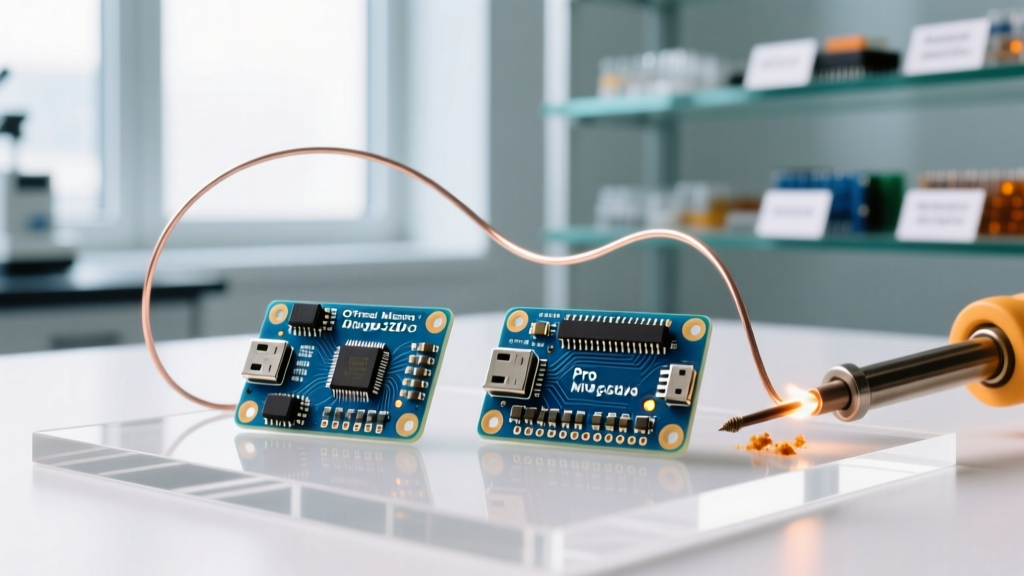
When makers and engineers search for arduino micros, they are usually navigating a highly fragmented, often confusing landscape of ultra-compact development boards. Unlike the universally standardized Arduino Uno, the "micro" form factor encompasses everything from the official, elongated Arduino Micro (Rev3) to the stubby, third-party SparkFun Pro Micro, and the endless sea of unbranded clones flooding global marketplaces.
Understanding this ecosystem is critical for project success. Choosing the wrong variant can lead to severe power delivery failures, bootloader lockouts, or missing native USB capabilities. In this comprehensive ecosystem overview, we dissect the hardware architectures, thermal limits, and native USB HID (Human Interface Device) behaviors that define the micro-class Arduino boards in 2026.
Anatomy of the Official Arduino Micro (Rev3)
The official Arduino Micro is the flagship of the micro-class. Measuring 1.9 x 0.7 inches (48 x 18 mm), it is designed around the Microchip ATmega32U4 microcontroller. Unlike the ATmega328P found in the Uno or Nano, the 32U4 features built-in USB communication, eliminating the need for a secondary bridge chip like the FT232RL or CH340.
Key Hardware Specifications
- Microcontroller: ATmega32U4 (8-bit AVR)
- Operating Voltage: 5V (Logic Level)
- Clock Speed: 16 MHz
- Digital I/O Pins: 20 (of which 7 can be used as PWM outputs)
- Analog Input Pins: 12
- Flash Memory: 32 KB (4 KB used by bootloader)
- SRAM: 2.5 KB
The official board utilizes a MIC5205 low-dropout (LDO) voltage regulator. While this component is reliable, it introduces strict thermal constraints that we will explore later. Priced around $27.00 to $30.00 in 2026, the official Micro commands a premium, primarily due to its robust build quality, pre-soldered headers, and inclusion of a micro-USB cable in some retail kits.
The Third-Party Contender: SparkFun Pro Micro & Clones
If the official Micro is the flagship, the SparkFun Pro Micro is the community workhorse. SparkFun originally designed the Pro Micro to be even smaller than the official Micro, stripping away the DC barrel jack, the onboard reset button, and the ICSP header to achieve a tiny 1.3 x 0.7 inch footprint.
The Pro Micro ecosystem is bifurcated into two distinct voltage variants: a 5V/16MHz version and a 3.3V/8MHz version. This 3.3V variant is highly sought after for battery-powered projects and direct integration with modern 3.3V sensors (like the BME280 or MPU6050) without requiring logic level shifters.
According to the SparkFun Pro Micro Hookup Guide, the lack of an onboard reset button on the Pro Micro is a deliberate space-saving measure, but it introduces significant friction when dealing with native USB bootloader timeouts—a notorious edge case in the micro ecosystem.
Ecosystem Comparison Matrix
To make an informed platform selection, you must compare the micro-class boards against standard alternatives. Below is a structural and functional comparison of the most popular compact boards available today.
| Board Variant | MCU | Clock / Voltage | Native USB HID | Onboard Reset | Approx. Price (2026) |
|---|---|---|---|---|---|
| Official Arduino Micro | ATmega32U4 | 16 MHz / 5V | Yes | Yes | $27.00 |
| SparkFun Pro Micro (5V) | ATmega32U4 | 16 MHz / 5V | Yes | No | $18.50 |
| Clone Pro Micro (3.3V) | ATmega32U4 | 8 MHz / 3.3V | Yes | No | $3.50 - $5.00 |
| Arduino Nano (Classic) | ATmega328P | 16 MHz / 5V | No (Requires Bridge) | Yes | $22.00 |
| Teensy 4.0 | NXP i.MX RT1062 | 600 MHz / 3.3V | Yes | Yes (Pushbutton) | $23.50 |
Note: While the Teensy 4.0 is not strictly an AVR "Arduino," it occupies the exact same physical footprint niche and is the standard upgrade path when the ATmega32U4 runs out of processing headroom.
Native USB HID: The Killer Feature and Its Fatal Flaw
The primary reason engineers select ATmega32U4-based "arduino micros" over the Nano is Native USB HID. Because the 32U4 handles USB directly via its internal hardware controller, it can emulate keyboards, mice, and gamepads natively using the standard Keyboard.h and Mouse.h libraries. The Nano, relying on a hardware UART-to-USB bridge, cannot do this without complex, latency-heavy V-USB software hacks.
The "Bricking" Edge Case: Bootloader Timeouts
Native USB comes with a severe operational hazard. On a standard Arduino Uno, the USB-to-Serial bridge chip (like the ATmega16U2) handles the auto-reset circuit via the DTR line. When you hit "Upload" in the IDE, the board resets automatically, and the bootloader catches the new sketch.
On the Arduino Micro and Pro Micro, the USB connection is tied directly to the main application code. If your sketch floods the USB serial buffer, aggressively polls Keyboard.press() without delays, or crashes the USB stack, the operating system will drop the COM port. The IDE can no longer send the reset signal. The board appears bricked.
Expert Rescue Protocol: If your Micro disappears from the IDE ports menu, you must manually trigger the 800ms bootloader window. Click "Upload" in the Arduino IDE. The moment the console turns orange and reads "Uploading...", quickly double-tap the reset button on the board. This forces the 32U4 into bootloader mode for exactly 800 milliseconds—just long enough for the IDE to push the new, corrected firmware.
If you are using a Pro Micro clone without a reset button, you will need to momentarily short the RST and GND pins with a jumper wire at the exact right millisecond. This is why adding a physical reset button to your custom PCB design when using a Pro Micro as a daughterboard is a mandatory best practice.
Power Delivery and Thermal Throttling Limits
A frequent failure mode in the Arduino Micro ecosystem stems from a misunderstanding of the onboard voltage regulators. Both the official Micro and most Pro Micro clones utilize linear LDO regulators (typically the MIC5205 or similar variants).
Linear regulators dissipate excess voltage as heat. The formula for power dissipation is:
P = (Vin - Vout) * I
Imagine you are building a custom macro-keypad using an Arduino Micro, powering it via the RAW pin with a 12V wall adapter, and drawing 300mA (0.3A) to power RGB LEDs and the MCU.
- Vin: 12V
- Vout: 5V
- Current: 0.3A
P = (12 - 5) * 0.3 = 2.1 Watts
The tiny SOT-223 or SOT-89 package on the Micro board cannot dissipate 2.1W without a heatsink. The junction temperature will rapidly exceed 125°C, triggering the LDO's internal thermal shutdown. The board will reboot endlessly. Actionable Advice: If your project draws more than 150mA, do not use the RAW pin with a high-voltage source. Instead, use a dedicated buck converter (like the Pololu D24V50F5) to step the voltage down to 5V before feeding it into the Micro's 5V pin, entirely bypassing the onboard LDO.
Sourcing and Authenticity in 2026
The market for ATmega32U4 boards is heavily saturated with counterfeits. While a counterfeit ATmega328P (Nano) usually just suffers from slightly higher power consumption or inaccurate internal oscillators, counterfeit 32U4 chips often fail at USB enumeration.
USB requires a highly precise 16MHz crystal and specific load capacitors to maintain the strict timing required by the USB 2.0 Full-Speed specification. Cheap clone manufacturers frequently omit the secondary 16MHz crystal (used exclusively for USB timing) and attempt to derive USB timing from the main oscillator or internal PLL, leading to intermittent "USB Device Not Recognized" errors in Windows and Linux.
When sourcing arduino micros for commercial or mission-critical DIY deployments in 2026, inspect the board for the secondary crystal located near the MCU. If the footprint is empty or populated with a dummy component, reject the batch. Stick to authorized distributors like Digi-Key, Mouser, or direct from SparkFun and Arduino to ensure silicon authenticity.