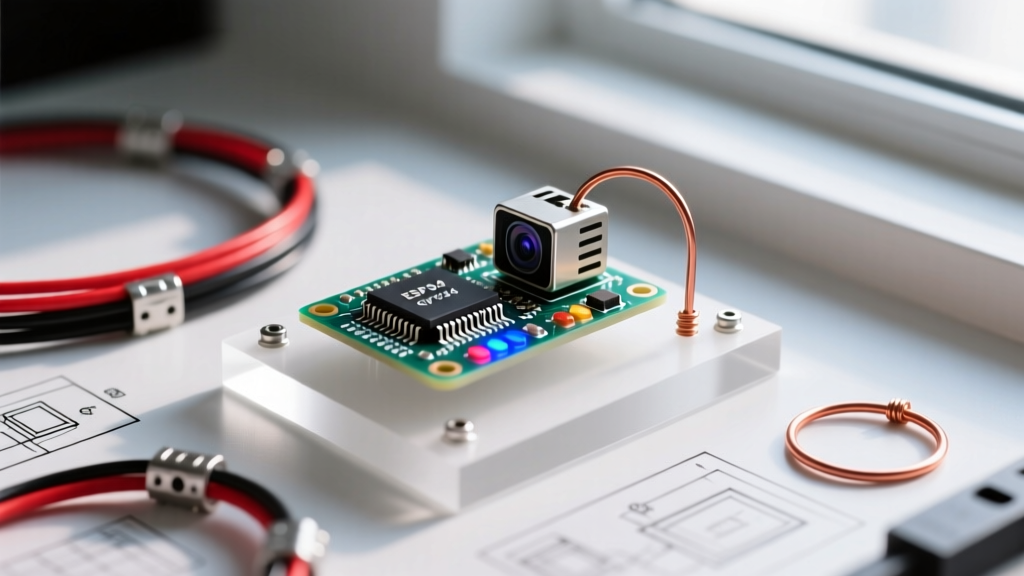

The Evolution of ESP32 Camera Arduino Usage in 2026
The landscape of embedded computer vision has shifted dramatically over the last few years. When discussing ESP32 camera Arduino usage, developers are no longer just relying on the classic AI-Thinker ESP32-CAM (OV2640). Today, the ecosystem is dominated by the ESP32-S3 architecture, which introduces vector instructions for AI acceleration and native USB support. However, this hardware evolution has introduced significant library fragmentation and community troubleshooting hurdles.
Navigating the intersection of the Arduino IDE and Espressif's native ESP-IDF camera drivers requires a deep understanding of community-maintained libraries, partition schemes, and hardware-specific edge cases. This guide provides an expert-level breakdown of the current software ecosystem, where to find reliable community support, and how to resolve the most persistent failure modes encountered in modern ESP32 camera projects.
Core Libraries Powering the Ecosystem
The foundation of any ESP32 camera project in the Arduino environment relies on a stack of C/C++ libraries that bridge the hardware abstraction layer (HAL) with user-friendly APIs. Below is a comparison of the primary libraries driving ESP32 camera Arduino usage today.
| Library Name | Primary Use Case | Maintenance Status | Memory Footprint (RAM) |
|---|---|---|---|
| esp32-camera | Core sensor driver (OV2640, OV5640, GC2145) | Active (Espressif Official) | ~45KB (excluding PSRAM buffers) |
| Arduino-ESP32 Core | Board support package & Wi-Fi/BLE stack | Active (v3.0.x+) | ~120KB base overhead |
| ESP32-WHO | Face detection & recognition pipelines | Legacy (Migrating to ESP-DL) | Requires 4MB+ PSRAM |
| Arduino_GFX | Display pairing for local camera viewfinders | Highly Active (Community) | Varies by display resolution |
The official esp32-camera repository remains the undisputed backbone for sensor initialization. However, with the release of the Arduino-ESP32 Core v3.0.x, several legacy API calls were deprecated. Developers migrating from older tutorials must update their camera_config_t structures to accommodate new XCLK frequency dividers and updated JPEG quality mappings.
Navigating Community Support Channels
Because Espressif hardware often outpaces official documentation, community forums and issue trackers are where the real engineering happens. Knowing where to look—and how to ask—will save you hours of debugging.
1. GitHub Issue Trackers (Best for Code & API Bugs)
The GitHub repositories for the Arduino-ESP32 Core and the esp32-camera driver are the most authoritative sources for software bugs. When searching for fixes, avoid generic queries. Instead, use GitHub's advanced search syntax. For example, searching is:issue label:bug "camera probe failed" in the esp32-camera repo will immediately surface I2C bus conflict reports and maintainers' recommended pull requests.
2. The Espressif Community Forum (Best for Hardware & RF Issues)
For issues related to brownouts, antenna tuning, or PSRAM timing failures, the ESP32 Arduino Forum category is invaluable. Espressif engineers frequently monitor this board. When posting, always include your exact board revision (e.g., AI-Thinker Rev 1.6 vs. Rev 2.0), your power supply specifications, and the exact Git commit hash of the ESP32 core you are using.
3. Reddit & Discord (Best for Architecture Brainstorming)
Subreddits like r/esp32 and the official Espressif Discord are excellent for high-level architectural advice, such as deciding between streaming MJPEG over WebSockets versus utilizing WebRTC for low-latency video transmission.
Real-World Failure Modes & Community Fixes
Based on aggregated community data and field deployments, here are the most common errors encountered during ESP32 camera Arduino usage, along with their definitive fixes.
CRITICAL ERROR:Camera probe failed with error 0x20004
Diagnosis: This is an SCCB (I2C) communication failure. The ESP32 cannot handshake with the OV2640 sensor.
Community Fix: On AI-Thinker boards, this is often caused by a cold solder joint on the camera ribbon cable ZIF connector. Reseat the ribbon cable, ensure the latch is fully depressed, and add a 10kΩ pull-up resistor to SDA/SCL lines if using extended custom PCB traces.
CRITICAL ERROR:PSRAM init failed / Error 0x105
Diagnosis: The Arduino IDE is attempting to allocate frame buffers in external RAM, but the PSRAM chip is either absent, incompatible, or misconfigured.
Community Fix: For ESP32-S3 boards with Octal SPI (OPI) PSRAM (like the XIAO ESP32S3 Sense), you must explicitly select 'OPI PSRAM' in the Arduino IDE Tools menu. Classic ESP32 boards with Quad SPI (QSPI) PSRAM require the 'QSPI PSRAM' setting. Mismatching these will silently crash the camera initialization.
CRITICAL ERROR:Brownout detector was triggered
Diagnosis: The camera module draws up to 250mA during initialization and Wi-Fi TX bursts. Standard USB-to-serial adapters (like the CH340 on the CAM-MB baseboard) cannot supply transient current spikes.
Community Fix: Bypass the onboard 5V regulator. Solder a 1000µF low-ESR electrolytic capacitor directly across the 5V and GND pins on the header, and power the board via a dedicated 5V 2A bench supply.
Step-by-Step: Configuring the Arduino IDE for ESP32-CAM
To ensure stable ESP32 camera Arduino usage, your IDE environment must be configured to handle large binary payloads and external memory. Follow this exact configuration matrix for the Arduino IDE 2.3.x environment:
- Board Selection: Select 'AI Thinker ESP32-CAM' (for classic) or 'XIAO_ESP32S3' (for Seeed S3 Sense).
- Partition Scheme: You MUST select Huge APP (3MB No OTA/1MB SPIFFS) for classic boards. The camera driver and Wi-Fi stack exceed the default 1.2MB app partition. For S3 boards with 16MB flash, use 16M Flash (3MB APP/9.9MB FATFS).
- PSRAM: Set to Enabled. Without PSRAM, the ESP32 will attempt to use internal SRAM for frame buffers, leading to immediate
Guru Meditation Error: Core 1 panic'ed (LoadProhibited)exceptions. - Flash Frequency: Set to 80MHz to maximize read speeds for JPEG compression routines.
- Core Debug Level: Set to Verbose during initial development to capture SCCB handshake logs, then revert to None for production to save CPU cycles.
Hardware-Specific Edge Cases in 2026
As the market has saturated with cheap clones, hardware variations have become a major source of community friction. Here is what you need to know about specific board variants:
- AI-Thinker ESP32-CAM (Classic): The onboard 3.3V LDO is notoriously underpowered. If you are running continuous MJPEG streaming, the LDO will overheat and throttle the ESP32 clock speed. Community consensus dictates removing the onboard LDO and feeding 3.3V directly from an external high-efficiency buck converter (e.g., TPS5430).
- Seeed Studio XIAO ESP32S3 Sense: This board shares I2C pins between the camera sensor and the SD card slot. If you attempt to initialize the SD card before the camera, the SCCB bus will lock up. Always initialize the
esp_cameradriver first, then mount the SD card filesystem. - Freenove ESP32-WROVER CAM: Features an integrated CP2102 USB-to-UART bridge and a much-improved power delivery circuit. It is currently the most reliable off-the-shelf option for developers who do not want to design custom carrier boards, retailing around $24-$28 in 2026.
Frequently Asked Questions
Can I use the ESP32-CAM with MicroPython instead of Arduino C++?
Yes, but with significant caveats. While MicroPython ports for the ESP32-S3 exist, the esp32-camera C-bindings in MicroPython are often outdated compared to the mainline Arduino/ESP-IDF repositories. For production-grade streaming or AI inference, the Arduino C++ environment (or native ESP-IDF) remains vastly superior in terms of memory management and community library support.
Why is my frame rate capped at 10 FPS when streaming over Wi-Fi?
Frame rate bottlenecks in ESP32 camera Arduino usage are rarely due to the camera sensor itself; they are almost always tied to JPEG compression overhead and Wi-Fi stack contention. To increase FPS, lower the JPEG quality parameter (e.g., from 12 to 20) and reduce the frame size to SVGA (800x600). Additionally, ensure your Wi-Fi router is operating on a non-congested 2.4GHz channel, as the ESP32 lacks 5GHz capabilities.
How do I resolve the 'Camera not supported' error on custom PCBs?
This error occurs when the camera_config_t pin mapping does not match your physical PCB traces. Unlike development boards, custom PCBs require you to manually define every single D0-D7 data pin, XCLK, PCLK, VSYNC, and HREF pin in the Arduino sketch. Double-check your schematic against the pin definitions in the esp_camera.h header file.